
How to Check If Samsung Galaxy Z Flip 7 Is Original: Authenticity Guide
Check the IMEI in three places, the model number prefix, the hinge and cover screen behavior, and the software tests no clone survives — together, not any single check. A genuine Samsung Galaxy Z Flip 7 has a fold-flat hinge, an edge-to-edge 4.1-inch FlexWindow cover screen, a 6.9-inch folding inner display, an Exynos 2500 chip, 12GB RAM, One UI 8 with working Samsung services, and matching IMEI/serial numbers across the dialer, Settings, and box.
On this page
Check the IMEI in three places, the model number prefix, the hinge and cover screen behavior, and the software tests no clone survives — together, not any single check.
1. The short answer
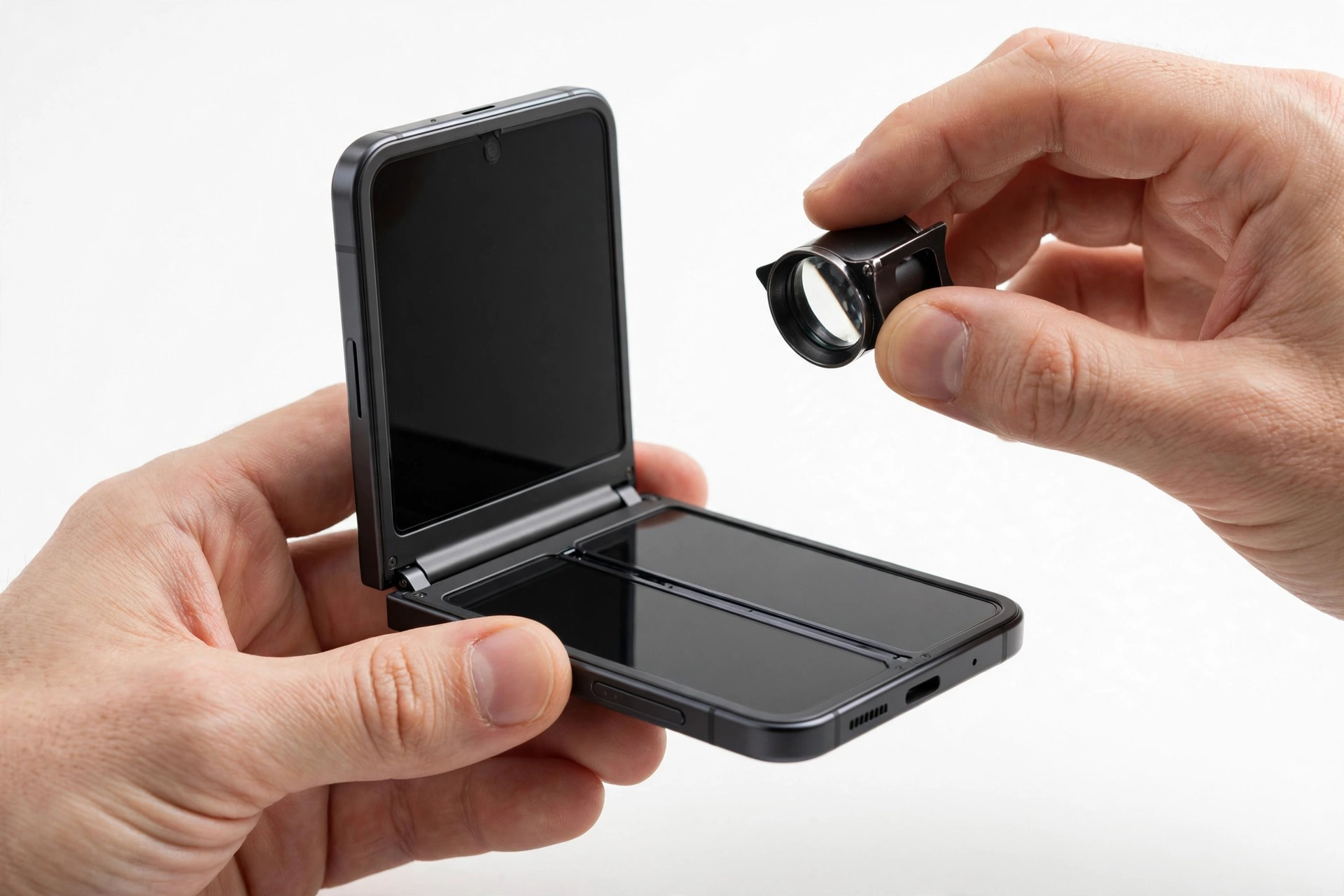
A single IMEI lookup cannot prove a phone is genuine — a valid IMEI only proves the number exists, not that the phone in your hand is the real device. Authenticity is established by stacking independent checks that counterfeiters rarely get all right at once: the IMEI and serial number must match across the dialer (*#06#), Settings > About phone, and the box label; the model number must belong to the Flip 7 family; Samsung’s hidden service-mode diagnostics (*#0*#) must open; the hinge must fold completely flat with no gap; the cover screen must be the full edge-to-edge 4.1-inch FlexWindow; and the phone must run genuine One UI 8 with working Samsung services such as Samsung Members, SmartThings, and Secure Folder. If several of these checks fail together, the phone is very likely not an original. (Source: digit.in)
Quick fact: This guide is about the Galaxy Z Flip 7, Samsung’s clamshell foldable that folds top-to-bottom like a pocket compact. It is a different device from the Galaxy Z Fold 7, the book-style foldable that opens left-to-right — see our Z Fold 7 authenticity guide for that model. The checks here are tuned for the clamshell design.
2. Who this guide is for
This guide helps you if you are buying a Galaxy Z Flip 7 from a marketplace, a third-party reseller, an overseas seller, or a friend-of-a-friend deal — anywhere outside Samsung’s own store, a major carrier, or an authorized retailer. It also helps if you already own a Flip 7 and something feels off: the box looks wrong, the phone behaves strangely, or the deal was suspiciously cheap. The checks are ordered from fastest to most thorough, so you can run the first three in under two minutes before money changes hands.
3. Know the real Galaxy Z Flip 7 first
Counterfeiters count on buyers not knowing the official specifications. Before running any check, memorize the table below — most clones fail against it in seconds, because they use invented configurations (wrong chip, wrong RAM, wrong screen sizes) that a quick look at Settings exposes. The figures come from launch reporting of the July 2025 unveiling.
| Specification | Official detail | What a mismatch means |
|---|---|---|
| Main inner display | 6.9-inch Foldable Dynamic AMOLED 2X, 1080 × 2520, adaptive 1–120 Hz | A 6.7-inch screen means it is a Flip 6 body or a clone |
| Cover screen | 4.1-inch Super AMOLED FlexWindow, 948 × 1048, 120 Hz, edge-to-edge | A 3.4-inch cover screen is a Flip 6 — or a lazy counterfeit |
| Processor | Exynos 2500 (3 nm), 10-core | “Snapdragon” or “MediaTek” listed in Settings = not a real Flip 7 |
| RAM / storage | 12 GB RAM; 256 GB or 512 GB (UFS 4.0); no microSD slot | 8 GB RAM, 128 GB storage, or a microSD tray = immediate fail |
| Rear camera | Dual: 50 MP wide (f/1.8, OIS) + 12 MP ultrawide (f/2.2, 123°) | Triple cameras or a “200 MP” claim = wrong device |
| Front camera | 10 MP hole-punch on the inner screen | A pop-up camera or under-display camera = clone |
| Battery / charging | 4,300 mAh typical; 25 W wired; Fast Wireless Charging 2.0; Wireless PowerShare | No wireless charging at all = clone |
| Software at launch | Android 16 with One UI 8; 7 years of OS upgrades | Android 14, “One UI 6,” or an unbranded Android skin = clone |
| Size / weight | Unfolded 166.7 × 75.2 × 6.5 mm; folded 85.5 × 75.2 × 13.7 mm; 188 g | Noticeably thicker or heavier suggests wrong internals |
| SIM | Nano-SIM + eSIM (dual active); no physical second SIM tray | A dual physical SIM tray on a “US model” is a red flag |
| Water resistance | IP48 | IP68 claimed on the box — the Flip 7 is IP48, not IP68 |
| Fingerprint sensor | Side-mounted (in the power button) | In-display or rear fingerprint = wrong phone |
| Connectivity | 5G, Wi-Fi 7, Bluetooth 5.4, NFC, USB-C 3.2 Gen 1 | Missing NFC or Bluetooth 5.0 = clone firmware |
| Colors | Jetblack, Blue Shadow, Coralred, Mint | A color outside this set (e.g., “Phantom Purple”) is suspect |
| Launch price (US) | From $1,099 | A “brand new” unit at half that price is almost certainly fake |
Tip: The fastest single pre-check: open Settings > About phone and read the chip name and RAM. If it does not say Exynos 2500 with 12 GB RAM, stop there — you are not holding a Flip 7, no matter what the back glass says.
4. The 10-check authenticity worksheet
Work through this table in order. No single check is decisive; the pattern across all ten is what matters. A genuine phone passes nearly all of them. A counterfeit typically fails three or more.
| # | Method | What it proves | Limitations |
|---|---|---|---|
| 1 | IMEI + serial cross-match (dialer = Settings = box) | The identifiers belong together and match the physical unit | A copied real IMEI can pass — always combine with other checks |
| 2 | Model number prefix (SM-F761 family) | The hardware identity matches a real Flip 7 variant | Regional suffixes vary; never rely on this alone |
| 3 | Service-mode diagnostics (*#0*#) |
Genuine Samsung firmware with working sensor hardware | Clones almost never survive this; strongest software test |
| 4 | Hinge test (folds flat, holds Flex-mode angles) | Genuine foldable mechanics | Worn genuine units may feel looser — interpret with care |
| 5 | Cover screen (FlexWindow) functional test | The signature 4.1-inch edge-to-edge display is real and working | Requires the phone to be powered on |
| 6 | One UI software signs (Samsung apps, services) | Genuine Samsung system software, not a skinned clone ROM | A stolen genuine phone passes — this proves genuine, not legitimate ownership |
| 7 | Camera and display quality test | Flagship-grade sensors, not clone hardware | Subjective without a comparison device |
| 8 | Packaging and box contents | The unit came through a legitimate channel | Boxes can be faked or swapped — supportive, not decisive |
| 9 | Purchase channel risk assessment | Whether the seller context supports authenticity | Context, not proof |
| 10 | Samsung product registration / warranty check | Samsung recognizes the serial number | Needs a Samsung account; gray-market units may show limited warranty |
5. Check 1: the IMEI and serial cross-match
This is the centerpiece of the guide. The IMEI (International Mobile Equipment Identity) is the phone’s unique 15-digit identifier; the serial number encodes the manufacturing line. On a genuine Flip 7, the same IMEI and serial number appear in three places, and they must agree.
How to run it
- Open the Phone dialer and type
*#06#. A pop-up shows the IMEI (and IMEI2 for the eSIM) and the serial number. Write them down. - Go to Settings > About phone > IMEI and Status information. Compare with step 1 — they must match exactly.
- Compare both with the sticker on the retail box and (on a new unit) the receipt.
| Result | Meaning |
|---|---|
| Dialer = Settings = box, all match | Consistent identifiers — continue with the other checks |
| Dialer matches Settings but not the box | The box may have been swapped (common with refurbished units sold as new) — keep checking |
| Dialer and Settings disagree | Strong sign of tampered firmware or a clone — walk away |
*#06# shows nothing or an error |
The firmware is not genuine Samsung software — walk away |
| IMEI is 15 identical digits (e.g., all zeros) | Invalid identifier — counterfeit or corrupted unit |
Stop for safety: A valid IMEI lookup result does not prove the phone in your hand is genuine. Counterfeiters copy real IMEIs from genuine phones, so the copied number can look up perfectly while the physical device is a clone. This check only rules out lazily made fakes — always combine it with the hinge, display, and service-mode checks below.
6. Check 2: model number sanity
In Settings > About phone, the model number of a genuine Galaxy Z Flip 7 belongs to the SM-F761 family reported in independent spec listings (for example SM-F761B for international units, SM-F761U for US carrier units, SM-F761U1 for US unlocked units). The exact suffix varies by region and carrier — what matters is the SM-F761 core, not the suffix.
- Must start with “SM-“ on phones. A model number beginning with anything else (or a name like “Z Flip 7 Pro Max”) is invented.
- Must be the Flip 7 family. SM-F741 is the Flip 6; SM-F766 would be something else entirely. A “Flip 7” showing SM-F741 is a relabeled older phone.
- Cross-check the chip line on the same screen. SM-F761 must pair with the Exynos 2500. A model number that says Flip 7 but a processor that says something else is a contradiction — believe the contradiction.
For a deeper read, dial *#12580*369# (reported in independent guides) to see the software and hardware information screen, including the RF calibration date — a blank or error screen here is itself a fail. These identifier checks work the same way across Samsung’s lineup; our general guide to checking if a Samsung phone is original covers them for non-foldable Galaxy models too.
7. Check 3: service-mode diagnostics — the test clones fail
This is the strongest software-side test in the guide. Genuine Samsung firmware includes hidden engineering menus that clone manufacturers almost never replicate, because their phones run generic Android builds skinned to look like One UI.
The general test mode
Dial *#0*# in the Phone app. On a genuine Samsung phone this opens the General Test Mode grid with tiles for Red, Green, Blue, Vibration, Touch, Sensor, Speaker, Camera, and more. Tap through several tiles:
- Sensor tile: the magnetic sensor reading should change when you move a magnet near the phone. Counterfeit phones frequently have dead or fake sensor readouts.
- Touch tile: draw across the grid — every cell should respond, on both the inner folding display and (where applicable) the cover screen.
- Speaker and Vibration: both should respond immediately.
The software version screen
Dial *#1234# to view the SW version (PDA, CSC, MODEM lines). On a genuine Flip 7 these lines are populated with Samsung build strings. Blank lines or a “not available” error indicate non-Samsung firmware.
To exit test mode, press the back button twice.
Quick fact: If *#0*# does nothing at all — no menu, no error, just a dead dialer — that is one of the most reliable clone signals there is. Genuine Samsung firmware always responds to this code.
8. Check 4: the hinge test
The hinge is the single most expensive mechanical part of a foldable, and it is where cheap counterfeits fall apart — literally. A genuine Flip 7 hinge has three properties you can verify by hand in ten seconds:
- Folds completely flat. Close the phone slowly. The two halves should meet with no visible gap. A phone that closes with a wedge-shaped gap is not a Flip 7 mechanism.
- Holds Flex-mode angles. Open the phone halfway (roughly 90 degrees) and let go — it should stay put, like a tiny laptop. Flex mode is a core Samsung feature; a hinge that snaps fully open or fully shut cannot do it.
- Moves smoothly with even resistance. There should be no grinding, clicking, or sudden looseness. Some resistance is normal and by design.
Stop for safety: Never force a resistant hinge. If the phone resists closing or opening, stop — forcing it can crack the folding display. A genuine used phone can have a worn hinge, so interpret stiffness together with the other checks rather than alone.
9. Check 5: the cover screen (FlexWindow) functional test
The Flip 7’s signature upgrade over the Flip 6 is the edge-to-edge 4.1-inch FlexWindow cover screen (the Flip 6 had a smaller 3.4-inch cover display). This is a fast visual tell:
- Size and shape: the cover screen should wrap around the two camera cutouts and extend nearly to the edges of the folded phone. A small rectangular window floating in a sea of bezel is a Flip 6 — or a clone imitating the wrong generation.
- 120 Hz smoothness: swipe through the cover-screen widgets. The motion should be buttery smooth. A 60 Hz-only or stuttering cover display suggests clone hardware.
- Interactive widgets: try replying to a message, checking the weather, and taking a selfie with the rear cameras using the cover screen as a viewfinder. Clone firmware usually offers only a clock and notifications on the outer screen.
- Resolution: 948 × 1048. Text and icons should be crisp. Blurry or pixelated cover-screen graphics indicate a low-grade panel.
10. Check 6: One UI software signs
A genuine Flip 7 runs Samsung’s One UI 8 on Android 16. Clone phones run generic Android with a Samsung-looking skin — and the skin always leaks. Verify these genuine-Samsung software markers:
- Samsung Members app is preinstalled and opens. Inside it, run Phone Diagnostics (Support > Phone diagnostics > Test all) — genuine hardware passes every test; clones typically fail sensor and display tests.
- SmartThings, Secure Folder, and Galaxy Store are present and functional. Secure Folder in particular requires Samsung’s Knox security platform, which clones cannot reproduce.
- Galaxy AI features (Circle to Search, Generative Edit, live translate) work as advertised at launch.
- Software update path: Settings > Software update should contact Samsung’s servers. A phone that claims to be a Flip 7 but cannot check for Samsung updates is running foreign firmware.
- Play Protect certification: in the Play Store, check Settings > About > Play Protect certification. It should read “Device is certified.”
Stop for safety: Never sign into your Samsung or Google account on a phone you suspect is fake. If it is a counterfeit, your credentials could be harvested by the clone firmware. Run all software checks with no accounts signed in.
11. Check 7: camera and display quality
The Flip 7’s cameras are flagship-grade: a 50 MP main sensor with optical image stabilization and a 12 MP ultrawide. Take test shots:
- Sharpness and stabilization: photos should be sharp with accurate colors; video should be visibly stabilized. Counterfeit cameras produce soft, noisy, washed-out images.
- Cover-screen selfie test: with the phone closed, use the rear cameras for a selfie via the FlexWindow. This exercises the 50 MP sensor — a clone’s low-grade sensor is obvious here.
- Inner display crease: look at the 6.9-inch folding display straight-on and at an angle. A genuine unit has a subtle crease visible mainly at angles; an exaggerated ridge or a display that is not actually flexible (rigid with a fake seam line) indicates a counterfeit.
- 120 Hz inner display: scrolling on the inner screen should be visibly smoother than 60 Hz. A clone panel stuck at 60 Hz betrays itself.
12. Check 8: packaging and box contents
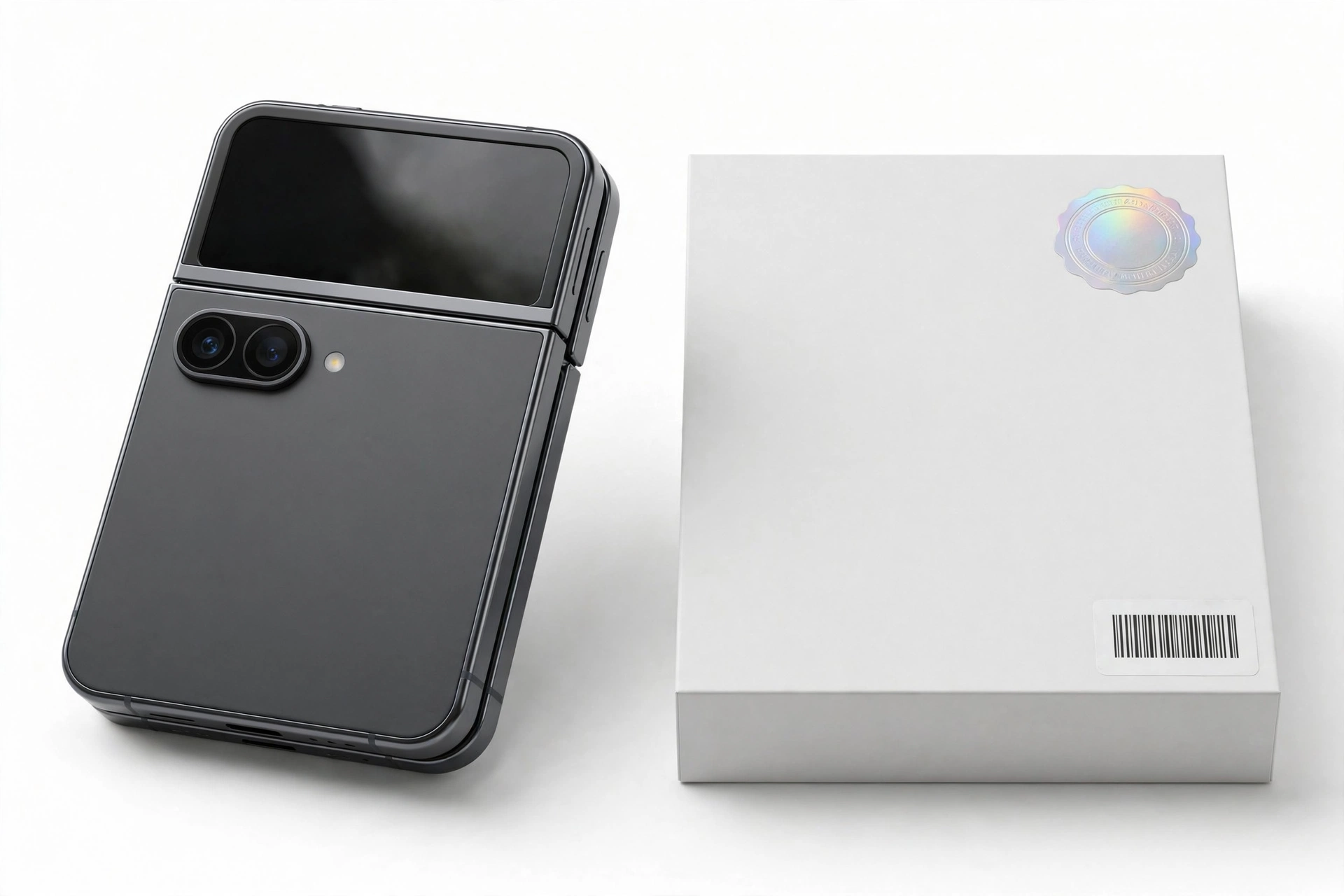
Packaging is the weakest check on its own — boxes are easy to fake or swap — but genuine Samsung packaging has consistent details worth verifying:
- The box label’s IMEI and serial number must match the phone (see Check 1).
- Print quality should be sharp with no spelling errors, blurry logos, or misaligned text.
- The Flip 7 ships without a charging adapter in the box in most regions — a box containing a suspicious “Samsung 45W” brick of dubious quality is itself a warning sign.
- The included USB-C cable should feel properly molded with clean connectors.
13. Check 9: assess the purchase channel
| Channel | Risk level | Notes |
|---|---|---|
| Samsung.com, major carriers, big-box retailers | Very low | Authorized supply chain; keep the receipt regardless |
| Established electronics retailers | Low | Check the retailer’s authorized-dealer status |
| Large marketplaces, sold by the platform | Medium | Platform guarantees help, but third-party sellers vary |
| Marketplaces, third-party sellers; classified ads | High | Run every check in this guide before paying |
| Street vendors, social-media-only sellers, “too good to be true” listings | Very high | Assume counterfeit until proven otherwise |
Price is a signal, not proof: a brand-new Flip 7 listed far below the $1,099 launch price is the oldest trick in the counterfeit playbook. But scammers also price fakes near retail to look legitimate, so a “fair” price proves nothing on its own.
14. Check 10: Samsung product registration and warranty
Samsung offers product registration on its official website: sign into your Samsung account, select the smartphone category, and enter the serial number for a validation check. A genuine serial number validates; an invented one does not. This is reported in independent guides as a reliable final confirmation.
Two honest caveats: first, do this only after you have decided the phone is likely genuine (never hand your serial number to a random “IMEI checker” site beforehand); second, gray-market imports — genuine phones intended for another region — may validate but show limited or no local warranty. Limited warranty on a validated serial number means “genuine but imported,” not “fake.”
15. Counterfeit vs. refurbished vs. gray-market vs. FE
Not every suspicious Flip 7 is a counterfeit. These four categories get confused constantly, and they call for different responses:
| Category | What it is | Typical signs | What to do |
|---|---|---|---|
| Counterfeit | A fake built to look like a Flip 7 | Fails service-mode codes, wrong chip/RAM, gappy hinge, small cover screen | Do not buy; report the listing; do not resell it |
| Refurbished sold as new | A genuine Flip 7, repaired and resold | Passes all hardware checks; box IMEI may not match; signs of prior use | Negotiate a refurbished price or return it — it is genuine, just misrepresented |
| Gray-market import | A genuine Flip 7 made for another region | Passes all checks; model suffix differs; limited local warranty | Genuine phone — decide whether the warranty trade-off is acceptable |
| Galaxy Z Flip 7 FE | Samsung’s genuine cheaper foldable, launched alongside | Passes Samsung checks but has FE-level specs and lower price | Not a fake at all — but make sure you are not paying full Flip 7 price for it |
Quick fact: The Galaxy Z Flip 7 FE is a real Samsung product — a lower-cost clamshell launched at the same Unpacked event. Sellers sometimes advertise it ambiguously as “Z Flip 7.” It is genuine Samsung hardware, but it is not the flagship Flip 7, and its price should reflect that.
16. What counterfeiters get wrong on clamshell foldables
After reviewing how fake foldables are typically built, these are the tells that show up again and again on clamshell clones specifically:
- The wrong cover screen generation — a 3.4-inch window (Flip 6 size) on a phone sold as a Flip 7.
- A rigid “folding” display — some clones use a standard rigid screen with a printed seam line instead of real Ultra-Thin Glass.
- Dead service codes —
*#0*#and*#1234#do nothing, the single most common clone signature. - Generic Android skin — looks like One UI at a glance, but Samsung Members, Secure Folder, and Galaxy Store are missing or non-functional.
- Wrong silicon — Settings shows a MediaTek or unknown chip instead of the Exynos 2500.
- Impossible configurations — 8 GB RAM, 128 GB storage, or a microSD slot on a “Flip 7” never existed.
- Camera lies — a “triple camera” or “200 MP” claim; the real Flip 7 has exactly two rear cameras.
17. Hypothetical examples
(The following are hypothetical illustrations, not customer stories.)
Example 1: Maya’s marketplace “deal”
Maya finds a “brand new Galaxy Z Flip 7, sealed” listed at 40% below retail. Before meeting the seller, she memorizes the spec table. At the meeting she dials *#06# — the IMEI matches the box. So far so good. Then she opens Settings > About phone: 8 GB RAM, and the processor line reads “MediaTek.” She dials *#0*# — nothing happens. The cover screen is a small 3.4-inch window. Four independent fails. She walks away, out the cost of a coffee, instead of the cost of a flagship.
Example 2: Daniel’s gray-market surprise
Daniel buys a Flip 7 from an overseas seller at a modest discount. The phone passes everything: *#0*# opens, the hinge folds flat, the 4.1-inch FlexWindow works, Samsung Members diagnostics pass, IMEI matches everywhere. But Samsung’s registration page shows limited local warranty, and the model suffix is for another region. Daniel has a genuine phone — a gray-market import. He keeps it, knowing warranty service may require shipping it back to the seller’s region.
18. What to do if you suspect a fake
- Do not complete the purchase — or if you already bought it, stop using it as your daily phone.
- Do not sign into any accounts on the device. Clone firmware can harvest credentials.
- Do not resell it as genuine — passing a counterfeit to the next buyer can create legal trouble for you.
- Gather evidence: screenshots of the listing, the seller’s details, photos of the phone, box, and the failed checks.
- Report the listing to the marketplace and, for US buyers, to the FTC’s fraud reporting channels.
- Dispute the payment through your card issuer or payment platform promptly — counterfeit-goods claims are time-sensitive.
- Recycle it responsibly rather than throwing it in the trash; lithium batteries need proper e-waste handling.
19. Buying a used Flip 7 safely
A used genuine Flip 7 is a legitimate way to save money — foldables depreciate fast. Protect yourself with this routine:
- Meet in a public place and bring a second phone so you can look up specs and run checks on the spot.
- Run Checks 1–7 from the worksheet before paying — they take about ten minutes.
- Ask the seller to remove their Samsung and Google accounts and factory-reset the phone in front of you (this defeats activation-lock scams).
- Check the hinge carefully: foldables wear at the hinge first. Open and close it several times and test Flex mode.
- Inspect the inner display crease area under bright light for scratches or delamination of the factory screen protector — our Galaxy Z Flip screen care guide explains what normal wear looks like versus damage.
- Get a written receipt with the IMEI noted, even for a private sale.
20. When to stop and get a professional assessment
If the checks give you a mixed picture — say the software checks pass but the hinge feels wrong, or the IMEI matches but service codes are dead — stop guessing. A professional assessment can settle it: a repair shop can compare the device against known-genuine hardware behavior, check component markings, and advise whether you are looking at a counterfeit, a refurbished unit, or a gray-market import. Do not open the phone yourself — foldables are among the hardest devices to open without damage, and opening it destroys any return claim you have.
If you are in the Las Vegas area, Las Vegas Phone Repair & Accessories (7400 Las Vegas Blvd S, Unit TT42, Las Vegas, NV 89123; (424) 406-6202; open 10 AM–8 PM — call ahead to confirm today’s hours) can assess a suspicious device in person.
21. What these checks can and cannot establish
| What the checks can establish | What they cannot establish |
|---|---|
| Whether the hardware matches a genuine Flip 7’s specifications | Whether the phone was stolen (a stolen genuine phone passes everything) |
| Whether the firmware is genuine Samsung software | Whether the seller has the legal right to sell it |
| Whether the identifiers are consistent and plausible | With 100% certainty, from home, that a sophisticated clone is fake |
| Whether the price and channel make sense | The remaining battery health or repair history of a used unit |
| Whether you are looking at a counterfeit, refurb, import, or FE | Samsung’s internal service records for the specific unit |
22. Frequently asked questions
Can I check a Flip 7’s authenticity with just the IMEI?
No. An IMEI lookup only confirms the number is registered — counterfeiters copy real IMEIs onto fake phones. Always combine the IMEI cross-match with the service-mode codes, hinge test, and software checks.
What is the model number of the Galaxy Z Flip 7?
The Flip 7 family is reported in independent spec listings as SM-F761, with regional suffixes (such as SM-F761B internationally or SM-F761U in the US). The key checks: it must start with “SM-” and the core must be F761 — an F741 is a Flip 6.
Does the Flip 7 have an S Pen?
No. Unlike some earlier Fold models, the Z Flip 7 does not support an S Pen. Any stylus hardware, slot, or S Pen menu on a “Flip 7” is an immediate red flag.
How is the Flip 7 different from the Flip 7 FE?
The FE is Samsung’s genuine lower-cost clamshell launched at the same event, with reduced specifications and a lower price. It is not a fake — but confirm which model you are paying for, because the prices differ substantially.
The phone passes every check but the box IMEI doesn’t match. Is it fake?
Probably not fake — more likely a refurbished genuine unit in a replacement box, or a box swap. The phone itself is what matters; negotiate accordingly and keep records.
Can a fake Flip 7 have a working folding screen?
Cheap clones often use rigid screens with a fake seam. Higher-effort clones may fold, but they fail the service codes, the chip/RAM readout, and the Samsung software checks. The fold alone proves nothing.
Is it safe to buy a Flip 7 from another country?
It can be genuine (gray market), but verify the model suffix, confirm the bands work with your carrier, and accept that local warranty service may be unavailable. Run the full worksheet regardless of where the phone comes from.
What should I do with a confirmed fake?
Do not use it as your daily phone, do not sign into accounts on it, and do not resell it as genuine. Report the seller, dispute the payment promptly, and recycle the device through proper e-waste channels.
Video: How to check if your Samsung phone is original or fake
Sources and editorial notes
- Digit.in — Galaxy Z Fold 7, Z Flip 7 and Z Flip 7 FE launch report: confirms the July 2025 launch, Exynos 2500, 12 GB RAM, 256/512 GB storage, 50 MP + 12 MP cameras, 4,300 mAh battery, 25 W charging, Android 16 with One UI 8.
- Android Police — Z Fold 7 and Z Flip 7 availability: confirms the 4.1-inch edge-to-edge cover display (up from 3.4 inches), 6.9-inch inner display, Exynos 2500, Bluetooth 5.4, and $1,100 starting price.
- MobileRelation — Galaxy Z Flip 7 specifications: full spec table including 1080 × 2520 inner display, 948 × 1048 cover screen, 188 g weight, IP48, Wi-Fi 7, and unfolded/folded dimensions.
- DevicesFAQ — how to check if a Samsung Galaxy is original or fake: IMEI via *#06#, model numbers beginning with SM-, serial numbers starting with R, Samsung UI and services as genuineness signals.
- GadgetsToUse — 10 ways to identify a fake Samsung phone: IMEI cross-match across dialer/box/software, serial-number validation via Samsung’s product registration page.
- PhoneCorridor — fake Samsung Galaxy guide: service codes including *#0*# test mode, *#1234# software version, *#12580*369# hardware info, plus physical inspection tells.
- ManualsLib — Samsung authenticity confirmation guide: Samsung Members diagnostics as an authenticity method and IMEI/serial cross-check procedure.
Last source check: October 14, 2026. AI-assisted editorial guide, checked against the linked manufacturer information and independent launch reporting. Specifications are reported from launch coverage; regional variants may differ slightly. This guide describes authenticity checks you can perform yourself — it does not replace Samsung’s own verification services.
Let’s get you connected again.
Tell us what’s happening with your device and we’ll help you decide the safest next step — no jargon, no pressure.
Las Vegas Phone Repair & Accessories · 7400 Las Vegas Blvd S, Unit TT42, Las Vegas, NV 89123
10:00 AM–8:00 PM — call ahead to confirm today’s hours