
How to Check If iPhone 17 Air Is Original: Authenticity Guide
There is no Apple product called the “iPhone 17 Air,” so any listing using that exact name fails the first authenticity test. The genuine ultra-thin iPhone Apple announced on September 9, 2025 is named simply “iPhone Air” — with no number in the name — and that naming difference is the single most important thing to check before you pay.
On this page
There is no Apple product called the “iPhone 17 Air,” so any listing using that exact name fails the first authenticity test.
1. The short answer: the name itself is the red flag
If a seller is offering you an “iPhone 17 Air,” stop and read this section before doing anything else. Apple has never used that name for any product. The ultra-thin iPhone in the iPhone 17 generation is called the iPhone Air, full stop. Reporting on the launch consistently noted that Apple deliberately left the number out of the Air’s name, which suggests the Air will not necessarily be refreshed every year the way the numbered models are — more like the iPhone SE line than the main series. (Source: digitaltrends.com)
That does not automatically mean every “iPhone 17 Air” listing is a scam. There are three realistic possibilities, and only one of them is harmless:
- Harmless misnaming: the seller has a genuine iPhone Air and is calling it “iPhone 17 Air” because it belongs to the iPhone 17 generation. The hardware is real Apple hardware; only the listing title is wrong.
- Mislabeled older iPhone: the seller is passing off a different iPhone (for example an iPhone 16 Plus) under a flashy new name.
- Counterfeit: the device is an Android phone dressed up in iOS-style software, or a non-functional dummy, sold under a name Apple never used — which conveniently means you cannot cross-check it against Apple’s official product pages.
Your job is to figure out which of the three you are dealing with. Every check in this guide serves that one purpose.
Quick fact: Apple announced the iPhone Air alongside the iPhone 17, iPhone 17 Pro, and iPhone 17 Pro Max at its September 9, 2025 event. Pre-orders opened September 12, 2025, and the phone went on sale September 19, 2025, starting at $999 for 256GB.
2. What Apple actually sells: the iPhone Air at a glance
Before you can judge a listing, you need the genuine article’s reported specifications as a baseline. Everything below is drawn from launch reporting and spec aggregations, and is framed as reported rather than as Apple’s own current marketing claims — Apple may adjust its lineup over time, so treat this as the launch-era baseline.
| Feature | Reported specification | Why it matters for fakes |
|---|---|---|
| Official name | “iPhone Air” — no number | Any “17” in the name is the seller’s invention |
| Thickness | 5.6 mm (5.64 mm), 165 g | Thinnest iPhone ever; clones are usually thicker |
| Display | 6.5-inch OLED, 2736 × 1260, 120 Hz ProMotion, up to 3,000 nits peak | Resolution and refresh rate are hard for clones to match |
| Chip | A19 Pro (6-core CPU, 5-core GPU) | Benchmark apps expose renamed older chips |
| Rear camera | Single 48 MP Fusion camera (f/1.6) | Clones often fake multi-lens arrays |
| Front camera | 18 MP Center Stage | Center Stage framing behavior is software-deep |
| Frame and glass | Titanium frame, Ceramic Shield 2 front and back | Materials are expensive to imitate convincingly |
| SIM | eSIM only, no physical SIM tray (global) | A SIM tray is an instant fail |
| Connectivity | Apple C1X modem, N1 chip (Wi-Fi 7, Bluetooth 6), USB-C | Spec-sheet clones rarely get all three right |
| Storage | 256 GB, 512 GB, 1 TB (no 128 GB) | A “128 GB iPhone Air” does not exist |
| Colors | Sky Blue, Light Gold, Cloud White, Space Black | Off-list colors are a warning sign |
| Water resistance | IP68 | Clones cannot be meaningfully rated |
Two details deserve emphasis because they are the fastest lie detectors in this guide. First, the iPhone Air is eSIM only — if the phone in front of you has a physical SIM tray, it is not an iPhone Air, no matter what the back glass says. Second, it has one rear camera. A surprising number of counterfeits add extra decorative lenses to look “premium,” which instantly contradicts the real design.
3. Why scammers love a name Apple never used
Counterfeit sellers prefer names that cannot be checked. If a scammer lists a “iPhone Air,” a buyer can open Apple’s website, compare the product page, and check the serial number against Apple’s coverage tool. But an “iPhone 17 Air” has no official product page — the buyer searches, finds only rumor blogs and marketplace listings, and concludes the device must be some rare regional variant. The invented name creates a fog the scammer operates inside.
There is a second reason. Reporting after launch noted that the iPhone Air was not selling as strongly as Apple hoped. Slow sellers create two downstream effects that scammers exploit: genuine units get discounted (so “too good to be true” prices look plausible), and impatient buyers go hunting on marketplaces instead of buying from Apple or carriers — exactly where counterfeits live.
Stop for safety: never pay a deposit, pre-order fee, or “reservation” amount for an “iPhone 17 Air.” Since no such product exists, any pre-order is for a fantasy — the money goes to the scammer, and there is no device coming later to make it right.
4. Check 1: Apple’s official coverage lookup
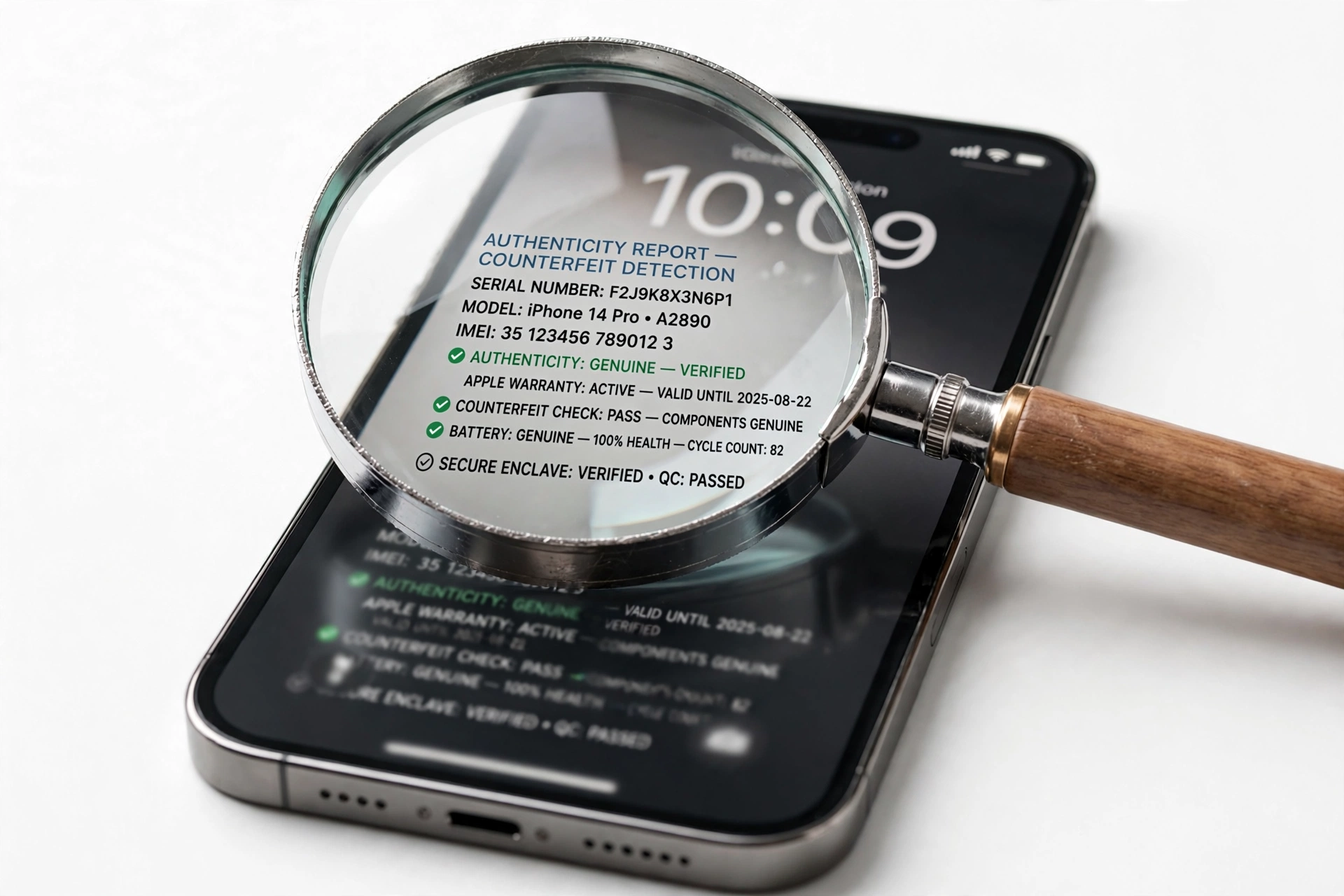
This is the single most authoritative check available to you, and it takes about a minute. Apple operates an official coverage-check page (checkcoverage.apple.com) where you enter a device’s serial number and Apple tells you what the device is, whether it is covered, and its purchase-date validation status.
How to use it for an “iPhone 17 Air” listing:
- Ask the seller for the serial number before you meet or pay. A legitimate seller of a genuine iPhone Air has no reason to refuse — the serial alone cannot compromise the phone.
- Enter it at Apple’s coverage page.
- Read what Apple says the device is. If Apple identifies it as “iPhone Air,” the hardware is genuine Apple hardware regardless of what the listing title says — you are looking at harmless (or sloppy) misnaming.
- If Apple says the serial is invalid, unrecognized, or belongs to a different product, walk away. Do not accept explanations about “regional databases” or “not yet registered.”
Where to find the serial on the device itself: Settings > General > About. Compare the on-screen serial with the one printed on the box and the one on the SIM-free documentation. All three should match. On a genuine iPhone, the model name line in the same screen reads “iPhone Air” — not “iPhone 17 Air.”
Tip: run the coverage check while you are still in the messaging stage with the seller, not after you have traveled to meet them. A seller who refuses to share the serial number has told you everything you need to know.
5. Check 2: the model name in Settings
On any genuine iPhone running a legitimate copy of iOS, Settings > General > About shows the marketing name Apple assigned. For the real device, that line reads “iPhone Air.” If the phone in your hand claims to be an “iPhone 17 Air” anywhere in software — on the About screen, the lock screen, or the box — treat that as a serious problem, because Apple’s own software would never display a name Apple never used.
While you are in the About screen, check two more lines:
- Model Number: tap it to toggle between the marketing part number (which starts with M) and the hardware model identifier (which starts with A). Counterfeits frequently show plausible-looking but invented identifiers here.
- iOS Version: the iPhone Air launched on iOS 26. A device claiming to be new while running an ancient iOS version — or showing an iOS version number that does not exist — is running skinned Android.
6. Check 3: Parts and Service History
On iPhones running iOS 15.2 and later, Settings > General > About > Parts and Service History shows whether major components have been replaced and whether Apple considers the parts genuine. This screen is generated from Apple’s own component pairing records, and counterfeiters cannot reproduce it — on a fake, the section is typically missing entirely, blank, or shows nonsensical entries.
This check serves double duty. First, its presence and coherence confirm genuine Apple hardware and software. Second, it tells you whether the “new” iPhone Air you are being offered has already had its display, battery, or cameras replaced — useful because some “iPhone 17 Air” listings are actually repaired or refurbished iPhone Air units being sold as brand new at a premium. Our guide to how to check if an iPhone is refurbished walks through reading this screen in detail.
7. Check 4: the 5.6 mm thinness tell
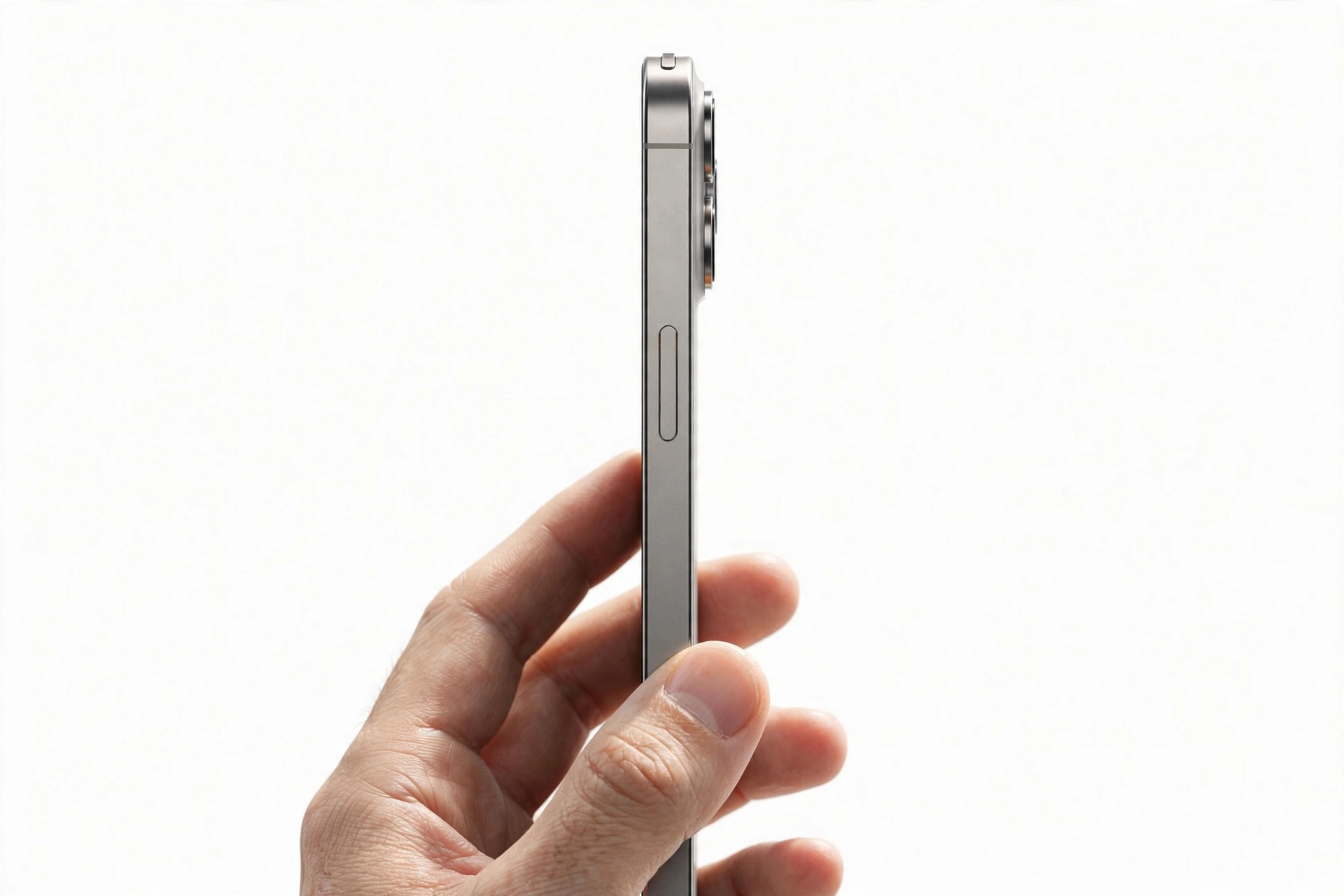
The iPhone Air’s defining physical trait is its thinness: 5.6 mm, the thinnest iPhone Apple has ever made, at 165 grams. This is genuinely difficult to counterfeit, because the thinness is a function of the whole engineering stack — battery density, board layout, display lamination — not just a shaved-down case.
Practical tests you can do in person:
- The stack test: the real iPhone Air is dramatically thinner than any iPhone 16 or 17-series phone. If you have (or the seller has) any recent iPhone for comparison, the Air should look and feel startlingly slim next to it. A counterfeit “iPhone 17 Air” built on a generic Android chassis is almost always noticeably thicker.
- The weight test: 165 g is light for a 6.5-inch phone. Clones with cheaper, denser internals often come in heavier. You will not have a scale at a meetup, but the phone should feel light, not hefty.
- The flex test (gentle): do not bend anyone’s phone. But note that genuine ultra-thin engineering feels rigid and solid; fakes often feel hollow or creaky because the internal structure is a generic mid-frame.
Also inspect the frame material. The real Air uses a titanium frame with Ceramic Shield 2 on both front and back. Titanium has a distinctive muted, slightly warm metallic finish that differs from polished aluminum or chrome-painted plastic. If the frame looks like mirror-chrome plastic, it is not an iPhone Air.
8. Check 5: the single-camera module
The iPhone Air has exactly one rear camera — a 48 MP Fusion camera — in a distinctive raised plateau-style camera module. This is unusual in a market where every phone seems to sprout three or four lenses, and it is one of the fastest visual tells in this guide.
- Count the rear lenses. One large lens: consistent with the real Air. Two, three, or four lenses: not an iPhone Air, regardless of what the listing says.
- Examine the module shape. The Air’s camera plateau is a wide, horizontal raised bar, not the triangular triple-camera bump of the Pro models and not the vertical dual pill of the standard iPhone 17.
- Open the Camera app and check the available focal options. The genuine phone’s software knows it has one Fusion camera with optical-quality 2x; a fake’s camera app is generic Android software with invented mode labels.
Take a test photo and pinch to zoom on a detail. Then check the photo’s metadata for resolution information consistent with a 48 MP sensor. This is the same EXIF discipline recommended in our iPhone 17 authenticity guide — counterfeit camera apps routinely report fantasy resolutions.
9. Check 6: eSIM only — the SIM tray test
Of all the checks in this guide, this one is the most binary. The iPhone Air is eSIM only in every region Apple sells it — there is no physical SIM tray. Pick up the phone and look at the left edge. If you see a SIM tray pinhole and tray, the device is not an iPhone Air. There is no regional variant with a tray, no “dual SIM” edition, no exception. This single observation settles the question faster than any software check.
Counterfeit makers include SIM trays because their devices are built on generic Android mainboards that require physical SIMs. The tray is the counterfeit supply chain confessing.
Quick fact: you can verify the eSIM-only design without the phone at all — ask the seller “does it have a physical SIM tray?” If they say yes, or dodge the question, you have your answer before spending anything.
10. Check 7: chip and performance signatures
The iPhone Air runs Apple’s A19 Pro chip (with a 5-core GPU, versus the 6-core GPU in the Pro models). You cannot see a chip, but you can observe its behavior:
- App Store access: open the App Store and download a small free app. Counterfeit Android skins often include a fake App Store that errors out, opens a browser, or shows a third-party store. A working Apple App Store with your Apple ID sign-in is strong evidence of genuine iOS.
- Apple Intelligence features: the A19 Pro powers on-device Apple Intelligence features. Their presence and smooth operation are consistent with genuine hardware.
- Camera Center Stage: the 18 MP front camera’s Center Stage framing — which keeps you centered on video calls — is deeply integrated software behavior that skins imitate poorly. Make a test video call and watch whether the framing behaves intelligently or is just a static crop.
- 120 Hz ProMotion: scroll rapidly through Settings or a long webpage. Genuine ProMotion is visibly, smoothly adaptive; many fakes lock to 60 Hz despite claiming 120 Hz in spec sheets.
Do not install third-party “phone checker” apps from outside the App Store to run benchmarks — on a suspected counterfeit, sideloaded software is a security risk, and on a genuine iPhone it is unnecessary. The built-in behaviors above are sufficient.
11. Check 8: packaging, box, and what’s inside
Apple’s packaging for the iPhone Air follows the modern minimalist pattern: a slim white box, the device, a USB-C cable, and documentation — no charger, no earphones. Check the box text carefully: it should say “iPhone Air”, never “iPhone 17 Air.” A box that uses the invented name is either a counterfeit box or a third-party reseller box, and either way the contents need the full verification treatment.
- Serial numbers on the box, on the device (Settings > General > About), and on the purchase documentation should all match.
- Print quality on counterfeit boxes is often slightly off — fuzzy text, wrong fonts, misaligned labels. Compare against photos of genuine Apple packaging if you are unsure.
- Be wary of “sealed box” pressure tactics. A sealed box prevents you from running the software checks in sections 4–7, which is exactly why scammers prefer it. Insist on opening and verifying before payment, or buy from a source with a real return policy.
12. The four “iPhone 17 Air” listing patterns, decoded
| Pattern | What it usually is | How to confirm |
|---|---|---|
| Genuine iPhone Air, wrong name | Real Apple hardware, sloppy listing title | Apple coverage check identifies it as “iPhone Air”; all software checks pass |
| Android counterfeit | Generic Android phone in an iPhone-like body | SIM tray present; fake App Store; wrong About screen; coverage check fails |
| Mislabeled older iPhone | iPhone 16 Plus or similar sold under a new name | Coverage check shows the true model; dual cameras; physical SIM tray |
| Deposit / pre-order scam | No device at all — payment for a fantasy product | Seller demands money before showing a verifiable serial number |
The first pattern is the only benign one, and it is also the easiest to confirm: a genuine iPhone Air passes every check in this guide even though the listing title is wrong. If the seller’s “iPhone 17 Air” passes the coverage lookup, shows “iPhone Air” in Settings, has no SIM tray, and carries a single 48 MP camera, you are simply looking at a real iPhone Air with a bad title — negotiate accordingly, since misnamed listings sometimes sell at a discount.
Stop for safety: the fourth pattern — deposits for a device that does not exist under that name — is pure fraud. No legitimate seller needs your money before showing you a serial number you can verify on Apple’s own website.
13. The 10-check authenticity worksheet
Work through these in order. Any single hard fail (marked ✗) on checks 1, 2, 3, or 6 ends the evaluation — the device is not what the listing claims.
| # | Check | Genuine result | Fail signal |
|---|---|---|---|
| 1 | Apple coverage lookup | Apple identifies “iPhone Air” | ✗ Invalid serial / wrong product |
| 2 | Settings > About model name | “iPhone Air” | ✗ Shows “iPhone 17 Air” or other name |
| 3 | Parts and Service History | Present and coherent | ✗ Missing, blank, or nonsensical |
| 4 | Physical SIM tray | None — eSIM only | ✗ Tray present |
| 5 | Rear camera count | Exactly one lens | ✗ Two or more lenses |
| 6 | Thickness and weight feel | Strikingly thin (~5.6 mm), light (165 g) | ✗ Chunky or heavy |
| 7 | App Store functionality | Real App Store, Apple ID sign-in works | ✗ Fake store, errors, third-party store |
| 8 | Box and documentation naming | “iPhone Air” everywhere | ✗ “iPhone 17 Air” printed anywhere |
| 9 | Storage options | 256 GB / 512 GB / 1 TB only | ✗ 128 GB variant offered |
| 10 | Color | Sky Blue, Light Gold, Cloud White, Space Black | ✗ Color not on Apple’s list |
14. Two hypothetical cases
(The following are hypothetical illustrations, not customer stories.)
Amara’s marketplace find. Amara finds a “Brand New iPhone 17 Air 256GB — $750” listing, well below the $999 launch price. She asks for the serial number; the seller sends one promptly. Apple’s coverage page identifies the device as an iPhone Air with a valid purchase date. At the meetup, Settings shows “iPhone Air,” there is no SIM tray, and there is one rear camera. Conclusion: genuine iPhone Air with a sloppy title — the discount reflects the seller’s weak sales channel, not a scam. She buys it, and registers it to her Apple ID on the spot.
Devon’s deposit trap. Devon sees an “iPhone 17 Air Pro Max 1TB” listing — a name combining two invented variants. The seller demands a $200 deposit “to reserve your unit from the next shipment” and refuses to share a serial number, claiming “units are still sealed.” Devon recognizes three invented-name red flags plus the deposit demand, and walks away. The listing disappears a week later.
Notice what distinguishes the two cases: verifiable serial numbers, in-hand software checks, and no upfront money. Those three behaviors separate every safe purchase from every scam in this market.
15. What to do if you already bought an “iPhone 17 Air”
If the phone is already in your hands, run checks 1–7 immediately. If it turns out to be a genuine iPhone Air with a wrong listing title, you own a real Apple product — register it to your Apple ID, and consider the misnaming a paperwork quirk, not a crisis.
If it is counterfeit, act in this order:
- Do not sign in with your Apple ID or any banking, email, or social accounts on the device. Counterfeit firmware can include spyware.
- Document everything: screenshots of the listing, the seller’s messages, payment receipts, and photos of the device showing the fail points (SIM tray, wrong About screen).
- Dispute the payment through your card issuer or payment platform immediately — time limits apply.
- Report the listing to the marketplace and, for wire fraud, to the appropriate authorities.
- Beware recovery scams: anyone contacting you offering to “recover” your money for an upfront fee is running a second scam.
For a professional assessment of a device you already own, our iPhone 17 original-check guide covers the same Apple verification infrastructure, and the iPhone 18 Pro guide shows how the existence-test method applies to Apple’s newest numbered models.
If you are in the Las Vegas area and want an in-person assessment before a private-party purchase, Las Vegas Phone Repair & Accessories, 7400 Las Vegas Blvd S, Unit TT42, Las Vegas, NV 89123, (424) 406-6202, can examine the device with you — call ahead to confirm today’s hours.
16. Frequently asked questions
Is there really no iPhone 17 Air?
Correct. Apple has never announced, listed, or sold a product called “iPhone 17 Air.” The ultra-thin iPhone of the iPhone 17 generation is named “iPhone Air” with no number. Any use of the name “iPhone 17 Air” comes from sellers, rumor blogs, or accessory makers — not from Apple.
Could Apple release an iPhone 17 Air later?
As of October 2026, there is no reported indication of Apple adding a number to the Air’s name. Launch reporting noted the Air appears positioned like the iPhone SE — a line that is not refreshed annually — so a numbered “Air” would contradict the naming strategy Apple chose. Treat any claim of a newly released “iPhone 17 Air” as a rumor until Apple itself announces it.
I found a cheap “iPhone 17 Air” — is the discount itself proof of a scam?
Not necessarily. Reporting indicated the iPhone Air sold more slowly than Apple hoped, which means genuine units do get discounted by resellers clearing stock. A low price plus a verifiable serial number plus passing software checks equals a bargain. A low price plus a refused serial number equals a scam. The price alone decides nothing.
What is the fastest single check I can do?
Look for the SIM tray. The genuine iPhone Air is eSIM only — no tray, no exceptions. If the phone has a physical SIM tray, it is not an iPhone Air, and no further checks are needed. If there is no tray, continue with the Apple coverage lookup.
Can a counterfeit pass the Apple coverage check?
Only if the counterfeiter copied a real iPhone Air’s serial number onto the fake — which does happen. That is why the coverage check is check 1 of 10, not the only check. A cloned serial passes the website but the physical phone still fails the SIM-tray, camera-count, and software checks. Run the full worksheet.
Does “iPhone 17 Air” appear on the box of the real phone?
No. Genuine Apple packaging says “iPhone Air.” If the box says “iPhone 17 Air,” the box is not from Apple — which means you should verify the phone inside with extra care, since counterfeit phones often ship in counterfeit boxes.
What about “iPhone 18 Air” listings?
The same logic applies. Apple has not announced an “iPhone 18 Air” either. The Air line, as launched, carries no generation number. Treat any numbered “Air” name as invented until Apple says otherwise.
Should I just buy from Apple instead?
If you want zero authenticity risk, yes — Apple, authorized carriers, and major retailers sell the genuine iPhone Air with full warranty and return rights. The private market exists for discounts, and discounts are fine, but every dollar you save is paid for with verification work. This guide is that work, written out.
Video: How to check if an iPhone is original
Sources and editorial notes
- Digital Trends — iPhone 17 launch event coverage: confirmed the September 9, 2025 event, the iPhone Air announcement, $999 starting price, September 12 pre-orders, September 19 release.
- Engadget — everything Apple revealed at the iPhone 17 event: detailed the Air’s 5.6 mm titanium design, A19 Pro chip, single 48 MP Fusion camera, 18 MP Center Stage front camera, and Ceramic Shield 2 on both sides.
- Android Headlines — iPhone Air buyer’s guide: documented that the Air carries no number in its name (suggesting non-annual refreshes like the SE line), the 6.5-inch 120 Hz display specs, color options, and iOS 26 update history.
- Simple English Wikipedia — iPhone Air: compiled dimensions (156.2 × 74.7 × 5.64 mm, 165 g), A19 Pro SoC, C1X modem, eSIM-only design, and noted reported weak sales.
- EsportsAdda — iPhone Air global launch specs: corroborated the 5.6 mm thinness, titanium frame, A19 Pro chip, eSIM-only configuration, and N1 wireless chip details.
- Digital Trends — iPhone Air explainer: covered the 165 g weight, 3,000-nit display brightness, 27-hour video battery claim, and the single-camera design trade-offs.
| Observation | What it establishes | What it cannot establish |
|---|---|---|
| Apple coverage check identifies “iPhone Air” | The serial belongs to genuine Apple hardware | Whether the physical phone in hand matches that serial |
| No SIM tray | Consistent with genuine eSIM-only Air design | Genuineness alone — must combine with software checks |
| Single rear camera | Consistent with the real Air’s design | Whether the sensor is the genuine 48 MP Fusion unit |
| Listing says “iPhone 17 Air” | The seller invented or miscopied the product name | Whether the underlying hardware is genuine or fake |
| Seller refuses serial number | The seller is hiding something material | Which of the scam patterns applies |
Last source check: October 14, 2026. AI-assisted editorial guide, checked against the linked manufacturer information and launch reporting. Launch specifications are reported from third-party coverage of Apple’s September 9, 2025 event; Apple may revise its lineup, so confirm current product names at apple.com before purchasing. This guide does not replace Apple’s official verification tools.
Let’s get you connected again.
Tell us what’s happening with your device and we’ll help you decide the safest next step — no jargon, no pressure.
Las Vegas Phone Repair & Accessories · 7400 Las Vegas Blvd S, Unit TT42, Las Vegas, NV 89123
10:00 AM–8:00 PM — call ahead to confirm today’s hours