
Phone Speaker Sounds Muffled: Causes and Safe Fixes
Muffled phone sound is most often caused by something blocking the speaker grille — pocket lint, dust, wax, a case edge, or trapped water — not by a broken speaker. Remove the case, clean the grille gently with a clean dry soft-bristled brush, check your volume and sound settings, and let a wet phone dry fully; if the sound stays muffled after those safe steps, the speaker itself may need professional assessment.
On this page
Muffled phone sound is most often caused by something blocking the speaker grille — pocket lint, dust, wax, a case edge, or trapped water — not by a broken speaker.
Who this guide helps
This guide is for anyone whose phone speaker sounds muffled, distant, or “underwater” — during calls on speakerphone, while playing music, or when alarms and ringtones sound weak. It covers iPhone and Samsung Galaxy phones, plus general guidance that applies to Pixel, Motorola, and OnePlus devices. (Source: discussions.apple.com)
Quick facts: Muffled sound and no sound are different problems. This guide is about sound that plays but is weak, dull, or distant. If your speaker produces no sound at all, see our guide on Samsung Galaxy speaker not working. If the sound is crackly or buzzy rather than dull, see phone speaker crackling and distortion.
Muffled vs. dead vs. distorted: why the distinction matters
Describing the exact symptom saves you from the wrong fix. A muffled speaker still converts electricity into sound — the sound just can’t get out cleanly, or something is dampening it before it reaches your ears. That pattern points toward blockage or dampening far more often than toward a dead component. Common descriptions of muffled sound include:
- Volume seems fine on the slider, but audio sounds distant or “behind a wall.”
- Music sounds flat — high notes disappear, everything sounds bassy or dull.
- Calls on speakerphone sound like the other person is talking through cloth.
- Ringtones and alarms are noticeably quieter than they used to be.
- One speaker (for example, the bottom speaker) sounds weak while the earpiece sounds normal, or vice versa.
Each of those clues maps to a likely cause, which is why the cause table later in this guide starts from what you actually hear. Keep your own description in mind as you work through the steps.
The 3-minute muffled-sound triage
Before anything else, run these five quick checks. They take about three minutes and resolve a large share of muffled-sound complaints without any cleaning at all.
1. Remove the case and any films
Take the phone completely out of its case, and peel off any screen protector or rear film that overlaps the speaker area. A surprising number of muffled-sound cases end here: a case edge, a misaligned bumper, or a screen protector film stretched over the earpiece grille dampens the sound. Play music or a ringtone with the case off and compare.
2. Check the volume sliders
On iPhone, open Settings, then Sounds (or Sounds & Haptics), and move the Ringer and Alerts slider back and forth. On Samsung, open Settings, then Sounds and vibration, then Volume, and check each slider — ringtone, media, notifications, and system. Make sure Silent mode and Do Not Disturb are off. Low volume is sometimes mistaken for muffled sound.
3. Disconnect Bluetooth and wired accessories
If a Bluetooth speaker, earbuds, car kit, or wired headset is connected — even one in another room that reconnected silently — your phone may be routing audio to it instead of the built-in speaker. Turn Bluetooth off temporarily and unplug any cable.
4. Restart the phone
A restart clears temporary audio-driver glitches that can make sound seem weak or flat. It takes a minute and never harms anything.
5. Test both speakers
Most phones have a bottom (media) speaker and an earpiece (receiver) speaker. Play a video to test the bottom speaker, then make a regular call (not on speakerphone) to test the earpiece. Note which one sounds muffled — the fix often differs.
If the sound improved after any of these steps, you have your answer. If not, continue to the cause-by-cause section below.
Cause 1: Debris, dust, or wax in the speaker grille
This is the single most common cause of muffled phone sound. The speaker grille is a row of tiny holes or a fine mesh at the phone’s edge. Over weeks and months, it collects:
- Pocket lint — fine fibers pack into the holes, especially if the phone rides in a trouser pocket or bag.
- Skin oils and earwax — these affect the earpiece (receiver) grille, gradually filming over the mesh.
- Dust and makeup powder — fine particles settle into the mesh and combine with moisture into a stubborn layer.
- Food and drink residue — a splash of coffee or juice leaves a sticky film when it dries.
Because the blockage builds slowly, many people don’t notice the sound degrading — it just seems like the phone “got old.” Shine a bright light into the grille: if the holes look dark, grey, or fuzzy instead of clean and open, debris is very likely contributing.
How to clean a speaker grille safely
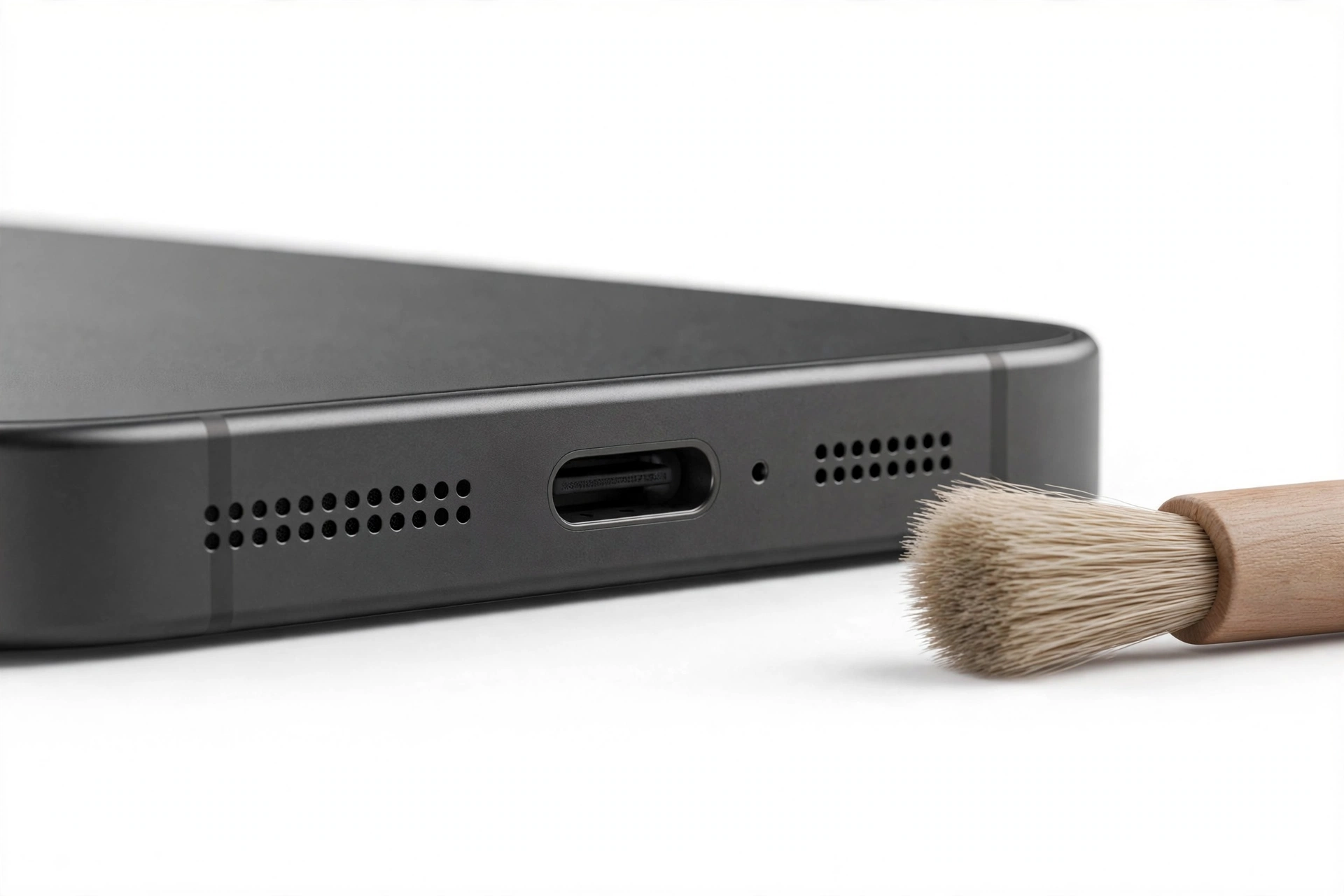
Both Apple and Samsung’s documented guidance converge on one tool: a small, clean, dry, soft-bristled brush. Apple Support’s speaker troubleshooting advises cleaning the speaker or receiver opening with a small soft-bristled brush, and making sure the brush itself is clean and dry. A clean soft toothbrush, a soft makeup brush, or a small paintbrush all work.
- Power the phone off if you like (optional but harmless).
- Hold the phone with the speaker facing down so loosened debris falls away from the opening.
- Brush gently in one direction across the grille — steady strokes, light pressure. Do not scrub back and forth, which can push debris deeper.
- Inspect with a bright light and repeat if needed.
- For the earpiece, use the same light touch — the receiver mesh is delicate.
Stop for safety: Never push needles, pins, paperclips, toothpicks, SIM ejector tools, or any sharp object into a speaker hole. The speaker diaphragm sits just behind the mesh, and a rigid object can puncture it — turning a cleaning job into a speaker replacement. Do not blast compressed air directly into the grille either; the force can drive debris deeper or damage the diaphragm and the water-resistance membrane behind it.
After cleaning, play the same audio you tested before and compare. If the sound is clearly better but not perfect, one more gentle pass may finish the job.
Cause 2: Water trapped in the speaker mesh
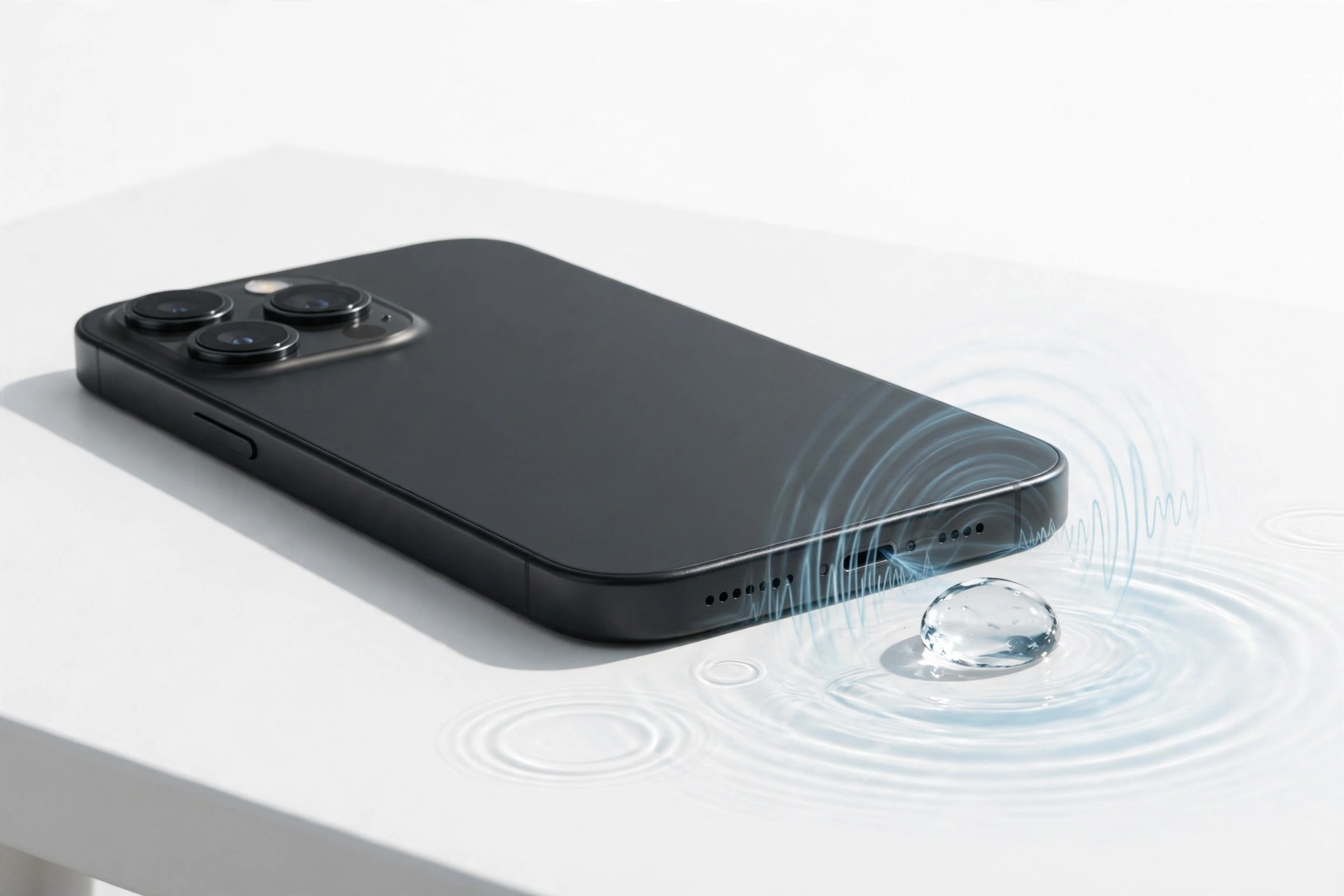
If the phone recently got wet — rain, a splash, a steamy bathroom, or full submersion — water can sit in the fine speaker mesh even after the outside looks dry. Trapped water physically blocks sound waves, producing a characteristically dull, “underwater” muffle that often affects one speaker more than the other.
What to do
- Do not charge the phone until you are confident it is dry inside and out.
- Hold the phone with the speaker facing down and tap it gently against your palm to encourage water out.
- Leave the phone in a dry, ventilated place — a fan blowing across it helps. Give it several hours; some cases need up to a day.
- Do not use a hair dryer or other heat source, and do not put the phone in rice (ineffective and can introduce starch dust into the same grilles you are trying to clear).
If the muffle fades as the phone dries, water was the cause. If the sound stays muffled after a full day of drying, dried mineral or residue deposits may be coating the mesh — go back to the soft-brush cleaning steps — or the water may have damaged the speaker, which needs professional assessment.
Note: many phones have some water resistance, but that rating describes surviving an accident, not inviting one — and resistance can weaken as seals age. For the full picture, see what to do when your phone gets wet.
Cause 3: Something is physically covering the speaker
Beyond cases and films, check for less obvious blockages:
- Pop sockets, ring holders, and mounts — anything stuck to the back near the speaker edge can redirect or dampen sound.
- Magnetic car or desk mounts — Apple has noted that magnets can interfere with iPhone cameras and sensors; a strong mount near the speaker area can also affect audio perception and is worth removing during testing.
- Your own hand — cupping the bottom of the phone during speakerphone calls or gaming covers the grille. Try the same call with the phone on a table.
- Debris inside a case — even a well-fitting case can trap a layer of lint between the case and the phone that presses against the grille.
Test with the phone completely bare, held so no finger covers any grille. If the muffle disappears, the culprit was coverage, not the speaker.
Cause 4: Software and sound settings
Software cannot physically block a grille, but it can make healthy speakers sound muffled. Check these before concluding the hardware is at fault.
Equalizer (EQ) settings
On iPhone, open Settings, then Music, then EQ. An EQ preset that cuts high frequencies makes everything sound dull and distant. Set EQ to Off and compare. On Samsung, check Settings, then Sounds and vibration, then Sound quality and effects — try turning off Dolby Atmos and any equalizer temporarily to see if clarity returns.
Volume limits and mono audio
On iPhone, Settings, then Sounds & Haptics, then Headphone Safety can impose volume limits that also affect perceived speaker output. Under Accessibility, then Audio/Visual, check that Mono Audio is off — mono output collapses the stereo image and can make speakers sound flat.
Separate app sound (Samsung)
Samsung’s Separate app sound feature can route specific apps to a different device. Check Settings, then Sounds and vibration, then Separate app sound, and make sure it is off unless you deliberately use it.
Bluetooth and audio routing
As noted in the triage: if any Bluetooth audio device is connected, the phone may be splitting or routing audio away from the built-in speaker. Turn Bluetooth off during testing.
Software updates
Occasionally an update changes audio behavior. Check for a newer update that may address it — and note whether the muffle began right after an update, which is a useful detail for any later assessment.
Safe Mode test (Android)
Booting into Safe Mode loads only the core system apps. If the speaker sounds normal in Safe Mode, a third-party app — often an equalizer, “volume booster,” or call-recording app — is altering the audio. Uninstall recently added audio-related apps one by one.
Muffled-sound cause worksheet
| What you hear | Likely cause | Safe fix to try first |
|---|---|---|
| Gradual dullness over weeks or months | Lint, dust, or wax buildup in the grille | Clean with a dry soft-bristled brush; remove case and films |
| Sudden “underwater” muffle after moisture | Water trapped in the speaker mesh | Speaker-down tapping; air-dry for hours; do not charge while wet |
| Muffle only on speakerphone calls | Hand covering grille; case edge; bottom-speaker debris | Test bare on a table; clean bottom grille |
| Earpiece (calls) muffled but media fine | Earwax or skin oils on the receiver mesh | Gentle dry brushing of the earpiece grille |
| Everything sounds flat after changing settings | EQ preset, Dolby Atmos, or mono audio | Reset EQ to Off; turn off audio effects; check Accessibility |
| Muffle only in certain apps | App-specific audio routing or a third-party audio app | Check Separate app sound; test in Safe Mode |
| One speaker muffled, other normal, after a drop | Possible speaker or connection damage | No DIY fix — seek professional assessment |
| Muffle persists after cleaning, drying, and settings checks | Failing speaker component or internal blockage | Stop troubleshooting — seek professional assessment |
iPhone-specific steps (Apple’s official flow, summarized)
Apple’s speaker troubleshooting guidance follows a clear order, summarized here in our own words:
- Check the Ring/Silent switch — move it forward so no orange shows.
- Open Settings, then Do Not Disturb (or Focus), and confirm it is off.
- Remove all screen protectors, films, and cases.
- Inspect the speaker opening and the receiver — look for blockage or dirt, and clean with a small, clean, dry, soft-bristled brush.
- Go to Settings, then Sounds (or Sounds & Haptics), and drag the Ringer and Alerts slider back and forth a few times.
- Make a call on speakerphone to test. If you hear nothing — or if the speaker button on the slider appears dimmed — Apple indicates the speaker may need service.
Tip: the receiver (earpiece) and the bottom speaker are separate components on iPhone. If calls sound muffled but music is fine, concentrate your cleaning and testing on the earpiece grille above the screen.
Samsung-specific steps
- Open Settings, then Sounds and vibration, then Volume — confirm ringtone, media, notification, and system sliders are up, and that the phone is not in Mute or Vibrate mode.
- Remove the case and clean the speaker grille with a dry soft-bristled brush, using the same one-direction technique.
- Check Sound quality and effects — temporarily disable Dolby Atmos and the equalizer to rule out software coloration.
- Run Samsung’s built-in speaker test: open the Samsung Members app, go to Support, then Phone diagnostics, then Speaker, and tap Play. It tests the in-call and media speakers separately — a genuinely failing speaker will sound bad here too.
- If the phone was recently wet, allow a full drying period before judging the result.
- Restart, then test in Safe Mode if the problem seems app-related.
What muffled sound can and cannot tell you
| Observation | What it suggests | What it cannot prove |
|---|---|---|
| Sound improves after brushing the grille | Debris was blocking the sound path | That the speaker is fully healthy long-term |
| Muffle affects one speaker only | A localized blockage or a single failing speaker | Which of the two it is, without testing |
| Muffle started right after water exposure | Water in the mesh or early water damage | Whether the speaker will recover fully once dry |
| Speaker test (Samsung Members) sounds bad | Points more toward hardware than settings | The exact failed part — that needs inspection |
| Sound is fine in Safe Mode | A third-party app is altering audio | Which app, without removing them one by one |
| Cleaning and settings change nothing | Internal blockage or component failure is likely | Whether repair or replacement is the better value |
When to stop troubleshooting and seek assessment
Stop the DIY steps and arrange a professional assessment if any of these apply:
- The speaker produces no sound at all, or the sound cuts in and out — see the related guides on speakers not working and iPhone earpiece problems.
- The muffle began immediately after a drop or impact.
- You can see physical damage to the grille area — dents, cracks, or a pushed-in mesh.
- The phone was submerged and the muffle persists after a full day of drying.
- The back of the phone is bulging, the screen is lifting, or the device gets unusually hot — treat this as a possible battery issue: stop charging it and seek assessment promptly.
- Cleaning and every settings check changed nothing.
A professional assessment can distinguish a blocked or dirty grille (quick fix) from a failing speaker module (part replacement) without guesswork. Before approving any service, it is reasonable to ask: what did the inspection find, is cleaning alone an option, what part would be replaced, and what does the work cost and cover.
Preventing muffled speakers
- Give the grille a quick dry-brush once a month, especially if the phone lives in a pocket.
- Keep the phone out of dusty environments when practical, and shake out pockets and bags.
- Choose cases with precise speaker cutouts — not ones that overlap or tunnel over the grille.
- Wipe the earpiece area when you clean the screen; skin oils accumulate there daily.
- After any water exposure, dry the phone speaker-down before the water leaves residue behind.
- Avoid “speaker cleaner” apps that promise to blast debris out with maximum-volume tones — sustained maximum volume can stress the speaker, and they are no substitute for a brush.
Hypothetical examples
Hypothetical example: Maya notices her ringtones have gotten quieter over two months. She shines a flashlight into the bottom speaker grille and sees grey fuzz packed into the holes. She removes her case and brushes the grille gently with a clean, dry soft toothbrush, stroking in one direction. The ringtone is clearly louder afterward — pocket lint was the culprit.
Hypothetical example: Daniel’s phone sounds “underwater” the morning after he took it out in heavy rain. He resists the urge to charge it, holds it speaker-down and taps it gently, then leaves it near a fan for the day. By evening the muffle is gone — trapped water was blocking the mesh. If it had persisted, dried residue or speaker damage would have been the next suspects.
Video: How to tell if your smartphone is fake or real
Frequently asked questions
Why does my phone speaker sound muffled all of a sudden?
Sudden muffle usually means something changed: water in the mesh, a new case or film covering the grille, debris dislodged into the holes, or a settings change (EQ, Bluetooth routing, an audio app update). Work backward from what changed most recently.
Can dust really make a speaker sound muffled?
Yes — this is the most common cause. The grille holes are tiny, and packed lint, dust, or wax physically blocks sound waves. A gentle cleaning with a dry soft-bristled brush often restores clarity immediately.
Is it safe to use compressed air on a phone speaker?
We recommend against it. A strong blast can push debris deeper into the device or damage the delicate diaphragm and water-resistance membrane behind the grille. A soft dry brush is the safer, manufacturer-aligned method.
Can I use a needle or toothpick to clean the speaker holes?
No. Rigid objects can puncture the speaker diaphragm sitting just behind the mesh, turning a simple cleaning into a speaker replacement. Stick to a soft-bristled brush and light pressure.
My speaker sounds muffled after getting wet. Will it fix itself?
Often, yes — once the water fully evaporates, which can take several hours. Keep the phone speaker-down, don’t charge it while wet, and avoid heat. If muffle persists after a full day of drying, residue or damage may need professional attention.
Why is only my earpiece muffled during calls?
The earpiece (receiver) grille collects skin oils and earwax from daily contact with your face. Clean it gently with a dry soft brush. If calls are clear on speakerphone but muffled at the ear, the receiver grille is the prime suspect.
Could a software update cause muffled sound?
An update can change audio behavior — EQ defaults, audio effects, or Bluetooth routing. If the muffle began right after an update, check your sound settings first, then look for a follow-up update. Persistent muffle after settings checks points back to a physical cause.
When should I have the speaker professionally checked?
When gentle cleaning, drying, case removal, and settings checks all fail; when the muffle followed a drop; when there is visible grille damage; or when the phone was submerged and sound never recovered. An assessment distinguishes a dirty grille from a failing speaker.
Sources and editorial notes
- Apple Support Communities — iPhone speaker sound is muffled: thread quoting Apple’s official speaker troubleshooting article — Ring/Silent switch, Do Not Disturb, remove protectors/films/cases, inspect speaker and receiver openings for blockage, clean with a small clean dry soft-bristled brush, test the Ringer and Alerts slider, and try a speakerphone call; a dimmed speaker button suggests service may be needed.
- PhoneRepair.co.uk — Samsung Galaxy speaker troubleshooting guide: debris in the grille as a leading cause of muffled audio; inspect with strong light; clean with a soft-bristled brush; use adhesive putty for stubborn blockages; do not insert needles, pins, or compressed air into the grille.
- TechWiser — ways to fix no sound on Samsung Galaxy phones: preliminary checks — inspect for dirt/debris, remove the case, clean the grille gently with a dry cloth; water trapped in the mesh requires a full drying period; Samsung Members app speaker diagnostics.
- INSCMagazine — Android & Samsung speaker cleaning guide: dry soft-bristle brush technique (one direction, away from the opening); avoid metal pins, paperclips, and needles; Galaxy grilles trap fine dust stubbornly; foldables have additional openings near the hinge.
Last source check: October 13, 2026. AI-assisted editorial guide, checked against the linked manufacturer information. Manufacturer procedures are summarized in our own words; no manufacturer text is reproduced. Cleaning steps follow the soft-brush-only rule — no sharp objects and no compressed air into speaker openings. For hands-on help in Las Vegas, Las Vegas Phone Repair & Accessories, 7400 Las Vegas Blvd S, Unit TT42, Las Vegas, NV 89123, (424) 406-6202 — open 10:00 AM–8:00 PM; call ahead to confirm today’s hours.
Let’s get you connected again.
Tell us what’s happening with your device and we’ll help you decide the safest next step — no jargon, no pressure.
Las Vegas Phone Repair & Accessories · 7400 Las Vegas Blvd S, Unit TT42, Las Vegas, NV 89123
10:00 AM–8:00 PM — call ahead to confirm today’s hours