
How to Check If Nothing Phone 2a Is Original: Authenticity Guide
The fastest reliable way to check if a Nothing Phone 2a (or 2a Plus) is original is to cross-check the IMEI and serial number across the phone, the box, and Nothing’s official warranty lookup, then confirm the Glyph Interface actually works the way a genuine unit does. This guide walks you through ten checks, from the five-minute warranty lookup to the physical and software tells that counterfeit units almost never get right.
On this page
The fastest reliable way to check if a Nothing Phone 2a (or 2a Plus) is original is to cross-check the IMEI and serial number across the phone, the box, and Nothing’s official warranty lookup, then confirm the Glyph Interface actually works the way a genuine unit does.

1. Who this guide helps
This guide is for anyone who bought, is about to buy, or received a Nothing Phone 2a or Nothing Phone 2a Plus and wants to confirm it is a genuine device — especially buyers on marketplaces, classified ads, and import sellers where the phone’s history is unclear. It also helps if you are comparing a unit against a listing’s claims: refurbished units sold as new, gray-market imports, and outright counterfeits are three different problems, and the checks below tell them apart. (Source: androidcentral.com)
If you already own a confirmed-genuine Nothing phone and are checking for a different reason (warranty status, repair eligibility, or resale), the same steps apply — the IMEI and serial lookups in sections 3 and 4 are the core of every check below.
Quick fact: Nothing’s own public anti-counterfeit guidance (reported by technology press in early 2026) flags three warning signs on suspicious listings: unfamiliar brand names claiming “compatibility” with Nothing products, very few reviews or ratings, and prices far below the normal retail value. Those marketplace tells cost nothing to check and are worth doing before you ever touch the phone.
2. Nothing Phone 2a vs. 2a Plus at a glance
Before you verify anything, know which phone you are supposed to be holding. The Phone 2a and Phone 2a Plus look nearly identical, and sellers sometimes mix them up — accidentally or otherwise. The table below gives the key factory specifications reported at launch for each model. If the unit in your hand disagrees with these, treat that as a red flag and keep checking.
| Feature | Phone 2a | Phone 2a Plus |
|---|---|---|
| Launch | March 2024 | July 31, 2024 (sale from August 2024) |
| Chipset | MediaTek Dimensity 7200 Pro | MediaTek Dimensity 7350 Pro |
| Display | 6.7-inch AMOLED, 120Hz, 1080 × 2412 | 6.7-inch AMOLED, 120Hz, 1080 × 2412 |
| Rear cameras | 50MP main + 50MP ultra-wide | 50MP main + 50MP 114° ultra-wide |
| Front camera | 32MP | 50MP |
| RAM / storage | 8GB + 128GB or 12GB + 256GB | 8GB + 256GB or 12GB + 256GB |
| Battery / charging | 5,000mAh, 45W wired | 5,000mAh, 50W wired |
| Glyph Interface | 3 LED light strips | 26 individually addressable zones |
| OS at launch | Nothing OS 2.5 (Android 14) | Nothing OS 2.6 (Android 14) |
| Colors | Black, White (later: Milk, Blue editions) | Grey, Black |
| Rating | IP54 dust and splash resistance | IP54 dust and splash resistance |
| Fingerprint sensor | In-display | In-display |
Two things to note. First, specifications above are launch reporting, summarized from press coverage — they are a cross-check reference, not a certification. Second, a phone with 12GB of RAM and 128GB of storage, or a “2a Plus” with a 32MP front camera, does not match either factory configuration. Invented combinations are one of the easiest fake tells in the entire guide.
3. The ten-check authenticity worksheet
No single check proves originality on its own. Counterfeiters can copy an IMEI, print a convincing box, and fake a settings screen. What they cannot easily do is pass all ten checks at once. Work through the worksheet below in order — the early checks are the fastest and most decisive.
| # | Check | What a pass proves | Limitations |
|---|---|---|---|
| 1 | Nothing’s official warranty lookup (serial/IMEI) | The device is in Nothing’s own records as a genuine unit with warranty history | Gray-market imports may not appear; refurbished units show as genuine |
| 2 | IMEI + serial cross-check (*#06#, Settings, box) | The software identity matches the physical unit — the single strongest documented proof | Counterfeiters copy genuine IMEIs from real phones |
| 3 | Glyph Interface functional test | The signature hardware feature works as Nothing designed it — extremely hard to fake convincingly | Subjective; requires knowing what the real Glyph looks like |
| 4 | Nothing OS software tells | The phone runs genuine Nothing OS with working update servers and Play Store | Requires the phone to be powered on and set up |
| 5 | Model-family sanity check (2a vs. 2a Plus) | The hardware/software combination matches a real factory configuration | Needs the spec table from section 2 |
| 6 | Box and label inspection | Packaging quality, seals, and printed IMEI match retail standards | Boxes can be reprinted; always combine with software checks |
| 7 | Physical design tells | Transparent back, camera module, and finish match Nothing’s industrial design | Subjective without a genuine unit for comparison |
| 8 | Warranty start date | Detects used/refurbished units sold as new | Does not detect counterfeits |
| 9 | Marketplace red flags (Nothing’s guidance) | Catches scam listings before money changes hands | Only applies to online purchases |
| 10 | Where you bought it | Authorized channels carry near-zero counterfeit risk | Does not help for second-hand purchases |
4. Check 1: Nothing’s official warranty lookup
Nothing provides an official way to verify a device through its support site. Technology guides list Nothing alongside other major brands as having a dedicated page where you can check authenticity and warranty status using the IMEI or serial number. The exact page location can change, so navigate to it from Nothing’s official site (nothing.tech) and its support section rather than clicking a search result — fake “checker” sites exist and some harvest the numbers you type in.
What the lookup tells you:
- A recognized result with a sensible warranty history is a strong genuine signal. The returned model should match the phone in your hand.
- A warranty that started long before your purchase suggests a used or refurbished unit sold as new — genuine, but misrepresented (see section 10).
- No record found is inconclusive, not proof of a fake. Gray-market imports, units from regions Nothing does not officially serve, and very new activations can legitimately be absent. Treat “no record” as a reason to lean harder on checks 2 through 5, not as a verdict.
Tip: You will need the serial number or IMEI for the lookup. The two fastest ways to get them on a Phone 2a or 2a Plus: open the Phone dialer and type *#06# (a pop-up shows the IMEI numbers and serial), or go to Settings → About phone → See all and scroll to the serial-number and IMEI fields. Both methods are documented in independent device guides for Nothing phones. The dialer code only displays information — it changes nothing and erases nothing.
5. Check 2: the IMEI and serial cross-check
Independent authenticity guides consistently describe the physical-to-software IMEI match as the strongest documented proof of a genuine phone, and the same logic applies to the Nothing Phone 2a. The idea is simple: the IMEI shown by the phone’s software must match the IMEI printed on the box label, and both should correspond to the model you are holding.
Do this comparison:
- Dial *#06# and write down both IMEI numbers (the 2a and 2a Plus are dual-SIM, so two IMEIs are normal).
- Open Settings → About phone → See all and compare the IMEI and serial shown there with the dialer result. They must be identical.
- Compare those numbers with the IMEI printed on the retail box label. They must match.
- If you have a purchase receipt or invoice, check the IMEI there too.
The cross-check matters more than any single lookup because of a known counterfeiting tactic: fakes often carry a genuine IMEI copied from a real phone. A copied IMEI will pass a basic lookup, but the model the lookup returns (or the mismatch between the box, the settings screen, and the physical phone) is where copied-IMEI fakes get caught. If the warranty lookup returns a Phone 2a but you are holding what the seller called a 2a Plus — or vice versa — that is a serious red flag.
Two cheap format filters before you go further: a genuine IMEI is exactly 15 digits and should pass the Luhn check-digit validation used by independent IMEI tools; a serial number with obvious oddities (wrong length, mixed-up characters) deserves a second look. And only share these numbers with trusted parties — your carrier, the police, or Nothing’s official support. Avoid posting an IMEI publicly.
Stop for safety: Never sign in to your Google account, Nothing account, or any banking or payment app on a phone you suspect is counterfeit. Some fakes ship with modified software that can log what you type. Complete the authenticity checks first; sign in only after you are satisfied the device is genuine.
6. Check 3: the Glyph Interface functional test
The Glyph Interface — the LED light strips on the transparent back — is Nothing’s signature design feature and, by several accounts, the single hardest thing for counterfeiters to reproduce convincingly. A decorative strip of lights is easy; the real Glyph’s behavior is not. On a genuine Phone 2a or 2a Plus, open Settings → Glyph Interface and test the following:
- Flip to Glyph: place the phone face-down and have someone call it. The LEDs should light in a distinctive pattern instead of the screen turning on.
- Glyph Timer: set a countdown in the timer app. The lights should progressively fill as the timer runs down.
- Ringtones and notification sounds: Nothing ships Glyph ringtones with matching light patterns. Assign one and call the phone.
- Volume indicator and charging meter: adjusting volume or plugging in the charger should animate the lights.
- Glyph Composer: on supported Nothing OS versions, you can compose your own light-and-sound pattern. A fake’s “LED strip” will not have this software behind it.
What to look for: the light zones should be bright, evenly diffused, and precisely aligned with the phone’s design — on the 2a Plus, press reporting describes 26 individually addressable zones. On a fake, the common tells are lights that are dim or uneven, zones that do not line up with the back panel’s design, missing Glyph settings entirely, or a Glyph menu that exists but does nothing when you change settings. If the Glyph settings page is absent from Settings on a phone sold as a 2a or 2a Plus, treat that as a strong fake signal — the feature is core to the device, not optional.
One caveat: judge function, not just looks. A genuine unit with a damaged LED driver could behave oddly, so combine this test with the software checks in section 7 rather than deciding on the Glyph alone.
7. Check 4: Nothing OS software tells
Counterfeit phones typically run a skinned generic Android build with a Nothing-style wallpaper, not actual Nothing OS. Several software checks separate the two:
- About phone accuracy: go to Settings → About phone and read the model name, Nothing OS version, and Android version. Compare them against Nothing’s published software history for the 2a/2a Plus. A “Nothing Phone 2a” running an Android version Nothing never shipped for it is a fake.
- System update check: go to Settings → System → System update and tap check for updates. A genuine phone contacts Nothing’s update servers; a fake typically errors out, hangs, or shows a suspicious third-party update screen.
- Play Store and Google services: genuine Nothing phones ship with the Google Play Store and certified Google services. A missing Play Store, a lookalike store, or constant “device not certified” warnings point to a fake.
- Nothing apps: the Nothing X companion app and Nothing’s own widgets should install and function. Fakes often cannot run the genuine Nothing apps properly.
- Pre-installed bloatware: Nothing OS is known for a clean, near-stock experience. A “2a” stuffed with unfamiliar third-party apps, duplicate app stores, or aggressive pop-up advertising is suspicious.
- Performance sanity: independent guides note that fakes often feel sluggish with far less usable memory than the genuine article. If a supposed 12GB/256GB unit stutters on basic tasks, check the real specs in Settings against the box.
Also compare the listed specifications in About phone (processor, RAM, storage) with the official specifications in section 2. Nothing OS on a genuine unit reports the real hardware; fake firmware often reports the genuine specs on the surface while the hardware underneath is far weaker — but sometimes the lie slips, and a mismatch here is decisive.
8. Check 5: model-family sanity — 2a vs. 2a Plus
Sellers sometimes list a Phone 2a as a 2a Plus (or the reverse), and counterfeiters invent model names freely. Use the spec table in section 2 as your reference:
- A genuine 2a Plus has the Dimensity 7350 Pro chip, a 50MP front camera, and 50W charging. A “2a Plus” with a 32MP front camera or 45W charging does not match the factory configuration.
- A genuine 2a has the Dimensity 7200 Pro chip and 45W charging, with 8GB+128GB as the base configuration. A “2a” with 8GB+256GB… actually exists for the 2a Plus, so check which model the phone claims to be.
- Color is a soft tell, not a hard one: the 2a launched in Black and White (with Milk and Blue special editions later), while the 2a Plus launched in Grey and Black. An unusual color is worth a closer look but is not proof on its own — special editions exist.
- Any model name that does not exist — “Phone 2a Ultra,” “Phone 2a Pro Max,” or similar — is an immediate red flag. Nothing’s lineup is small and well documented.
9. Check 6: packaging and box label
Genuine Nothing packaging is consistently described as high-quality: a sturdy box with clean printing, proper seals, the IMEI printed on the box label, and included documentation. On a counterfeit, the common packaging tells are flimsy cardboard, faded or blurry printing, spelling mistakes, missing certification marks, and a missing or mismatched IMEI on the label.
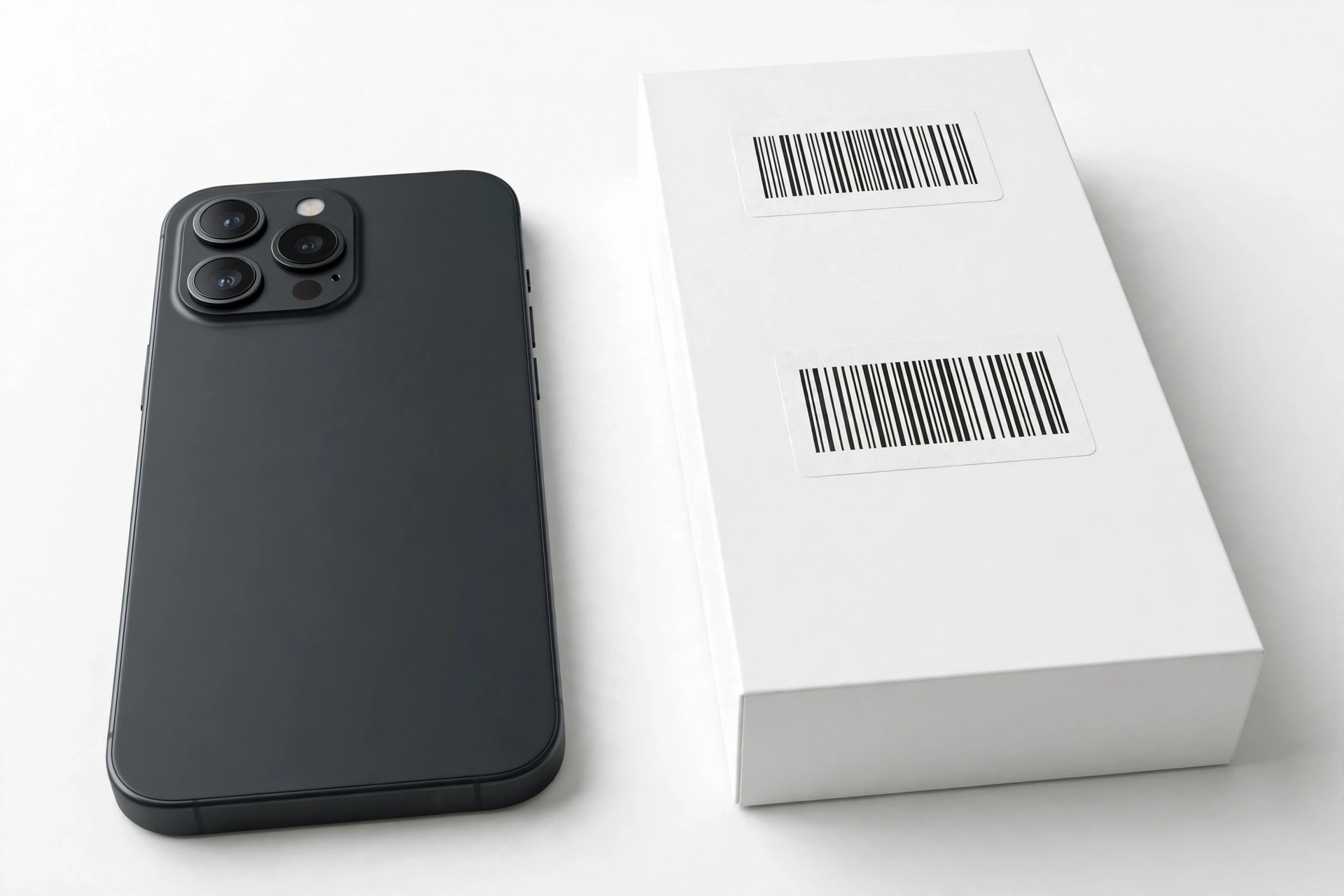
Compare the IMEI on the box with the IMEI from *#06# — they must match. Also check that the model name and color on the box match the phone inside. A box for a “Black 12GB+256GB” containing a white 8GB+128GB unit is either a swap or a fake; either way, do not accept it at face value.
Keep perspective, though: boxes can be reprinted convincingly, and a genuine phone can sit in a replacement box. Packaging is a supporting check — it strengthens or weakens the picture, but the software and Glyph checks carry more weight.
10. Check 7: physical design tells
The Nothing Phone 2a’s transparent back with visible screws and the dual-camera module centered at the top is a distinctive industrial design. On a genuine unit, the transparent panel is clear and precisely fitted, the camera module is centered and symmetrical, buttons click crisply, and ports line up cleanly. Counterfeits tend to show misaligned buttons, loose or rattling parts, uneven gaps around the back panel, blurry or misspelled branding, and a “transparent” back that looks cloudy or poorly finished.
Weight and feel matter too: genuine phones feel solid and balanced, while fakes often feel noticeably lighter or cheaper. If you can compare side by side with a known-genuine Nothing phone, even briefly, differences in finish quality usually become obvious. Without a reference unit, rely more heavily on the software and Glyph checks, which are harder to fool.
11. Counterfeit vs. refurbished vs. gray-market — know which problem you have
Not every suspicious phone is a counterfeit. The three situations below need different responses, so identify yours before acting.
| Situation | What it means | How the checks reveal it | What to do |
|---|---|---|---|
| Counterfeit | A fake phone made to look like a Nothing Phone 2a/2a Plus | Fails the Glyph test, Nothing OS checks, or IMEI cross-check; warranty lookup finds no matching record | Do not use it; pursue a refund and report the seller (section 13) |
| Refurbished sold as new | A genuine phone, previously used or repaired, sold as brand new | Passes authenticity checks but the warranty start date predates your purchase | Confront the seller about the misrepresentation; a genuine refurbished unit is still a real Nothing phone |
| Gray-market import | A genuine phone made for another region, sold outside official channels | Passes all hardware/software checks; warranty lookup may show no record or a foreign record | Legal to own; confirm band compatibility with your carrier and accept that local warranty service may be limited |
12. The US buyer reality: the developer-program wrinkle
This section matters for readers in the United States. The Nothing Phone 2a was not sold through normal US retail channels at launch — in the US it was available through Nothing’s developer program via nothing.tech (reported at $349), rather than through carriers or major retailers. That has two consequences for authenticity checking.
First, a US-market “brand new sealed” Phone 2a from a random marketplace seller deserves extra scrutiny, because the official US supply path was narrow. That does not make every such unit fake — imports and developer-program units circulate legitimately — but it raises the value of doing all ten checks rather than trusting the listing.
Second, gray-market realities apply: a genuine 2a made for another region may lack some US carrier bands, and warranty service may need to go through the region of origin. Check band compatibility with your carrier before committing, and treat a missing warranty record as inconclusive (per section 4) rather than as proof of a fake.
13. What to do if the phone is fake
If the checks point to a counterfeit, do not just shrug and keep using it. Fake phones can have substandard batteries, no meaningful safety testing, and modified software.
- Stop using it for anything sensitive. Do not sign in to banking, email, or payment apps. If you already did, change those passwords from a trusted device.
- Document everything. Photograph the phone, the box, the listing, and your messages with the seller. Save the receipt.
- Contact the seller and request a refund. Most marketplace platforms have buyer-protection windows — act within them.
- Report the listing. Nothing has publicly asked customers to report suspected counterfeit listings so the company can act on them. Report to the marketplace too.
- Do not resell it as genuine. Passing a known fake to the next buyer is how the problem spreads, and it can create legal trouble for you.
- Consider reporting to authorities. If the seller refuses a refund, a police report and a complaint to your consumer-protection agency create a paper trail.
Stop for safety: Do not attempt to “fix” a suspected counterfeit by flashing firmware, replacing parts, or opening the phone. Counterfeit batteries and chargers are a genuine fire risk, and opening the device will not make it genuine. If the phone gets hot, swells, or smells unusual, power it off, do not charge it, and keep it away from flammable materials.
14. Hypothetical examples
(The following are hypothetical illustrations, not customer stories.)
Maya’s marketplace 2a Plus
Maya finds a “Nothing Phone 2a Plus, sealed, 12GB+256GB” on a classifieds site for well under the usual price. Before meeting the seller, she notes two of Nothing’s reported red flags: the price is far below normal and the seller’s account has almost no reviews. At the meeting, she dials *#06# and compares the IMEI with the box — they match. But when she opens Settings → Glyph Interface, the menu is missing entirely, and the LED strip on the back is a single dim row that does not respond to calls. She walks away. The missing Glyph software on a phone sold as a 2a Plus was decisive — no genuine unit ships without it.
Daniel’s “new” 2a with an old warranty
Daniel buys a Phone 2a described as brand new from an online seller. The phone passes every check: the Glyph works, Nothing OS updates normally, the IMEI cross-check matches, and Nothing’s warranty lookup recognizes the serial — but the warranty started eleven months before his purchase. The phone is genuine, not counterfeit; it is a used unit sold as new. Daniel contacts the seller with screenshots of the warranty result and negotiates a partial refund reflecting the phone’s true condition.
15. What these checks can and cannot establish
Honest limits matter. The table below states what each result actually proves.
| Observation | What it suggests | What it cannot prove |
|---|---|---|
| Warranty lookup recognizes the serial | The unit is in Nothing’s records — strong genuine signal | It cannot prove the phone was never refurbished or resold |
| IMEI matches across phone, box, and receipt | The software identity matches the physical unit | It cannot rule out a copied IMEI on its own — the model cross-check matters |
| Glyph Interface works fully | Signature hardware behaves as designed — very hard to fake | It cannot prove the internals were never swapped or repaired |
| Nothing OS updates normally | The software is genuine and contacts Nothing’s servers | It cannot prove the hardware was never modified |
| No warranty record found | Inconclusive — could be gray-market, new, or fake | It cannot prove the phone is counterfeit |
| Price far below market | Elevated scam risk per Nothing’s own guidance | It cannot prove the specific unit is fake — verify before concluding |
16. Frequently asked questions
How do I check the IMEI on a Nothing Phone 2a?
Open the Phone dialer and type *#06# — a pop-up shows the IMEI numbers (two on dual-SIM models) and the serial number. You can also find them under Settings → About phone → See all. The dialer code only displays information; it changes nothing.
Does Nothing have an official authenticity or warranty check?
Technology guides list Nothing among the brands with an official page for checking warranty status by IMEI or serial number. Reach it by navigating from Nothing’s official site (nothing.tech) and its support section rather than through a search result, and compare the returned model with the phone in your hand.
Can a fake Nothing Phone 2a have a working Glyph Interface?
Counterfeits may include decorative LEDs, but the genuine Glyph is software-driven: Flip to Glyph, Glyph Timer, ringtones with light patterns, and the Composer. Test the functions in Settings → Glyph Interface rather than just looking at the lights — a fake’s decoration will not respond the way the real system does.
What is the difference between the Phone 2a and the 2a Plus?
The 2a Plus (launched July 2024) upgrades the chip to the Dimensity 7350 Pro, the front camera to 50MP, and charging to 50W, with a 26-zone Glyph layout. The standard 2a (launched March 2024) has the Dimensity 7200 Pro, a 32MP front camera, 45W charging, and a 3-strip Glyph. Use the spec table in section 2 to check which one you are holding.
I bought a 2a in the US. Is it definitely fake?
No. The 2a’s official US path was narrow (Nothing’s developer program at launch), so many US units are imports — genuine phones made for other regions. That is gray-market, not counterfeit. Run the full ten checks, confirm carrier band compatibility, and accept that local warranty service may be limited.
The warranty lookup shows no record. Is my phone fake?
Not necessarily. Gray-market imports and very new activations can legitimately be absent from the lookup. Treat “no record” as inconclusive and lean on the IMEI cross-check, Glyph test, and Nothing OS checks instead.
What should I do if I already bought a fake?
Stop using it for sensitive accounts, document everything (photos, listing, messages, receipt), request a refund within the marketplace’s buyer-protection window, and report the listing to both the marketplace and Nothing. Do not resell it as genuine.
Where is the safest place to buy a Nothing Phone 2a?
Nothing’s own store and authorized retail partners carry near-zero counterfeit risk. On marketplaces, apply Nothing’s reported red flags before buying: check that the brand name is genuinely Nothing (not a random name claiming “compatibility”), look for a healthy number of reviews, and be skeptical of prices far below normal retail.
17. How this guide differs from the general Nothing authenticity guide
This site also publishes a general guide to checking whether a Nothing phone is original, which covers the brand-wide principles: IMEI lookups, packaging, and software tells that apply to every Nothing device. This article is narrower and deeper: it is built around the Phone 2a and 2a Plus specifically — their launch specifications, their Glyph Interface implementations, the US developer-program wrinkle, and the 2a-vs-2a Plus confusion that general guides do not address. If you are verifying a different Nothing model, start with the general guide; if the phone in your hand is a 2a or 2a Plus, this is the one to use. Readers comparing other brands may also find the Meizu authenticity guide and the ZTE authenticity guide useful for the same check-by-check method applied to different manufacturers.
Video: How to tell if your smartphone is fake or real
Sources and editorial notes
- Android Central — Nothing’s counterfeit awareness campaign: reports Nothing’s public guidance on spotting fake listings (unfamiliar brand names claiming “compatibility,” low review counts, too-good-to-be-true pricing) and the company’s invitation to report suspicious listings.
- FoneArena — Nothing India addresses rise in counterfeit products: summarizes the same red flags and Nothing’s request that consumers buy from authorized channels.
- VARINDIA — Nothing steps up crackdown on counterfeit devices: corroborates the awareness campaign and notes Nothing’s market growth context.
- Pocket-lint — Nothing Phone 2a Plus official details: launch specifications for the 2a Plus (Dimensity 7350 Pro, 50MP cameras, 50W charging, 26-zone Glyph, pricing).
- BeforeYouTake — Phone 2a Plus specifications: detailed spec table including Glyph features, cameras, and Nothing OS version.
- HardReset.info — checking serial number on Nothing phones: documents the *#06# dialer method and the Settings → About phone → See all path for IMEI and serial.
- Tom’s Guide — Nothing Phone 2a renders debunked as fakes: background on pre-launch fake renders, illustrating why skepticism of unofficial images is warranted.
- Technastic — checking phone authenticity and warranty status: lists Nothing among brands with official IMEI-based warranty/authenticity lookup pages.
Last source check: October 14, 2026. AI-assisted editorial guide, checked against the linked manufacturer information and press reporting summarized above. Nothing’s official warranty-lookup page location may change; navigate from nothing.tech rather than relying on a saved link. For an in-person assessment of a phone you are unsure about, Las Vegas Phone Repair & Accessories, 7400 Las Vegas Blvd S, Unit TT42, Las Vegas, NV 89123, (424) 406-6202, is open 10AM–8PM — call ahead to confirm today’s hours.
Let’s get you connected again.
Tell us what’s happening with your device and we’ll help you decide the safest next step — no jargon, no pressure.
Las Vegas Phone Repair & Accessories · 7400 Las Vegas Blvd S, Unit TT42, Las Vegas, NV 89123
10:00 AM–8:00 PM — call ahead to confirm today’s hours