
How to Check If Fairphone Is Original: Authenticity Guide
To check if a Fairphone is original, match its IMEI across three sources — the dialer (*#06#), Settings, and the physical regulatory sticker inside the phone — then register the serial number at fairphone.com/warranty. Fairphone’s modular design is itself an authenticity tell: genuine units open with a screwdriver and carry module serial numbers that counterfeits rarely replicate.
On this page
To check if a Fairphone is original, match its IMEI across three sources — the dialer (*#06#), Settings, and the physical regulatory sticker inside the phone — then register the serial number at fairphone.com/warranty.
1. Who this guide helps
This guide is written for anyone about to buy a Fairphone on the secondhand market, anyone who received one as a gift and wants to confirm it is genuine, and anyone who bought from a third-party marketplace and now has doubts. Fairphone is a Dutch company — founded in 2013 and based in Amsterdam — that builds modular, repairable smartphones from fairly sourced materials. Its phones are niche compared with mainstream brands: the company sells mainly in Western and Central Europe and the United States, and units sold per year number in the hundreds of thousands, not tens of millions. (Source: support.fairphone.com)
That niche status shapes this guide. Large-scale counterfeiting operations focus on high-volume brands where a fake blends in. Fairphone fakes exist, but the more common problems are: (a) used or refurbished phones sold as new, (b) listings that mislabel a different model or a Murena /e/OS variant without saying so, and (c) gray-market imports that are genuine hardware but carry no local warranty support. Each of these needs a different response, so this guide covers all three rather than treating everything as “counterfeit.”
2. Quick facts
Quick fact: Fairphone documents where every identification number lives. Every Fairphone 5 has two 15-digit IMEI numbers (both starting with “35”) and an 8-symbol module serial number; Fairphone’s support site explains how to find them via the dialer, Settings, or the sticker inside the phone. These are the reference points this guide is built on.
3. Why Fairphone is different from other authenticity checks
Most phone authenticity guides lean on two things: the IMEI lookup on a manufacturer portal, and software behavior. Fairphone adds a third layer that mainstream brands cannot offer — the physical construction itself. A genuine Fairphone:
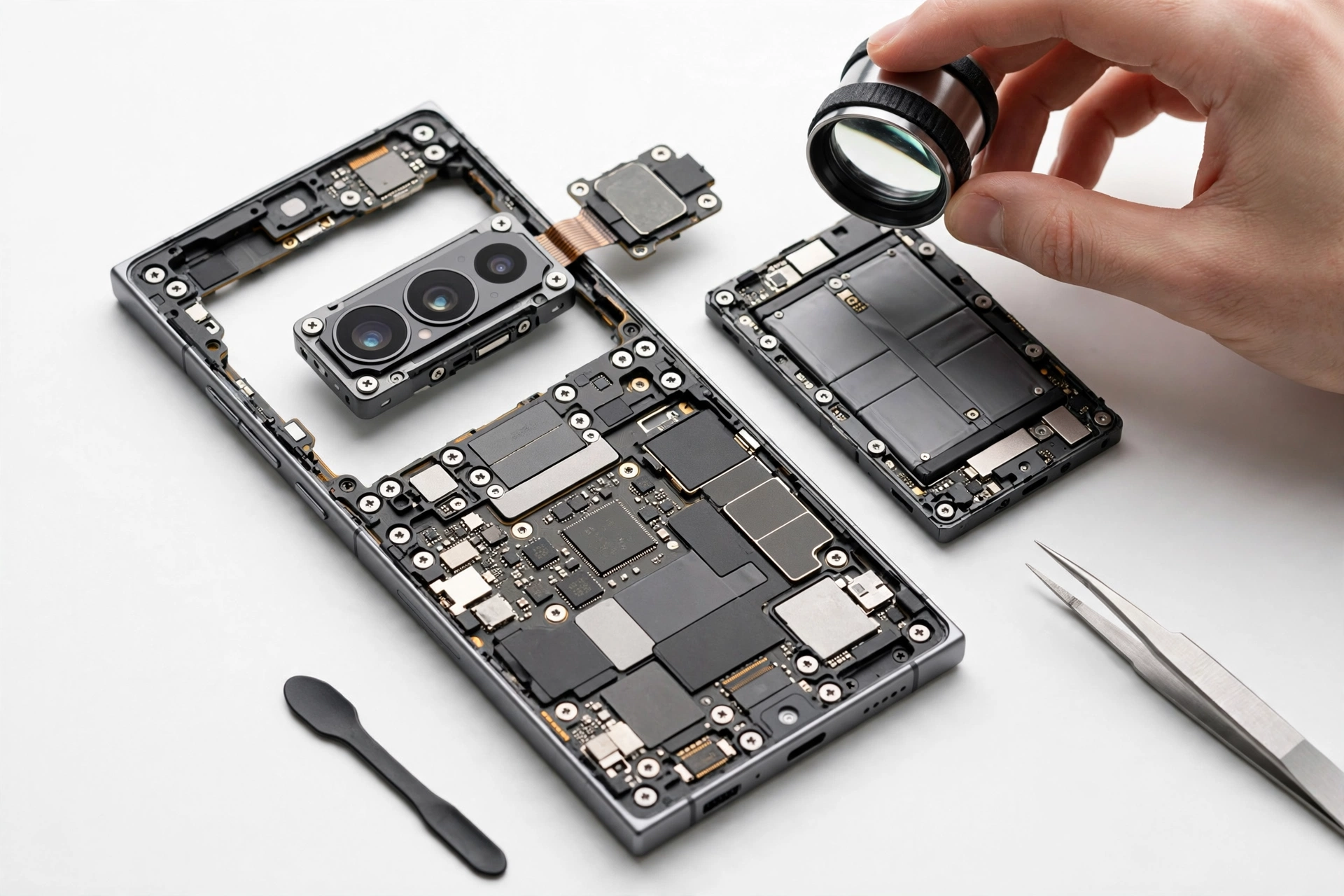
- Has a removable back cover and user-replaceable battery (on models through the Fairphone 5; the Fairphone Gen. 6 keeps a highly modular build). A “Fairphone” with a sealed, glued-shut body contradicts the product’s core design.
- Carries independent module serial numbers: the display module and top module have their own identifiers (on the Fairphone 3 series, the display module serial starts with “D” and the top module with “T”, printed next to QR codes on the physical modules). Counterfeit operations replicate a single IMEI; they almost never reproduce a full set of module-level serials.
- Ships with minimal packaging: reporting on recent Fairphones notes the box contains the phone and a quick start guide — no adapter, not even a cable. Elaborate “bonus accessory” bundles are a red flag.
- Earned a 10/10 iFixit repairability score on nearly every model — the modularity is documented and public, which gives you a concrete specification to check against.
This means the physical inspection section of this guide carries more weight than it does for brands whose phones are sealed glass slabs.
Quick fact: This guide is Fairphone-specific. If the phone you are checking is a different brand, use the matching guide: Nothing Phone 2a, Meizu, or ZTE. The IMEI basics are similar, but the module-serial and warranty-registration checks here only apply to Fairphone.
4. The 10-check authenticity worksheet
Work through these checks in order. The table shows what each method proves and where it stops being useful.
| Check | What it proves | Limitations |
|---|---|---|
| 1. *#06# dialer match | The IMEI the software reports | A copied IMEI from a genuine phone would also “match”; proves nothing alone |
| 2. Settings cross-match | IMEI and serial are consistent in software | Still only software — must be confirmed against hardware |
| 3. Internal regulatory sticker | Hardware-level IMEI printed at the factory | Requires opening the phone; stickier can be swapped on sophisticated fakes |
| 4. Box and paperwork match | The phone came through a traceable sale | Missing box is common on secondhand units; not proof of fake by itself |
| 5. Warranty registration at fairphone.com/warranty | Fairphone’s own records recognize the device | Extension rules vary by model and purchase year; unregistered is not the same as fake |
| 6. Module serial inspection | Modules match Fairphone’s documented serial formats | Requires knowing the per-model prefix rules; time-consuming |
| 7. Fairphone OS behavior | The software is Fairphone’s own build | Murena /e/OS variants are legitimate but different — check which was promised |
| 8. Modular teardown consistency | The phone opens and rebuilds the way a Fairphone should | Do not force anything; stop if screws or clips fight back |
| 9. Model-family sanity check | The model name and specs exist in Fairphone’s real lineup | Scammers occasionally use close-but-wrong names |
| 10. Seller and channel verification | The purchase path is legitimate | A genuine phone can be resold by anyone; the channel only sets expectations |
5. Checks 1 and 2: the IMEI and serial number in software
Fairphone’s support documentation gives the exact paths for each model family. For the Fairphone 5, the fastest method is the Phone app:
- Dial *#06# exactly as you would dial a phone number. The IMEI numbers appear on screen. The Fairphone 5 is dual-SIM, so it shows two 15-digit IMEIs, both starting with “35”.
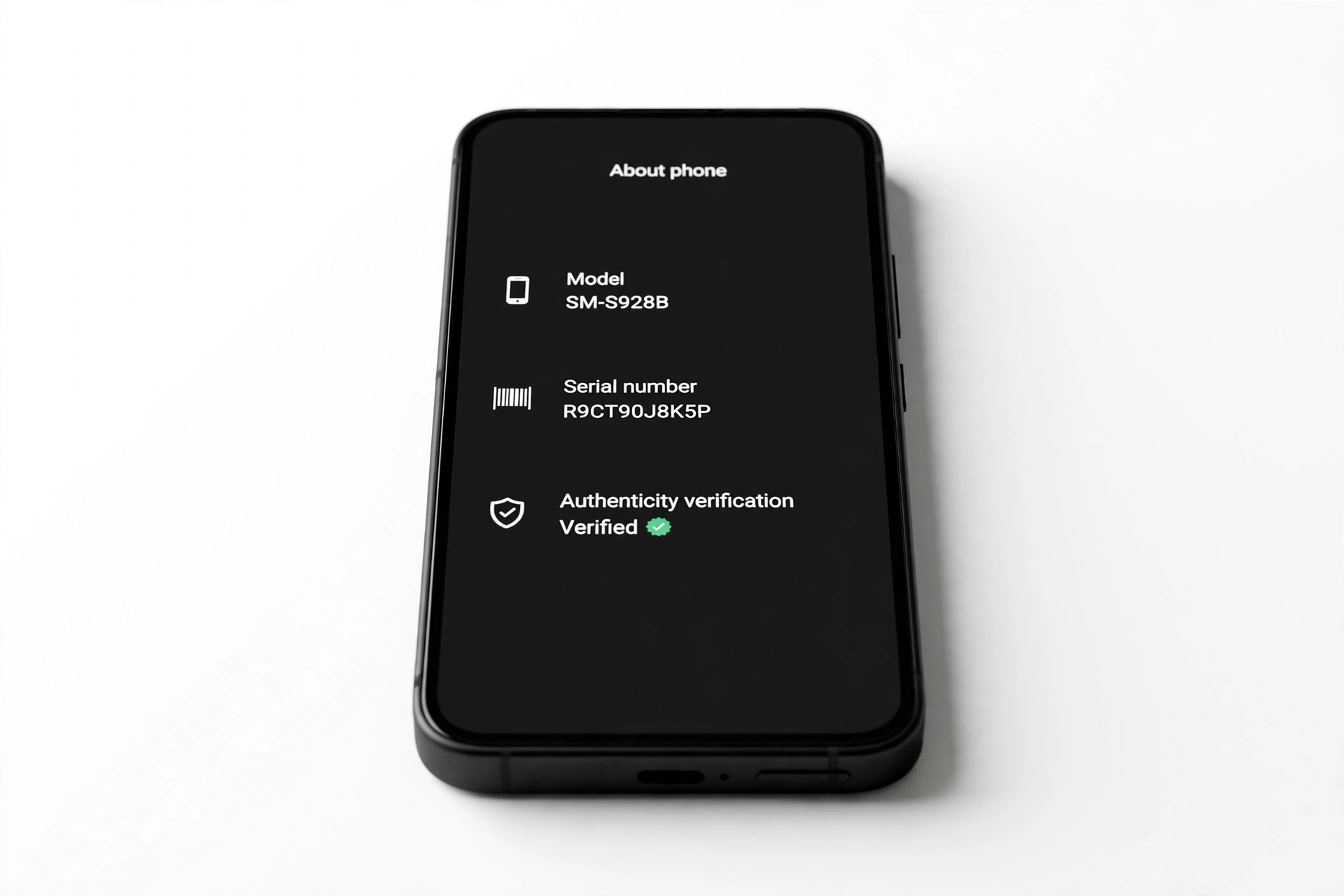
- Alternatively, go to Settings > About phone and scroll to IMEI (SIM slot 1). Tap Model to view the hardware Serial number.
For the Fairphone 4, the same paths apply — the difference is that it has a single IMEI rather than two. For the Fairphone 3 and 3+, the software serial number is 12 characters, found at Settings > About phone > Model & Hardware > Serial number. For the Fairphone 2, the core module serial is an 8-symbol code viewable via *#06# or Settings > About phone > Model & Hardware.
Sanity rules from the IMEI itself: it must be 15 digits, contain no letters, and start with “35” on Fairphone 4 and 5 (Fairphone support states both IMEIs start with “35”). The module serial numbers deliberately exclude the letters i, o, u, and y to prevent reading errors — if you see one of those letters in a module serial, be suspicious.
Tip: An IMEI that “validates” is not the same as an IMEI that is genuine. Counterfeiters routinely print genuine-looking IMEIs — often copied from a real Fairphone. The defense against copied IMEIs is the cross-match in the next sections, not the number itself.
6. Check 3: the physical sticker inside the phone
Because a Fairphone opens by design, the hardware-level check is accessible to anyone. Fairphone’s support articles describe the same procedure across the Fairphone 3, 4, and 5:
- Remove the back cover of the phone.
- Lift the battery out of its slot.
- Look at the white regulatory sticker on the left side of the battery housing (Fairphone 4/5) or on the side of the battery housing of the core module (Fairphone 3).
- The barcodes and IMEI 1 are printed directly onto this sticker, and on the Fairphone 4/5 the serial number appears below the barcodes.
The sticker IMEI must match the IMEI shown by *#06#. This is the single most decisive hardware check: a software IMEI can be rewritten, but the factory sticker is bonded at manufacture. A missing, blurry, or tampered sticker — or a sticker whose IMEI differs from the dialer — warrants an immediate stop.
7. Check 4: the box, invoice, and delivery note
Fairphone’s support pages list two more places the IMEI lives:
- Original retail packaging: the white sticker on the back of the original shipping box carries the 15-digit IMEI next to the barcodes and the product specifications matrix.
- Purchase documents: the IMEI is listed on the invoice from a retail store or on the delivery note from Fairphone’s online shop.
Matching box and paperwork to the phone is strong corroboration. Missing packaging is not, by itself, proof of a fake — secondhand phones lose their boxes constantly — but a seller who claims “brand new, sealed” while the box IMEI disagrees with the phone has a problem worth walking away from.
8. Check 5: warranty registration at fairphone.com/warranty
Fairphone’s warranty structure is unusually generous and unusually informative for authenticity purposes. The standard warranty is two years, but Fairphone offers a complimentary extension — up to five years total on recent models — if the owner registers the device at fairphone.com/warranty. Registration takes under ten minutes, is free, and per Fairphone’s own warranty page is “completely independent of how you procured the device.”
What the warranty check tells you:
- A recognized device with sensible coverage (e.g., a Fairphone 5 bought in 2024 showing eligibility for five years) is a strong genuine signal.
- A warranty that started long before the seller’s claimed purchase date indicates a refurbished or previously used phone sold as new — not necessarily a counterfeit, but not what was advertised either.
- A device Fairphone’s records do not recognize at all is a red flag, but label it honestly: it is suspicious, not conclusive. Gray-market imports and very old models can behave oddly in registration systems.
Extended-warranty rules vary by model and purchase year (for example, a Fairphone 4 bought in 2024 carries three years total rather than five), so read the terms rather than assuming every unit gets five years. Keep the receipt or proof of purchase: Fairphone asks for it on any warranty claim, and a genuine phone without paperwork is harder to service.
9. Check 6: module serial numbers — Fairphone’s unique tell
No other brand in this authenticity series builds phones this way, so no other brand offers this check. Fairphone’s support documentation describes independent serial numbers for the modules:
- Fairphone 3(+): the display module’s identifier is printed in white next to a QR code on the back of the module — 10 characters (3 letters, 7 digits) starting with D. The top module’s identifier is printed near the front camera — 10 characters starting with T.
- Fairphone 2: the display module serial starts with A, the top module with B.
- All recent models: the core module serial is an 8-symbol code that never contains the letters i, o, u, or y.
You do not need to disassemble the phone to read the core serial (it is available in software), but the display and top module codes require separating modules — which is exactly what the phone is designed for. If the seller resists this, that is information. A full set of correctly formatted module serials is one of the hardest things for a counterfeiter to fake, because it requires knowledge of per-model prefix rules that only exist in Fairphone’s support documentation.
10. Check 7: software tells — Fairphone OS versus everything else
A genuine Fairphone sold in Europe runs Fairphone OS, Fairphone’s own Android build. There is one legitimate exception you must know about before judging: the Murena Fairphone 4 sold in the United States runs Murena’s /e/OS, a de-Googled Android fork, instead of stock Android. Press reporting describes this as an official partnership arrangement — it is not a fake, but it is a materially different product, and a seller should say so.
Software red flags:
- A generic Android skin with unfamiliar launchers, app stores, or “system update” screens that do not match Fairphone’s design language.
- System updates that never arrive. Fairphone supports its phones for years — the Gen 6+ is slated for seven years of Android OS updates and eight years of security patches. A “Fairphone” frozen on an ancient security patch with no update path is suspicious.
- Settings paths that contradict Fairphone’s documented layouts (for example, an About phone page that does not show the IMEI and serial the way Fairphone describes).
11. Check 8: the modular teardown test
If you have the phone in hand, the teardown test is decisive and safe when done as Fairphone intends — with a standard Phillips screwdriver, no heat, no prying tools:
- The back cover should come off without adhesive resistance.
- The battery should lift out of a defined slot.
- Modules should separate along Fairphone’s documented guides and carry the serial formats described in section 9.
- Materials should feel like the fair/recycled mix Fairphone advertises — the company reports more than half the phone’s weight is fair or recycled material — not flimsy generic plastic.
Stop for safety: Never force a phone open. If screws strip, clips refuse to release, or the construction fights you, stop — forcing it can crack the display or damage the battery. A phone that will not open the Fairphone way is itself a finding; report it and walk away from the purchase.
12. Check 9: model-family sanity check
Fairphone’s real lineup is small and well documented: Fairphone 1, 2, 3, 3+, 4, 5, Fairphone (Gen. 6), and Fairphone 6+. Regional model codes look like F6FPHN-3ZW-EU1 (an EU variant of the Gen 6+). Invented names — a “Fairphone 9 Pro Max Ultra” or similar — do not exist. If the listing names a model outside this family, or the specs page describes flagship-tier cameras and processors at a budget price, treat it as a fabrication.
Also check the spec sheet against reality: Fairphone has always used mid-range chipsets (a deliberate choice for longevity over benchmark scores). A listing that claims a top-tier Snapdragon in a Fairphone 4 is wrong about the hardware, whatever the phone actually is.
13. Check 10: seller and channel verification
Legitimate channels for Fairphone hardware:
- Direct: fairphone.com and us.fairphone.com sell the current models.
- United States: the Fairphone (Gen 6+) is Fairphone’s first new phone sold in the US running full Android, available via Amazon and Fairphone. Older US stock came through Murena, which sold the Fairphone 4 with /e/OS.
- Carriers: in the US, recent Fairphones are certified for networks such as AT&T and T-Mobile (earlier models worked best on T-Mobile and its MVNOs, per press reporting).
Marketplace sellers are not automatically illegitimate — genuine Fairphones are resold constantly — but be wary of: sellers whose other listings are all counterfeit-prone goods, prices far below the going rate, stock photos only, and feedback mentioning “doesn’t match description.” And note Fairphone’s own guidance: warranty claims go through the company you bought from, so a seller who cannot name their supplier is a risk.
14. Counterfeit, refurbished, or gray market — they are different problems
| Situation | Typical signs | What to do |
|---|---|---|
| Counterfeit | Wrong software skin; sealed body; no module serials; sticker mismatch; absurd price | Do not buy; if already bought, do not resell it — report the listing and the seller |
| Refurbished sold as new | Warranty start predates the claimed sale; minor wear; box resealed; correct module serials | Renegotiate or return; it is genuine hardware but not what was advertised |
| Gray-market import | Genuine hardware; correct serials; wrong-region model code; possibly no local warranty; band issues | Legal to own; check carrier band compatibility before keeping it |
15. Hypothetical examples
(The following are hypothetical illustrations, not customer stories.)
Maya’s marketplace Fairphone 5. Maya finds a Fairphone 5 on a marketplace at 40% below retail, listed as “brand new, sealed.” She asks the seller for the IMEI before paying. She dials *#06# on her own phone to confirm the format, then asks the seller to photograph the regulatory sticker inside the phone. The sticker IMEI matches the dialer screenshot the seller sends — but when Maya checks the purchase documents, there are none, and the seller cannot say where the phone came from. The hardware checks pass, but the missing provenance plus the too-good price tells Maya this is likely a gray-market or refurbished unit, not the “brand new sealed” listing. She asks for a price matching the actual condition or walks away.
Daniel’s “new” Fairphone 4 from a third-party site. Daniel receives his Fairphone 4 and the first thing he notices is that the back cover does not come off — the body feels glued. He dials *#06# and the IMEI is 15 digits, but Settings > About phone shows a different IMEI than the dialer, and there is no module serial information anywhere. The phone runs a generic Android launcher with an unfamiliar app store. Daniel stops there: three independent software inconsistencies plus a sealed body on a phone whose entire identity is modularity. He does not sign in with any account, does not insert his SIM, and opens a return case the same day.
16. What to do if the phone is not original
- Do not sign in. Never enter your Google account, banking apps, or personal credentials on a suspect device. A counterfeit phone’s software can log keystrokes.
- Do not resell it. Passing a known fake to another buyer creates liability and perpetuates the fraud.
- Report the listing to the marketplace and, for deliberate counterfeits, to Fairphone’s support team with the IMEI and seller details.
- For refurbished-sold-as-new: open a return or chargeback case with the evidence (warranty-start screenshot from fairphone.com/warranty).
- For gray-market units you choose to keep: verify carrier band compatibility — particularly relevant in the US, where Fairphone’s band support has historically been carrier-specific.
17. What these checks can and cannot establish
| Observation | What it suggests | What it cannot prove |
|---|---|---|
| All IMEIs and serials match across dialer, Settings, sticker, and box | The phone is very likely genuine | Cannot prove the phone was not refurbished |
| Warranty registration recognizes the device | Fairphone’s records include this unit | Cannot prove the seller is authorized |
| Module serials follow Fairphone’s documented formats | The modules are Fairphone’s own parts | Cannot prove every module is original to this phone |
| The phone opens and rebuilds modularly | The construction matches Fairphone’s design | Cannot prove the internals were not swapped |
| Warranty start predates the seller’s claimed sale date | The phone was previously used or refurbished | Cannot distinguish refurbished-by-Fairphone from third-party refurb |
| No record in Fairphone’s warranty system | Suspicious — investigate further | Cannot by itself prove counterfeit (imports and old models behave oddly) |
18. Frequently asked questions
Does Fairphone have an official authenticity checker website?
Fairphone does not publish a standalone “check if original” portal the way some brands do with IMEI+VC pages. The closest official record is the warranty registration at fairphone.com/warranty, which recognizes genuine devices and shows their coverage. Combined with the physical module checks, this is the practical equivalent.
Can I check a Fairphone’s authenticity without opening it?
Partially. The *#06# dialer, Settings paths, software behavior, and warranty registration all work without opening the phone. But Fairphone is designed to open, and the internal regulatory sticker plus module serials are the strongest checks — skipping them leaves the job half done.
Is the Murena Fairphone 4 with /e/OS a fake?
No. The Murena Fairphone 4 is a legitimate product: Fairphone’s hardware sold in the US through Murena with Murena’s /e/OS (a de-Googled Android fork) instead of stock Android. It is genuine, but it is a different software product — a seller should disclose which variant they are selling. Note that installing standard Android on a Murena unit has been reported to void the warranty, so do not reflash it casually.
Why does my Fairphone 5 show two IMEIs?
The Fairphone 5 is dual-SIM, so it has two 15-digit IMEI numbers — one per SIM slot. Both start with “35” per Fairphone’s documentation. A single IMEI on a Fairphone 5 would be the anomaly, not two.
My Fairphone’s box is missing. Is it fake?
Not necessarily. Secondhand phones lose their boxes constantly. The box is corroboration, not a requirement — the dialer-to-sticker-to-warranty chain is what matters. Be more cautious only when a missing box is combined with other red flags.
What does a Fairphone warranty registration prove about the seller?
Nothing about the seller — Fairphone’s warranty page states registration is independent of how the device was procured. It proves the device is in Fairphone’s records. Claims still go through the company you bought from, so buy from someone you can contact again.
Are Fairphones sold on Amazon genuine?
The Fairphone (Gen 6+) is sold on Amazon in the US as part of Fairphone’s official US launch — those units are legitimate. For older models, check the seller: units listed by random third-party vendors with poor feedback deserve the full worksheet treatment, especially the sticker and warranty checks.
Can a repair shop verify my Fairphone for me?
A competent shop can run the physical and software checks in this guide, including the modular teardown. If you are in the Las Vegas area, Las Vegas Phone Repair & Accessories (7400 Las Vegas Blvd S, Unit TT42, Las Vegas, NV 89123; (424) 406-6202; open 10 AM–8 PM, call ahead to confirm today’s hours) can assess the device. Bring the box and any paperwork if you have it.
Video: How to tell if your smartphone is fake or real
Sources and editorial notes
- Fairphone Support — How to find your Fairphone 5 IMEI and module serial numbers: the documented paths for dual IMEIs, module serials, the internal regulatory sticker, packaging, and invoice sources.
- Fairphone Support — How to find your Fairphone 4 IMEI and module serial numbers: single-IMEI variant of the same procedure, plus display-module serial location.
- Fairphone Support — Fairphone 3(+) IMEI and serial numbers: the 12-character serial, D-prefix display module, and T-prefix top module serial formats.
- Fairphone — Warranty registration and extended warranty: the 2-year standard plus free extension (up to 5 years), registration requirement, and model-by-year coverage table.
- Wikipedia — Fairphone: company background (founded 2013, Amsterdam), modular design, iFixit 10/10 scores, materials and labor claims, and regional availability.
- Gizmodo — Fairphone’s latest home-repairable phone is actually easy to buy: Gen 6+ US launch via Amazon and Fairphone with full Android, modular part pricing, and 5-year warranty.
- GSMArena — Murena Fairphone 4 in the US: the /e/OS variant, US carrier guidance, and iFixit repairability score.
Last source check: October 14, 2026. AI-assisted editorial guide, checked against the linked manufacturer information. Fairphone’s support articles, warranty terms, and model lineup may change; verify current details on Fairphone’s official site before making a purchase decision.
Let’s get you connected again.
Tell us what’s happening with your device and we’ll help you decide the safest next step — no jargon, no pressure.
Las Vegas Phone Repair & Accessories · 7400 Las Vegas Blvd S, Unit TT42, Las Vegas, NV 89123
10:00 AM–8:00 PM — call ahead to confirm today’s hours