
How to Check If Samsung Galaxy S27 Ultra Is Original: Authenticity Guide
As of October 2026, no Samsung Galaxy S27 Ultra exists. There has been no Samsung announcement, no Unpacked event, no product page, and no store listing — so any phone being sold to you today under that name cannot be genuine, and the checks in this guide will help you prove it.
On this page
As of October 2026, no Samsung Galaxy S27 Ultra exists.
1. Start here: the existence test
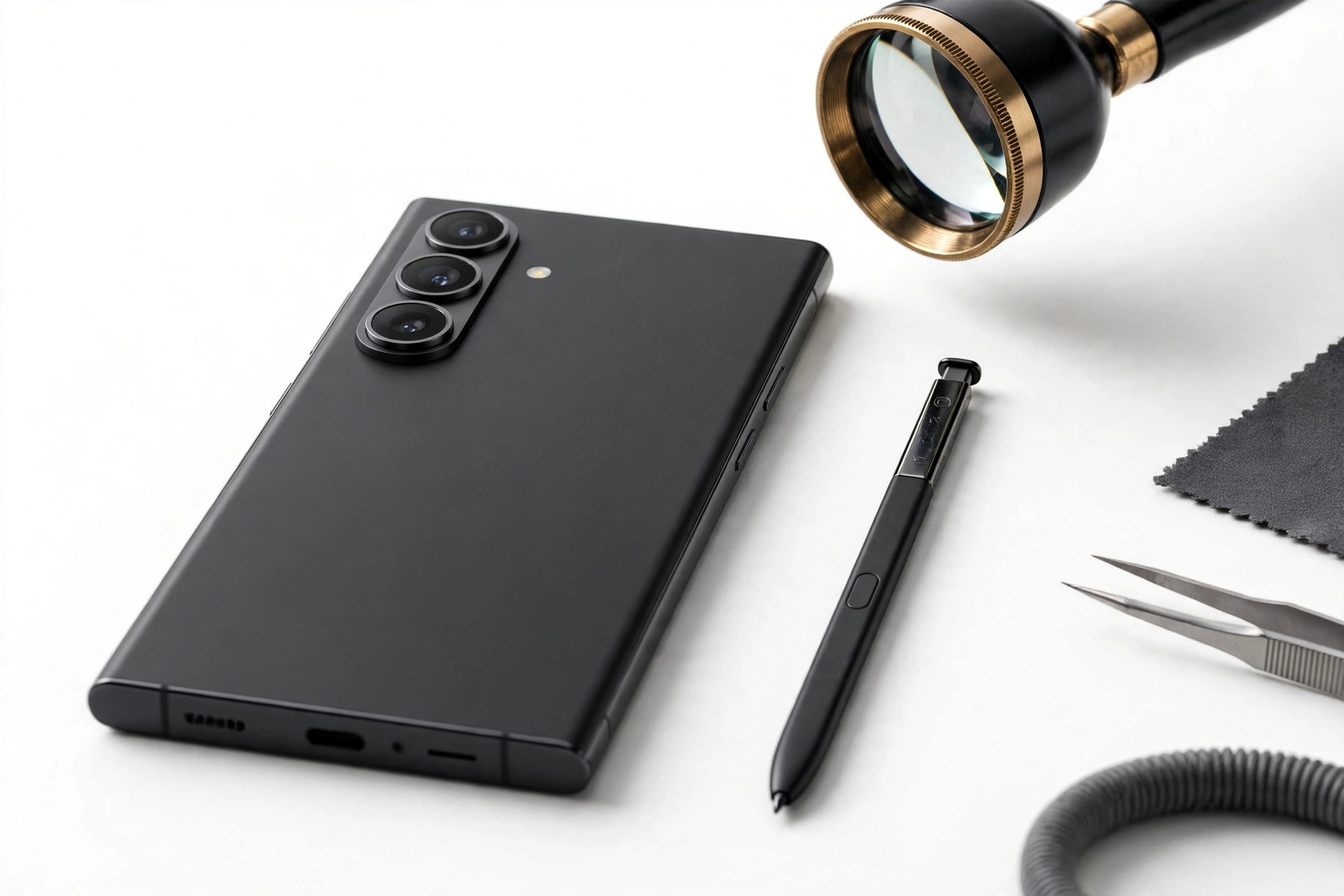
Before examining a single physical detail, settle the biggest question first. The Galaxy S27 Ultra is an unannounced device. Press reporting — including ETnews, The Elec, and PhoneArena — points to a launch in January or February 2027 alongside the rest of the Galaxy S27 family. Samsung has not confirmed a single detail: not the name, not the specs, not the price, not the date. (Source: phonearena.com)
That single fact reframes the entire authenticity question. For a launched phone, “is it original” means checking whether the hardware in your hand matches the manufacturer’s official device. For an unannounced phone, the answer is decided before you touch anything: if someone is offering you a Galaxy S27 Ultra today, the phone in front of you is either a different Samsung model with a false name, or a counterfeit. Everything below helps you determine which one, document the evidence, and decide what to do next.
Quick fact: A genuine future Galaxy S27 Ultra cannot be “verified” by any IMEI lookup today, because Samsung has not registered the model in its warranty and support databases. If a seller claims their IMEI check “proves” an S27 Ultra is real, ask them to show you the exact lookup result — it will name a different model or return nothing.
2. What reporting actually says about the S27 Ultra — ranked by evidence
Not all rumors deserve equal trust. The reporting around the S27 Ultra falls into distinct tiers, and knowing which claims come from where helps you spot listings that quote low-quality speculation as fact. (The same existence-test logic applies to the base model — see our Galaxy S27 authenticity guide.)
| Claim | Reported by | Evidence tier | What to trust it for |
|---|---|---|---|
| Launch January/February 2027, four-model lineup (S27, S27+, new S27 Pro, S27 Ultra) | ETnews, The Elec | High — Korean supply-chain press | Timeline: nothing genuine can be in anyone’s hands before this window |
| Ultra display ~6.9 inches with new M16 OLED material | ETnews | High — supply-chain reporting | Display generation context, not a physical check you can run today |
| 5,700mAh battery | 3C regulatory listing, reported by PhoneArena | Moderate-high — regulatory record | Battery capacity claims; a regulatory listing is not a launch |
| Triple rear camera: 200MP main, 50MP ultra-wide, 50MP telephoto; 16MP selfie | PhoneArena, Ice Universe | Moderate — established leaker + press synthesis | Camera-count direction (three vs. current four), not confirmed layout |
| Snapdragon 8 Elite Gen 6 Pro for US models; chip picture undecided globally | PhoneArena | Moderate — with explicit uncertainty | Chipset claims are genuinely unsettled; treat any “confirmed chip” listing as speculation |
| S Pen carries over unchanged | PhoneArena | Moderate | Ultra identity marker, not a differentiator from S26 Ultra |
| US pricing around $1,399–$1,499 | Tipster @phonefuturist on X, reported by Gadgets360 | Low — single tipster | Nothing; do not use price as an authenticity signal |
| Colors: Black, Blue, Light Pink, Violet, White | Ice Universe | Low-moderate — single leaker | Color names prove a seller read leak coverage, not that they hold a phone |
The pattern to internalize: supply-chain reporting (ETnews, The Elec) and regulatory records (3C) carry real weight; single-tipster pricing and color lists do not. A seller quoting “$1,399” or “Violet” as proof they have a genuine unit is quoting rumor blogs, not Samsung.
3. The four ways “S27 Ultra” listings try to take your money
Every fraudulent S27 Ultra listing falls into one of four patterns. Learn to recognize the pattern and the correct response follows automatically.
| Pattern | How to recognize it | What it really is | Correct response |
|---|---|---|---|
| 1. Relabeled genuine Samsung | Phone passes all software checks; About phone shows a different model (usually S26 Ultra); box has mismatched labels | A real Galaxy S26 Ultra (or older Ultra) sold under a false name at an inflated price | Check the software model identity (Section 7). Pay no more than the true model’s used value |
| 2. Pre-order / deposit scam | Seller demands a deposit to “reserve” your unit from the “first batch”; no phone is shown in person | Pure fraud — there is no first batch, because there is no announced product | Never send money. No legitimate pre-order channel can exist for an unannounced device |
| 3. Placeholder spec listing | Online listing with full spec table, renders, and a price — but “out of stock” or ships in 30+ days | An aggregator-style page monetizing rumor traffic; specs are copied from leak coverage | Treat as rumor content, not a product. Do not “backorder” |
| 4. Straight counterfeit | Physical phone in hand; Samsung apps missing or broken; *#0*# does nothing; camera app is generic Android | A non-Samsung phone skinned to look like one | Run the checks in Sections 6–9, then follow the recovery steps in Section 13 |
Stop for safety: Pattern 2 (deposit scams) deserves special emphasis. Because the S27 Ultra is unannounced, no seller on earth can legitimately take your pre-order — not a carrier, not a retailer, not a “distributor contact.” Any deposit request tied to this model name is fraud by definition.
4. The 2-minute existence check anyone can do
You do not need the phone in hand to run this check. Do it before you travel to meet a seller or send any money:
- Search Samsung’s own newsroom. Go to news.samsung.com and search “Galaxy S27 Ultra.” An announced flagship would have a launch press release, spec sheets, and a product page. You will find none.
- Check Samsung’s store. Search samsung.com for the model. Announced phones appear as purchasable products with official specs. The S27 Ultra does not.
- Check carrier listings. Carriers list announced Samsung flagships with plan pricing on day one. No carrier lists an S27 Ultra.
- Note the date. Reporting points to January/February 2027. Anyone claiming to hold retail stock in 2026 is claiming to possess a phone that does not exist yet.
If all four come back empty, you have your answer: the listing cannot describe a genuine retail Galaxy S27 Ultra. What remains is identifying which of the four fraud patterns you’re dealing with — which is exactly what the checks below are for.
5. Samsung’s official verification paths — and why they return a dead end
Samsung provides legitimate tools for verifying genuine devices. For an unannounced model, each one correctly produces a dead end — and the dead end is the answer.
Samsung’s IMEI and warranty lookup
Samsung’s official support site lets you enter a device’s IMEI or serial number to check warranty status and model registration. For a genuine launched Samsung phone, this returns the exact model name and warranty coverage. For anything calling itself an “S27 Ultra,” the lookup will either:
- return a different model name (most likely Galaxy S26 Ultra) — proving Pattern 1, a relabeled genuine phone; or
- return no record at all — proving the device was never registered by Samsung.
Either result confirms the device is not a genuine Galaxy S27 Ultra. A seller who refuses to let you run this check before payment has told you everything you need to know.
Samsung Members diagnostics
Genuine Samsung phones ship with the Samsung Members app, which includes built-in hardware diagnostics (display, sensors, S Pen, speakers). Counterfeits either lack the app entirely or ship a fake version that opens generic Android settings. On a relabeled genuine Samsung (Pattern 1), Members works — but its device information screen will name the phone’s real model.
Tip: Find the IMEI by dialing *#06# on the phone itself — never trust an IMEI printed on a box or typed in a listing. Then enter that IMEI yourself on Samsung’s official support site, never on a link the seller provides. Unofficial “IMEI checker” sites can harvest the number for cloning fraud.
6. The checks counterfeits fear most
These backend-dependent checks are the hardest for counterfeiters to fake, because they require Samsung’s actual servers and software stack — not just a convincing exterior.
*#0*# — Samsung’s hardware test menu
Dialing *#0*# on a genuine Samsung phone opens Samsung’s proprietary hardware diagnostic menu (red/green/blue display tests, sensor tests, S Pen test, speaker test). This menu is part of Samsung’s firmware and does not exist on counterfeit phones — clones typically open nothing, a dialer error, or a generic Android testing screen. If *#0*# does nothing, you are holding a counterfeit. This single check settles Pattern 4 on the spot.
Settings > About phone > Software information
On a genuine Samsung, this screen shows the exact model number, One UI version, and Android version in Samsung’s formatting. Counterfeits often show plausible-looking text here, so treat it as supporting evidence rather than proof — but check that the model number matches a real Samsung model number format, and cross-reference it against the IMEI lookup result. If the two disagree, the software identity has been tampered with.
Software update reach
Go to Settings > Software update and tap “Download and install.” A genuine Samsung reaches Samsung’s update servers and reports its update status. Counterfeits typically fail to connect, show a perpetual “checking” spinner, or open a fake screen. No update-server reach means no genuine Samsung firmware.
Play Protect certification
Open the Play Store, tap your profile, and check Play Protect certification status. Genuine Samsung phones are Play Protect certified. Many counterfeits are not — and an uncertified device is a strong counterfeit signal regardless of what the exterior looks like.
| # | Check | Genuine result | Counterfeit / fraud result |
|---|---|---|---|
| 1 | Samsung newsroom + store search | Product announced and listed (not the case today) | No announcement, no product page — device cannot exist yet |
| 2 | *#06# IMEI → Samsung’s official lookup | Returns “Galaxy S27 Ultra” (impossible today) | Returns a different model or no record |
| 3 | *#0*# diagnostic menu | Samsung hardware test grid opens | Nothing happens / generic screen |
| 4 | Settings > About phone model identity | Matches a real Samsung model | Mismatched, generic, or “S27 Ultra” on non-Samsung firmware |
| 5 | Software update server reach | Connects to Samsung servers | Fails, spins forever, or fake screen |
| 6 | Play Protect certification | Certified | Uncertified |
| 7 | S Pen: silo, pairing, pressure, Air actions | Full S Pen behavior (Section 7) | No silo, dead stylus, or no Bluetooth gestures |
| 8 | Samsung Members app + diagnostics | Present, functional, names real model | Missing, fake, or crashes |
| 9 | Privacy Display availability | Present in display settings (S26 Ultra lineage feature) | Absent on a phone claiming to be newer than S26 Ultra |
| 10 | Camera app and module behavior | Samsung Camera app with working zoom stack | Generic camera app; decorative lenses |
7. S Pen tells — the Ultra’s built-in lie detector
The S Pen is the single most Ultra-specific hardware feature, and it is genuinely difficult to counterfeit convincingly. Use it as your primary physical check.
- The silo. A genuine Ultra has a precisely fitted S Pen silo in the phone’s frame — the pen clicks in flush with a firm, satisfying detent. Counterfeits often have a loose, shallow, or purely decorative slot, or no silo at all with a generic stylus thrown in the box.
- Removal detection. Pull the S Pen from a genuine Samsung and the phone reacts — a pop-up menu, a sound, or an Air command panel. No reaction means no genuine S Pen digitizer.
- Pressure sensitivity. Open Samsung Notes (genuine app) and draw with varying pressure. A real S Pen produces variable line weight across thousands of pressure levels. A capacitive fake stylus draws one uniform line like a finger.
- Bluetooth Air actions. On recent Ultras, the S Pen pairs over Bluetooth and supports remote gestures (camera shutter, presentation control). Check S Pen settings for the connection status — a counterfeit has no S Pen Bluetooth stack to connect to.
- Hover preview. Hold a genuine S Pen just above the display without touching it: Air View hover previews appear. Capacitive fakes cannot hover-detect.
Quick fact: Reporting indicates the S Pen carries over unchanged from the S26 Ultra generation to the S27 Ultra. That means the S Pen is an authenticity check (genuine Samsung vs. counterfeit), not a model check — it cannot distinguish an S26 Ultra from an S27 Ultra. For model identity, rely on the software checks in Section 6.
8. Camera module: reading the rumored layout against what’s in your hand
Camera hardware is where counterfeits most often betray themselves, and where rumor reporting gives you a useful — if provisional — baseline.
Current reporting (PhoneArena, Ice Universe) suggests the S27 Ultra moves from four rear cameras to three: a new 200MP main sensor, a new 50MP ultra-wide, and a 50MP telephoto — with the 3x telephoto of the previous generation reportedly gone, and the selfie camera climbing to 16MP. If that holds, a genuine future S27 Ultra would show three rear lenses, not four.
What to check on any phone presented as an “S27 Ultra” today:
- Count the working lenses. Cover each rear lens one at a time while the camera app is open. On counterfeits, one or more “lenses” are decorative — covering them changes nothing in the viewfinder. Every lens on a genuine Samsung does something.
- Test the zoom stack. A genuine Ultra’s periscope/telephoto system produces clean, stabilized zoom steps. Counterfeits typically offer only digital zoom that degrades immediately.
- Open the real Samsung Camera app. It has Samsung’s specific interface, modes (including Expert RAW availability on Ultras), and settings layout. A generic Android camera app in a Samsung-looking body is a counterfeit tell.
- Check EXIF data. Take a photo and inspect its EXIF metadata with any EXIF viewer. A genuine Samsung writes its true model name into the file. Counterfeits often write a mismatched model, a generic string, or nothing.
Do not treat the rumored three-lens layout as a pass/fail test — it is unconfirmed reporting. Use it as context: a seller insisting “four cameras proves it’s the Ultra” is arguing against the current rumor consensus, which is worth noting but not decisive.
9. Physical tells: frame, display, and feel
Flagship Samsung hardware has a distinctive build quality that is expensive to imitate. Check:
- Frame and finish. Recent Ultras use a titanium frame with a specific matte texture and precisely machined edges. Counterfeits often use painted aluminum or plastic with visible molding seams, uneven gaps around buttons, or a finish that scratches to reveal a different color underneath.
- Display quality. A genuine Samsung flagship AMOLED is visibly superb — deep blacks, high brightness, uniform color. Hold it next to any genuine recent Samsung if you can; counterfeits usually show washed-out colors, visible backlight bleed, or poor viewing angles.
- Weight and balance. Reporting suggests the S27 Ultra stays near 215g. More useful today: compare against a known genuine S26 Ultra in a store. Counterfeits are frequently lighter (cheaper internals) or unbalanced.
- Button feel. Genuine Samsung buttons have a crisp, consistent click. Mushy, rattling, or uneven buttons are a counterfeit tell.
- Privacy Display. This was a signature S26 Ultra feature — a viewing-angle privacy mode in display settings. Any phone claiming to be a newer Ultra that lacks it deserves deep suspicion; Samsung does not remove signature display features from the next Ultra.
10. The relabeled-S26-Ultra problem — the most common scam
The most likely “S27 Ultra” you will encounter is not a counterfeit at all: it is a genuine Galaxy S26 Ultra with a false name. This scam is effective precisely because every software check passes — the phone is a real Samsung, so *#0*#, Samsung Members, updates, and Play Protect all behave normally.
Consider this hypothetical illustration (not a customer story): Amara finds a marketplace listing for a “Galaxy S27 Ultra, brand new, $900.” She meets the seller, runs *#0*#, opens Samsung Members, checks for software updates — everything works. She buys it. Weeks later she dials *#06#, enters the IMEI on Samsung’s official warranty page, and the result reads “Galaxy S26 Ultra.” She paid a new-flagship price for last year’s model.
The defense is the software model identity, checked in this order:
- Dial *#06#, copy the IMEI, and look it up yourself on Samsung’s official support site. The returned model name is authoritative.
- Open Settings > About phone and read the model name and model number. Compare them against the IMEI result — they must agree.
- Check the box and receipt labels. Mismatched box labels (S27 Ultra sticker over S26 Ultra printing) are a classic relabeling tell.
- Compare the price against the true model. An S26 Ultra at S26 Ultra used-market value may be a fair deal; the same phone at “new S27 Ultra” pricing is a scam regardless of condition.
Tip: If you are unsure what a used S26 Ultra is actually worth, check completed listings on major marketplaces rather than asking the seller. The gap between that number and the asking price is the “false name premium” — money you would pay for nothing.
11. Reading spec sheets like a detective
Listings love confident spec tables. Here is how to interrogate one, using the actual rumor landscape:
| Listing claim | What reporting says | Verdict |
|---|---|---|
| “Snapdragon 8 Elite Gen 6 confirmed” | Reported for US models, but Samsung “hasn’t settled the chip question internally” per reporting | Overconfident — the chip picture is genuinely undecided |
| “Exynos 2700 worldwide” | Exynos mentioned only as a possibility for some markets | Speculation presented as fact |
| “$1,399 launch price” | Single tipster (@phonefuturist); no corroboration | Unreliable — never use price as an authenticity signal |
| “5,700mAh battery, 60W charging” | 5,700mAh via 3C regulatory listing; charging wattage varies by source (45W/60W/65W reported) | Capacity plausible; wattage unsettled |
| “200MP + 50MP + 50MP triple camera” | PhoneArena + Ice Universe; moderate confidence | Best-supported camera claim, still unconfirmed |
| “16MP selfie camera” | Multiple sources agree on the bump from 12MP | Moderately supported |
| “Ships next week / in stock now” | Expected January/February 2027 | Impossible — contradicts every credible timeline |
| “Full specs, renders, and reviews” | No announcement; no review units exist | “Reviews” of an unannounced phone are fabricated content |
The meta-rule: a seller quoting rumor-blog specs proves they read rumor blogs, not that they hold a phone. Genuine sellers of genuine phones show you the phone; fraudsters show you a spec sheet.
12. Where you buy matters: purchase-channel risk
| Channel | Risk level | Why |
|---|---|---|
| Samsung.com / authorized carrier | None | They do not sell it — the product does not exist yet |
| Major retailer (in person) | None | Same — no stock can exist |
| Marketplace listing, in-person meeting | High | Relabeled S26 Ultra is common; run the full worksheet before paying |
| Marketplace listing, shipped | Very high | You cannot run physical checks; counterfeit risk plus no-recourse risk |
| Social media / messaging-app seller | Extreme | Deposit scams concentrate here; no buyer protection |
| “Distributor” / “wholesale” contact | Extreme | Classic deposit-scam framing; Samsung does not distribute unannounced phones to resellers |
13. Already paid? Recovery steps
If you already bought a phone sold as a “Galaxy S27 Ultra,” act quickly and in this order:
- Stop using it as your main phone — and do not sign in. If it is a counterfeit, clone firmware can carry spyware. Do not enter your Google or Samsung account, banking apps, or passwords on it. (Hypothetical illustration, not a customer story: Devon paid a deposit for a “first-batch S27 Ultra” and was then asked for a second “customs fee” — the correct move at the first request was to stop paying and dispute the first charge.)
- Document everything. Screenshot the listing, save messages, photograph the phone, box, and labels. Run the *#06# IMEI lookup and screenshot the result showing the true model (or no record).
- Dispute the payment. Credit card chargeback, marketplace buyer protection, or payment-app dispute — file promptly, citing “item not as described” with your documentation. Deadlines are short.
- Report the seller. Report the listing to the marketplace platform and, for wire or large-sum fraud, to local law enforcement and the FTC’s fraud reporting portal.
- Beware the recovery scam. Anyone who contacts you offering to “recover your money” for an upfront fee is running a second scam on top of the first.
Stop for safety: Never enter your real account credentials on a suspected counterfeit to “test” it, and never install your banking apps on it. Treat an unverified device as potentially hostile until proven otherwise.
14. What to buy instead if you need a phone now
If you were holding out for the S27 Ultra but need a phone today, the honest options are the phones that actually exist:
- Galaxy S26 Ultra — the current genuine Ultra, with S Pen, Privacy Display, and full Samsung support. This is also the phone most likely hiding behind a false “S27 Ultra” name — so buy it as an S26 Ultra at S26 Ultra prices. See our Galaxy S26 Ultra authenticity guide before buying used.
- Galaxy S26 / S26+ — if you do not need the S Pen, the smaller S26 models cost less and verify the same way. Our general Samsung authenticity guide covers the checks that apply across the lineup.
- Wait for the real announcement — if your current phone works, the January/February 2027 window is months away, and launch-day buyers get Samsung’s actual warranty, trade-in offers, and carrier deals.
15. When a repair shop can help — and when it can’t
A repair shop can help you assess a phone you already own: confirming the true model via software identity checks, testing S Pen and camera hardware function, and evaluating whether a used Samsung is in good working order before you commit to it as a daily phone. What no shop can do is “verify” an S27 Ultra as genuine — because the device does not exist yet, there is nothing genuine to compare against.
If you are in the Las Vegas area and want an in-person assessment of a Samsung you are considering buying, Las Vegas Phone Repair & Accessories, 7400 Las Vegas Blvd S, Unit TT42, Las Vegas, NV 89123, (424) 406-6202, can run the software-identity and hardware checks described in this guide. Call ahead to confirm today’s hours. Bring the phone, its box, and any listing screenshots — the more evidence, the better the assessment.
16. Frequently asked questions
Can I buy a genuine Galaxy S27 Ultra today?
No. As of October 2026, Samsung has not announced the Galaxy S27 Ultra. Reporting points to a January/February 2027 launch. Any phone sold under that name today is either a relabeled different model or a counterfeit.
What is the fastest single check?
Search Samsung’s own newsroom and store for “Galaxy S27 Ultra.” No announcement and no product page means no genuine device can be in anyone’s hands. That takes two minutes and requires no access to the phone.
A seller showed me an IMEI lookup naming an S27 Ultra. Is that proof?
No — it is proof of fraud. Samsung has not registered any such model, so no legitimate lookup can return that name. The “result” is either fabricated or from an unofficial site the seller controls.
How do I tell a relabeled S26 Ultra from a counterfeit?
Run *#0*# and check Samsung Members, software updates, and Play Protect. A relabeled genuine S26 Ultra passes all of these (it is a real Samsung); a counterfeit fails them. Then use the *#06# IMEI lookup to reveal the true model name.
Will the real S27 Ultra have an S Pen?
Reporting indicates the S Pen carries over from the S26 Ultra generation. The S Pen is therefore an authenticity check (real Samsung vs. counterfeit), not a model check — it cannot distinguish an S26 Ultra from a future S27 Ultra.
What about the rumored $1,399 price — is a cheaper listing automatically fake?
The $1,399 figure comes from a single tipster with no corroboration, so it proves nothing either way. Ignore price as an authenticity signal entirely; verify the device, not the discount.
I paid a deposit for a “first-batch” unit. Can I get it back?
File a payment dispute immediately (“item not as described” / fraud), document everything, and report the seller to the platform. Do not pay any additional “fees” — follow-up fee requests are part of the same scam. See Section 13.
Should I just wait for the real launch?
If your current phone works, waiting for the January/February 2027 window gets you Samsung’s real warranty, carrier deals, and a device you can verify with every check in this guide — instead of gambling on an unannounced name.
Video: How to check if your Samsung phone is original or fake
Sources and editorial notes
- PhoneArena — Galaxy S27 Ultra release date expectations, price estimates, and upgrades: 5,700mAh via 3C listing; triple camera (200MP + 50MP + 50MP); Snapdragon 8 Elite Gen 6 Pro for US; S Pen carries over; January/February 2027 window. Last checked October 14, 2026.
- Ghanamma — S27 Ultra rumors breakdown: ETnews Q1 2027 reporting; four-model lineup via The Elec; M16 OLED on Ultra/Pro; chip question unsettled internally. Last checked October 14, 2026.
- Gadgets360 — S27 series pricing and display leak: tipster @phonefuturist pricing claims ($1,399–$1,549 Ultra); M14+/M16 display materials; explicitly unconfirmed. Last checked October 14, 2026.
- Digit.in — S27 Ultra leaks roundup: February 2027 expectation; 6.9-inch display; camera redesign reporting; Samsung has not officially announced anything. Last checked October 14, 2026.
- CCStartup — S27 Ultra rumors, pricing, features: Ice Universe spec rundown; 16MP selfie; colors; memory/storage unconfirmed. Last checked October 14, 2026.
- WhatMobile — S27 Ultra display reporting: Ice Universe screen-protector analysis; M16 OLED efficiency; Privacy Display continuation; ~215g. Last checked October 14, 2026.
| Observation | Can establish | Cannot establish |
|---|---|---|
| No Samsung announcement or store listing | No genuine retail unit can exist yet | Nothing about any specific phone in hand |
| *#0*# opens Samsung diagnostics | Genuine Samsung firmware | That the model name being claimed is correct |
| IMEI lookup returns “Galaxy S26 Ultra” | The phone’s true model identity | Whether the seller knew or intended fraud |
| S Pen pairs with Air actions | Genuine Samsung Ultra hardware | Whether it is an S26 or S27 Ultra |
| Seller quotes “$1,399” and “Violet” | The seller reads rumor coverage | Nothing about the phone’s authenticity |
| Phone fails Play Protect certification | Strong counterfeit signal | The exact origin of the counterfeit |
Last source check: October 14, 2026. AI-assisted editorial guide, checked against the linked manufacturer and press reporting. Rumor details are labeled by evidence tier throughout; nothing in this guide treats unconfirmed reporting as fact. For device assessment in person, contact Las Vegas Phone Repair & Accessories at (424) 406-6202 — call ahead to confirm today’s hours.
Let’s get you connected again.
Tell us what’s happening with your device and we’ll help you decide the safest next step — no jargon, no pressure.
Las Vegas Phone Repair & Accessories · 7400 Las Vegas Blvd S, Unit TT42, Las Vegas, NV 89123
10:00 AM–8:00 PM — call ahead to confirm today’s hours