
How to Check If Samsung Galaxy S26 Ultra Is Original: Authenticity Guide
Check the things a clone-maker cannot fake cheaply: the built-in Privacy Display, the integrated S Pen, the real spec sheet in Settings, and a successful connection to Samsung’s update servers. This guide walks you through a 10-check worksheet built from reported launch specifications for the Galaxy S26 Ultra, so you can tell a genuine unit from a counterfeit, a mislabeled S26, or a refurbished phone sold as new.
On this page
Check the things a clone-maker cannot fake cheaply: the built-in Privacy Display, the integrated S Pen, the real spec sheet in Settings, and a successful connection to Samsung’s update servers.
1. The quick verdict
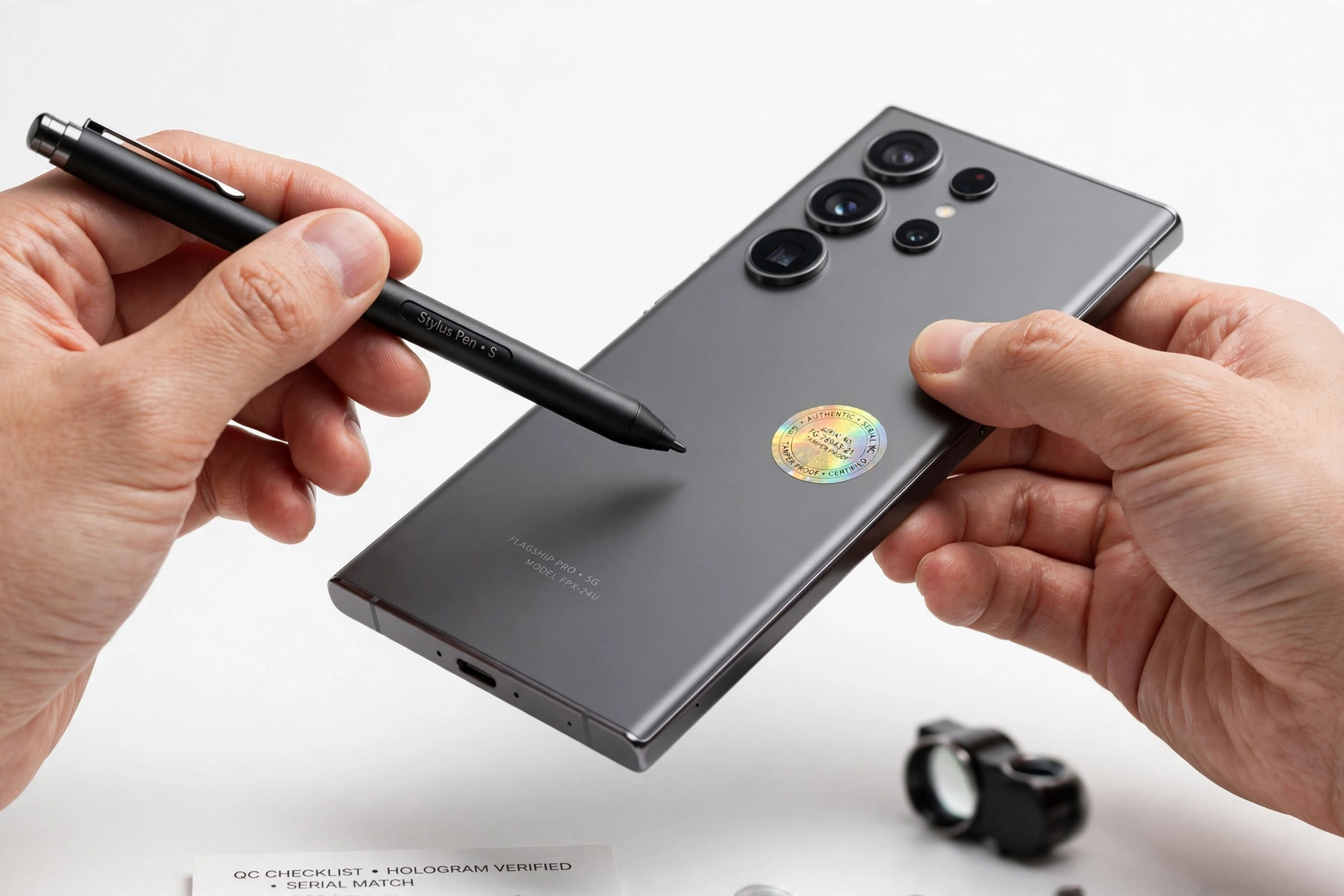
A genuine Samsung Galaxy S26 Ultra is a real, launched flagship — announced at Samsung’s February 25, 2026 Unpacked event and reported on sale from March 11, 2026 — with a 6.9-inch Dynamic AMOLED 2X display, a built-in Privacy Display, a Snapdragon 8 Elite Gen 5 for Galaxy chip, a 200MP-led quad rear camera, an integrated S Pen, Android 16 with One UI 8.5, and a 5,000mAh battery with 60W wired charging. All of these details come from launch reporting and Samsung’s own published specifications, not from rumor pages. (Source: macrumors.com)
If the phone in front of you is missing any of the hardware signatures — no S Pen slot, no Privacy Display effect, fewer than four rear cameras, a MediaTek or older Snapdragon chip — it is not a genuine S26 Ultra, no matter what the box or the listing says. The fastest screen takes under a minute: check the display size and camera count first.
This guide is for buyers checking a used, refurbished, gray-market, or marketplace S26 Ultra before money changes hands. It is not a repair manual, and it cannot turn a fake into a genuine phone — it only helps you identify what you are holding.
2. The existence test: is the S26 Ultra even real?
Yes. Unlike some of the phantom models covered in this site’s authenticity series, the Galaxy S26 Ultra is a launched device with a documented release timeline. Per launch reporting from MacRumors and Samsung’s own product page, the Galaxy S26 lineup (S26, S26 Plus, and S26 Ultra) was announced on February 25, 2026 and went on sale March 11, 2026. The Ultra launched in the United States at $1,299.99 for 256GB, with 512GB and 1TB (16GB RAM) tiers above it.
That fact shapes the whole strategy. Because a real device exists with real specifications, you can compare what you hold against a documented baseline. Listings that invent “Pro Max” or “Ultra+” variants, or that advertise the S26 Ultra with specs no report ever mentioned, fail this test immediately.
Quick fact: The S26 Ultra is the only member of the S26 family with an integrated S Pen, a 200MP camera, and the Privacy Display. If a seller’s “S26 Ultra” lacks all three, you are almost certainly looking at a mislabeled S26 or S26 Plus — which is the single most common scam in this category.
3. The instant-reject filter: 9 impossible configurations
Run this table before anything else. Any single match ends the investigation — the phone is not a genuine S26 Ultra.
| Claimed configuration | Why it fails |
|---|---|
| 8GB RAM | Reported configurations start at 12GB (256GB and 512GB models) and go to 16GB (1TB model) |
| 128GB storage | The Ultra starts at 256GB; 128GB belongs to the standard S26, not the Ultra |
| MediaTek or Exynos chip | Launch reporting attributes the S26 Ultra to the Snapdragon 8 Elite Gen 5 for Galaxy |
| microSD card slot | No S26 Ultra configuration supports expandable storage |
| 3.5mm headphone jack | The Ultra has no headphone jack |
| Fewer than 4 rear cameras | The Ultra has four rear cameras: 200MP wide, 50MP ultra-wide, 50MP 5x telephoto, 10MP 3x telephoto |
| No S Pen slot | The integrated S Pen is built into every genuine S26 Ultra |
| Model names like “S26 Ultra Max” or “S26 Pro” | These names never appeared in a Samsung announcement or filing |
| Battery larger than ~5,000mAh claimed on the box | 5,000mAh is the reported typical capacity; bigger numbers on packaging are a forgery tell |
4. Reported launch spec baseline
Use this table as the reference standard for every check that follows. All figures are from launch reporting and Samsung’s published S26 Ultra documentation, cross-checked across multiple outlets in October 2026. Where sources disagreed, the majority-reported figure is used and the disagreement is noted.
| Item | Reported specification |
|---|---|
| Display | 6.9-inch Dynamic AMOLED 2X, 3120 × 1440 (QHD+), 1–120Hz adaptive, 2,600 nits peak |
| Privacy Display | Built in; pixel-level light-dispersion privacy, configurable per app or for PIN entry |
| Chipset | Snapdragon 8 Elite Gen 5 for Galaxy |
| RAM / Storage | 12GB + 256GB; 12GB + 512GB; 16GB + 1TB (UFS 4.X) |
| Main camera | 200MP wide, f/1.4, OIS |
| Ultra-wide camera | 50MP, f/1.9 |
| Telephoto cameras | 50MP 5x periscope telephoto, f/2.9; 10MP 3x telephoto, f/2.4 |
| Front camera | 12MP, f/2.2 |
| Battery | 5,000mAh typical; up to 60W wired; 25W wireless |
| S Pen | Integrated; Bluetooth Air Actions not supported on this generation |
| Operating system | Android 16 with One UI 8.5 at launch |
| Durability | IP68; Gorilla Armor 2 front; aluminum frame |
| Dimensions / Weight | 163.6 × 78.1 × 7.9mm; 214g |
| Connectivity | Wi-Fi 7, Bluetooth 6.0, NFC, UWB, USB-C |
| Update commitment | Seven OS generations and seven years of security updates |
A note on the frame material: one deal-reporting outlet described a titanium frame while Samsung’s specification-focused coverage lists an Armor Aluminum 2 frame. The Ultra is reported slimmer and slightly lighter than its S25 Ultra predecessor either way — treat frame-material claims on a listing as marketing noise, not as an authenticity signal.
5. The most common scam: a relabeled S26 or S26 Plus
The cheapest way to make a fake “Ultra” is to sell a genuine standard S26 or S26 Plus at Ultra prices. The hardware differences are obvious once you know where to look, so this comparison comes before the detailed checks.
| Feature | S26 Ultra | S26 / S26 Plus |
|---|---|---|
| Display size | 6.9-inch | 6.3-inch (S26) / 6.7-inch (S26 Plus) |
| S Pen | Integrated | None |
| Privacy Display | Yes | No |
| Main camera | 200MP | 50MP |
| Rear cameras | Four (incl. 50MP 5x periscope) | Three |
| Wired charging | Up to 60W | 25W (S26) / lower than Ultra |
| Starting storage | 256GB | 128GB (S26) |
If the “Ultra” in your hand has a 6.3-inch display, three rear cameras, and no S Pen slot, it is a standard S26 — genuine Samsung hardware, but a different (cheaper) model. That is a mislabeled-device scam, not a counterfeit, and your remedy is a price dispute rather than a fraud report.
Tip: Measure nothing. Open Settings → About phone → check the reported display and camera count against the table above. Two minutes, no tools.
6. The 10-check master worksheet
Work through these in order. Each row names the check, what a genuine result proves, and its limitation.
| # | Check | What it proves | Limitation |
|---|---|---|---|
| 1 | Instant-reject filter (§3) | Catches obvious fakes and impossible configs | Only catches the sloppy ones |
| 2 | Physical hardware inventory | S Pen slot, four rear cameras, 6.9-inch screen present | A relabeled sibling passes the phone-count but fails the size test |
| 3 | Privacy Display test | The signature feature clones rarely implement | Needs the phone powered on |
| 4 | Settings → About phone spec sheet | Chip, RAM, storage, Android/One UI version | Software screens can be spoofed on clones |
| 5 | *#0*# hardware diagnostics | Touch, sensors, camera, speaker tests via Samsung’s own menu | Some clones mimic the menu — treat as one data point |
| 6 | IMEI cross-match (*#06# vs box vs SIM tray) | All three should agree | A cloned IMEI from a real unit passes — use with check 9 |
| 7 | Camera functional test | 200MP mode and 5x periscope zoom behave like the reported hardware | Needs daylight and a few minutes |
| 8 | Charging and S Pen behavior | 60W-capable charging handshake; S Pen recognized on extraction | Requires a 60W-capable charger for the full test |
| 9 | Update-server reach test | Settings → Software update contacts Samsung’s servers | Needs Wi-Fi; the check clones fear most |
| 10 | Purchase-channel and packaging audit | Sealed-box details, receipt, seller history | Sophisticated reseals exist |
7. Signature tell #1: the Privacy Display
The built-in Privacy Display is the S26 Ultra’s defining hardware feature — reported as the first implementation of its kind on a mobile phone. It works at the pixel level, controlling how pixels disperse light so the screen stays clear head-on but narrows for side angles. It can be configured to engage only for certain apps (banking, password managers) or for sensitive moments like entering a PIN, with partial and maximum privacy options.
To test it: open a password field or a banking-style app, tilt the phone to a side angle, and watch what happens. On a genuine S26 Ultra with the feature enabled, side-angle legibility drops noticeably while the head-on view stays clear. Then open Settings and confirm the Privacy Display controls exist. A clone with a standard OLED panel cannot replicate pixel-level privacy — this is the single hardest feature for counterfeiters to fake, which is why it comes first.
Quick fact: The Privacy Display eliminates the need for a stick-on privacy screen protector. If the seller’s “Ultra” arrived with a pre-installed privacy protector instead of built-in privacy, that is worth a raised eyebrow.
8. Signature tell #2: the integrated S Pen
Every genuine S26 Ultra has an S Pen silo built into the frame. Pull it out — the phone should recognize the extraction (Air Command or the S Pen menu appears) and the pen should feel like a proper stylus, not a hollow plastic stick. One reported change for this generation: Bluetooth Air Actions are not supported on the S26 Ultra’s S Pen, so a “missing Air Actions” observation is not a fake signal — it matches the reported spec.
Also check the S Pen’s fit in its silo: a snug, flush fit is normal. A pen that rattles loosely or a silo with rough edges suggests a non-original shell or a refurbished unit with replaced housing.
9. Signature tell #3: the 200MP quad camera
The Ultra’s camera array is its other unmissable signature: a 200MP main camera with an unusually wide f/1.4 aperture, a 50MP ultra-wide, a 50MP 5x periscope telephoto, and a 10MP 3x telephoto, plus a 12MP front camera. No other S26-family phone has this setup.
The lens-cover test
Open the camera, switch to the 5x telephoto, and cover each rear lens in turn with your finger. On a genuine unit, covering the periscope lens visibly degrades the 5x image; on many clones, the “telephoto” is a decorative lens and the image barely changes because the phone is digitally zooming from the main sensor.
The 200MP-mode detail test
Shoot a detailed scene (text on a page, fabric weave) in full 200MP mode and in the default binned mode, then zoom into both on the phone. A genuine 200MP sensor resolves visibly more fine detail in the full-resolution file. Clones typically show identical detail because the sensor is smaller than claimed.
What to ignore
Do not judge by the camera bump’s looks alone — Samsung’s “ambient island” camera design is widely photographed and easy to imitate cosmetically. Judge by behavior: resolution, zoom quality, and which lens does what.
10. Software checks: *#0*#, Samsung Members, and the update server
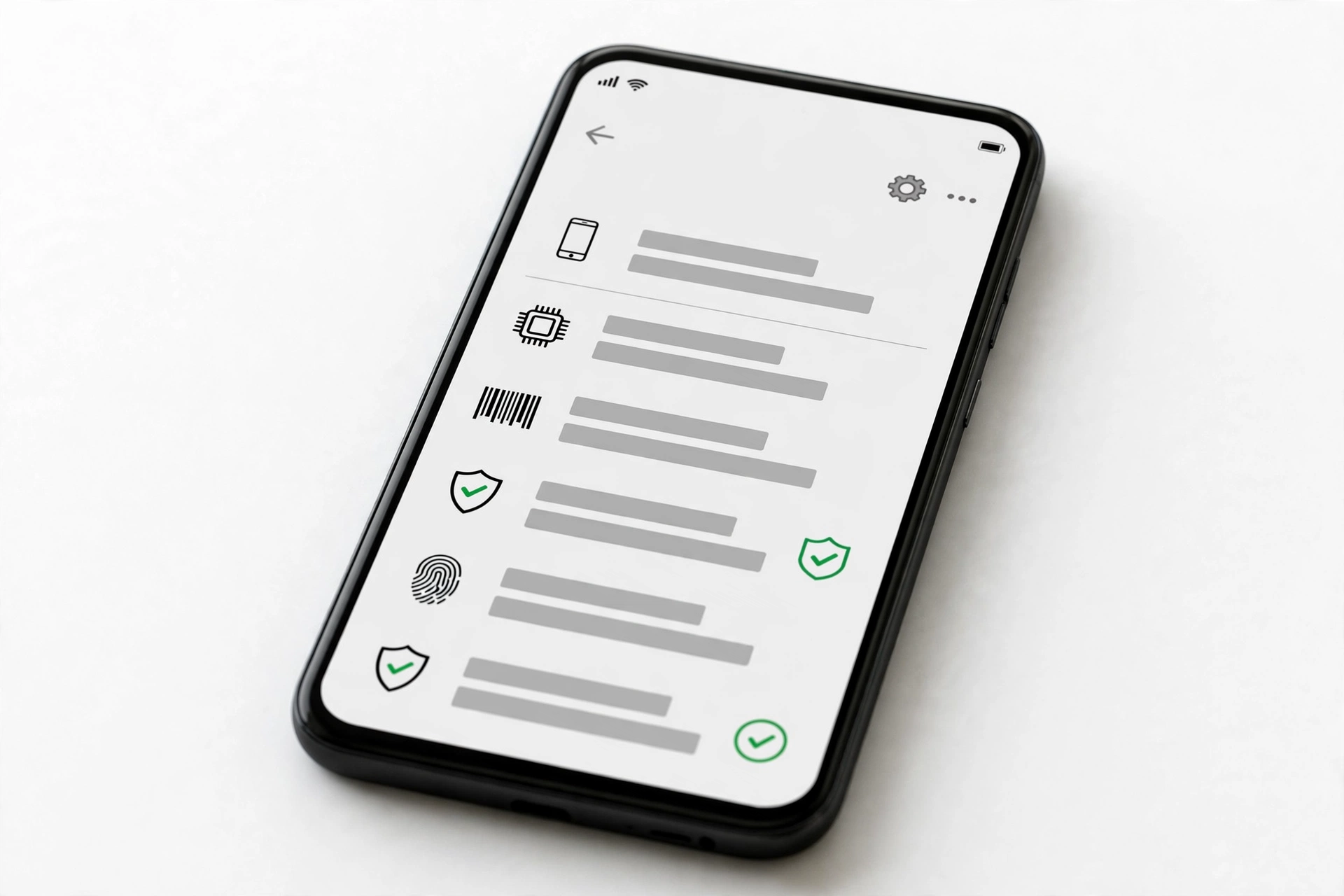
Dial *#0*# in the phone app to open Samsung’s hardware diagnostics menu. Run the touch, sensor, camera, and speaker tests — each should respond crisply and completely. The Samsung Members app also offers built-in hardware diagnostics with the same idea behind it: genuine Samsung firmware exposes these menus; many clones either block the code or show a crude imitation.
The decisive software test is the update-server reach check. Go to Settings → Software update and let the phone contact Samsung’s servers. A genuine S26 Ultra reaches the server, reports its build, and either finds an update or confirms it is current. Clones running skinned Android typically fail this silently or land on a fake “up to date” screen with no server contact. This is the check counterfeit firmware fears most — it requires Samsung’s backend to recognize the device.
Also verify the software baseline in Settings → About phone: Android 16 and One UI 8.5 at launch, with the seven-year update commitment. A phone claiming to be an S26 Ultra but running an older Android or a non-One-UI skin fails here.
Stop for safety: Never install a “Samsung verification” or “IMEI checker” app from outside the Play Store to run these tests. Malware-laden checker apps are a known scam vector. Samsung’s built-in menus are all you need.
11. IMEI, serial, and warranty cross-match
Dial *#06# and compare the IMEI shown on screen with the IMEI printed on the box, on the SIM tray, and (where present) on the purchase receipt. All should agree. Then check the serial number in Settings → About phone → Status information against the box as well.
A mismatch between the phone’s IMEI and the box means at minimum a box swap — common with refurbished or gray-market units. A matched IMEI does not by itself prove genuineness, because IMEI numbers can be cloned from real units; always combine this with the Privacy Display, camera, and update-server checks. For warranty status, Samsung’s official support channels can confirm whether a serial number is recognized and what its service history shows — keep the phone’s IMEI private and share it only with Samsung’s official support, never with random checker websites.
12. Packaging and purchase-channel audit
Examine the box: Samsung’s packaging uses sharp printing, consistent fonts, and correct regulatory markings. Smudged printing, misspelled words, wrong model codes, or a charger brick that doesn’t match the reported 60W/25W charging story are forgery tells. Note the reported dimensions (163.6 × 78.1 × 7.9mm, 214g) — a phone that feels noticeably heavier or thicker than these figures deserves a closer look.
| Channel | Risk level | What to do |
|---|---|---|
| Samsung store / major carrier | Low | Standard receipt check is enough |
| Authorized retailer | Low | Confirm the retailer is on Samsung’s authorized list |
| Large marketplace, established seller | Medium | Run the full 10-check worksheet before the return window closes |
| Marketplace, new seller, steep discount | High | Run every check in person; deep discounts on a current flagship are the classic fake setup |
| Parking-lot cash deal | Very high | Walk away — no receipt means no remedy |
13. Five categories: what “not original” actually means
Not every non-original phone is a counterfeit. Identifying the category tells you what remedy to pursue.
| Category | What it is | Your remedy |
|---|---|---|
| Counterfeit | Non-Samsung hardware dressed as an S26 Ultra | Fraud report; payment dispute; do not use as a daily phone |
| Mislabeled | Genuine S26 or S26 Plus sold as the Ultra | Price dispute; return for the model you paid for |
| Refurbished sold as new | Genuine Ultra, previously repaired, sold as new | Demand the refurbished price or a return |
| Gray-market import | Genuine Ultra meant for another region | Check band/warranty coverage for your region before keeping |
| Demo unit | Genuine Ultra, ex-display with heavy screen-on time | Negotiate down or return; check battery health |
14. What your checks can and cannot establish
Honesty about limits is part of the method. This table keeps the worksheet’s conclusions grounded.
| Observation | What it establishes | What it cannot establish |
|---|---|---|
| Privacy Display works | Hardware matches the Ultra’s signature feature | That the phone wasn’t refurbished |
| IMEI matches box and tray | Unit and packaging belong together | That the IMEI wasn’t cloned from a real unit |
| Update server responds | Samsung’s backend recognizes the device | Full service history |
| 200MP detail test passes | Camera hardware matches the reported spec | That other components are original |
| Seller has a receipt | A documented chain of sale | That the receipt is for this exact unit |
15. What to do if it fails
If the phone fails the instant-reject filter or the signature tells, do not sign into your Google or Samsung accounts on it, do not enter banking credentials, and do not connect it to your home Wi-Fi as a trusted device — a counterfeit phone’s software cannot be trusted with your data. Photograph the listing, the box, and the phone; keep all messages with the seller; then pursue a return or payment dispute immediately, within the platform’s deadline.
Stop for safety: Never open the phone to “check the inside.” Modern flagships use glued assemblies; prying one open risks puncturing the battery, which can catch fire. External checks are conclusive enough.
If you already bought the phone and need a professional assessment of what it actually is — for example, to document a dispute — Las Vegas Phone Repair & Accessories (7400 Las Vegas Blvd S, Unit TT42, Las Vegas, NV 89123; (424) 406-6202; open 10 AM–8 PM, call ahead to confirm today’s hours) can inspect the device and document its findings. Bring the box, receipt, and any seller correspondence with you.
16. Hypothetical illustrations
(The following are hypothetical illustrations, not customer stories.)
Amara’s marketplace “bargain”
Amara found an “S26 Ultra 512GB” listed at 35% below retail by a seller with three weeks of history. In person, the phone had four rear cameras and an S Pen slot — promising — but tilting the screen at a side angle showed no privacy effect, and the Privacy Display toggle was absent from Settings. The 5x zoom behaved like a digital crop. She walked away; the unit failed checks 3 and 7.
Devon’s gray-market import
Devon bought an S26 Ultra from an overseas seller at a fair price. The Privacy Display worked, the update server responded, and the camera passed the detail test — but the box’s model code and charger plug were for another region, and Samsung’s support confirmed no local warranty coverage. It was a genuine phone in the gray-market category, so he kept it after confirming his carrier’s bands were supported.
17. Frequently asked questions
Can I check originality from the IMEI alone?
No. A matching IMEI only shows the number is registered somewhere; cloned IMEIs from genuine units exist. Use the IMEI cross-match together with the Privacy Display, camera, and update-server checks.
Does the S26 Ultra’s S Pen have Bluetooth?
Per reporting, Bluetooth Air Actions are not supported on this generation’s S Pen. Its absence is normal, not a fake signal.
How is the Ultra different from the S26 Plus?
The Ultra adds the S Pen, 200MP quad camera, Privacy Display, 60W charging, and a larger 6.9-inch display. See the comparison table in section 5.
What does the Privacy Display look like on a fake?
It doesn’t exist on a fake — clones use standard OLED panels. If side-angle viewing looks identical to head-on viewing with no privacy setting anywhere, that is a strong negative signal.
Is a “US version” claim meaningful?
Only if the seller can document it. Region is established by model code and warranty coverage, not by the seller’s description.
Can a refurbished Ultra still be a good buy?
Yes, if it is priced as refurbished and the seller is transparent. The problem is refurbished units sold at new-unit prices — that is what the packaging and receipt audit catches.
Do I need the box to verify?
No. The box helps (IMEI cross-match, packaging audit), but the Privacy Display, camera, and update-server tests need only the phone.
What if the phone passes everything but feels wrong?
Trust the worksheet over the feeling — but also trust the seller signals. A genuine phone from a seller who refuses receipts or in-person checks is still a bad purchase.
Video: How to check if your Samsung phone is original or fake
Sources and editorial notes
- MacRumors — Galaxy S26 lineup announcement coverage (February 25, 2026): 6.9-inch Ultra, Privacy Display, camera lineup, launch timeline.
- Samsung — official Galaxy S26 Ultra product page: Privacy Display, Snapdragon 8 Elite Gen 5 for Galaxy, 200MP f/1.4 camera, ambient island design, Knox and Galaxy AI features.
- TechRepublic — S26 Ultra cheat sheet: full reported spec table (release date, chipset, cameras, battery, charging, pricing).
- Tech Times — S26 Ultra specifications and S25 Ultra comparison (60W charging, f/1.4 aperture, Armor Aluminum 2 frame).
- TechnologyBlog.co.za — S26 Ultra specification reference: S Pen without Bluetooth Air Actions, Wi-Fi 7, Bluetooth 6.0, IP68, One UI 8.5.
- Bajaj Finserv — S26 Ultra key features and core specification table (RAM/storage tiers, camera array, battery).
- Memeburn — Galaxy S26 Ultra vs S26+ comparison: the five differences that matter (S Pen, 200MP camera with 5x telephoto, Privacy Display, 60W charging).
- How to Check If a Samsung Phone Is Original — the brand-level authenticity guide on this site; start here if you have never verified a Samsung device.
- How to Check If a Samsung Galaxy S26 Is Original — the standard S26 authenticity guide; essential reading if your “Ultra” turns out to be a mislabeled S26.
- How to Check If a Google Pixel 11 Pro Is Original — the rival flagship’s authenticity guide, using the same 10-check worksheet method.
Last source check: October 14, 2026. AI-assisted editorial guide, checked against the linked manufacturer information and launch reporting. Specifications are reported from launch coverage and Samsung’s published documentation; regional configurations may vary. This guide does not claim manufacturer authorization.
Let’s get you connected again.
Tell us what’s happening with your device and we’ll help you decide the safest next step — no jargon, no pressure.
Las Vegas Phone Repair & Accessories · 7400 Las Vegas Blvd S, Unit TT42, Las Vegas, NV 89123
10:00 AM–8:00 PM — call ahead to confirm today’s hours