
How to Check If Samsung Galaxy S26 Is Original: Authenticity Guide
Yes — you can check whether a Samsung Galaxy S26 is original using a combination of IMEI cross-matching, the model number, Samsung’s warranty and registration tools, software signs like One UI and Galaxy Store, and physical tells drawn from the phone’s reported launch specifications. No single check proves authenticity on its own, because counterfeiters can copy IMEI numbers from genuine phones, but the checks layered together are extremely hard for a fake to pass.
On this page
Yes — you can check whether a Samsung Galaxy S26 is original using a combination of IMEI cross-matching, the model number, Samsung’s warranty and registration tools, software signs like One UI and Galaxy Store, and physical tells drawn from the phone’s reported launch specifications.
1. Who this guide helps
This guide is for anyone holding a Galaxy S26, S26+, or S26 Ultra — or considering buying one — who wants to verify it is a genuine Samsung device rather than a counterfeit, a cloned phone, or a misrepresented device. It is useful whether you bought from a marketplace, received the phone as a gift, purchased second-hand, or simply want to double-check a phone you bought months ago. (Source: archynewsy.com)
It covers the base Galaxy S26, the larger S26+, and the flagship S26 Ultra. Some checks apply to all three; a few are model-specific (for example, the Ultra’s S Pen and Privacy Display). If you are checking a different Samsung phone, see our companion guides: How to Check If a Samsung Phone Is Original and How to Check If a Samsung Galaxy S25 Ultra Is Original. For the full story of how the S26 went from rumor to reality, see Samsung Galaxy S26 Rumors: What the Reports Got Right.
2. Why authenticity checks matter for the Galaxy S26
Flagship phones are prime counterfeiting targets, and the Galaxy S26 is no exception. Per launch reporting, the S26 series was unveiled at Samsung’s Galaxy Unpacked event in February 2026 and reached retail starting March 2026, with prices from roughly $799 for the base S26 to about $1,399 for a top-tier S26 Ultra. Phones in that price range attract sophisticated fakes — not just obvious knock-offs, but clones that imitate the design, the box, and even the software interface.
A counterfeit phone costs you more than the purchase price. Fake phones commonly fail to deliver promised specifications: a “200MP camera” may be a low-resolution sensor behind misleading software; claimed storage may be far less than labeled; promised 5G and Wi-Fi 7 support may be absent. Counterfeits also raise safety concerns — cheap batteries and chargers are a documented risk category — and they receive no security updates, leaving your accounts and data exposed.
Authenticity checks also matter for genuine phones sold under false pretenses. A phone can be genuinely made by Samsung but sold as “new” when it is refurbished, carrier-locked when advertised as unlocked, or a different model than the one you paid for. The checks below help you separate true counterfeits from these misrepresentation cases, because the remedies differ.
3. The spec snapshot: what a real Galaxy S26 is (reported launch specifications)
Before running any check, learn what a genuine Galaxy S26 is supposed to be. The fastest way to spot a fake is to know the real phone’s configuration, because counterfeits frequently invent impossible variants — wrong chips, invented storage sizes, or features that don’t exist. The specifications below are drawn from launch reporting (cited at the end of this guide); treat them as reported, and confirm the exact model-number-to-market mapping with Samsung’s official pages for your region before making a purchase decision.
| Feature | Galaxy S26 (reported) | Galaxy S26+ (reported) | Galaxy S26 Ultra (reported) |
|---|---|---|---|
| Announcement | February 2026 (Unpacked) | February 2026 (Unpacked) | February 2026 (Unpacked) |
| On sale | March 11, 2026 (reported) | March 11, 2026 (reported) | March 11, 2026 (reported) |
| Display | 6.3-inch Dynamic AMOLED 2X, 120Hz adaptive | 6.7-inch Dynamic AMOLED 2X, 120Hz adaptive | 6.9-inch Dynamic AMOLED 2X, 1–120Hz adaptive |
| Signature display feature | — | — | Privacy Display (restricts side-angle viewing) |
| Chipset (US) | Snapdragon 8 Gen 4 for Galaxy (reported) | Snapdragon 8 Gen 4 for Galaxy (reported) | Snapdragon 8 Elite Gen 5 for Galaxy (reported) |
| Chipset (other markets) | Exynos 2600 (reported) | Exynos 2600 (reported) | Snapdragon 8 Elite Gen 5 for Galaxy (reported) |
| RAM / storage (reported) | 8GB/12GB; 128/256/512GB | 12GB; 256/512GB (reported) | 12GB with 256/512GB; 16GB with 1TB |
| Rear cameras (reported) | 50MP main + 12MP ultrawide + 10MP 3x telephoto | 50MP main + 12MP ultrawide + 10MP 3x telephoto | 200MP main + 50MP ultrawide + 50MP 5x telephoto + 10MP 3x telephoto |
| Battery (reported) | 4,300–4,500 mAh; 45W wired | 4,900 mAh; 45W wired | 5,000 mAh; 60W wired, 25W wireless |
| Software at launch | Android 16, One UI 7.0/8 (reported) | Android 16, One UI 7.0/8 (reported) | Android 16, One UI 8.5 (reported) |
| Update promise | 7 years (reported) | 7 years (reported) | 7 OS generations + 7 years security (reported) |
| Stylus | No | No | Integrated S Pen (no Bluetooth, reported) |
| No microSD, no charger in box | Yes (reported) | Yes (reported) | Yes (reported) |
| Impossible configurations | MediaTek chip; 1TB storage; Lightning port | S Pen slot; microSD; 1TB at $699 | Bluetooth S Pen; 128GB model; “S26 FE Ultra” |
Quick fact: The S26 Ultra’s Privacy Display is a useful signature tell. Per reporting, it restricts viewing from side angles and can be assigned to the side button’s double-press. A clone may display a similar-looking screen, but the working privacy-view feature tied to Samsung’s hardware is much harder to imitate.
Use this table as your first filter. If the phone in front of you is advertised as a Galaxy S26 with a MediaTek chip, a “Galaxy S26 Ultra 128GB,” a model with a microSD slot, or an S Pen on a non-Ultra model, you do not need to run further checks — the configuration itself does not exist per reporting.
4. Check 1: the IMEI and serial cross-match
The IMEI (International Mobile Equipment Identity) is the standard first check, and it still belongs first for the S26 — as long as you treat it as the beginning of verification, not the end.
Where to find the IMEI and serial number
- Dial *#06# on the phone and record the IMEI numbers displayed.
- Open Settings → About phone and record the model number, serial number, and IMEI values there.
- Compare them with the numbers printed on the retail box label and, where present, on the SIM tray.
On a genuine phone, the IMEI shown by *#06# must match the one in Settings and the one on the box, and the serial numbers must match too. A valid IMEI is 15 digits. Absurd values — all zeros, obvious repeated sequences — point to a tampered or counterfeit device.
| What you compare | Matching | Mismatched |
|---|---|---|
| *#06# vs. Settings → About phone | Expected on a genuine phone | Strong tampering signal; investigate before buying |
| Phone vs. box label | Expected (box is original to this phone) | Box may belong to a different phone; verify the phone separately |
| Serial number across sources | Expected to match | Possible housing swap or re-boxing; not automatically fake, but investigate |
| IMEI validity (15 digits, sane value) | Passes | All zeros or repeated digits suggest a counterfeit |
Stop for safety: A valid, matching IMEI does not by itself prove the phone is original. Advanced counterfeiters copy IMEI numbers from genuine phones, so a fake can pass this check while everything else fails. Always combine it with the checks below.
After cross-matching, look up the IMEI on Samsung’s official warranty or registration tools (described in the next check) and, if you want an independent reference, on a reputable IMEI database. The lookup should return the Galaxy S26 model family, not a different device or “unknown.”
5. Check 2: Samsung’s warranty and registration tools
Samsung provides official ways to confirm a device’s identity through its support and registration pages. Independent guides recommend entering the IMEI or serial number on Samsung’s official warranty-check and device-registration portals. A genuine Galaxy S26 should return the correct model name and a sensible warranty status for its age.
What to do:
- Find the IMEI (*#06#) and the serial number (Settings → About phone).
- Enter them on Samsung’s official warranty or device-registration page for your region (reach it from samsung.com’s support section, not from a seller’s link).
- Confirm the returned model name is a Galaxy S26-family model and that the warranty status looks plausible — for example, a phone bought at launch in March 2026 should show coverage consistent with that date, not a warranty that “started” years earlier on a different model.
No result at all on Samsung’s tools is a strong warning. So is a result that names a different model — that points to a cloned IMEI copied from another device. Note that some gray-market (imported) phones are genuine hardware but may show limited warranty in your region; that is a warranty issue, not proof of counterfeiting, and it is covered separately in section 13.
6. Check 3: the model number
Genuine Samsung phones carry model numbers that begin with SM- followed by letters and digits identifying the model and region variant. The model number is visible in Settings → About phone and on the box label, and it should match in both places.
For the S26 family, independent reporting places the model-number family in the SM-S94x range. Before relying on a specific number, confirm the expected model number for your region on Samsung’s official product page or with Samsung support — model suffixes vary by market (for example, U for US unlocked-style variants, B for international, U1 for fully unlocked US units on past generations). What matters for authenticity:
- The model number starts with SM- and follows Samsung’s format, with no gaps, typos, or non-standard characters.
- The same model number appears on the phone, the box, and in Settings.
- The model number corresponds to the S26 family, not a different model (an S26 that reports itself as an S25 or A-series model has a copied identity).
- The model number’s region suffix is plausible for where the phone is being sold — while imported variants exist, a number that belongs to no documented variant is suspicious.
Tip: Compare the model number with the phone’s physical design at the same time. If the software says “Galaxy S26 Ultra” but the body has a triple camera and no S Pen slot, the software identity and the hardware do not belong together.
7. Check 4: One UI and software signs
Software is one of the strongest authenticity layers for Samsung phones, because a counterfeit cannot replicate Samsung’s update pipeline, device-level services, or Knox security. Several independent guides treat the software checks as the most reliable layer overall. Here is what to verify on a Galaxy S26:
One UI version and update status
Go to Settings → About phone → Software information and check the Android version, One UI version, and security patch date. The S26 launched on Android 16 with One UI 7.0/8-generation software (per reporting; the Ultra launched with One UI 8.5). The security patch should be recent for a current flagship. Then tap Software update → Download and install and let the phone check Samsung’s servers. A genuine phone contacts Samsung’s update servers and reports no error; phones with custom or cloned firmware often fail this step or show a modified update screen.
Galaxy Store, Samsung Members, and Samsung account
Open the Galaxy Store and confirm it updates Samsung system apps normally. Open Samsung Members and try the device diagnostics — genuine devices pass Samsung’s hardware tests and show device details. Sign in to a Samsung account through Settings; original devices connect and sync without errors, enabling features like Galaxy AI services and the update path that fakes cannot reach.
Play Protect certification
Open the Google Play Store, tap your profile icon, go to Settings → About → Play Protect certification. A genuine Samsung phone shows “Device is certified.” Counterfeits frequently fail this check, and a failed certification is a strong fake signal on any Android device.
Galaxy AI and exclusive features
The S26 generation was marketed heavily around Galaxy AI. Features tied to Samsung’s device identity — Galaxy AI photo tools, the reported AI scam-call detection, and on the Ultra, the Privacy Display — are tied to Samsung’s software and hardware combination. A phone that claims to be an S26 but offers none of Samsung’s exclusive software, or offers a visibly generic “AI” skin instead, deserves close scrutiny.
Stop for safety: Do not sign in to your Samsung account, Google account, or any account on a phone you suspect is counterfeit. Enter credentials only after the phone has passed the physical and basic software checks.
8. Check 5: the service-mode diagnostic (*#0*#)
Samsung phones include a hidden hardware test suite. Dial *#0*# to open Samsung’s official diagnostic screen with live sensor readouts and tests for the display, cameras, speakers, sensors, and (on the Ultra) the S Pen digitizer. Genuine Samsung devices open this menu; counterfeit phones typically show a blank screen, an error, or a generic Android test screen instead.
Run the display test (look for banding, dead pixels, or odd color), the camera tests (front and rear), the sensor tests, and the touch test across the full screen. These tests exercise the actual hardware through Samsung’s firmware, and clones rarely survive them. If the phone is a genuine S26, the tests complete normally and the hardware matches the reported specifications.
A second useful code is *#12580*369#, which shows detailed device information on Samsung phones. Again, genuine devices display Samsung’s own information screen; fakes usually show nothing useful.
9. Check 6: physical inspection and the camera test
Handle the phone before you decide. Genuine Samsung flagships have a solid, premium feel with tight seams, crisp branding, and no rough edges or gaps. Compare what you feel against the reported design: per launch reporting, the S26 Ultra is 6.9 inches, around 214 grams, with a quad-camera array; the base S26 is 6.3 inches with a triple camera.
The camera as a lie detector
Cameras are the most expensive hardware in a flagship and the hardest for counterfeiters to fake. On the S26 Ultra, cover each lens in turn and take a photo to confirm all four cameras are real, functioning sensors — not decorative rings. Test the 5x and 3x telephoto zoom levels specifically: a genuine periscope zoom produces sharp distant shots, while a fake “200MP” phone typically just crops a low-resolution image. On the base S26, verify the 3x telephoto in the same way.
The S Pen test (S26 Ultra)
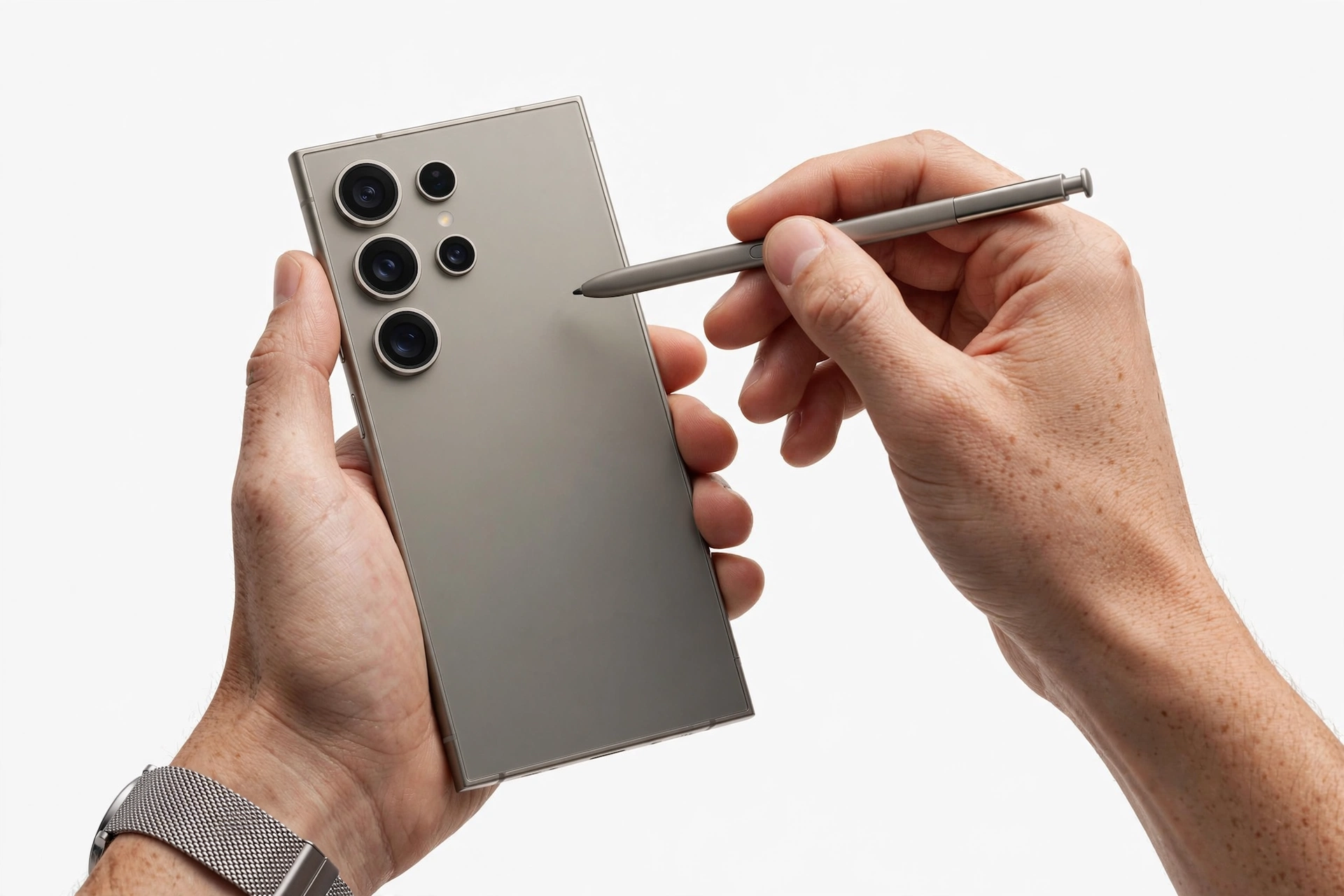
The S26 Ultra includes an integrated S Pen. Eject it, confirm it docks cleanly in its silo, and test hover and writing — the digitizer responds without touching the screen on a genuine device. Per reporting, the S26 Ultra’s S Pen has no Bluetooth (Samsung removed it starting with the S25 Ultra generation, reportedly due to low adoption). A “Bluetooth S Pen” on an S26 Ultra contradicts the reported design and is a red flag. No S Pen slot should exist on the S26 or S26+ — a stylus silo on a non-Ultra model means the phone is not what it claims to be.
The Privacy Display test (S26 Ultra)
Per reporting, the Ultra’s Privacy Display restricts side-angle viewing and can be assigned to the side button’s double-press. If you are checking an Ultra, look for this feature in Settings and test it: a working hardware-level privacy view is a strong genuine signal, because clones cannot easily reproduce Samsung’s display hardware.
Build and screen quality
Check the screen under bright light for banding, clouding near the corners, or a visible pixel grid — genuine Samsung AMOLED panels are uniform and vibrant. Check the weight in your hand against the reported figure (about 214 grams for the Ultra). Check that the USB-C port, speaker grilles, and SIM tray are precisely machined with no rough edges.
10. Check 7: packaging, accessories, and the box label
Per reporting, Samsung no longer includes a charger in the S26 box — the box contains the phone and a USB-C cable. A “brand new” S26 box containing a charger is therefore suspicious on its face (some carriers or retailers bundle their own accessories separately, but the sealed Samsung retail box itself follows Samsung’s contents list).
Examine the box for high-quality printing with sharp logos, a clean barcode label, and a model number, IMEI, and serial number that match the phone itself. Flimsy cardboard, blurry logos, mismatched model details, or accessories that feel light and poorly finished are classic counterfeit signs. Advanced clones can replicate boxes, so treat this as supporting evidence rather than a verdict — but a box that contradicts the phone (different model number, wrong storage size printed on the label) is a strong negative.
Also confirm what is not in the box: per reporting, the S26 series has no microSD slot and no headphone jack. A box or listing that promises a “free microSD card slot” on the S26 describes a different phone.
11. The master check worksheet
| # | Check | What it proves | Limitations |
|---|---|---|---|
| 1 | Spec-snapshot filter (section 3) | Configuration actually exists per reporting | Catches only invented variants, not good clones |
| 2 | IMEI/serial cross-match (*#06#, Settings, box) | Numbers belong to this physical phone | IMEI can be copied from a genuine phone |
| 3 | Samsung warranty/registration lookup | Samsung recognizes this device and model | Gray-market units may show limited warranty |
| 4 | Model number (SM- format, region suffix) | Software identity matches S26 family | Software identity can be spoofed on clones |
| 5 | One UI version, update server, security patch | Phone is in Samsung’s update pipeline | Requires network; very new fakes may fake the screen |
| 6 | Galaxy Store, Samsung Members, Samsung account | Device-level Samsung authentication works | Do not sign in before the phone passes basic checks |
| 7 | Play Protect certification | Google certifies the device | A single check, not a verdict on its own |
| 8 | Service mode (*#0*#) diagnostics | Samsung firmware and real hardware respond | Some carrier variants restrict codes |
| 9 | Physical inspection, cameras, S Pen (Ultra), Privacy Display (Ultra) | Hardware matches reported specifications | Requires knowing the real specs (section 3) |
| 10 | Packaging and box-label match | Retail presentation is consistent | Boxes can be faked or swapped; supporting evidence only |
12. Two worked examples
(The following are hypothetical illustrations, not customer stories.)
Maya’s marketplace “deal”
Maya finds a “Galaxy S26 Ultra 512GB” on a classifieds site for $749 — nearly half the reported launch price. The photos look right, so she meets the seller and runs the checks. The IMEI on *#06# matches the box, which is encouraging, but the model number in Settings doesn’t follow Samsung’s SM- format. When she dials *#0*#, nothing happens — a blank screen instead of Samsung’s diagnostic suite. The “200MP” camera produces visibly soft zoomed photos, and the S Pen feels like a hollow plastic stick with no hover response. She walks away. The lesson: the copied IMEI passed check 2, but checks 4, 8, and 9 failed together — exactly the layered-failure pattern of a clone.
Daniel’s gray-market import
Daniel buys an S26 from an overseas seller at a modest discount. The phone passes every check: the IMEI cross-matches, Samsung’s warranty portal recognizes the model, *#0*# opens Samsung’s diagnostics, the cameras and Privacy Display work, and the One UI build updates normally. The only surprise: Samsung’s regional support tells him the warranty is limited in his country because the model variant was sold for a different market. Daniel’s phone is genuine — it is a gray-market import, not a counterfeit. The distinction matters: he keeps the phone and accepts the warranty limitation rather than demanding a refund for a “fake.”
13. Counterfeit vs. refurbished vs. gray-market vs. mislabeled
Not every suspicious result means “counterfeit.” These categories need different responses:
| Category | What it means | Typical signs | What to do |
|---|---|---|---|
| Counterfeit | Not made by Samsung; imitation hardware and software | Fails service-mode codes, Play Protect uncertified, generic components, impossible specs | Do not buy; if already bought, pursue a refund and report the seller — do not resell it as genuine |
| Refurbished sold as new | Genuine Samsung phone, previously used and restored | Passes Samsung checks but shows wear under close inspection; serial lookup may show earlier activation | Negotiate a fair price for a refurbished unit or return it; the phone itself is usable |
| Gray-market import | Genuine Samsung phone made for another region | Passes all checks; warranty limited locally; region suffix differs | Keep it if the price was fair and you accept the warranty limits |
| Mislabeled model | Genuine phone, but a different model than advertised | Checks pass but identify an S26 instead of an S26 Ultra, or an S25 sold as an S26 | Return or re-price; verify against the spec snapshot (section 3) |
| Demo / display unit | Genuine phone built for store display | May carry demo software or markings; some features restricted | Usable if priced accordingly; confirm it can be fully reset and activated |
Tip: A genuine but carrier-locked S26 is another common surprise. Ask the seller for the lock status in writing, and have the carrier confirm the IMEI is not blocked and the phone can be activated on your account before you pay.
14. Where to buy: purchase channels by risk
| Channel | Risk level | Why |
|---|---|---|
| Samsung’s official store and authorized retailers | Lowest | Direct supply chain; full warranty; sealed retail box |
| Major carriers (new, on contract or installment) | Lowest | Carrier-sourced stock; activation records |
| Large established electronics retailers | Low | Authorized supply chains; return policies |
| Reputable refurbished programs with warranty | Low–medium | Genuine hardware; verify the “refurbished” label and warranty terms |
| Online marketplaces (individual sellers) | High | No supply-chain verification; run all 10 checks in person before paying |
| Classifieds and cash-in-person deals | Highest | No recourse; “too good to be true” pricing is the classic counterfeit signal |
Price realism is itself a check. Per launch reporting, the S26 started around $799, the S26+ near $999–$1,099, and the S26 Ultra at $1,299 and up. A “new” S26 Ultra at half that price is not a bargain — it is the single most common counterfeit signal in the market.
15. What to do if the phone fails the checks
- Do not complete the purchase. If several checks fail or conflict, stop. Ask the seller for documentation; a legitimate seller welcomes verification.
- Do not resell a known fake as genuine. Passing a counterfeit to the next buyer is fraud, and it spreads the problem.
- Document everything. Keep the listing, messages, receipts, photos of the phone and box, and your check results. These support refund claims and reports.
- Report the seller to the marketplace or platform, and consider reporting to Samsung and to consumer-protection authorities in your area.
- If you already bought it and need the phone assessed, an independent repair shop can examine the hardware — for example, reviewing the reported S26 specifications against what is actually in the device — and document findings you can use in a dispute. Las Vegas Phone Repair & Accessories, 7400 Las Vegas Blvd S, Unit TT42, Las Vegas, NV 89123, (424) 406-6202, open 10AM–8PM (call ahead to confirm today’s hours), offers device assessment; exact services and availability should be confirmed before visiting.
Quick fact: If the phone is genuine but has a cracked screen, a failing battery, or another hardware problem, assessment is still worthwhile — a real S26 is worth repairing, while money spent on a counterfeit is not. Our general Samsung authenticity guide covers the same checks in brand-wide form.
16. What these checks can and cannot establish
| Can establish | Cannot establish |
|---|---|
| The configuration exists (or is impossible) per reporting | Whether Samsung will honor warranty in your specific case |
| Samsung’s tools recognize the device identity | Whether a copied IMEI came from a stolen genuine phone |
| The phone runs genuine Samsung firmware and passes service-mode tests | Whether internal components were swapped during a repair |
| Hardware matches reported specs (cameras, S Pen, Privacy Display) | Whether the phone was reported lost or stolen (ask the carrier) |
| The purchase channel and price are consistent with a genuine sale | Whether the seller will honor a return (get it in writing) |
17. Frequently asked questions
How can I tell if my Galaxy S26 is original in 30 seconds?
Dial *#06# and compare the IMEI with Settings → About phone and the box. Then dial *#0*# — if Samsung’s hardware diagnostic suite opens, that is a strong genuine signal. These two steps catch most crude fakes, but run the full worksheet before a purchase decision.
Is a valid IMEI enough to prove my S26 is genuine?
No. Counterfeiters copy real IMEI numbers onto fake phones, so a valid IMEI only proves the number is registered somewhere — not that this physical phone is the one it belongs to. Combine the IMEI check with service-mode diagnostics, Play Protect certification, and the physical tests.
What model number should a Galaxy S26 have?
Genuine Samsung model numbers start with SM- and, per independent reporting, the S26 family sits in the SM-S94x range, with suffixes varying by region. Confirm the expected number for your market on Samsung’s official product page or with Samsung support, and make sure the same number appears on the phone, the box, and in Settings.
Can I check my S26’s authenticity on Samsung’s website?
Samsung’s support and registration pages let you enter the IMEI or serial number to verify the model and warranty status. Reach these tools from samsung.com’s support section rather than from a seller’s link. No result, or a result naming a different model, is a strong warning.
Does the S26 Ultra really have no Bluetooth S Pen?
Per launch reporting, yes — the S26 Ultra’s integrated S Pen has no Bluetooth, continuing the pattern Samsung started with the S25 Ultra (reportedly due to low adoption of the Bluetooth features). A “Bluetooth S Pen” on an S26 Ultra contradicts the reported design.
What is the Privacy Display, and can it help verify an S26 Ultra?
Per reporting, the S26 Ultra’s Privacy Display restricts side-angle viewing and can be assigned to the side button’s double-press. A working hardware-level privacy view is a useful genuine signal because it depends on Samsung’s display hardware, which clones cannot easily reproduce.
I bought an S26 from another country. Is it fake?
Not necessarily. Gray-market imports are genuine Samsung phones made for a different region; they pass the authenticity checks but may carry limited local warranty. The remedy is accepting the warranty limitation (or returning it), not treating the phone as counterfeit.
What should I do if I already bought a counterfeit S26?
Stop using it for sensitive accounts, document the listing and your check results, pursue a refund through the platform or your payment provider, and report the seller. Do not resell it as genuine.
Video: How to check if your Samsung phone is original or fake
Sources and editorial notes
- PCMag via Archynewsy — Samsung Galaxy S26: AI features, specs and release date — launch reporting: February 25, 2026 Unpacked, March 11, 2026 launch, S26 Ultra specs including Privacy Display, 5,000 mAh, 60W charging, S Pen without Bluetooth.
- SamFlux — Samsung Galaxy S26, S26+, and S26 Ultra: release date, specs, price and latest leaks — reported pricing ($799–$1,399), Snapdragon 8 Elite Gen 5 / Exynos 2600, 7-year update support.
- TechRepublic — Samsung Galaxy S26 Ultra cheat sheet — reported Ultra spec table: 6.9-inch AMOLED, Snapdragon 8 Elite Gen 5 for Galaxy, 200MP main camera, One UI 8.5, $1,399.99 starting price.
- Samsung Singapore — Introducing the new Samsung Galaxy S26 series — Samsung’s own launch coverage: February 2026 launch, Galaxy AI positioning.
- 9to5Google — Galaxy S26 series specs and images leak — pre-launch leak reporting: S26 6.3-inch display and ~4,300 mAh battery, S26+ 6.7-inch and 4,900 mAh, Ultra 6.9-inch and 5,000 mAh.
- TechYorker — How to check if your Samsung phone is original or fake — independent authenticity methodology: IMEI cross-match, warranty registration, Samsung account and core-app checks.
- Sekin.in — How to check if a Samsung phone is original or fake — independent authenticity methodology: fastest-check sequence, Samsung Members diagnostics, Play Protect certification.
Last source check: October 14, 2026. AI-assisted editorial guide, checked against the linked manufacturer and press information. Launch specifications are reported from press coverage of Samsung’s February 2026 Unpacked event and Samsung’s own launch materials; confirm model numbers and regional details with Samsung support before making a purchase decision. This guide does not claim Samsung authorization or certification of any device.
Let’s get you connected again.
Tell us what’s happening with your device and we’ll help you decide the safest next step — no jargon, no pressure.
Las Vegas Phone Repair & Accessories · 7400 Las Vegas Blvd S, Unit TT42, Las Vegas, NV 89123
10:00 AM–8:00 PM — call ahead to confirm today’s hours
2 thoughts on “How to Check If Samsung Galaxy S26 Is Original: Authenticity Guide”