
How to Check If Samsung Is Original: Authenticity Guide
The fastest reliable way to check whether a Samsung phone is original is to verify its IMEI and serial number through Samsung’s own channels — the Samsung Members app, Samsung’s warranty check on samsung.com, and your Samsung account — then back that up with packaging, build-quality, and software checks. No single check proves authenticity on its own, because a convincing clone can copy a real IMEI onto a fake phone, but a device that fails Samsung’s own registration and warranty tools is almost certainly not a genuine Samsung product.
On this page
The fastest reliable way to check whether a Samsung phone is original is to verify its IMEI and serial number through Samsung’s own channels — the Samsung Members app, Samsung’s warranty check on samsung.com, and your Samsung account — then back that up with packaging, build-quality, and software checks.
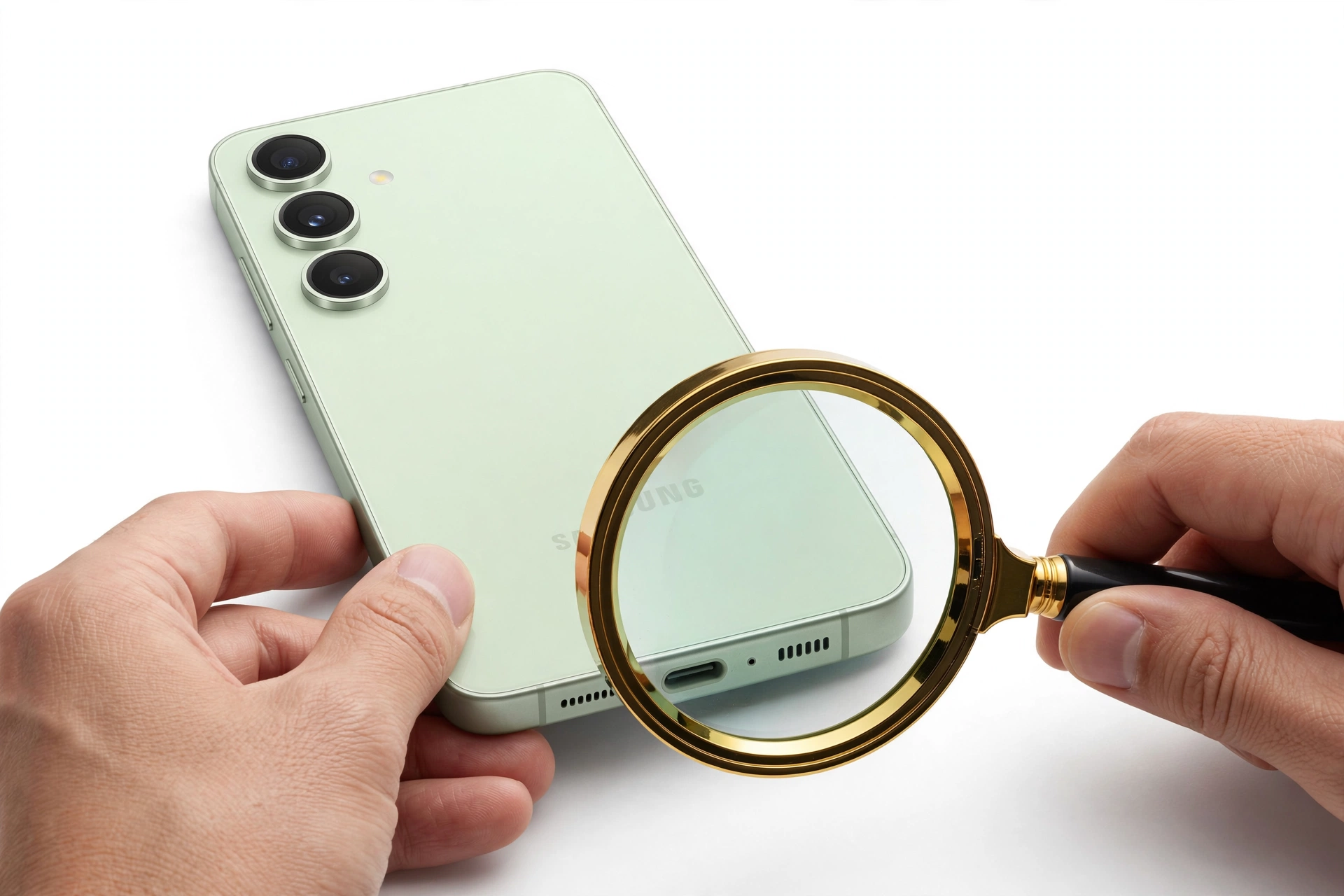
Who this guide helps
This guide is for anyone buying a Samsung Galaxy phone secondhand, from a marketplace seller, or at a price that feels too good to be true — and for anyone who already owns a Samsung and has started to doubt it. It is written for ordinary buyers, not technicians. You will not need to open the phone, run obscure codes, or install sketchy third-party apps. Everything here uses either the phone’s own settings or Samsung’s official tools. (Source: samsung.com)
A note on scope before we begin: this guide is about authenticity — whether the phone was actually made by Samsung. That is a different question from whether a phone is refurbished (a genuine Samsung that was previously repaired or returned and resold). If you are comparing against Apple’s ecosystem, our companion article on how to check if an iPhone is refurbished covers the iPhone side of that distinction. And if you are specifically shopping for used phones, our refurbished phones buying guide explains how to buy used safely across brands.
Why counterfeit Samsung phones are a real risk
Samsung is one of the most copied phone brands in the world. Counterfeit Galaxy phones are typically built around cheap components with a skin that mimics Samsung’s One UI interface, and the better fakes can look convincing at a glance. The problem is not only that you overpay for inferior hardware. A counterfeit phone:
- Has never passed Samsung’s safety and quality testing, so battery and charging behavior are unpredictable.
- May run modified software that can harvest logins, banking details, and personal data.
- Cannot be repaired by Samsung or covered by any Samsung warranty — a fake serial and IMEI will be rejected at any official service center.
- Will not receive Samsung’s security updates, leaving known vulnerabilities unpatched.
That last point matters more than many buyers realize. A phone that cannot receive updates is a phone that gets less safe every month you use it. Authenticity is therefore not a collector’s concern — it is a safety and security concern.
Before you buy: the five questions that filter out most fakes
If you are still in the shopping stage, you can eliminate most counterfeits before money changes hands. Ask the seller these questions and watch the answers:
- Can I see the IMEI before I pay? A legitimate seller has no reason to refuse. If they will not share it, walk away.
- Does the IMEI on the box match the IMEI in the phone? Ask for a photo of the box label and, if possible, a screenshot or photo of the phone showing the IMEI (dial *#06#). If they do not match, that is a hard fail.
- Where did you buy it? Original receipts from Samsung, a carrier, or a known retailer are a strong positive signal. Vague answers are not.
- Is it carrier-locked? Lock status is a separate issue from authenticity, but an evasive answer about the phone’s origin is a warning sign.
- Can I check the warranty on Samsung’s site? A genuine seller welcomes this. A seller of fakes will stall, change the subject, or rush you.
Pressure tactics — “someone else is picking it up tonight,” “the price goes up tomorrow,” “I can’t meet in a public place” — are the classic companions of counterfeit sales. Genuine sellers of genuine phones do not need to rush you past your checks.
Step 1: Find the IMEI and serial number
The IMEI (International Mobile Equipment Identity) is the phone’s unique 15-digit hardware identifier. The serial number is a second unique identifier assigned by the manufacturer. You will use both in the checks below. Here are the three legitimate ways to find them:
Dial *#06#
Open the phone’s dialer and enter *#06#. The phone immediately displays its IMEI number (and serial number on most models) without you pressing call. This is the quickest method and works on every genuine Samsung phone.
Settings: About phone
Go to Settings, then About phone, then Status or IMEI information. Both the IMEI and serial number are listed there. On some models you may need to tap “Status information” to see the full details.
The box label
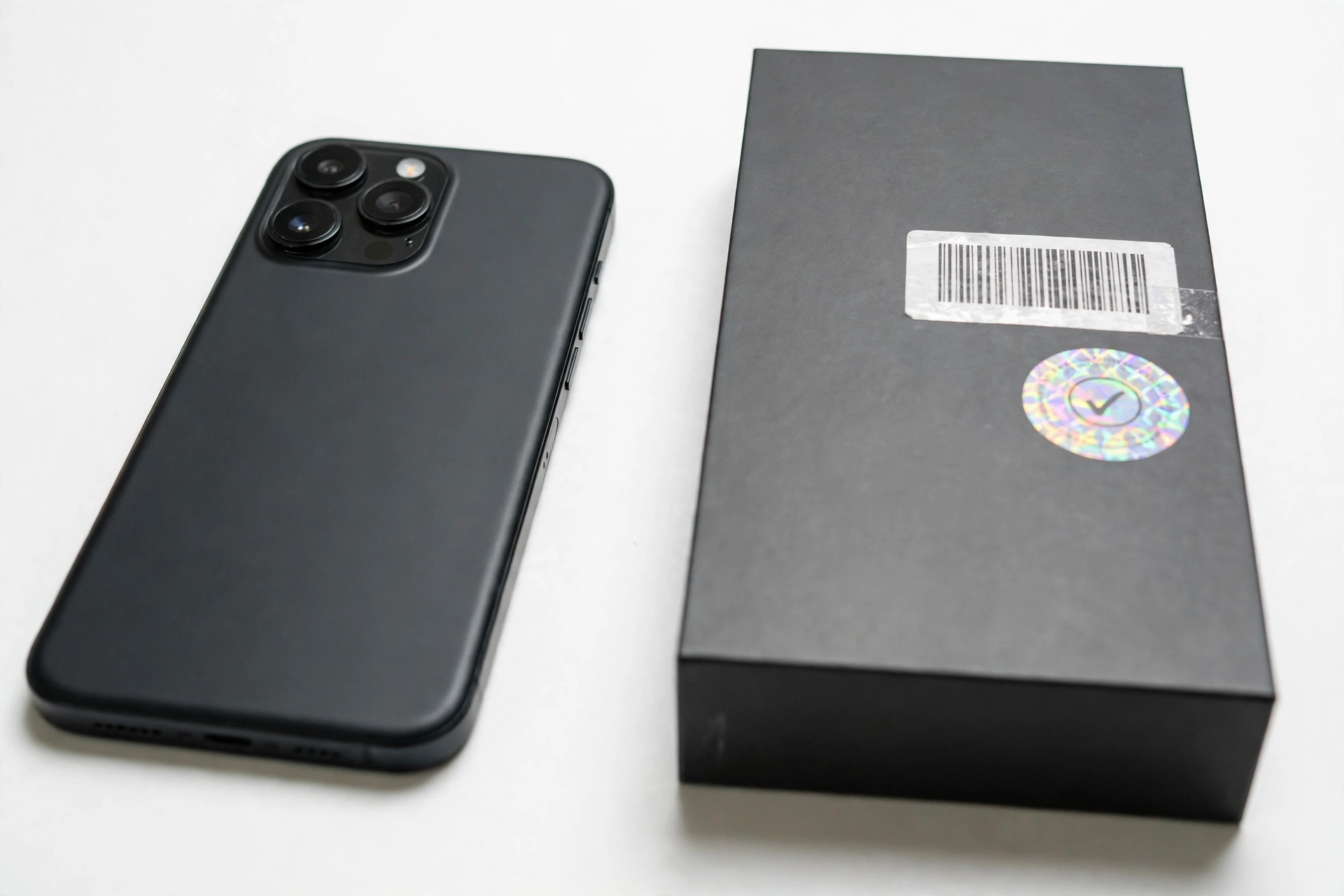
On the original box, a sticker lists the model number, IMEI, and serial number. The critical check: the IMEI in the phone must exactly match the IMEI on the box. A mismatch means the box and the phone do not belong together — which at minimum means something dishonest has happened, even if the phone itself is genuine.
A matched IMEI is necessary but not sufficient. Counterfeiters can and do print real, stolen IMEIs onto fake boxes and fake phones. A matching pair gets the device through the first gate; it does not prove authenticity by itself. That is why the checks in Steps 2 and 3 exist.
Step 2: Run the IMEI through Samsung’s own warranty check
Samsung’s regional support websites include a warranty-check tool where you enter the IMEI (selecting “Mobile devices” as the product category) and complete a verification prompt. The tool then reports the device name, device identifier, warranty activation status, and the warranty start and end dates pulled from Samsung’s own sales records.
What the results tell you:
- A valid record with matching model and dates is a strong positive signal. The device exists in Samsung’s production system and was sold through a channel Samsung recognizes.
- A “not found” or invalid result is a serious warning sign. Genuine Samsung phones sold through official channels appear in this database. There is one nuance, covered below in the gray-market section: some genuine devices imported from other regions can show incomplete records. But “not found” should always make you pause and investigate further before buying.
- Dates that do not make sense — a warranty activated years before the model existed, or an activation date that predates the phone’s claimed purchase — suggest the IMEI belongs to a different device.
Use only Samsung-owned websites and apps for this check. Third-party IMEI lookup sites can show model and registration data, but they cannot confirm genuine Samsung hardware, and some of them exist mainly to collect the IMEIs people type in. If you use one at all, treat it as a secondary data point, never as proof, and prefer well-known, reputable services.
Step 3: Verify with Samsung’s official apps and services
This is the layer counterfeiters struggle with most, because these services check secure hardware identifiers and Samsung’s backend records — things a cloned shell cannot convincingly fake.
Samsung Members: registration and diagnostics
Samsung Members (pre-installed on genuine Galaxy phones, or available from the Galaxy Store and Google Play) lets you register the device and run hardware diagnostics. The practical test: open Samsung Members, sign in with a Samsung account, and try to register the phone using its IMEI and model details. If registration succeeds and the device appears with correct model information, that is strong confirmation. If registration fails or the app rejects the device’s identity, be suspicious of the phone.
Add the device to your Samsung account
Sign in to your Samsung account and add the device manually using its IMEI or serial number. A genuine phone appears with accurate model details, warranty coverage dates, and region information — data drawn directly from Samsung’s sales records. A device that cannot be added, or one that shows incorrect details, was likely never in Samsung’s production system.
Find My Mobile compatibility
Samsung’s Find My Mobile service (findmymobile.samsung.com) only works with authentic Samsung hardware. Sign in with your Samsung account while the phone is signed in and connected to the internet: if the device appears and reports its status correctly, that supports authenticity. A phone that never appears despite being properly signed in is a red flag.
Samsung Knox status
Samsung Knox is a hardware-backed security platform built into genuine Samsung devices. In Settings, search for Knox, or check device status inside Samsung Members. On a genuine, unmodified Samsung phone, Knox shows as present and intact. If Knox is missing, disabled, or reports an unknown status on a supposedly new, untouched phone, that is a serious warning sign — counterfeits often claim Knox support without being able to verify it at the system level.
Maintenance Mode as a litmus test
Maintenance Mode is a Samsung-exclusive feature that protects personal data during repair situations. On a genuine phone you can enable it through Settings, then Device Care (or Battery and device care on newer versions), where Maintenance Mode is offered and the phone restarts into it. This is a Samsung-specific system feature that cloned phones generally cannot reproduce. If a supposedly genuine Galaxy phone has no Maintenance Mode option anywhere in Settings, treat that as a strong negative signal. (Menu names shift slightly between One UI versions, so search Settings for “Maintenance Mode” rather than hunting by memory.)
One failed check can have an innocent explanation — a gray-market import, a region mismatch, a software glitch. Multiple Samsung services failing to recognize the phone has almost no innocent explanation. Judge the pattern, not a single data point.
Step 4: Inspect the packaging and the phone itself
Counterfeiters invest most of their effort in the phone’s exterior and the box, so this layer alone rarely catches a good fake — but poor fakes fail it immediately, and it costs you nothing to check.
Packaging
- Print quality: Genuine Samsung boxes have sharp, clean printing. Blurry logos, misspelled words, off-center text, or thin flimsy cardboard are classic counterfeit tells.
- Seals: New Samsung boxes are sealed with tamper-evident seals. A box that has been opened and resealed, or that was never sealed at all, deserves an explanation.
- Label consistency: The model number, IMEI, and serial number on the box must match the phone and the seller’s story. Check that the model number is a real Samsung model number format (for example, SM-S series codes) and that the claimed model matches the actual model on Samsung’s site.
- Accessories: Check the quality of included accessories. Genuine Samsung chargers and cables feel solid and carry proper Samsung branding. (Note: since the Galaxy S21 generation, Samsung no longer includes a charger in the box — a “brand new” recent flagship that ships with a charger in the box is suspicious, not generous.)
The phone
- Materials and finish: Genuine Samsung flagships use glass and metal with precise assembly — no gaps, no rough edges, no creaking. A phone that feels light, plasticky, or loosely assembled for its claimed model is suspect.
- Display: Samsung’s AMOLED displays are a point of pride: deep blacks, vivid color, smooth responsiveness. A dull, washed-out, or sluggish screen on a phone sold as a Galaxy S or Z series device is a major warning sign.
- Branding: Samsung’s logo and markings should be crisp, correctly spelled, and correctly placed. Examine the camera module: on genuine phones the lenses are precisely aligned with quality glass; counterfeit camera arrays often look slightly off.
- Buttons and ports: Buttons should click cleanly and sit flush. The USB-C port should be centered and properly finished.
Step 5: Check the software — the layer fakes get wrong
A counterfeit phone can copy Samsung’s looks, but it is far harder to copy Samsung’s software ecosystem. Work through these checks on the device itself:
- Genuine One UI: Go to Settings, then About phone, then Software information. A genuine Samsung runs real Android with Samsung’s One UI interface, and the Android and One UI versions should be plausible for that model and generation. Be suspicious of a phone claiming a software version that does not officially exist for that model, or of an interface that looks like One UI but behaves oddly.
- Galaxy Store: Genuine Samsung phones ship with the Galaxy Store and can open and use it. A missing or non-functional Galaxy Store is a red flag.
- Samsung-exclusive apps and services: Try Samsung Pay (now Samsung Wallet in many regions), Samsung Health, and Bixby. Bixby in particular is rarely reproduced convincingly: open Settings, then Advanced features, configure the side button, and try a voice command. Counterfeits usually cannot support Bixby properly.
- System updates: A genuine Samsung can check for and receive software updates through Settings. A phone that cannot update, claims to be “up to date” on an ancient version, or throws errors when checking for updates is suspect. (This also matters for security: our guide to common Galaxy A series problems notes how update behavior varies across genuine models.)
- Google Play Store: A genuine Samsung ships with the Play Store working normally. Its absence — or an interface full of intrusive ads and unfamiliar app stores — points to a clone or a heavily modified device.
- Stability: Random crashes, overheating during light use, and features that open and immediately close are typical of the cheap hardware inside counterfeits, not of genuine Samsung phones.
A word about modified software: Some genuine Samsung phones are sold with custom ROMs or heavy modifications. That does not make the hardware counterfeit — but it does mean the software checks above will behave oddly, and the phone may have lost Knox integrity and warranty coverage. Ask the seller directly whether the phone has been rooted or had custom firmware installed.
The complete check: what each method proves and what it cannot
No single check is decisive. Use this table to understand what each one actually establishes — and where its blind spots are.
| Check | What it proves | Limitations |
|---|---|---|
| IMEI matches between phone and box | The box and phone belong together; the IMEI is at least plausible | Counterfeiters copy real IMEIs onto fakes — a match alone proves nothing about the hardware |
| Samsung warranty check on samsung.com | The IMEI exists in Samsung’s sales records with matching model and dates | Region pages vary; gray-market imports can show incomplete records; a cloned real IMEI passes this check |
| Samsung Members registration | Samsung’s backend accepts the device identity | Requires a Samsung account and internet; region-locked imports can fail for non-fraud reasons |
| Samsung account device list | Device records match Samsung’s production data | Same caveats as Members registration |
| Find My Mobile compatibility | Secure hardware identifiers check out | Needs the phone signed in and online; a network or account problem can mimic failure |
| Knox status intact | Hardware security platform is present and untampered | Rooted or modified genuine phones also trip Knox — check for modifications before concluding “fake” |
| Maintenance Mode present | Samsung-exclusive system feature exists | Menu location varies by One UI version; search Settings rather than relying on memory |
| Bixby / Samsung Wallet functional | Samsung’s proprietary services work end to end | Some services are region-restricted even on genuine phones |
| Packaging and build quality | Catches crude fakes immediately | Good fakes pass this layer; never rely on it alone |
| Software update check succeeds | Device is on Samsung’s update infrastructure | End-of-support models legitimately stop receiving updates — check the model’s support window first |
The pattern to look for: several independent official checks agreeing. A phone that passes the warranty check, registers in Samsung Members, appears in Find My Mobile, and runs genuine One UI with working updates is, for all practical purposes, a genuine Samsung. A phone that fails two or more of those is not worth buying, whatever the price.
Counterfeit vs. refurbished vs. gray market: know which problem you have
Buyers often use “fake” to mean three different things. The distinction matters because your options are very different in each case.
- Counterfeit: Not made by Samsung at all. No warranty, no updates, potential security and safety risks. Your recourse is against the seller, not Samsung.
- Refurbished (genuine): A real Samsung that was previously used, repaired, or returned, then resold. These can be perfectly good phones — our refurbished phones buying guide explains how to evaluate them. The checks in this guide will generally pass on a refurbished genuine phone, because the hardware is real.
- Gray market (genuine, imported): A real Samsung made for another country and imported unofficially. It may fail Samsung’s US warranty check and some region-locked services even though the hardware is 100% genuine. If the seller is upfront that it is an import and the price reflects that, the phone can be a reasonable buy — but know that warranty service in your country may be refused.
When a check fails, ask yourself which of these three best fits the evidence before concluding anything. A phone that registers fine in Samsung Members but shows no US warranty is probably an import, not a fake. A phone that fails everything is almost certainly a fake.
Where to buy so you rarely need this guide
The most reliable authenticity check is buying from a source where counterfeits cannot enter the supply chain:
- Samsung.com and the Samsung Shop app — direct from the manufacturer.
- Major carriers (AT&T, T-Mobile, Verizon and their authorized stores) — carrier-sold devices are genuine and carrier records add a paper trail.
- Major established retailers (Best Buy, Amazon sold-by-Amazon listings, Target, Costco) — buy from the retailer itself, not third-party marketplace sellers on their platforms.
- Reputable refurbishers with stated grading standards and return policies for used phones.
Marketplace and classified-ad sellers are where most counterfeits change hands. That does not mean every marketplace listing is fake — plenty of genuine used Samsungs sell there — but it means the checks in this guide are mandatory, not optional, for those purchases. Red flags in a listing include: a price far below market with no plausible explanation, stock photos instead of photos of the actual phone, refusal to share the IMEI, and sellers who only communicate off-platform.
What to do if your Samsung turns out to be fake
Discovering your phone is counterfeit is frustrating, but you have options. Work through them in this order:
- Stop trusting it with sensitive data. Do not log in to banking, email, or work accounts on a counterfeit phone. Its software may be harvesting credentials.
- Document everything. Save the listing, messages with the seller, payment receipts, and photos of the phone, box, and labels — including the IMEI/serial screens and any failed verification results.
- Contact the seller. Request a full refund, in writing, within the platform’s messaging system so there is a record. Many platforms side with buyers on counterfeit claims when evidence is documented.
- Escalate through the platform. If the seller refuses, file a counterfeit-goods claim with the marketplace (eBay, Facebook Marketplace, Swappa, and others all have such processes). Your documented checks are your evidence.
- Report it. Report counterfeit sales to Samsung (through their support channels), to the platform, and to consumer protection authorities such as the FTC’s fraud reporting system. If you paid by credit card, your card issuer’s dispute process is another avenue.
- Dispose of it responsibly. Do not resell a phone you know is counterfeit — that makes you the next link in the fraud chain. Recycle it through an electronics recycler.
Do not “fix” a counterfeit by resetting it. A factory reset does not turn a fake phone into a genuine one, and it does not remove malicious software baked into a counterfeit’s firmware. The only safe move with a confirmed fake is to stop using it for anything sensitive and pursue a refund.
Two hypothetical examples
(The following are hypothetical illustrations, not customer stories.)
Maya’s marketplace Galaxy S24
Maya finds a Galaxy S24 listed at nearly half the retail price. Before meeting the seller, she asks for the IMEI; the seller sends it promptly. She runs it through Samsung’s warranty check and finds a valid record with a matching model and a recent activation date. At the meeting, she dials *#06# and confirms the IMEI matches both the box and what the seller sent. She opens Samsung Members, signs in, and the phone registers with correct details; she checks for a software update and the phone finds one. Four independent official checks agree. She buys the phone with confidence.
Daniel’s suspicious “S25 Ultra”
Daniel buys a phone advertised as a Galaxy S25 Ultra from a classified ad. The price is low but the seller seems friendly. At home, Daniel notices the screen looks washed out and the phone gets warm doing nothing. He dials *#06# and gets an IMEI — but Samsung’s warranty check returns no record. Samsung Members refuses to register the device. There is no Maintenance Mode in Settings, Bixby does nothing, and the phone cannot check for updates. Five official checks fail. Daniel stops using the phone for anything sensitive, documents everything, and files a counterfeit claim with the payment platform — with his checklist of failed verifications as evidence.
FAQs
Does Samsung have an official IMEI checker?
Samsung does not publish a single global “is this genuine” page, but its regional support sites include a warranty-check tool where entering the IMEI returns the device’s model, warranty activation status, and coverage dates from Samsung’s own records. Combined with Samsung Members registration and your Samsung account’s device list, this is the closest thing to an official authenticity check — and it is far more reliable than any third-party site.
Can a counterfeit Samsung pass an IMEI check?
Yes — and this is the most important thing to understand. If a counterfeiter copies a real IMEI from a genuine phone onto a fake, the IMEI lookup will show the genuine phone’s record. That is why an IMEI match is only the first step. The checks that are much harder to fake are Samsung Members registration, Find My Mobile compatibility, Knox status, and working Samsung-exclusive features like Maintenance Mode and Bixby.
My phone failed the warranty check. Is it definitely fake?
Not necessarily. A genuine gray-market import — a real Samsung made for another country — can fail or show incomplete results on your region’s warranty page. Before concluding “fake,” check whether the phone passes the other official tests (Members registration, Find My Mobile, genuine One UI with updates). A phone that fails everything is almost certainly counterfeit; a phone that fails only the regional warranty check may simply be an import.
Is a refurbished Samsung the same as a fake?
No. A refurbished Samsung is a genuine Samsung phone that was previously used, repaired, or returned and then resold — the hardware is real and will pass the checks in this guide. A counterfeit was never made by Samsung. Refurbished phones can be good value; counterfeits are never good value. See our refurbished phones buying guide for how to shop used phones safely.
Can a fake Samsung run the real One UI?
Counterfeits typically run a skinned version of Android designed to look like One UI, not the genuine article. Signs of the imitation include wrong or impossible software version numbers in Software information, a missing or broken Galaxy Store, non-functional Samsung Pay/Wallet, no Bixby, and an inability to receive system updates. If the software feels “off” compared to a known-genuine Samsung, trust that instinct and run the official checks.
Will Samsung repair a counterfeit phone?
No. Samsung service centers verify the IMEI and serial number before accepting a device, and a counterfeit will be rejected. This is one of the practical costs of buying a fake: there is no manufacturer support, no warranty, and no official repair path. If a phone you own needs assessment and you are unsure of its authenticity, run the checks in this guide first — a repair shop can assess hardware condition, but it cannot make a counterfeit genuine or grant it warranty coverage.
Does a very low price always mean the phone is fake?
No, but it is the single most common correlate. Legitimate reasons for a low price exist: a motivated seller, a phone with cosmetic damage, an older model, or a carrier-locked device. The price alone proves nothing — run the checks. What should worry you is a low price combined with evasiveness: no IMEI shared, no box, pressure to pay quickly, off-platform payment.
What about the “serial number starts with R means refurbished” claim?
You may see videos claiming that a Samsung serial number starting with a certain letter proves the phone is refurbished or new. This is an unverified internet claim, not Samsung documentation, and serial number formats vary by factory and region. Do not rely on letter-reading tricks. The reliable checks are the official ones in this guide: warranty records, Members registration, and Samsung’s own services.
Video: How to check if your Samsung phone is original or fake
Sources and editorial notes
- Samsung Support — warranty check by IMEI (regional support page): Samsung’s official flow for entering an IMEI under “Mobile devices” to view the device name, warranty activation status, and coverage dates from Samsung’s sales records. (Last checked October 13, 2026.)
- Samsung Support — official support hub (samsung.com): entry point to Samsung’s official warranty, registration, and service tools referenced in this guide. (Last checked October 13, 2026.)
- Unplix — checking whether a Samsung phone is original or fake: third-party guide describing Samsung Members registration, Maintenance Mode, and Bixby as authenticity tests; used for corroboration of the feature-based checks. (Last checked October 13, 2026.)
- TechYorker — checking whether a Samsung phone is original: third-party guide covering Samsung account device registration, Find My Mobile compatibility, and Knox status checks; used for corroboration. (Last checked October 13, 2026.)
- Hudson Weekly — verifying Samsung phone originality: third-party guide on IMEI and serial number verification via Samsung’s website; used for corroboration of the warranty-check flow. (Last checked October 13, 2026.)
- Android Guías — how to tell if a Samsung is original: third-party guide on genuine One UI software checks, Galaxy Store, and official Samsung apps as authenticity signals; used for corroboration. (Last checked October 13, 2026.)
- CPO Magazine — how to check if a Samsung mobile is original: third-party guide on build quality, IMEI verification, and Samsung Members diagnostics; used for corroboration. (Last checked October 13, 2026.)
Last source check: October 13, 2026. AI-assisted editorial guide, checked against the linked manufacturer information. Samsung’s support pages, warranty tools, and app availability vary by country and region — if a specific tool or menu path differs on your device, check Samsung’s current support pages for your region. The “letter of the serial number” claims circulating on social media are unverified and are not Samsung documentation; this guide deliberately does not rely on them. If a Samsung phone you own needs hands-on assessment, Las Vegas Phone Repair & Accessories is at 7400 Las Vegas Blvd S, Unit TT42, Las Vegas, NV 89123 — call (424) 406-6202 ahead to confirm today’s hours (generally 10:00 AM–8:00 PM).
Let’s get you connected again.
Tell us what’s happening with your device and we’ll help you decide the safest next step — no jargon, no pressure.
Las Vegas Phone Repair & Accessories · 7400 Las Vegas Blvd S, Unit TT42, Las Vegas, NV 89123
10:00 AM–8:00 PM — call ahead to confirm today’s hours
3 thoughts on “How to Check If Samsung Is Original: Authenticity Guide”