
How to Check If Honor Is Original: Authenticity Guide
The most reliable way to check if an Honor is original is to verify its serial number on Honor’s official warranty-query page or in the My HONOR app. An authentic device returns matching model and warranty details; if the serial number is not recognized, or the results name a different model, the phone is very likely a counterfeit.
On this page
The most reliable way to check if an Honor is original is to verify its serial number on Honor’s official warranty-query page or in the My HONOR app.
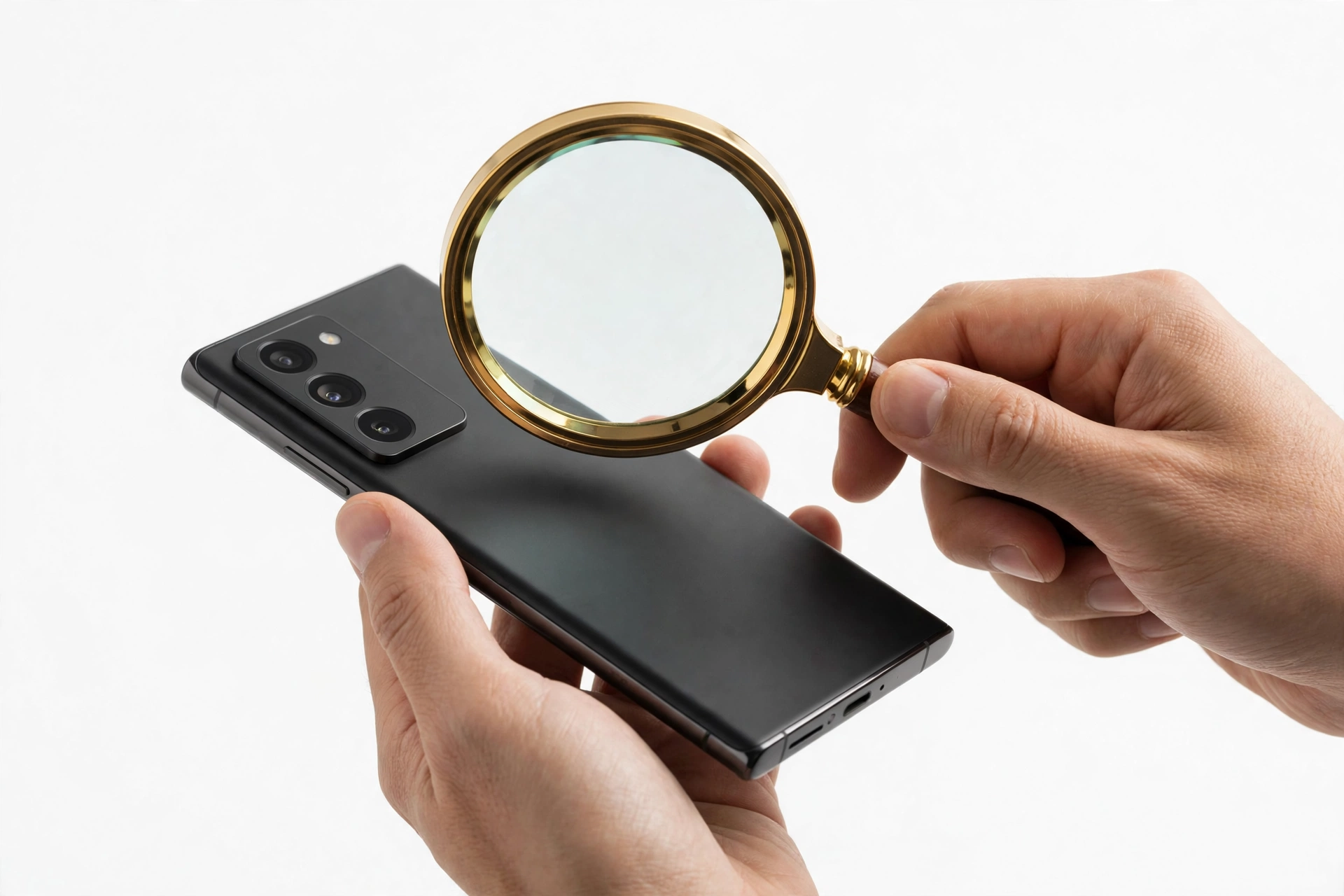
1. Who this guide helps
This guide helps anyone who has bought, inherited, or is thinking about buying an Honor phone — new or second-hand — and wants to confirm it is a genuine Honor device. Honor phones change hands frequently on marketplaces, and counterfeit “Honor” phones exist: lookalike devices that copy the branding, run modified software, and stop receiving security updates. Refurbished and gray-market Honor phones are a separate category — they are genuine, but carry their own risks, and this guide distinguishes all three. (Source: honor.com)
Quick fact: Honor has published its own authenticity guidance: each genuine Honor device carries a unique serial number (SN), and you can verify the device’s authenticity with a simple check. The official Honor support pages describe this as a prompt way to answer whether your phone “is the original one or just look-a-like one.”
2. The one check that matters most: Honor’s official verification
Honor operates an official Warranty Query service on its support website and inside the My HONOR app. Entering the device’s serial number (8–20 digits) plus a verification code returns the product’s warranty information — and for authenticated devices, the website displays the relevant product information. This is the single strongest check available because it queries Honor’s own records, not a third-party database.
How to run it
- On the web: visit Honor’s official support website, find the Repair Services section, and open Warranty Query (sometimes labeled “Warranty Period & Guarantee Service Inquiry”). Enter the serial number and the verification code, then submit.
- In the My HONOR app: open the app, go to the Services page, and choose Warranty Query → Electronic Warranty Certificate. For phones, the app can often detect the serial number automatically; for wearables and earphones, it must be entered manually.
How to interpret the three outcomes
- A valid record with a matching model: the strongest signal the phone is genuine. Note the warranty start date too — it doubles as the refurbished detector (see section 9).
- Product information for a different model: treat this as a major red flag. A fake can wear a genuine serial number copied from a real phone; if Honor’s records say the serial belongs to a different model than the phone in your hand, the phone is almost certainly a counterfeit.
- “Not found” or no record: Honor’s own guidance says to double-check the digits you entered. If the serial is correct and still not found, the device is either a counterfeit or a unit whose records were never registered — either way, do not treat it as authentic until a seller can explain it with documentation.
Stop for safety: never sign in to your Honor, Google, or banking accounts on a phone you suspect is fake. Counterfeit phones can run modified software with pre-installed spyware that captures keystrokes and credentials. Run the authenticity checks from a different, trusted device.
3. Find the serial number and IMEI first
Honor documents several ways to locate the serial number (SN) and IMEI:
- Dial *#06# on the phone’s keypad — the SN and IMEI appear on screen (on phones and tablets that support SIM cards).
- Go to Settings > About Phone > Status Information > Serial Number (on Magic UI 2.X: Settings > System > About phone > Status).
- Check the label on the original retail packaging.
- In the My HONOR app: Services > My device > Device information.
The IMEI is a 15-digit identifier unique to each phone. The SN is the ID number of the device itself. You will use both: the SN for Honor’s official query, and the IMEI for the cross-checks below.
4. The ten-check authenticity worksheet
| Check | How to do it | What it proves | Limitations |
|---|---|---|---|
| 1. Honor warranty query | Enter the SN on Honor’s official Warranty Query page or in the My HONOR app | The device exists in Honor’s records and shows model + warranty details | Copied serial numbers can pass; always cross-check the model name |
| 2. IMEI match | Dial *#06# and compare with the box label and Settings | The physical phone, box, and software agree | Necessary but not sufficient — counterfeiters copy real IMEIs |
| 3. Model cross-check | Compare the model from Honor’s query with Settings > About Phone and the box | Catches sophisticated fakes wearing a stolen serial | Requires the official query to return a model |
| 4. Warranty start date | Read the activation or start date in the warranty record | Detects used or refurbished phones sold as new | Warranty dates can lag on brand-new devices (3–5 days after SIM insertion) |
| 5. Software: MagicOS | Settings > About Phone — check the OS name and version | Genuine modern Honor phones run MagicOS | Old pre-2020 models ran EMUI/Magic UI — know which era your model belongs to |
| 6. Google services | Check for the Play Store on post-2020 models | Honor’s independent phones ship with Google Mobile Services | Region exceptions exist; a missing Play Store on a 2021+ model is a red flag |
| 7. System update test | Settings > System & updates — try checking for updates | Genuine phones connect to Honor’s update servers | Gray-market phones may update on a delayed regional schedule |
| 8. Honor apps presence | Look for the My HONOR app, App Market, and Honor services | Counterfeits usually omit or fake these | Some units sold in certain regions may have reduced preinstalled apps |
| 9. Packaging and labels | Inspect print quality, seals, labels, and included accessories | Sloppy packaging correlates strongly with fakes | Refurbished or resealed units can have imperfect packaging and still be genuine |
| 10. Build quality | Check seams, button feel, camera-module alignment, screen quality | Counterfeits cut corners on fit and finish | Subjective — best used alongside the record-based checks above |
5. The IMEI match: necessary but not sufficient
Dial *#06# and compare the IMEI shown on screen with the IMEI printed on the retail box and the one listed in Settings > About Phone. All three must match. If they do not — for example, the box says one IMEI and the phone shows another — walk away; either the box was swapped or the phone has been tampered with.
However, a matching IMEI does not prove authenticity on its own. Counterfeiters routinely copy genuine IMEIs onto fake phones. The decisive test is the model cross-check in the next section.
6. The model cross-check: the anti-copied-IMEI defense
This is the check that catches the most sophisticated fakes. When you run the serial number through Honor’s official query, the result names the model Honor has on record for that serial. Compare that model name with:
- The model shown in Settings > About Phone on the device itself.
- The model printed on the retail box.
If Honor’s records say the serial belongs to an Honor X9a but the phone in your hand claims to be a Magic5 Pro, the phone is a fake wearing a stolen identity — no matter how convincing the branding looks. This pattern is common because counterfeiters clone flagship designs (Magic series, foldables) while reusing serial numbers harvested from cheaper real devices.
7. The warranty start date: the refurbished detector
Honor’s Electronic Warranty Certificate shows when the warranty period began. Honor itself notes that a brand-new device’s certificate can take 3–5 days after SIM insertion to update, so a very recent date on a new phone is normal. But if a seller lists a phone as “brand new, sealed” and the warranty started eight months ago, the phone was activated eight months ago — it is used or refurbished, sold as new. That does not make it a counterfeit, but it changes what you should pay and what warranty you actually get.
8. Software tells: MagicOS, Google services, and updates
MagicOS, not a mystery skin
Since becoming independent, Honor ships its phones with MagicOS (the evolution of Magic UI). A genuine modern Honor phone shows MagicOS in Settings > About Phone, with a version number that matches the model’s era. A phone claiming to be a recent Honor model but running an unbranded or heavily skinned unknown Android build is suspicious. Note the era rule: pre-2020 Honor phones ran EMUI (like Huawei); post-2020 independent Honor phones run Magic UI/MagicOS. An alleged 2023 model running EMUI does not add up.
The Google services line (post-2020)
This is one of the strongest software tells, and it comes from Honor’s own history. Honor was a Huawei sub-brand until November 2020, when Huawei sold it to Shenzhen Zhixin New Information Technology Co., Ltd. Under the US trade restrictions, pre-2020 Honor phones could not ship Google Mobile Services. After independence, Honor re-established supplier relationships (Qualcomm, Google, and others) and its new phones ship with Google services again — including the Play Store.
Practically: a phone sold as a 2021-or-newer Honor model (Honor 50, Magic4, Magic5, Magic6, Honor 90, and later) that lacks the Play Store and Google apps out of the box is a red flag. Conversely, a 2019-era Honor (Honor 20, 9X) without Google services is historically correct and not a sign of a fake.
The system-update test
Go to Settings > System & updates and check for software updates. A genuine Honor phone reaches Honor’s update servers and either finds an update or confirms the software is current. A counterfeit running cloned software typically fails this check or shows a fake “up to date” screen with no real server contact. Gray-market imports may update on a delayed regional schedule, so give this check context rather than treating a delay alone as proof of a fake.
Honor’s own apps
Look for the My HONOR app, Honor’s App Market, and the standard set of Honor services. Counterfeits usually omit these or include convincing-looking imitations. Open the My HONOR app and try the Services > My device > Device information screen — on a genuine phone it reads the device’s real SN and warranty status.
9. Packaging, labels, and build quality
Genuine Honor packaging has crisp printing, correct spelling, tamper-evident seals, and labels whose IMEI and serial number match the phone. Common counterfeit tells include blurry or misspelled packaging text, missing or broken seals, mismatched or hand-altered labels, and cheap-feeling included accessories (chargers and cables are frequently faked alongside the phone).
On the phone itself, check the seams and panel gaps, the feel of the buttons, the alignment of the camera module, and the quality of the display. Counterfeits cut corners on fit and finish. One caution: a refurbished genuine phone can have imperfect cosmetics and still be authentic — use the record-based checks (sections 2–7), not cosmetics alone, to make the final call.
10. Counterfeit vs. refurbished vs. gray market
| Situation | Is it genuine? | How it shows up in the checks | What to do |
|---|---|---|---|
| Counterfeit | No | SN not found in Honor’s records, or records name a different model; software tells fail | Do not buy; if already bought, dispute the purchase and report the seller |
| Refurbished genuine | Yes, repaired | Passes Honor’s query, but warranty started long before the “new” sale date | Negotiate the price down; confirm who honors the remaining warranty |
| Gray-market import | Yes, imported | Passes Honor’s query; warranty may be region-limited; band compatibility may differ | Verify the bands work with your carrier; accept that local warranty service may be limited |
11. The Honor–Huawei history: why it matters for buyers
Honor was founded in 2013 as a Huawei sub-brand. On 17 November 2020, Huawei announced it had sold the entire Honor business to Shenzhen Zhixin New Information Technology Co., Ltd., a consortium of agents and dealers — Huawei retained no shares and no management role. This matters for authenticity checks in two practical ways:
- The software line: pre-November-2020 Honor phones are Huawei-era devices (EMUI software, no Google services on later models). Post-2020 Honor phones are independent-company devices (MagicOS, Google services restored). A phone whose software story contradicts its claimed model year is suspect.
- The support line: Huawei-era Honor devices and independent Honor devices are serviced through different support channels. If you need warranty service, make sure you are dealing with Honor’s current support, not Huawei’s — they are separate companies now.
12. Where to buy, and the US reality
Honor does not operate official carrier retail in the United States, so most Honor phones in the US are second-hand, imported, or gray-market units. That is not illegal — but it means you should be extra careful about the record-based checks above, confirm the phone’s network bands are compatible with your carrier, and understand that Honor’s warranty may be region-limited. Buying from Honor’s official regional stores or established authorized retailers is the safest route; marketplace listings with prices far below market rate deserve the full worksheet in section 4.
13. What to do if your Honor is fake
- Do not sign in to anything. Keep your accounts, banking apps, and passwords off the device (see the safety note in section 2).
- Document the evidence. Screenshot Honor’s warranty-query result, the *#06# screen, and the About Phone screen showing the mismatch.
- Dispute the purchase. Contact the marketplace or payment provider promptly — most have buyer-protection windows for counterfeit goods.
- Do not resell it as genuine. Passing a known fake to another buyer can make you liable; dispose of it or report the seller instead.
- Report the seller to the marketplace and, where appropriate, to Honor’s support team.
14. Two worked examples
(The following are hypothetical illustrations, not customer stories.)
Maya’s marketplace “Magic6 Pro.” Maya found a suspiciously cheap Magic6 Pro online. She asked the seller for the serial number before paying and ran it through Honor’s official warranty query from her laptop. The record came back — but for an Honor X8b, a far cheaper model. The phone was a counterfeit wearing a stolen serial. She walked away and reported the listing.
Daniel’s “new” Honor 200. Daniel’s phone passed Honor’s query with a matching model, and all three IMEIs matched. But the warranty start date was fourteen months old — the “brand new” phone had been activated over a year earlier. It was a genuine refurbished unit, not a fake. Daniel negotiated the price down by a third and confirmed the remaining warranty terms in writing.
15. What the checks can and cannot establish
| The checks can establish | The checks cannot establish |
|---|---|
| Whether the serial number exists in Honor’s records | Whether a passing phone has hidden hardware damage |
| Whether the recorded model matches the phone in your hand | Whether a gray-market phone will work on every carrier band |
| Whether the warranty start date fits a “new” claim | The phone’s remaining battery health or repair history |
| Whether the software matches the model’s era (MagicOS vs EMUI, Google services) | Whether the seller will honor a return — that is a purchase-protection matter |
16. Frequently asked questions
Can I check Honor authenticity with just the IMEI?
An IMEI lookup can reveal the model and blacklist status, and it is worth doing — but it is not enough on its own. Honor’s own authenticity guidance centers on the serial number (SN) checked against Honor’s official records. Counterfeiters copy real IMEIs onto fakes, so the SN query plus the model cross-check is the decisive combination.
What does it mean if Honor’s warranty query says “not found”?
First, double-check the digits — Honor requires the correct 8–20 digit serial number plus the verification code. If the entry is correct and still not found, treat the device as unverified: it may be a counterfeit, or a unit whose records were never registered. Do not pay a genuine-phone price without documentation from the seller.
My Honor passes the checks but the warranty started months ago. Is it fake?
Not necessarily — it is most likely a refurbished or previously activated genuine phone sold as new. The phone is real; the “new” claim is not. Negotiate accordingly and get the warranty terms in writing.
Should a 2022 Honor phone have the Google Play Store?
Yes. After Honor’s November 2020 independence, its new phones ship with Google Mobile Services, including the Play Store. A claimed 2021-or-newer model without Google apps is a red flag — though check for region-specific exceptions before concluding.
Is my 2019 Honor fake because it has no Google apps?
No — that is historically correct. Honor was a Huawei sub-brand until November 2020, and under the US trade restrictions those phones could not ship Google services. Judge pre-2020 models by the other checks instead.
Can Honor’s support team verify my phone for me?
Yes. Honor’s support channels can look up your serial number, and the My HONOR app’s Services > My device > Device information screen reads the device’s real SN and warranty status. This is useful when you cannot run the web query yourself.
I bought a fake Honor. Can a repair shop make it genuine?
No. No software flash or repair can turn a counterfeit into a genuine Honor — it will never receive Honor’s official updates or warranty service. Your recourse is through the seller and the marketplace’s buyer protection. A repair shop can help you document the evidence (screenshots of the failed checks), but it cannot fix counterfeiting.
Does this guide work for Honor tablets and wearables too?
The serial-number principle does: every genuine Honor device has a unique SN, and Honor’s warranty query covers phones, tablets, wearables, and other products. The software tells in this guide are phone-specific, so apply the record-based checks (sections 2–7) for non-phone devices.
Video: How to tell if your smartphone is fake or real

Sources and editorial notes
- Honor — Warranty Period & Guarantee Service Inquiry: official warranty-query page; enter the serial number (8–20 digits) plus verification code to retrieve product warranty information.
- Honor — What are IMEI, MEID, and SN, and how to check them?: definitions and the documented lookup paths (*#06#, *#*#0000#*#*, Settings > About phone, original packaging, My HONOR app).
- Honor Support — How to Check Your HONOR Device Benefits?: “check whether your device is original” via the SN; warranty query flow on the official website and My HONOR app.
- Honor Support — Find the Serial Number (SN) on Your HONOR Phone or Tablet: SN locations and the advice to verify you bought a genuine device.
- Honor Support — Know More about your HONOR Device Warranty: electronic warranty certificate behavior, the 3–5 day update lag for new devices, and finding the SN on packaging when the screen is broken.
- Honor (company) — overview: founded 2013 as a Huawei sub-brand; sold November 2020 (announced 17 November 2020) to Shenzhen Zhixin New Information Technology Co., Ltd.; post-sale independence and restored supplier relationships.
- Dr.Fone — Honor IMEI Check Guide: independent corroboration of the IMEI cross-check method (phone vs. box vs. settings) and blacklist checks for second-hand purchases.
Last source check: October 14, 2026. AI-assisted editorial guide, checked against the linked manufacturer information. Manufacturer procedures and support pages change over time; if a page has moved, use Honor’s official support site search for “warranty query” or “authenticity.”
Note on scope: This guide covers authenticity verification — whether an Honor device is genuine. For repair questions, see our Huawei authenticity guide, Vivo authenticity guide, and Oppo authenticity guide. If you are in the Las Vegas area and need a professional assessment of a phone you already own, Las Vegas Phone Repair & Accessories, 7400 Las Vegas Blvd S, Unit TT42, Las Vegas, NV 89123, (424) 406-6202 — open 10AM–8PM; call ahead to confirm today’s hours.
Let’s get you connected again.
Tell us what’s happening with your device and we’ll help you decide the safest next step — no jargon, no pressure.
Las Vegas Phone Repair & Accessories · 7400 Las Vegas Blvd S, Unit TT42, Las Vegas, NV 89123
10:00 AM–8:00 PM — call ahead to confirm today’s hours