
How to Check If Ulefone Is Original: Authenticity Guide
You can check if a Ulefone is original by cross-matching the IMEI from *#06# against the serial number in Settings and the box label, then verifying the model family and rugged build details against Ulefone’s official lineup. No single check is enough on its own, because counterfeiters can copy a genuine IMEI — so this guide walks you through a layered, evidence-based process.
On this page
You can check if a Ulefone is original by cross-matching the IMEI from *#06# against the serial number in Settings and the box label, then verifying the model family and rugged build details against Ulefone’s official lineup.
1. Who this guide is for
This guide helps you verify a Ulefone phone’s authenticity before you buy, after you receive it, or when something about a phone you already own does not feel right. It covers new purchases from marketplaces and resellers, used phones, and phones bought abroad. It does not matter whether you are a first-time Ulefone buyer or a rugged-phone enthusiast — the checks here apply to every Ulefone model, including the Armor series (Armor X, Armor Pro, Armor Ultra), the Power series, the Note series, and the newer RugKing lineup. (Source: hardreset.info)
Ulefone phones are rugged, budget-friendly devices popular with construction workers, outdoor enthusiasts, delivery drivers, and anyone who breaks regular phones. They are sold primarily online — Amazon, AliExpress, and regional resellers — rather than through carrier stores. That distribution model, combined with no official US retail presence, means the risk of encountering a refurbished-sold-as-new unit or a outright fake is real, especially on marketplace listings with prices far below the going rate.
2. Understanding Ulefone’s lineup first
Before you can spot a fake, you need to know what a real Ulefone looks like on paper. Ulefone’s catalog is organized into a few clear families. Knowing them is your first defense, because one of the most common counterfeit tricks is inventing a model name that sounds plausible but was never made — things like “Armor Ultra Max Pro” or “Power 5G Supreme.” If the model name on the box does not match any family below, stop and investigate before paying.
The Armor series
The Armor line is Ulefone’s flagship rugged family. It includes the Armor X entry-level models (compact, affordable rugged phones), the numbered Armor models (Armor 17 Pro, Armor 21, Armor 22, Armor 23 Ultra, Armor 24, Armor 28 Pro, Armor 28 Ultra), and the Armor Mini variants. These phones carry IP68/IP69K water and dust ratings and MIL-STD-810G or 810H military durability certification. They typically feature huge batteries (5,000–22,000 mAh depending on model), night-vision cameras on select models, and MediaTek processors.
The Power series
The Power line (Power Armor models) emphasizes battery life in a rugged or semi-rugged body. These are workhorse phones with large batteries and more conventional designs than the Armor line.
The Note series
Ulefone’s Note phones are the budget line — basic smartphones with large screens and modest specs. They are not ruggedized in the way Armor phones are. A “rugged” Note is a red flag.
The RugKing series
A newer entry-level rugged line (RugKing 2 Pro, 3 Pro, 4 Pro), sold primarily through Ulefone’s official AliExpress store at budget prices starting around $110. Small, tough, basic — and cheap enough that counterfeiting them is less common, but mislabeled variants still appear.
What Ulefone does not make
Ulefone does not make foldable phones, does not make phones with periscope telephoto cameras, and does not sell carrier-branded models. Any listing claiming a “Ulefone Fold,” a “Ulefone with 200MP periscope zoom,” or an “AT&T Ulefone” is misrepresenting the product. That does not automatically mean the hardware is fake — it may be a genuine Ulefone with a dishonest listing — but it means you should verify everything else twice.
3. The three-number foundation: IMEI, serial, and model
Every authenticity check starts with three identifiers. Get all three, write them down, and cross-match them. This is the single most important section of this guide.
Check 1: Get the IMEI with *#06#
Open the phone’s dialer and type *#06#. The phone displays its IMEI number (or two IMEIs on dual-SIM models) instantly. This works on every Ulefone model and does not require any account, SIM card, or data connection.
Quick fact: The IMEI is a 15-digit number. The first 8 digits (the TAC, or Type Allocation Code) identify the model the number was assigned to. You can look up a TAC online to see which model it belongs to — a mismatch between the TAC result and the phone in your hand is one of the strongest fake signals there is.
You can also find the IMEI in Settings → About phone, and on dual-SIM models the two IMEIs are listed separately. On some Armor models, the serial number is also shown via *#06# in the same pop-up, or under Settings → About phone → Version.
Check 2: Get the serial number
The serial number is the manufacturer’s internal unit identifier. Find it at Settings → About phone → Version (on some models) or on the sticker under the battery cover or SIM tray on older models. Rugged Ulefones with sealed bodies usually show it in software only. Write it down exactly as displayed.
Check 3: Read the box and paperwork
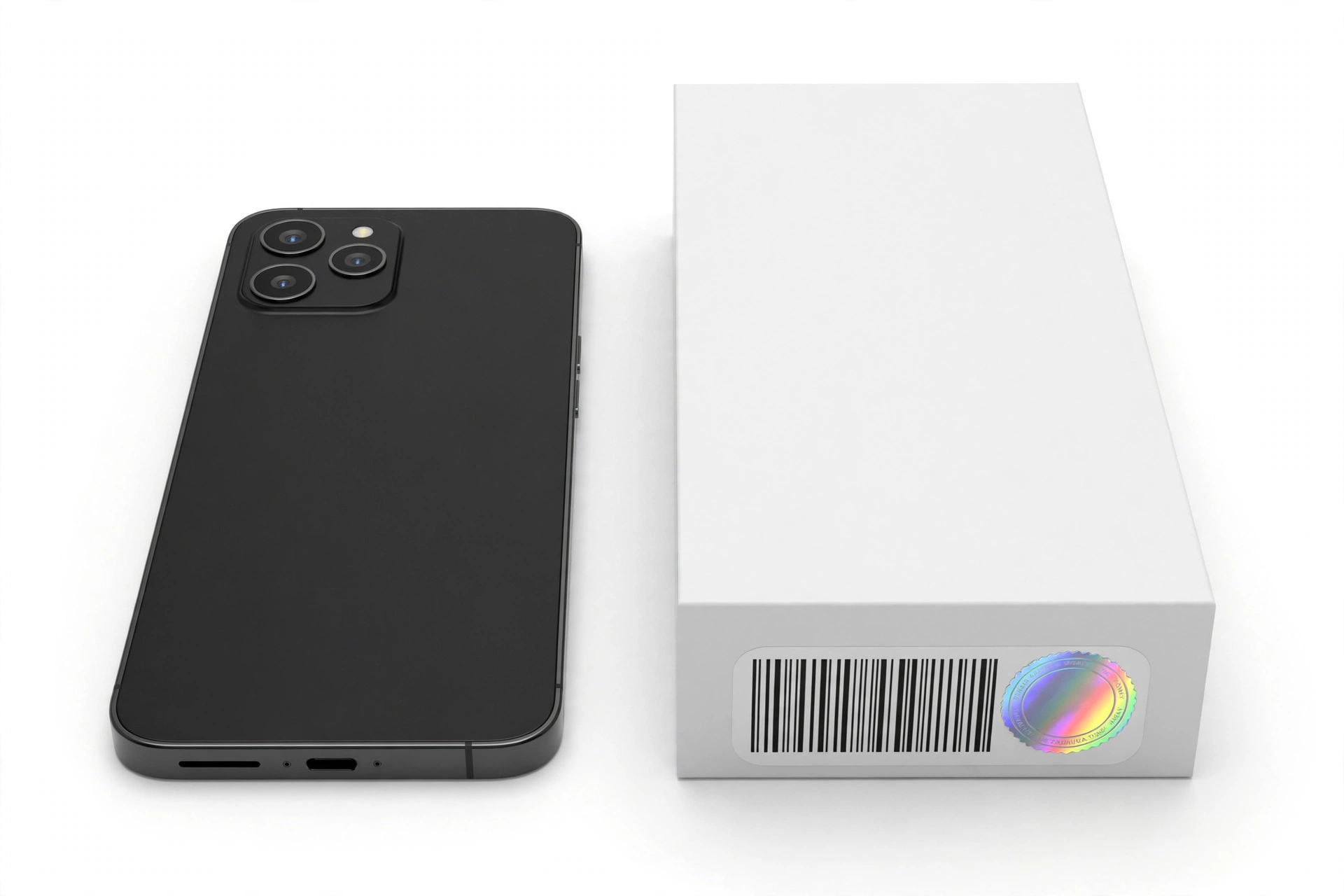
A genuine retail box carries a printed label with the model name, the IMEI (matching the phone), the serial number (matching the phone), regulatory markings (CE, FCC, RoHS, WEEE on international units), and a barcode. Compare every number on the box against what the phone itself reports. A mismatch between the box IMEI and the phone’s *#06# IMEI is a serious red flag — it means either the box was swapped (possible with refurbished units) or the phone’s identity has been rewritten (possible with counterfeits).
4. The anti-copied-IMEI cross-check
Here is the uncomfortable truth that most “check your IMEI online” guides skip: counterfeiters copy genuine IMEIs. A fake phone can display a perfectly valid IMEI stolen from a real Ulefone. Entering that IMEI into a lookup site will return “Ulefone Armor 21” — and the phone in your hand is still fake.
The defense is the cross-check. A copied IMEI only proves the number is real; it says nothing about the phone. So you compare what the IMEI lookup says against what the phone actually is:
| Compare | Against | What a mismatch suggests |
|---|---|---|
| IMEI lookup result (model) | Phone’s Settings → About phone (model) | Copied IMEI from a different model — strong fake signal |
| Phone’s *#06# IMEI | Box label IMEI | Swapped box (refurbished?) or rewritten identity |
| TAC lookup (first 8 digits) | Physical phone model | IMEI belongs to a different device entirely |
| Serial number in software | Box/warranty-card serial | Unit has been repackaged or re-identified |
| IMEI digit count and format | 15 digits, valid check digit | Malformed IMEI — almost certainly fake or tampered |
To validate the IMEI format itself, check that it is exactly 15 digits and passes the Luhn check-digit algorithm (the last digit is a checksum of the first 14). Free online Luhn validators exist. A malformed IMEI that fails the checksum was never issued by any manufacturer — that alone settles the question.
5. Rugged-build tells: what a real Armor feels like
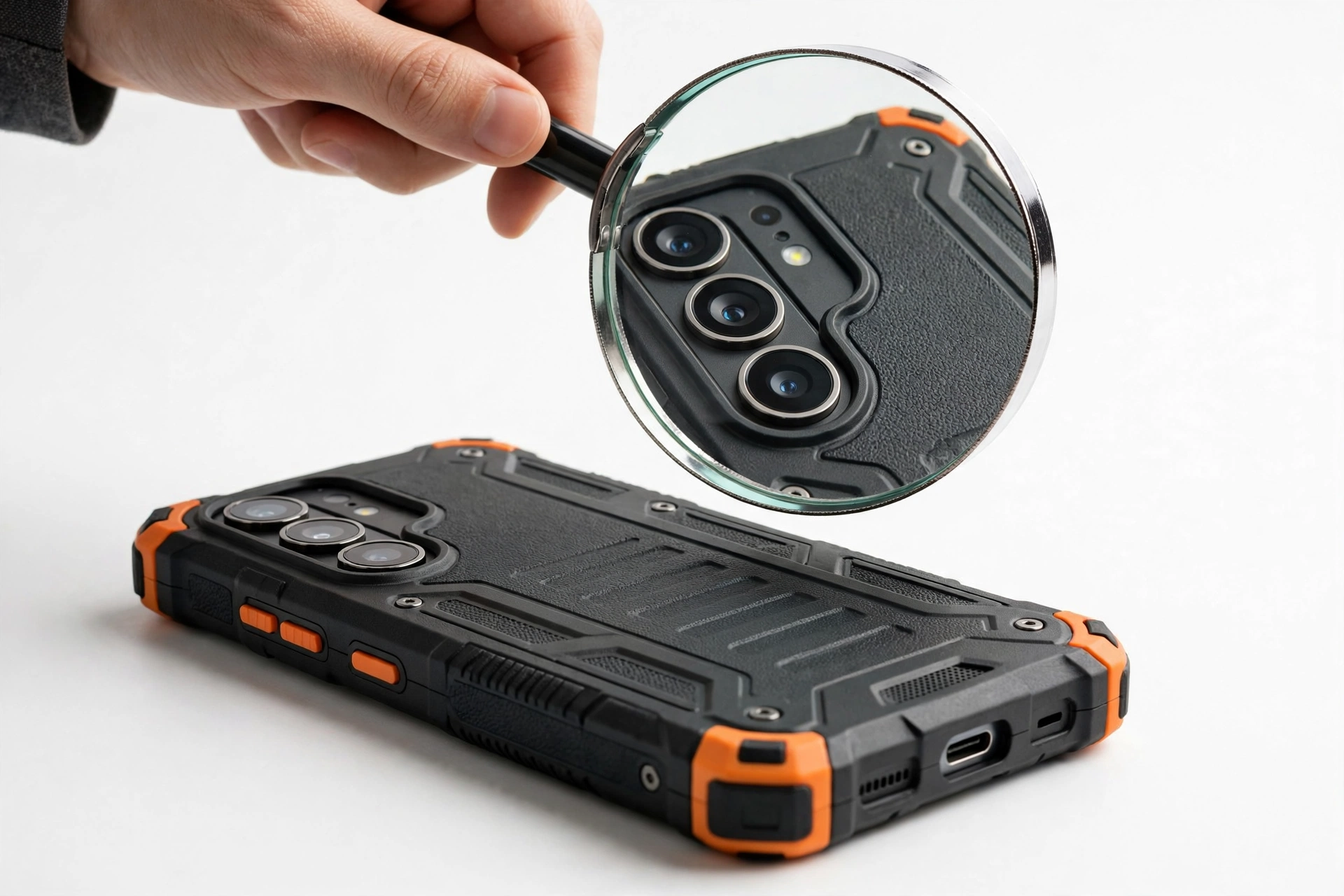
Ulefone’s rugged phones have distinctive physical characteristics that cheap counterfeits struggle to reproduce convincingly. These are secondary checks — useful supporting evidence, not proof on their own — but a fake that fails several of them is not worth further investigation.
Weight and solidity
Real Armor phones are heavy. A genuine Armor 24 weighs around 647 grams — well over a pound — because of its 22,000 mAh battery and reinforced frame. A “rugged” phone that feels light and hollow is suspicious. Look up the official weight for the claimed model and compare; a difference of more than about 10% deserves an explanation.
Sealing and port covers
Genuine Armor models have visible rubber port covers (USB-C, SIM tray, headphone jack where present) with tight, even seals. The covers should close flush and require deliberate force to open. Loose, misaligned, or missing covers on a supposedly new phone suggest either a counterfeit or a unit that has been opened.
Screws and seams
Rugged Ulefones use visible Torx-style screws around the frame. On a genuine unit, the screws are uniform, properly seated, and show no signs of stripping. Stripped or mismatched screws mean someone has been inside the phone — incompatible with a “brand new” claim.
Certification markings
Genuine units carry IP68/IP69K and MIL-STD-810H (or 810G on older models) markings in the manual and often on the box. Be aware, though, that these labels are easy to print — their presence proves nothing. Their absence on a model that should have them is more informative than their presence.
The underwater and drop-test reality
Stop for safety: Never test water resistance yourself on a phone you are evaluating. Submerging a phone — even a genuine IP68 unit — can cause liquid damage that is not covered by warranty, and a counterfeit may have no sealing at all. The IP rating describes laboratory-tested resistance, not an invitation to experiment.
6. Software tells: what the phone itself reveals
About phone vs. official specs
Go to Settings → About phone and read every line: model name, Android version, processor, RAM, storage, build number. Then compare against Ulefone’s official specifications for that model (check ulefone.com or the manual for the specific model). Counterfeit phones often report inflated specs in About phone — “24GB RAM” on hardware that stutters opening the camera app — or an Android version the model never shipped with. If the claimed specs do not match the official spec sheet, the phone is not what it claims to be.
The system-update test
This is one of the strongest software signals available. Go to Settings → System → System update and check for updates. A genuine Ulefone contacts Ulefone’s update servers; a counterfeit running a skinned generic Android build either fails to connect, shows an error, or “updates” to a build with a nonsense version string. A phone that cannot reach its manufacturer’s update server is not running its manufacturer’s software.
Pre-installed apps and the Service Center app
Genuine Ulefone phones ship with a Service Center app (on newer models) providing FAQs, troubleshooting guides, and customer-service contact. Its presence is a mild positive signal; its absence on a model that should have it is a mild negative. Also check for Google Play Store and Google Play Protect certification: go to Play Store → profile → Play Protect → Settings and confirm the device is Play Protect certified. Uncertified devices running Google apps are a red flag — though note that some legitimate China-market units may lack certification, so interpret this in context.
Camera and sensor behavior
Armor models with night-vision cameras (64MP with IR sensors on models like the Armor 24 and Armor 28 series) have a distinctive infrared camera mode. A claimed Armor 24 whose “night vision” is just a brightness filter, or which lacks the IR camera hardware visible in the camera module, is not a genuine Armor 24. Similarly, the digital toolbox apps (compass, barometer, gradienter) on genuine units read from real sensors — a compass that never moves is a tell.
7. Packaging and included accessories
Genuine Ulefone retail packaging includes: the phone, a charger (voltage appropriate to the region), a USB cable, a SIM ejector tool, a pre-installed screen protector plus usually a spare tempered-glass protector, a lanyard on many Armor models, a multi-language user manual, a warranty card, and safety documentation. Counterfeit packaging is often missing items, includes a generic charger with no branding, or has manuals with poor translations and spelling errors.
Check the charger’s printed specifications against the phone’s claimed fast-charging support (e.g., 66W on the Armor 24, 120W on the Armor 28 series). A “120W” phone shipping with an unbranded 10W charger is a mismatch worth questioning — though some resellers substitute chargers, so treat this as supporting evidence, not proof.
8. The 10-check authenticity worksheet
| # | Method | What it proves | Limitations |
|---|---|---|---|
| 1 | *#06# IMEI vs. Settings vs. box (cross-match) | The phone’s identity is internally consistent | Counterfeiters can copy a genuine IMEI |
| 2 | TAC lookup (first 8 IMEI digits) | The IMEI was issued for the claimed model | Does not prove this physical phone is that model |
| 3 | Luhn check-digit validation | The IMEI is structurally valid | A valid IMEI can still be copied |
| 4 | Model-family sanity check | The claimed model actually exists | Does not catch good fakes of real models |
| 5 | Settings → About phone vs. official spec sheet | The software reports genuine specs | Software can be skinned to lie |
| 6 | System-update server test | The phone runs genuine Ulefone software | Requires data connection; server outages possible |
| 7 | Weight and build-quality inspection | The hardware matches rugged expectations | Subjective; needs the official weight figure |
| 8 | Port covers, screws, seams inspection | The unit is factory-assembled, not opened | Refurbished units may also show wear |
| 9 | Box label, accessories, documentation | The retail package is complete and consistent | Boxes can be swapped or reproduced |
| 10 | Seller and price reality check | The transaction context is legitimate | Honest sellers can still unknowingly sell fakes |
9. Counterfeit vs. refurbished vs. gray-market: know which problem you have
Not every “not original” situation is counterfeiting. Distinguishing the three common cases matters because your options are different for each.
| Situation | What it means | Typical signs | What to do |
|---|---|---|---|
| Counterfeit | Fake hardware imitating a Ulefone | Wrong weight, fake specs in About phone, no update server, invented model name | Return immediately; report the seller; do not use for sensitive accounts |
| Refurbished sold as new | Genuine Ulefone, previously used/repaired, resealed | Worn screws, mismatched box IMEI, older warranty start, minor cosmetic wear | Demand a partial refund or return; check warranty start date |
| Gray-market import | Genuine Ulefone intended for another region | Correct hardware, foreign plug/charger, no local warranty, possible band gaps | Usually fine to keep if the price reflected it; verify band compatibility |
The US buyer reality
Ulefone has no official US retail presence and limited carrier compatibility. Independent testing shows Ulefone phones generally work on T-Mobile but are frequently blocked on AT&T (which maintains a strict IMEI whitelist) and Verizon (which requires device certification). A genuine Ulefone that “doesn’t work” on AT&T is not fake — it is incompatible. Check band compatibility for your carrier before buying, because a phone you cannot activate is a wasted purchase regardless of authenticity.
10. Where to buy safely
The safest sources, in rough order: Ulefone’s official stores on Amazon and AliExpress; established electronics retailers with clear return policies; reputable regional rugged-phone specialists. Higher-risk sources: social-media marketplace listings, auction sites with no buyer protection, sellers who refuse to provide the IMEI before purchase, and any listing priced dramatically below the market rate.
Quick fact: A legitimate seller with nothing to hide will usually provide the IMEI on request so you can check it before paying. A seller who refuses, deflects, or claims “IMEI is private until purchase” is asking you to take on all the risk. Walk away.
Always pay with a method that offers buyer protection (credit card, platform escrow), keep all packaging and documentation until you have completed every check in this guide, and record an unboxing video — several resellers explicitly request one for warranty claims, and it protects you if the box contents do not match the listing.
11. What to do if your Ulefone is fake
If your checks point to a counterfeit, do not delay. Contact the seller immediately and request a return or refund, citing the specific failed checks. If you paid through a platform, open a dispute within the platform’s deadline and submit your evidence (photos of the mismatches, screenshots of the IMEI lookups). If the seller is unresponsive, escalate to the platform and consider reporting to local consumer protection.
Stop for safety: Do not sign into your Google account, banking apps, or any sensitive service on a phone you believe is counterfeit. Fake phones can ship with modified system software that includes spyware or keyloggers. Treat a suspected fake as untrusted hardware until the situation is resolved.
Do not resell a phone you know to be fake — passing a counterfeit to another buyer can expose you to fraud liability. If a return is impossible, the responsible options are recycling through an e-waste program or keeping it strictly as an offline spare (no accounts, no sensitive data).
12. Hypothetical examples
(The following are hypothetical illustrations, not customer stories.)
Amara’s marketplace Armor 24
Amara found a “Ulefone Armor 24” on a social marketplace for 40% below the Amazon price. Before paying, she asked for the IMEI. The seller sent a photo of *#06# showing a 15-digit number. Amara checked the TAC: it resolved to an Armor 21, not an Armor 24. She asked the seller about the mismatch and was told “all Armor IMEIs are the same.” Amara walked away. The low price, the copied IMEI from a cheaper model, and the seller’s nonsense explanation were three strikes — she later bought from Ulefone’s official Amazon store and the TAC matched perfectly.
Devon’s resealed “new” Armor 28 Pro
Devon bought an Armor 28 Pro listed as new from a third-party seller. The phone itself checked out — *#06# matched the box, the TAC was correct, the weight was right at 450 grams, and the system-update check connected to Ulefone’s servers. But two details nagged him: one Torx screw near the SIM tray showed faint stripping, and the warranty card’s serial number differed from the phone’s serial by one digit. Devon contacted the seller, who admitted the unit was “open-box.” He negotiated a 20% partial refund and kept the phone — genuine hardware, just not factory-new as advertised.
13. What the checks can and cannot establish
| Observation | What it establishes | What it cannot establish |
|---|---|---|
| IMEI lookup returns the correct model | The IMEI number is genuine and assigned to that model | That this physical phone is that model (IMEIs can be copied) |
| All three numbers cross-match | The phone, box, and paperwork belong together | That the unit was never opened or refurbished |
| System update connects to Ulefone servers | The phone runs software Ulefone recognizes | That every hardware component is original |
| Weight matches official spec | The hardware is in the right class | That internal components were not swapped |
| Seller refuses to provide IMEI | The seller is not cooperating with verification | That the phone is definitely fake (but do not buy it) |
14. Frequently asked questions
Does Ulefone have an official IMEI checker?
Ulefone does not operate a public-facing IMEI authenticity portal of the kind some larger brands offer. Verification relies on the cross-matching method in this guide: *#06# against Settings, the box, and TAC lookups, plus the software and hardware tells. For warranty questions, contact Ulefone support directly at support@ulefone.com with your IMEI and serial number — independent reporting indicates they respond to warranty inquiries, though response times vary.
How long is the Ulefone warranty?
Ulefone’s product manuals state a 1-year warranty against non-human (manufacturing) damage from the date of purchase, not covering accessories and batteries, with the buyer typically responsible for return shipping. Some resellers advertise 2-year terms; treat reseller terms as the reseller’s policy, not the manufacturer’s. Keep your proof of purchase — without it, warranty claims are difficult.
Can a fake Ulefone pass the *#06# test?
Yes — if the counterfeiter copied a genuine IMEI, *#06# will display a valid number and IMEI lookups will return the correct model. That is exactly why this guide emphasizes the cross-check (TAC vs. physical phone, box vs. handset, software vs. official specs) rather than any single lookup. No one check is sufficient.
Are there fake Ulefone phones, or only refurbished ones?
Both exist. Outright counterfeits imitating popular Armor models have been reported on marketplaces, and refurbished-sold-as-new units are arguably the more common problem — genuine hardware, previously used or repaired, resealed and sold as new. The checks in this guide catch both, but the remedy differs: counterfeits should be returned and reported; refurbished units may be keepable at a fair used price.
Will a Ulefone work on my US carrier?
Usually on T-Mobile, often not on AT&T or Verizon. AT&T maintains an IMEI whitelist and blocks unapproved devices even with correct bands; Verizon requires device certification for activation. Check your specific model’s supported bands against your carrier’s requirements before buying. A genuine phone that cannot connect is not a fake — it is an incompatible purchase.
What does IP68/IP69K actually guarantee?
IP68 means tested dust-tight and submersible (commonly 1.5–2 meters for 30 minutes under lab conditions); IP69K adds high-pressure, high-temperature water-jet resistance. These are laboratory certifications on new units — seals degrade with drops, heat, and age, and liquid damage is excluded from warranty. Never deliberately submerge a phone to “test” it.
Should I buy a Ulefone from AliExpress?
Ulefone’s official AliExpress store is one of the brand’s primary sales channels and is generally safe — the RugKing line, for example, launched there first. The risk on AliExpress comes from unofficial sellers on the same platform. Buy from the official store or a highly rated seller with a long history, use platform buyer protection, and run every check in this guide on arrival.
What should I do with the IMEI — is it safe to share?
Keep your IMEI private. Never post it publicly, share it on forums, or send it to anyone except the seller (before purchase, for verification) or Ulefone support (for warranty). A publicly posted IMEI can be copied onto counterfeit phones — which is, not coincidentally, one reason copied IMEIs exist in the first place.
15. When to get a professional opinion
If you have run the checks in this guide and the results are mixed — some pass, some fail, nothing conclusive — a professional assessment can help. A repair shop can compare the unit against known-genuine hardware, inspect internal construction without damaging the seals, and give you an informed opinion before you commit to a return dispute or keep the phone.
Las Vegas Phone Repair & Accessories, 7400 Las Vegas Blvd S, Unit TT42, Las Vegas, NV 89123 — (424) 406-6202. Open 10AM–8PM; call ahead to confirm today’s hours. If you are in the Las Vegas area and want a second opinion on a suspicious unit, an in-person assessment can settle questions that remote checks cannot.
Video: How to tell if your smartphone is fake or real
Sources and editorial notes
- HardReset.info — How to check IMEI number on Ulefone Power: documents the *#06# method and Settings paths for IMEI and serial retrieval on Ulefone devices; notes IMEI checking as a common way to verify originality.
- HardReset.info video — Ulefone Armor 21 serial number check: demonstrates *#06# and Settings → About phone → Version for serial/IMEI on an Armor-series phone.
- Ulefone Armor 24 instruction manual (via manuals.plus): official specifications (Helio G96, 22000 mAh, IP68/IP69K, MIL-STD-810H) and the stated 1-year non-artificial-damage warranty with 30-day returns.
- Ulefone Armor 28 Ultra user manual (via manuals.plus): confirms the 1-year non-human-damage warranty excluding accessories and batteries, buyer-paid return shipping, and the on-device Service Center app.
- GizChina — Ulefone Armor 21 destruction test: independent reporting on IP68/IP69K and MIL-STD-810H certification and what the rugged testing involves.
- The Droid Guy — rugged smartphone carrier compatibility: documents that Ulefone models generally work on T-Mobile only in the US, with AT&T IMEI-whitelist blocking and Verizon certification requirements; notes MIL-STD-810H self-certification caveats.
- TechRadar — Ulefone RugKing review: specifications and pricing context for the newer budget rugged line, including official AliExpress availability.
Last source check: October 14, 2026. AI-assisted editorial guide, checked against the linked manufacturer information and independent reporting. Ulefone’s warranty terms, model lineup, and carrier compatibility are described as reported in the cited sources; confirm current terms with Ulefone support (support@ulefone.com) before relying on them for a purchase decision. This guide distinguishes Ulefone’s rugged lineup from the other brands in our authenticity series — see our Fairphone authenticity guide, Nothing Phone 2a authenticity guide, and Meizu authenticity guide for brand-specific checks. No manufacturer authorization is claimed; all procedures use only documented dialer codes (*#06#) and standard Settings paths.
Let’s get you connected again.
Tell us what’s happening with your device and we’ll help you decide the safest next step — no jargon, no pressure.
Las Vegas Phone Repair & Accessories · 7400 Las Vegas Blvd S, Unit TT42, Las Vegas, NV 89123
10:00 AM–8:00 PM — call ahead to confirm today’s hours