
Jeep Phone Speaker Not Working After Update: Causes and Safe Fixes
If your Jeep phone’s speaker stopped working right after an update, start with Bluetooth and a restart — an update cannot physically damage the speaker, so the cause is almost always a software routing issue, a volume setting, or a third-party app conflict. Jeep-branded phones are licensed rugged devices running older Android versions, which means “the update” was very likely an app update rather than a system update, and the fix usually takes minutes once you isolate which audio path is actually silent.
On this page
If your Jeep phone’s speaker stopped working right after an update, start with Bluetooth and a restart — an update cannot physically damage the speaker, so the cause is almost always a software routing issue, a volume setting, or a third-party app conflict.
1. What a Jeep phone is — and what “an update” really means on one
A quick fact that changes how you should read this entire guide: Jeep, the vehicle company, has never manufactured smartphones. The Jeep® trademark is licensed to third-party manufacturers who build rugged phones such as the Jeep F605 and Jeep Z6 — IP68-rated, dual-SIM devices that were sold through online retailers and regional importers. Because the brand owner is not the phone maker, there is no Jeep phone support portal, no official Jeep phone troubleshooting documentation, and no Jeep-authored speaker-fix procedure to follow. That honesty matters: any guide that claims “Jeep’s official speaker fix” is inventing it. (Source: mobiloscope.net)
The best-known models — the Jeep F605 (4.5-inch FWVGA display, MTK6572 dual-core, 512 MB RAM, Android 4.4 KitKat) and the Jeep Z6 (similar MTK6572 hardware, IP68) — shipped with Android 4.4 KitKat or Android 5.0 Lollipop. Those system versions are roughly a decade old, and manufacturers of licensed-brand budget rugged phones essentially never shipped over-the-air system updates for them. So if your speaker stopped working “right after an update,” the update in question was almost certainly one of these:
- An app update — the Google Play Store auto-updated an app (a media player, a “speaker booster,” a messaging app, a game) and that app’s new version now holds the audio session or conflicts with the audio system.
- A settings change triggered alongside an update — some apps request new permissions or change audio routing behavior when they update.
- Coincidence — the speaker hardware was already degrading (moisture in the sealed membrane, worn contacts, a dying battery affecting power delivery), and the timing with an app update is accidental.
Quick fact: On Android 4.4 and 5.0, you can check for system updates at Settings → About phone → System updates, but on Jeep-branded phones this screen will almost always report that the system is up to date — there is simply nothing newer coming from the manufacturer. Your troubleshooting energy is better spent on the steps below than on hunting for a firmware fix that does not exist.
This distinction is good news in one way: because there is no system update to roll back, you do not need to wait for a manufacturer patch. The fixes in this guide work regardless of which app updated, because they address the audio system itself.
2. The central rule: an update cannot physically damage the speaker
Say this out loud before you touch anything: software cannot break a speaker’s physical parts. An app or system update changes code — it does not tear a speaker cone, corrode a contact, or puncture a waterproof membrane. If the speaker worked physically before the update and the hardware is intact, it still works physically now. What an update can do is:
- Change which app or output the audio is routed to (Bluetooth, earpiece, loudspeaker).
- Mute or lower a volume channel you did not intend to change.
- Introduce a bug in an app that grabs the audio session and never releases it.
- Reset a setting (like disabling media volume or enabling a mute profile).
There is exactly one honest exception: coincidental hardware failure unmasked by timing. On decade-old rugged phones, speaker membranes stiffen, contacts oxidize, and batteries degrade. A speaker that was already failing intermittently can go fully silent on the same day an app updates, and the human brain — which loves a cause-and-effect story — blames the update. Section 11 shows you how to tell the difference with a simple test. Until you have evidence of hardware failure, treat every “stopped after an update” case as a software routing problem, because that is what it is the overwhelming majority of the time.
| Mechanism | Can an update cause this? | Likelihood |
|---|---|---|
| Audio routed to a forgotten Bluetooth device | Yes — apps request Bluetooth audio on update | Most common |
| Media/call volume muted or lowered | Yes — update can reset audio settings | Very common |
| Third-party app holding the audio session | Yes — updated app grabs audio focus | Common |
| “Speaker cleaner” or “booster” app malfunction | Yes — these apps manipulate audio directly | Common on older phones |
| Corrupted app cache after update | Yes | Occasional |
| Torn speaker cone or punctured membrane | No — physical damage is physical | Not caused by updates |
| Water inside a sealed speaker chamber | No | Not caused by updates |
3. First, isolate the problem: earpiece, loudspeaker, or everything
Your Jeep phone has (at least) two separate sound outputs, and they fail independently. Before doing anything else, run this two-minute isolation test — it tells you which half of the guide applies to you:
- Test the loudspeaker: Open a music or video app and play something with the volume up. Can you hear it from the back/bottom speaker?
- Test the earpiece: Make a phone call (or have someone call you) and hold the phone to your ear normally — not on speakerphone. Can you hear the other person?
- Test speakerphone during a call: During the call, tap the speakerphone icon. Can you hear the caller through the loudspeaker now?
- Test with wired headphones: Plug in wired headphones (the F605 has a 3.5 mm audio jack). Can you hear audio through them?
| What works | What is silent | Meaning | Go to |
|---|---|---|---|
| Earpiece on calls | Loudspeaker for media | Media audio routing issue, not a dead speaker | Sections 4–6 |
| Loudspeaker for media | Earpiece on calls | Call-audio routing or earpiece issue | Sections 4–6 |
| Headphones | Both speakers | Audio system works; both speaker paths blocked or muted | Sections 5–8 |
| Nothing anywhere | Everything | System-wide mute, stuck routing, or app conflict | Sections 4–7 |
| Speakerphone on calls | Normal earpiece | Earpiece-specific fault (hardware or routing) | Sections 6, 11 |
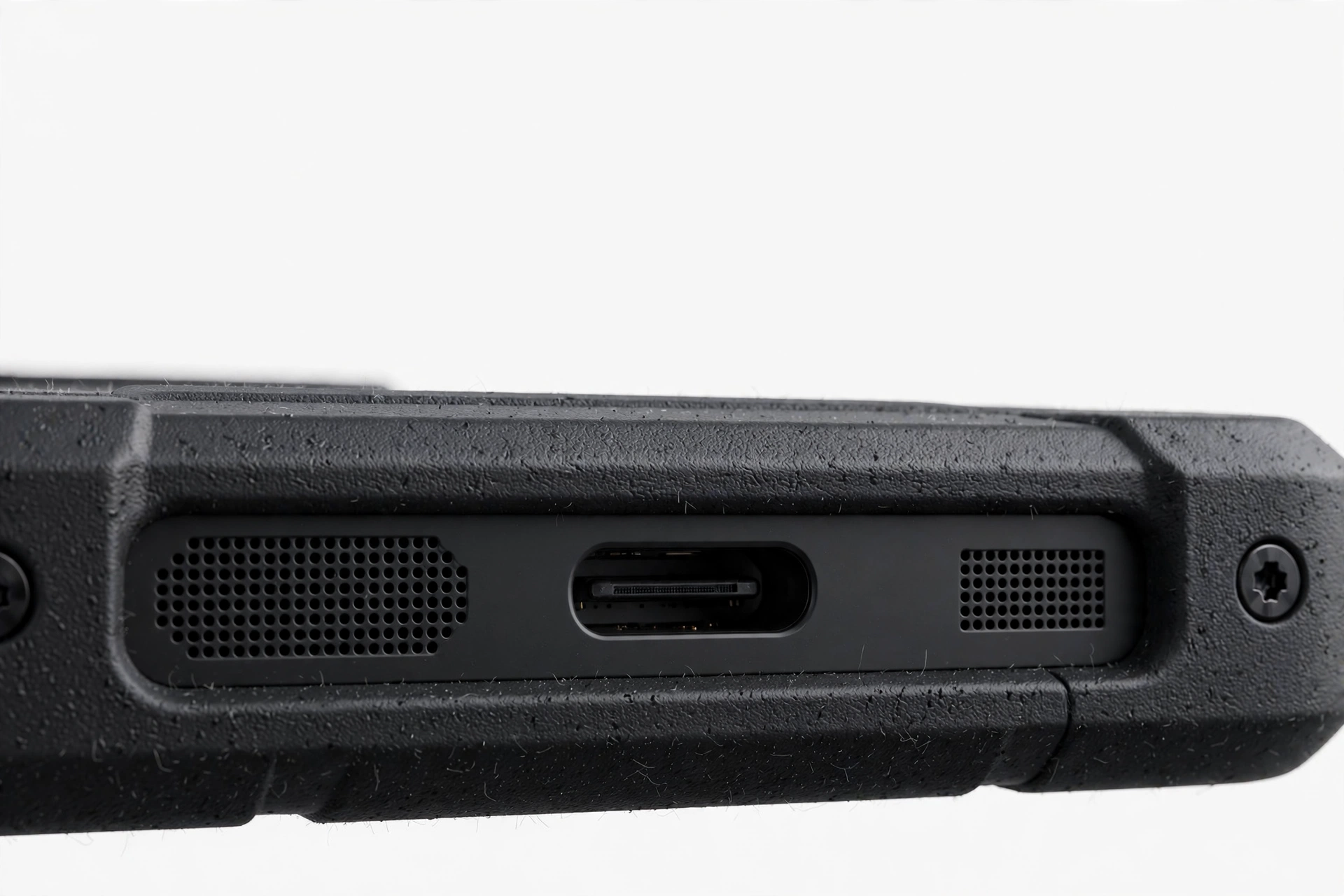
Quick fact: On the Jeep F605, the earpiece is a tiny speaker at the top of the display and the loudspeaker is the larger grille, usually on the back. Because these are physically different components driven through different audio paths, one can go silent while the other works perfectly — which is exactly why this test matters.
4. The number-one false alarm: Bluetooth is still holding your audio
This is the single most common cause of “my speaker stopped working after an update,” on any phone, and it is especially common on rugged phones used outdoors and in vehicles. Here is the scenario:
Hypothetical illustration, not a customer story: Daniel drives a work truck with a Bluetooth hands-free kit. An app on his Jeep F605 updates overnight. The updated app requests Bluetooth audio permission, and the phone silently reconnects to the truck’s kit — which is parked in the driveway, engine off, but still paired. The next morning Daniel plays a video and hears nothing. The speaker is fine; the audio is being sent to a Bluetooth device sitting in a parked truck fifty feet away.
Bluetooth audio routing is invisible. Your phone gives you almost no indication that sound is going somewhere other than its own speaker. Check this now:
- Go to Settings → Bluetooth and look at the list of paired devices.
- If Bluetooth is on and any device shows as connected — a car kit, earbuds, a portable speaker, a smartwatch — that device is receiving your audio.
- Turn Bluetooth off entirely (not just disconnect — toggle the master switch off), then play audio again.
- If sound returns, you found it. You can turn Bluetooth back on afterward; just be aware of which devices auto-connect.
Also check the less obvious audio-route holders:
- Wired headphones or adapters — the F605’s 3.5 mm jack has a mechanical/electrical switch. A partially inserted plug, a broken-off plug tip, or lint in the jack can make the phone believe headphones are connected. If the phone shows a headphone icon with nothing plugged in, the jack is the suspect.
- USB audio accessories — the F605 supports USB OTG. A connected USB accessory can seize the audio route the same way Bluetooth does.
- Apps with persistent audio sessions — navigation apps, voice recorders, and push-to-talk apps (common on rugged work phones) can hold the audio channel open. Force-stop any such app and retest.
Stop for safety: Never insert pins, needles, toothpicks, or any metal object into the headphone jack or speaker grille to “clean” it. On a sealed IP68 phone, the speaker membrane sits directly behind the grille — puncturing it destroys the water seal permanently and can push debris deeper. Use only a soft, dry brush on the outside surface.
5. Check every volume channel and mute state — separately
Android has multiple independent volume channels, and an app update can change one without touching the others. On Android 4.4/5.0, press a volume button and tap the settings/gear icon next to the volume slider (or go to Settings → Sound → Volumes) to see all of them:
- Media volume — music, videos, games, app sounds.
- Ringtone volume — incoming call ringtones.
- Notification volume — message and app alerts (on some versions tied to ringtone).
- Alarm volume — separate from everything else.
- In-call volume — adjustable only during an active call; if callers sound faint, raise it while on a call.
Work through these deliberately: set each channel to maximum, then test. Also verify:
- Silent / vibrate mode — check the notification shade and Settings → Sound. An update can flip the ringer mode.
- Do Not Disturb / Priority mode (Android 5.0) — can suppress sounds you expect to hear.
- App-specific mute — open the app whose sound is missing and check its in-app settings; many media apps have their own mute toggle independent of system volume.
- Accessibility → Hearing / Mono audio — an unusual routing setting here can send audio to only one channel.
If a single volume channel is at zero while the rest are fine, you have found a settings problem, not a speaker problem. Set it correctly and move on — no further troubleshooting needed.
6. Restart, then use Safe Mode to catch the conflicting app
A restart is the most underrated diagnostic in existence. It clears stuck audio sessions, releases audio focus held by crashed apps, and re-initializes the audio drivers. On the Jeep F605 — which has a removable battery — you have an extra-powerful option:
- Normal restart: Hold the power button → Power off → wait 30 seconds → power on. Test the speaker.
- True power cycle (F605/Z6): Power off, remove the back cover, take out the battery, wait a full 60 seconds, reinsert the battery, and power on. This drains residual charge and forces every hardware subsystem — including the audio codec — to cold-start. On phones with sealed batteries this is impossible; on the F605 it is a genuine advantage.
If the speaker works after a restart but fails again later, an app is re-seizing the audio. That is what Safe Mode is for: it boots Android with only the pre-installed system apps, temporarily disabling everything you installed.
To enter Safe Mode on Android 4.4/5.0: press and hold the power button until the power menu appears, then press and hold “Power off” until the “Reboot to safe mode” prompt appears, and tap OK. (On some variants: power off fully, then power on and hold the Volume Down key during boot.) You will see “Safe mode” in a corner of the screen.
| Speaker in Safe Mode | Meaning | Next step |
|---|---|---|
| Works normally | A third-party app is the cause | Restart normally, then uninstall recently updated apps one by one (newest first) until the problem stops |
| Still silent | System setting, stuck routing, or hardware fault | Continue to Sections 7–8, then Section 11 |
| Works intermittently | App conflict or loose hardware contact | Uninstall suspects; if it persists, suspect hardware (Section 11) |
Tip: Start your uninstall hunt with apps updated around the day the problem began: Play Store → My apps → sort by recently updated. Speaker booster, equalizer, “volume amplifier,” call recorder, and battery-saver apps are the usual suspects — they request deep audio permissions that let them break sound for the whole phone.
7. “Speaker cleaner” and “booster” apps: a frequent cause, not a cure
This deserves its own section because it is so common on older rugged phones. The Play Store is full of apps promising to “clean your speaker with sound waves” or “boost volume by 200%.” Here is the honest truth about them:
- They cannot clean anything. Playing a loud tone does not remove dust, water, or debris from a sealed speaker chamber. At best it does nothing; at worst the sustained maximum-volume output stresses an already aging speaker.
- They request dangerous permissions. To “boost” audio, these apps take over the system equalizer and audio effects pipeline. A buggy or malicious one can mute the phone entirely, and because they run with elevated audio privileges, uninstalling them does not always undo the damage immediately.
- They are disproportionately installed on older phones — exactly like Jeep-branded models — because owners of aging devices go looking for free fixes for gradually weakening speakers.
If you have any speaker booster, equalizer, “sound amplifier,” or “speaker cleaner” app installed — especially one installed or updated around the time the problem started — uninstall it now, restart the phone, and retest. In a large share of “speaker stopped after an update” cases on older Android phones, this single step resolves everything.
Stop for safety: Never grant a speaker app device-administrator permission or accessibility-service access unless you fully understand why it needs it. Apps with those privileges can observe and control far more than audio. If an app demands them just to “clean your speaker,” that is a red flag — uninstall it.
8. The sealed rugged body: when the membrane — not the software — is muffling sound
Jeep-branded phones are IP68-rated: dust-tight and protected against continuous immersion. That sealing is achieved with acoustic membranes — thin waterproof films stretched over the speaker and microphone ports. Sound passes through; water does not. But membranes have failure modes that mimic a software problem:
- Water trapped against the membrane. After submersion or heavy rain, water can sit on the outer face of the membrane. Sound comes out muffled, faint, or buzzy — exactly like a “broken” speaker. This often clears on its own as the water evaporates, typically within a few hours in a dry, room-temperature environment.
- Dust and mud caked over the grille. Construction sites, farms, workshops, and trail dust can pack the outer grille. The membrane underneath is fine, but the blockage attenuates sound severely.
- Membrane aging. On phones that are ten or more years old, the membrane material can stiffen or delaminate, permanently reducing volume and clarity. No software step fixes this.
Here is the honest diagnostic: if the speaker went quiet shortly after the phone got wet, dusty, or muddy — regardless of any app update around the same time — suspect the membrane first. Let the phone dry thoroughly (room temperature, grille facing down, several hours; do not use heat), gently brush the exterior grille with a soft dry brush, and retest. If volume returns as it dries, you have your answer and no software fix was ever needed.
| Rank | Mechanism | Signature clue | Fix |
|---|---|---|---|
| 1 | Bluetooth or wired accessory holding the audio route | Silent everywhere on the phone; works when Bluetooth is off | Turn Bluetooth off; unplug accessories (Section 4) |
| 2 | Volume channel muted or lowered by an app update | One sound type silent, others fine | Check every volume channel (Section 5) |
| 3 | Third-party app conflict (booster, recorder, saver) | Works in Safe Mode; fails in normal mode | Uninstall recently updated suspects (Sections 6–7) |
| 4 | Water/dust on the sealed membrane | Muffled (not fully silent) after wet/dusty exposure | Dry thoroughly; brush grille exterior (Section 8) |
| 5 | Genuine hardware failure (aged speaker, bad contact) | Silent in Safe Mode, all volumes up, dry and clean | Professional assessment (Section 11) |
Quick fact: IP68 water resistance is a when-new, lab-tested rating. On a decade-old phone, gaskets shrink, adhesives weaken, and the rating no longer describes the device in your hand. Treat any old “waterproof” phone as splash-resistant at best, and never intentionally submerge it to “test” the seal.
9. Jeep-specific hardware notes that change the troubleshooting
These details are specific to Jeep-branded rugged phones and do not apply to mainstream phones:
- Removable battery (F605/Z6). As noted in Section 6, you can perform a true cold-boot power cycle — an option sealed-battery phones lack. If software troubleshooting stalls, always try the battery-out 60-second cycle before concluding anything.
- Dual SIM, and SIM-tray-adjacent audio quirks. The F605 uses a Standard SIM + Micro SIM combination. Reseating SIM cards has no effect on the speaker, but if you removed the back cover to access the SIM or battery, make sure the cover is fully reseated — on rugged phones the back cover compresses internal contacts, and a partially seated cover can cause intermittent speaker or microphone behavior.
- Old Android, old Bluetooth stacks. Android 4.4/5.0-era Bluetooth implementations are prone to “sticky” connections: the phone believes it is still connected to a device that is long gone, and keeps routing audio to it. If toggling Bluetooth off fixes the silence, consider “forgetting” old paired devices you no longer own (Settings → Bluetooth → tap the gear/long-press the device → Forget/Unpair).
- 3.5 mm jack wear. A decade of plugging and unplugging wears the jack’s internal switch. If the phone intermittently shows a headphone icon with nothing connected, the jack — not any update — is the problem. Do not attempt to repair or clean inside the jack with tools; see Section 11.
- Weak battery, weak audio. The F605’s original battery is long past its designed lifespan on surviving units. A severely degraded battery can cause voltage sag under load, producing distorted or cutting-out audio at higher volumes. If sound is fine at low volume but distorts when loud, suspect power delivery rather than software.
- No manufacturer updates coming. Stated plainly so you can plan: there will be no firmware update that fixes a speaker driver issue on these phones, because the manufacturers have long since moved on. Every fix available to you is in this guide.
10. Clearing cache — and why a factory reset is the last resort, not the first
You will find many generic guides advising a factory reset early. On a Jeep-branded phone, that advice is particularly bad, for three reasons:
- A reset reinstalls the same system. There is no newer firmware to install and no “clean” system image that differs from what you have. If the cause is a shipped driver quirk, the reset changes nothing — you lose your data for zero benefit.
- Data loss is severe on these phones. With 4 GB of internal storage and decade-old backup tooling, many Jeep phone owners have photos, messages, and contacts stored only on the device. A reset without a verified backup destroys them permanently.
- Re-setup is painful. Old Android versions, expired certificates, and a Play Store that barely supports these devices make re-setup a genuine ordeal — and some apps will no longer install at all.
Stop for safety: Do not factory-reset your Jeep phone as a speaker troubleshooting step unless you have a verified, complete backup of everything on it — and even then, only after every step in Sections 3–9 has failed. A reset cannot fix a hardware fault, cannot install a nonexistent update, and cannot undo physical membrane damage.
What is safe and often effective is clearing an app’s cache (not its data): Settings → Apps → select the suspect app (the one updated when the problem started, or your media player) → Storage → Clear cache. This removes temporary files that can corrupt during an update, without touching your accounts, settings, or files. Do it for each recently updated audio-related app, then restart and retest.
If you must consider a reset as an absolute last step: back up everything first (photos, contacts, messages — verify the backup by checking it from another device), remove the Google account to avoid Factory Reset Protection lockout complications on old Android, and understand that you are doing it to eliminate software variables, not because it is likely to help.
11. When to stop: signs this is a hardware fault
Stop software troubleshooting and seek a professional assessment when you see these patterns:
- Silent in Safe Mode with all volume channels at maximum, Bluetooth off, no accessories connected, and the phone dry and clean. You have eliminated software; what remains is hardware.
- Distortion or rattling at all volumes that does not change with any setting — the classic signature of a physically damaged speaker cone or a loose speaker assembly.
- Intermittent sound when you flex or tap the phone — this indicates a loose internal contact or a cracked solder joint, common in decade-old devices that have lived hard rugged lives.
- Visible damage — a dented or punctured grille, corrosion around the speaker port, or a swollen battery pressing on internal components.
- Sound works only at very low volume but cuts out or distorts when loud — points to power delivery (aging battery) or a failing speaker, not software.
Stop for safety: If the battery is swollen, distorted, or the back cover no longer sits flat, stop using the phone immediately. Do not charge it, do not attempt to remove a swollen battery with tools, and do not place it near heat. A swollen lithium battery is a fire risk — this takes priority over any speaker issue.
Be realistic about repair economics: Jeep-branded phones are discontinued licensed products with no official parts channel. Replacement speakers, if obtainable at all, come from donor devices or generic parts bins. A professional assessment can tell you whether the fault is the speaker module, the audio codec, or a board-level issue — and whether repair is sensible compared to replacing a decade-old device. What no honest shop can do is guarantee a fix before opening the phone, so treat any such guarantee as a red flag.
12. What your tests can and cannot establish
| Observation | What it establishes | What it does NOT establish |
|---|---|---|
| Sound returns when Bluetooth is turned off | A Bluetooth device was receiving the audio | That the Bluetooth device is faulty — it may be working as designed |
| Speaker works in Safe Mode | A third-party app is interfering | Which app, without systematic uninstall testing |
| Speaker silent in Safe Mode | The cause is not a third-party app | Whether it is a setting, the membrane, or the speaker hardware |
| Muffled sound after water exposure | Water on/near the membrane is likely | That the membrane is undamaged — it may still be compromised |
| Volume returns as the phone dries | Moisture was the cause | That full water resistance is restored |
| Rattling at all volumes | Physical speaker damage is likely | The exact failed component without inspection |
13. Symptom worksheet: match what you hear to the first check
| Symptom | Most likely cause | First check |
|---|---|---|
| No sound from loudspeaker, earpiece works | Media volume muted or Bluetooth routing | Media volume slider; turn Bluetooth off |
| No sound from earpiece, loudspeaker works | In-call volume low or call-audio routing | Raise volume during an active call |
| No sound anywhere, all of a sudden | Bluetooth device holding audio | Settings → Bluetooth → turn master switch off |
| No sound after installing/updating one app | That app’s audio conflict | Safe Mode test; uninstall the app |
| Muffled or faint sound after rain/wet work | Water on the sealed membrane | Dry grille-down for hours; do not use heat |
| Muffled sound, gradually worsening over months | Dust-packed grille or aging membrane | Soft dry brush on exterior grille |
| Crackling or cutting out at high volume only | Degraded battery voltage sag or damaged cone | Test at low volume; check battery condition |
| Rattling/buzzing at any volume | Physically damaged speaker | Stop software steps; professional assessment |
| Headphone icon stuck on with nothing plugged in | Worn 3.5 mm jack switch | Do not probe the jack; professional assessment |
| Sound returns after restart, then fails again | App re-seizing audio on boot | Safe Mode; uninstall recently updated apps |
14. Frequently asked questions
Can an app update really break my phone’s speaker?
It cannot break the speaker’s physical parts, but it can absolutely silence it. An updated app can take over the audio session, change a volume channel, or request Bluetooth audio routing — all of which produce total silence from a perfectly healthy speaker. This is the most common explanation, and it is fully reversible.
Why did this happen on my Jeep phone specifically?
Nothing about the Jeep brand makes speaker issues more likely. What makes these phones distinctive is their age and software: Android 4.4/5.0-era audio and Bluetooth stacks are less robust than modern ones, “sticky” Bluetooth connections are common, and there are no manufacturer updates coming to fix any underlying quirk. The troubleshooting is standard Android audio diagnosis, applied with awareness of old hardware.
Should I install a speaker cleaner or volume booster app?
No. These apps cannot physically clean a sealed speaker, and the permissions they demand let them take over your entire audio pipeline — which is itself a common cause of the exact silence you are trying to fix. If you already have one installed, uninstall it and restart before doing anything else.
My speaker is muffled after the phone got wet. Is it broken?
Probably not permanently. Water sitting on the waterproof acoustic membrane muffles sound dramatically but the membrane is designed for exactly this. Place the phone grille-down in a dry, room-temperature spot for several hours and retest. Do not use a hair dryer, oven, or compressed air — heat and pressure can damage the seal. If clarity does not return after thorough drying, the membrane may be aged or compromised, which is a hardware matter.
Will a factory reset fix it?
Almost certainly not, and it carries real data-loss risk on these phones. A reset reinstalls the identical old system — there is no newer firmware waiting to fix anything — so any driver-level quirk survives the reset untouched. Try every step in this guide first. A reset is a last resort for eliminating software variables, not a likely cure.
The speaker works in Safe Mode. What now?
A third-party app is the culprit. Restart normally, then uninstall recently updated apps one at a time, newest first, retesting the speaker after each removal. Prioritize speaker boosters, equalizers, call recorders, battery savers, and any app updated on the day the problem started. When the sound returns and stays, you have found it.
Can I open the phone to check the speaker myself?
No. These are sealed IP68 assemblies with no user-serviceable parts inside — opening the phone destroys the water seal, voids any remaining warranty, and risks damaging the battery and board. The removable back cover and battery are the only user-accessible parts, and removing those is sufficient for every safe diagnostic in this guide.
Where can I get a Jeep phone speaker repaired?
Because these are discontinued licensed-brand devices with no official parts channel, any repair depends on parts availability — typically donor devices. A professional assessment can identify whether the fault is the speaker module, the audio path, or something else, and give you an honest answer about whether repair is sensible for a decade-old phone. For an in-person assessment in Las Vegas, contact Las Vegas Phone Repair & Accessories at (424) 406-6202 — call ahead to confirm today’s hours. Note that parts availability for this specific model would need to be confirmed before any repair commitment.
15. What a professional assessment can tell you
If you have worked through this guide — Bluetooth off, every volume channel checked, Safe Mode tested, booster apps removed, phone dry and clean — and the speaker is still silent or distorted, you have done everything that can be done safely at home. A professional assessment with the phone in hand can determine things no remote guide can: whether the speaker module itself has failed, whether an internal contact or flex connection is at fault, whether the audio codec or board is involved, and whether the battery’s condition is contributing.
Las Vegas Phone Repair & Accessories, 7400 Las Vegas Blvd S, Unit TT42, Las Vegas, NV 89123, (424) 406-6202, offers in-person assessments. Call ahead to confirm today’s hours. Be aware that for a discontinued licensed-brand model like a Jeep phone, parts availability cannot be assumed — confirm before committing to any repair, and be wary of any shop that guarantees a fix or quotes a firm price without seeing the device.
For background on general post-update speaker issues across all phones, see our general speaker troubleshooting guide; for the same problem on other rugged brands, see our guides for myPhone and Evolveo phones.
Video: How to tell if your smartphone is fake or real
Sources and editorial notes
- Mobiloscope — Jeep F605 specifications (IP68, 4.5-inch FWVGA, MTK6572, Android 4.4, 512 MB RAM, microSD to 32 GB, removable battery; accessed via web search).
- GeekBuying — Jeep F605 product specifications (full spec table: 3.5 mm audio jack, dual SIM, OTG, Bluetooth, GPS; accessed via web search).
- Bob Shop — Jeep Z6 rugged smartphone listing (MTK6572, IP68, Android; accessed via web search).
- Google Android Help — fix sound problems on Android (official volume, Bluetooth, and restart troubleshooting paths).
- Google Android Help — restart in safe mode (official Safe Mode procedure for identifying third-party app conflicts).
- LVPhoneRepair — Phone Speaker Not Working After Update: general troubleshooting guide (internal series reference).
- LVPhoneRepair — myPhone Speaker Not Working After Update (internal series reference).
- LVPhoneRepair — Evolveo Phone Speaker Not Working After Update (internal series reference).
Last source check: October 14, 2026. AI-assisted editorial guide, checked against the linked manufacturer information. Jeep is a registered trademark of its respective owner; Jeep-branded phones are licensed products manufactured by third parties, and no official Jeep phone support documentation exists — procedures described here are limited to standard documented Android settings paths. No unofficial codes or procedures are included. If the trademark licensee or a retailer publishes updated guidance for these models, the official guidance takes precedence.
Let’s get you connected again.
Tell us what’s happening with your device and we’ll help you decide the safest next step — no jargon, no pressure.
Las Vegas Phone Repair & Accessories · 7400 Las Vegas Blvd S, Unit TT42, Las Vegas, NV 89123
10:00 AM–8:00 PM — call ahead to confirm today’s hours