
How to Check If Google Pixel 10 Is Original: Authenticity Guide
Check the RAM: a genuine Google Pixel 10 has exactly 12GB of RAM — a phone claiming to be a base Pixel 10 but showing 16GB (or 8GB) in Settings is a red flag. Below are ten independent checks — IMEI cross-matching, the triple-camera bar test, Tensor G5 identification, Pixel-exclusive software features, and packaging details — that together confirm whether a Pixel 10 is original.
On this page
Check the RAM: a genuine Google Pixel 10 has exactly 12GB of RAM — a phone claiming to be a base Pixel 10 but showing 16GB (or 8GB) in Settings is a red flag.
1. Who this guide is for
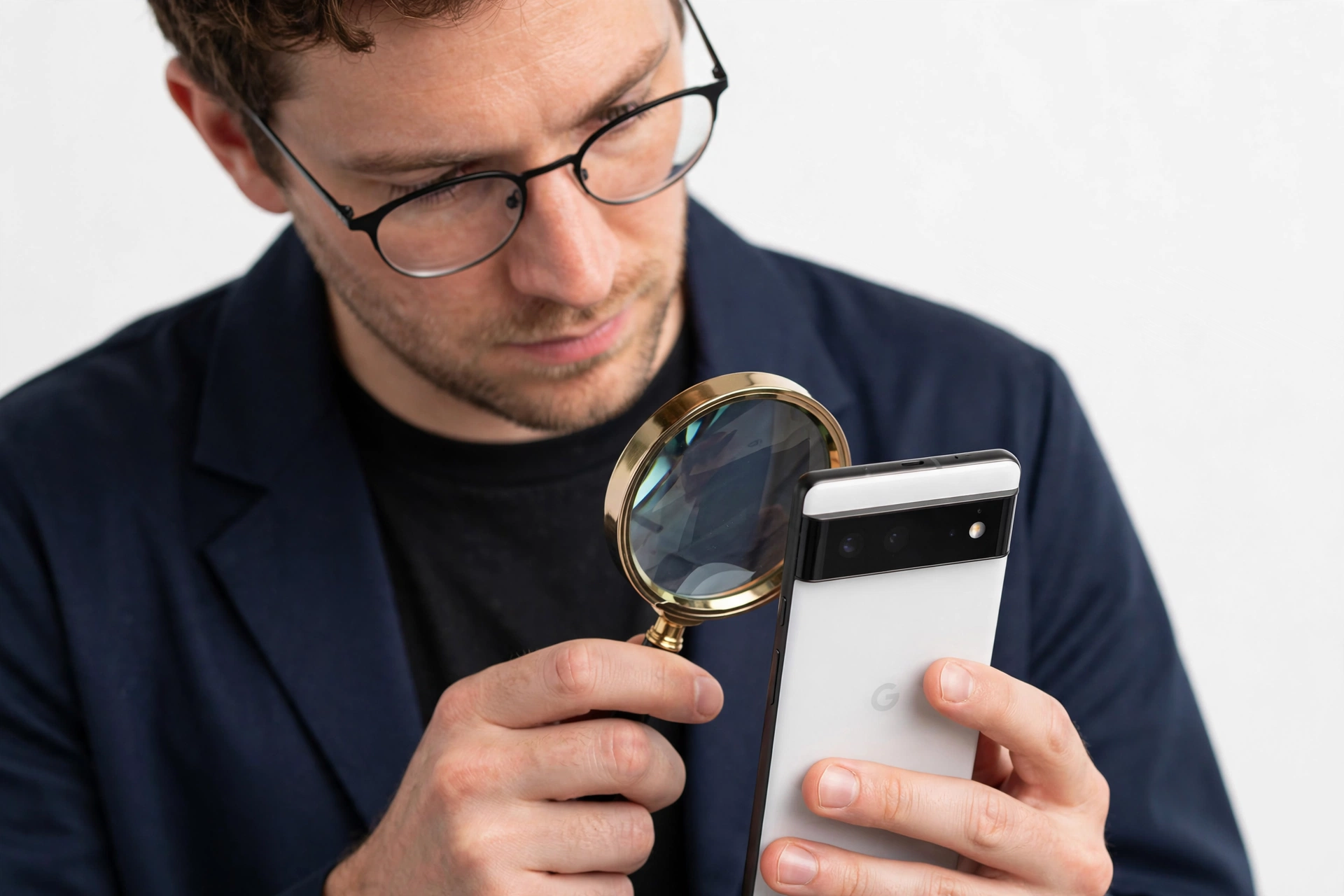
The Google Pixel 10 (announced August 20, 2025; released August 28, 2025) sits in a price band that makes it a tempting target for counterfeiters and mislabeled listings: at a $799 launch price, a fake that looks roughly right can earn a scammer hundreds of dollars per sale. This guide is for anyone buying a Pixel 10 new or used — from a marketplace, a local seller, or an unfamiliar online store — who wants to confirm the phone in their hand is a genuine Google product before handing over money or signing into their Google account. (Source: tomsguide.com)
Google, unlike some other manufacturers, publishes no public IMEI authenticity portal — so no single lookup can certify a phone. Authenticity is established the way investigators work: many independent checks that each probe a different layer (hardware, software, packaging, purchase channel), where passing all of them is what a genuine device does. Counterfeits almost always fail more than one.
This guide is Pixel 10–specific (the base model). If you are evaluating the larger flagship, see our companion Pixel 10 Pro authenticity guide; for older Pixel models, the general check-if-your-Pixel-is-original guide covers the principles that apply across the lineup. (For Samsung buyers, the Samsung authenticity guide and the Galaxy Z Flip 7 authenticity guide cover the equivalent checks on that platform.)
2. The official Pixel 10 specification snapshot — know what “real” looks like
Before any check, memorize the official spec sheet. Fakes routinely betray themselves through invented configurations — a “256GB model with 8GB of RAM,” or a “5G-only variant” that doesn’t exist. The base Pixel 10’s official specifications, from Google’s launch materials and independent spec databases, are:
| Specification | Official value |
|---|---|
| Chipset | Google Tensor G5 (3nm, TSMC) + Titan M2 security coprocessor |
| RAM | 12GB LPDDR5X (no other RAM option exists) |
| Storage | 128GB or 256GB only (non-expandable; no microSD) |
| Display | 6.3-inch Actua OLED, 1080 × 2424, 60–120Hz adaptive (LTPS, not LTPO), Gorilla Glass Victus 2 |
| Rear cameras | 48MP main (f/1.7) + 13MP ultrawide (f/2.2) + 10.8MP telephoto (f/3.1, 5x optical) |
| Front camera | 10.5MP with autofocus |
| Battery / charging | 4,970mAh; ~29W wired, 15W Qi2 wireless (PixelSnap magnetic accessories) |
| Body | 152.8 × 72 × 8.6mm; ~207g; aluminum side rails with satin finish |
| Resistance | IP68 (dust and water) |
| Connectivity | Wi-Fi 7, Bluetooth 6.0, NFC, USB-C 3.2, dual SIM (nano-SIM + eSIM) |
| Security | Ultrasonic in-display fingerprint sensor |
| Software | Android 16 out of the box; 7 years of OS, security, and Pixel Drop updates |
| Colors | Indigo, Frost, Lemongrass, Obsidian |
| Launch price | $799 (128GB) / $899 (256GB) in the US |
| Box contents | Phone + 1-meter USB-C cable only (no charger in the box) |
Quick fact: The triple camera on the base Pixel 10 is new for this generation — for the first time, the non-Pro Pixel gets a 5x telephoto. But note the telephoto is a 10.8MP unit, and the ultrawide is a modest 13MP; the Pro models use a 50MP main and 48MP ultrawide/telephoto. A “Pixel 10” whose camera specs read like the Pro’s — or one missing the telephoto entirely — deserves immediate scrutiny.
3. Check 1: the three-source IMEI and serial cross-match
The IMEI (15 digits) identifies the cellular hardware; the serial number identifies the physical device for warranty purposes. On a Pixel, you can find them three ways:
- Dialer: open the Phone app keypad and type *#06# — the IMEI(s) and EID appear on screen.
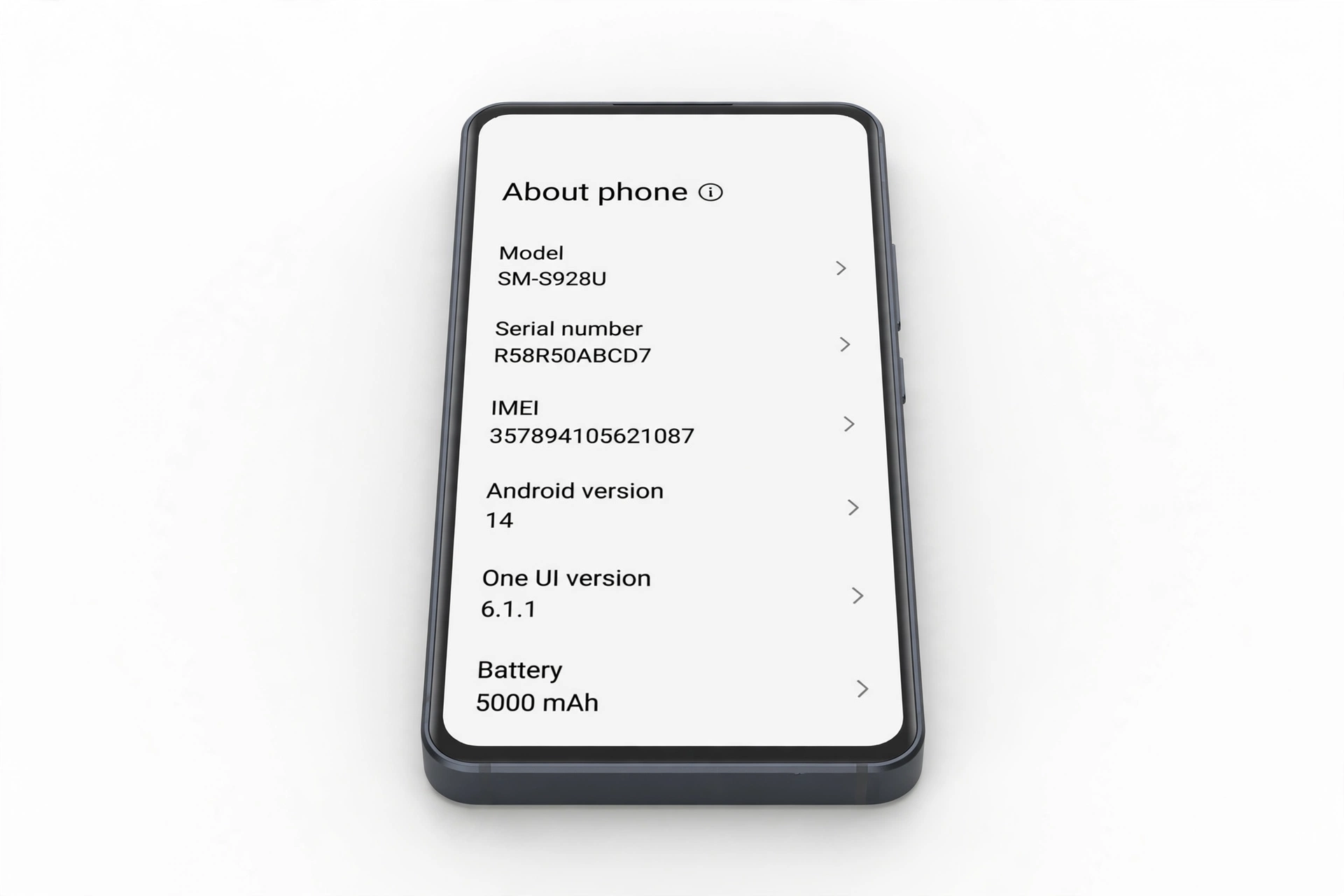
- Settings: go to Settings > About phone > IMEI (the serial number is nearby, often under Settings > About phone > Model).
- The box: the barcode sticker on the back of the retail box lists the IMEI/MEID and serial number.
Dual-SIM Pixels may show IMEI 1 and IMEI 2 (physical SIM and eSIM slots); the second IMEI sometimes appears only after dual SIM is activated. Write down the IMEI from all three sources and compare:
| Result | Interpretation | Next step |
|---|---|---|
| All three match | Phone, software, and box belong together | Proceed to the remaining checks |
| Dialer ≠ Settings | Software was altered (red flag) | Stop — treat as suspect |
| Phone ≠ box | Phone is not the one that came in this box (resold, refurbished, or swapped) | Ask the seller for an explanation; verify warranty separately |
| IMEI blank or “Unknown” | Hardware or deep software problem | Restart and recheck; if it persists, walk away |
Stop for safety: A matching, valid IMEI proves the number is real — not the phone. Sophisticated fakes use IMEI numbers copied from genuine Pixels, so a copied IMEI can pass online IMEI-lookup tools. That is why this guide layers hardware, software, and packaging checks on top of the IMEI. Never treat one passing check as proof.
4. Check 2: the RAM tell — 12GB or nothing
This is the fastest single hardware check for the base Pixel 10, and it catches lazy fakes in under a minute. Google made exactly one RAM configuration for the Pixel 10: 12GB. The Pro models ship with 16GB.
- Go to Settings > About phone (or use a hardware-info app) and read the total RAM.
- 12GB → consistent with a genuine Pixel 10.
- 16GB → the phone is either a Pixel 10 Pro (or another device) being mislabeled, or the software is faking its specs.
- 8GB, 6GB, or any other figure → not a Pixel 10.
Cross-check the storage too: only 128GB and 256GB exist. A “512GB Pixel 10” does not exist — that capacity is Pro-only territory, and a base model claiming it is either mislabeled or counterfeit. Both of these are facts counterfeiters get wrong because they reuse one generic software skin across multiple fake models.
5. Check 3: the camera bar inspection
The Pixel line’s signature horizontal camera bar is a physical signature counterfeiters struggle to reproduce exactly. On the Pixel 10:
- The bar spans the top third of the back and now houses three sensors — a change from the Pixel 9’s two. A “Pixel 10” with only two rear cameras is actually a Pixel 9 in disguise (or a fake).
- Lenses should be cleanly seated behind glass with even spacing; the bar itself is part of the unibody design with a polished finish distinct from the matte back.
- Open the Camera app and cover each lens one at a time: each of the three should produce a distinct live preview (main, ultrawide, 5x telephoto). Zoom to 5x — on a genuine Pixel 10 this engages the dedicated 10.8MP telephoto and stays sharp; a fake relying on digital crop goes visibly mushy.
- The front camera is a 10.5MP autofocus unit in a centered hole-punch. Check that tapping to focus on the front camera actually adjusts focus — fixed-focus fakes can’t do this.
Also weigh the phone if you can: the genuine Pixel 10 is about 207g and 8.6mm thick with aluminum side rails (satin finish). A noticeably lighter or plastic-feeling phone is a red flag.
6. Check 4: Tensor G5 and Titan M2 identification
Every Pixel 10 runs the Google Tensor G5 — Google’s first 3nm chip, made by TSMC — paired with the Titan M2 security coprocessor. This is one of the hardest things for a counterfeiter to fake, because most fakes run budget MediaTek or older Snapdragon chips under a skinned interface.
- Install a hardware-info app (e.g., a device-info or CPU-identification app from the Play Store) and read the SoC. It should report a Google Tensor G5. A MediaTek, Unisoc, or Qualcomm result means the phone is not a Pixel 10, no matter what the outside says.
- The Titan M2 appears in the phone’s security information; its presence is what enables features like the hardware-backed Titan security and secure boot chain described in the next check.
- Check the Android version: a genuine Pixel 10 ships with Android 16 and offers Google’s 7-year update promise (Settings > System > System update should contact Google’s update servers successfully).
Tip: Do this check before signing into anything. A hardware-info app from the Play Store works without a Google account, and you learn the truth about the phone before handing it any credentials.
7. Check 5: Pixel-exclusive software — the counterfeit killer
This is where most fakes collapse. Google’s Pixel software stack includes features and security properties that a skinned counterfeit cannot reproduce:
- Play Protect certification: open the Play Store > profile > Play Protect > settings — a genuine Pixel reports “Device is certified.” Uncertified devices are a major red flag.
- Google’s update path: Settings > System > System update must reach Google’s servers and report the device as a Pixel 10. Fakes often show a generic “your system is up to date” screen that isn’t connected to anything.
- Pixel-exclusive features: try Call Screen (in the Phone app), Magic Cue–style on-device suggestions, and Camera Coach. These are Pixel-only features; their absence on a supposed Pixel 10 is damning.
- Seamless setup: a genuine Pixel 10 greets you with Google’s Pixel setup flow and offers eSIM transfer, Quick Switch cable transfer, and Google One restore. A generic Android setup wizard suggests a skinned fake.
- Gemini integration: the Pixel 10 generation ships with deep Gemini AI integration; its complete absence is suspicious (though regional variation exists — treat absence as one data point, not proof).
8. Check 6: the physical details — finish, buttons, and ports
- Finish: satin-finish aluminum rails, matte glass back, Gorilla Glass Victus 2 on the front and back. The four official colors are Indigo (blue), Frost, Lemongrass, and Obsidian. Colors outside this list — or sloppy paint edges — are red flags.
- Buttons: power and volume on the right side with crisp, even travel. Mushy or uneven buttons suggest a low-quality clone.
- Ports: USB-C 3.2 on the bottom; nano-SIM tray plus eSIM support (no second physical SIM tray, no microSD slot — the Pixel 10 has neither).
- Fingerprint sensor: ultrasonic in-display sensor — test enrollment in Settings > Security. A rear or side-mounted sensor, or a non-functional in-display one, is wrong for this model.
- Google logo: the “G” on the back should be precisely printed, centered, and cleanly finished — not a sticker, not crooked, not smudged.
9. Check 7: packaging and what’s in the box
Google’s retail box for the Pixel 10 contains exactly two things: the phone and a 1-meter USB-C cable. There is no charger in the box — Google stopped including them generations ago.
- A “new” Pixel 10 whose box includes a charger is either not a Google retail unit or the box has been tampered with.
- The box’s barcode sticker must list the same IMEI and serial number as the phone (see Check 1).
- Print quality on the box should be sharp; blurry text, misspellings, or flimsy cardboard are counterfeit hallmarks.
- Google’s packaging uses minimal plastic; excessive plastic wrapping or generic “smartphone” labeling is suspicious.
10. Check 8: where you buy matters — purchase-channel risk
| Channel | Risk level | Notes |
|---|---|---|
| Google Store, authorized carriers, major retailers | Lowest | Full warranty; sealed retail box |
| Reputable refurbished programs (with warranty) | Low | Genuine hardware; verify it’s sold as refurbished, not new |
| Established marketplaces with buyer protection | Medium | Run all 10 checks; prefer sellers with history and returns |
| Classified ads, street vendors, no-return sellers | High | Run every check before paying; meet in a safe public place |
| Deals far below market price | Highest | A $799 phone offered at $300 is not a bargain — it’s a warning |
Price realism is itself a check: at launch the Pixel 10 cost $799/$899. A brand-new unit offered at a small fraction of that is the single most common counterfeit signal across all phone brands.
11. Check 9: distinguishing the base Pixel 10 from its siblings
Not every suspicious phone is a counterfeit — some are genuine Pixels being misrepresented as a different model. The base Pixel 10 vs. the Pro models is the most common mix-up, because the two share the same 6.3-inch size and general design. Use this table:
| Feature | Pixel 10 (base) | Pixel 10 Pro |
|---|---|---|
| RAM | 12GB | 16GB |
| Main camera | 48MP (1/2-inch sensor) | 50MP (larger sensor) |
| Ultrawide | 13MP | 48MP |
| Telephoto | 10.8MP, 5x | 48MP, 5x (larger sensor) |
| Front camera | 10.5MP | 42MP |
| Display refresh | 60–120Hz (LTPS) | 1–120Hz (LTPO) |
| Storage options | 128GB / 256GB | 128GB / 256GB / 512GB / 1TB |
| Battery | 4,970mAh | ~4,870mAh |
| Weight | ~207g | ~204g |
| Colors | Indigo, Frost, Lemongrass, Obsidian | Different palette (e.g., Porcelain, Moonstone, Jade) |
A phone with 16GB of RAM and a 42MP front camera being sold as a “Pixel 10” is most likely a genuine Pixel 10 Pro — which is actually a better phone, but if you’re paying a Pro price for a base label (or vice versa), the deal deserves a second look. A phone matching neither column is not a member of the Pixel 10 family at all.
12. Check 10: the 10-check master worksheet
Run every check and record the result. A genuine Pixel 10 passes all ten; most fakes fail at least two or three.
| # | Check | What it proves | Limitations |
|---|---|---|---|
| 1 | IMEI/serial cross-match (dialer = Settings = box) | Phone, software, and box belong together | Copied genuine IMEIs can pass |
| 2 | RAM = 12GB; storage = 128/256GB | Matches the only official configuration | Software can spoof displayed specs |
| 3 | Triple-camera bar; 5x telephoto works optically | Physical camera hardware is correct | Requires hands-on testing |
| 4 | Tensor G5 + Titan M2 in hardware-info app | Genuine Google silicon inside | Needs a Play Store app install |
| 5 | Play Protect certified; Pixel-exclusive features present | Genuine Pixel software stack | Hardest layer for fakes — strongest signal |
| 6 | Finish, buttons, ports, in-display fingerprint | Build matches Google’s design | Subjective without a reference unit |
| 7 | Box: phone + cable only; IMEI matches | Retail packaging is legitimate | Boxes can be resealed |
| 8 | Purchase channel and price realism | Context supports authenticity | Not a technical proof |
| 9 | Base-vs-Pro differentiation table | Correct model, not a mislabeled sibling | Requires knowing both spec sheets |
| 10 | Carrier/retailer verification of IMEI | Not blacklisted or financed | Checks status, not authenticity per se |
13. Counterfeit vs. refurbished vs. gray-market — know which you’re dealing with
Not every problem phone is a fake. Three different situations need three different responses:
| Situation | Signs | What to do |
|---|---|---|
| Counterfeit | Fails multiple checks above (wrong chip, wrong RAM, uncertified software) | Do not buy; report the listing; never sign into your Google account on it |
| Refurbished sold as new | Passes hardware/software checks but shows wear, non-original box, or an already-expired warranty | Negotiate a refurbished price or walk away; check remaining warranty with the serial number |
| Gray-market import | Genuine hardware, but model variant or charger differs from your region | Confirm band compatibility with your carrier; expect limited local warranty support |
Stop for safety: Never sign into your Google account — or enter banking, email, or payment credentials — on a phone you suspect is counterfeit. Cloned firmware can include keyloggers or credential harvesters. Verify first, sign in second.
14. What to do if your Pixel 10 fails the checks
- Don’t complete the purchase (or start a return immediately if you already bought it).
- Document everything: photos of the phone, box, listing, and the specific checks it failed.
- Report the listing to the marketplace and, for large-scale sellers, to Google’s brand-protection channels.
- If you already paid, use the marketplace’s buyer-protection or your card’s chargeback process — your documented check results are your evidence.
- Never resell a known fake as genuine. Passing a counterfeit to the next buyer can expose you to fraud claims.
If the phone passes every check but you’re still unsure — for example, an unusual regional variant — a phone repair shop can open a diagnostic session and compare against known-good hardware. Las Vegas Phone Repair & Accessories, 7400 Las Vegas Blvd S, Unit TT42, Las Vegas, NV 89123, (424) 406-6202, can assess a device you’re considering buying; hours are 10AM–8PM, call ahead to confirm today’s hours.
15. Hypothetical examples
(The following are hypothetical illustrations, not customer stories.)
Maya’s marketplace “deal”
Maya finds a “brand new Pixel 10” for $350 on a classified ad — less than half the launch price. She meets the seller and runs the checks: *#06# shows an IMEI, but the Settings > About phone screen shows 16GB of RAM, and the Play Store reports the device as uncertified. The camera bar has only two lenses. Three failed checks in five minutes — she walks away, having spent nothing but a little time.
Daniel’s too-good Pixel
Daniel buys a used Pixel 10 from an online marketplace. The IMEI matches the box, and the phone looks right — but the telephoto “5x zoom” is visibly digital mush, and a hardware-info app reports a MediaTek chip instead of the Tensor G5. He photographs the evidence, files a buyer-protection claim citing the specific failed checks, and gets a refund.
16. Frequently asked questions
Does Google have an official website to check if my Pixel is original?
Google publishes no public IMEI authenticity portal the way some other manufacturers do. Authenticity is established through the combined checks in this guide — IMEI cross-matching, hardware identification, software certification, and packaging — not a single lookup. Third-party IMEI lookup services can report model, blacklist, and carrier-lock status, but a copied genuine IMEI can pass those too.
How can I tell a Pixel 10 from a Pixel 10 Pro?
Check the RAM first: 12GB means base Pixel 10, 16GB means Pro. Then compare cameras — the Pro has a 50MP main, 48MP ultrawide, 48MP telephoto, and 42MP front camera, while the base has 48MP/13MP/10.8MP and a 10.5MP front camera. The full comparison is in section 11.
The IMEI lookup says “valid” — does that mean my Pixel 10 is genuine?
No. “Valid” only means the number is structurally real and not blacklisted. Counterfeiters copy IMEIs from genuine phones, so a valid result proves nothing about the physical device in your hand. Continue with the hardware and software checks.
Can a fake Pixel 10 run the Play Store?
Sometimes, but it will typically report as uncertified in Play Protect — and Pixel-exclusive features (Call Screen, Magic Cue, Camera Coach) will be missing. Check Play Store > profile > Play Protect for the certification status.
My Pixel 10’s box has a charger in it. Is that normal?
No. Google’s retail box contains only the phone and a 1-meter USB-C cable. A charger in the box means the box was tampered with or isn’t a genuine Google retail unit.
What colors does the real Pixel 10 come in?
Indigo (blue), Frost, Lemongrass, and Obsidian. A Pixel 10 in any other color is not a genuine Google configuration.
Should I buy a Pixel 10 from a seller who won’t let me run these checks?
No. A legitimate seller has nothing to lose from a two-minute IMEI and RAM check. Refusal is itself a red flag — walk away.
Is a refurbished Pixel 10 a bad purchase?
Not necessarily — a properly refurbished genuine Pixel 10 with a warranty can be good value. The problem is only when refurbished (or gray-market) units are sold as brand-new at new prices. Verify the warranty status with the serial number and pay a refurbished-appropriate price.
Video: How to tell if your smartphone is fake or real
Sources and editorial notes
- Tom’s Guide — Pixel 10 announcement coverage: launch specs including Tensor G5, 12GB RAM, triple camera with 5x telephoto, colors, and pricing.
- Android Headlines — Pixel 10 buyer’s guide: detailed spec table (Tensor G5/TSMC 3nm, Titan M2, 12GB RAM, 128/256GB, 6.3″ Actua display, camera details, 4,970mAh battery, Android 16, 7-year updates).
- GSMArena — Pixel 10 announcement: triple-camera confirmation, Tensor G5, display and charging specs, color options.
- Digital Trends — Pixel 10 overview: key specs table including dimensions, weight, chipset, RAM, storage, cameras, and battery.
- iUnlocker — Pixel IMEI check guide: IMEI/serial lookup methodology, *#06# and Settings paths, dual-SIM IMEI notes (independent service; summarized, not endorsed).
- HardReset.info — Pixel IMEI check methods: *#06#, Settings, and box-label methods for finding IMEI and serial numbers.
- SolveYourTech — Pixel IMEI/EID/serial guide: which number to use for carriers vs. warranty, mismatch troubleshooting.
Last source check: October 14, 2026. AI-assisted editorial guide, checked against the linked manufacturer information and independent spec databases. Specifications reflect Google’s launch materials as reported; regional variants may differ slightly. This guide does not replace Google’s official support channels for warranty or repair questions.
Let’s get you connected again.
Tell us what’s happening with your device and we’ll help you decide the safest next step — no jargon, no pressure.
Las Vegas Phone Repair & Accessories · 7400 Las Vegas Blvd S, Unit TT42, Las Vegas, NV 89123
10:00 AM–8:00 PM — call ahead to confirm today’s hours