
iPhone Not Charging: Safe Checks and Repair Decisions
If your iPhone is not charging, start by checking for liquid, unusual heat, swelling or physical damage. Stop charging when those warning signs are present. For an otherwise dry, intact phone, check a compatible cable, adapter and outlet one at a time, then follow Apple’s current model-specific guidance. A charging symptom alone does not establish that the battery or charging port needs replacement.
On this page
For local service, see our iPhone repair information and confirm exact-model support before arranging a visit.
First describe what “not charging” means
A phone that remains completely black presents a different problem from a phone that shows a charging symbol but gains little charge. Another phone may work normally all day and stop at a particular percentage while connected overnight. Treating these situations as the same fault can lead to unnecessary accessory purchases or a repair request aimed at the wrong component.
Before changing anything, write down the behavior you can actually see. Does the screen turn on? Is there a battery icon, an accessory warning or a liquid warning? Does the percentage increase at all? Does the phone disconnect when it is resting untouched, or only when someone handles it? Record the last time it charged normally and whether the problem began after a drop, spill, cable change or software update.
Keep observations separate from conclusions. “The cable connects loosely and charging stops when the phone moves” is useful. “The port is definitely broken” is an unconfirmed diagnosis. “The screen stays black, but the phone rings” is especially helpful because a working phone with a display problem can look like a completely dead device.
| Observed behavior | Useful distinction | Next decision |
|---|---|---|
| No visible response | Power, display and charging have not yet been separated | Record sounds or other normal signs without repeated charging attempts |
| Symbol appears; percentage barely changes | A connection indication does not identify the underlying cause | Record workload and accessory details |
| Charging pauses at a repeatable level | A setting or temperature condition may be involved | Read the on-screen message and current model guidance |
| Liquid or heat warning | Routine accessory testing is inappropriate | Disconnect and follow safety guidance |
| Charging depends on cable position | An intermittent physical connection needs assessment | Stop forcing the connector and request inspection |
When to stop immediately
Inspect the exterior without pressing, bending or opening it. A lifting screen, distorted enclosure, unusual odor, visible connector damage or abnormal heat changes the decision. Do not attempt to flatten a lifted screen or secure it with tight tape. Do not press on the phone to see whether it reconnects. An accessory check is only reasonable when both the device and charging equipment appear safe to use.
If the phone has been immersed, is visibly wet or may contain liquid internally, do not use charging as a diagnostic experiment. An absent liquid alert does not prove the device is safe. The alert concerns a detectable condition in the connector or accessory; it is not a complete inspection of the phone. Describe the exposure to a repair provider before asking for ordinary charging tests.
Apple’s liquid-alert guidance says to disconnect a wet connector and avoid external heat, compressed air, rice and objects inserted into the port. Follow that official guidance for the alert itself. Seek individual advice for immersion, damage or persistent symptoms rather than treating a drying interval as a guarantee that internal components are unharmed.
A hot charger, bent plug, split cable or exposed wiring should also leave the test sequence. Stop using it; do not hold damaged insulation in place or substitute a questionable adapter simply because it fits. If there is smoke or an immediate fire hazard, move away and contact emergency services. The purpose of this guide is to reduce unnecessary experiments, including experiments that seem convenient when the battery is almost empty.
Identify the model and charging equipment
Find the exact model name in Settings if the phone is usable, or use purchase records or original packaging. Do not publish a serial number or account information in a comment. A repair enquiry normally starts with the model name, symptom and damage history. A provider can explain privately if additional identification is necessary.
Record whether the connection uses Lightning or USB-C. Describe the cable ends, adapter and any hub, extension or dock in between. A cable that transfers files in one setting is not, by itself, proof that every component in a different charging arrangement is working correctly. Likewise, a familiar accessory is not automatically a known-good accessory if nobody has recently confirmed its condition.
For a first comparison, simplify the arrangement to a compatible, undamaged cable and adapter connected directly to a suitable wall outlet. Avoid changing several components simultaneously. If the phone begins responding after a completely different setup is connected, that is encouraging but leaves uncertainty about which part of the old setup was responsible.
Model identification also prevents restart instructions from being misapplied. Different generations use different button combinations. Refer to Apple’s instructions for the actual model rather than repeating a combination from a video for another iPhone. A button sequence is not permission to proceed with a damaged or wet phone.
A limited external check sequence
Use this sequence only for a dry, intact phone without a safety warning. Start with the simplest external variable and stop when you have a useful result. You do not need to exhaust every possible experiment before contacting a repair provider.
- Check the outlet and visible connections. Confirm that plugs are seated normally and the setup is appropriate for the phone. Do not force a connector that resists or feels damaged.
- Compare one compatible, undamaged accessory at a time. Keep a note of whether the cable, adapter or outlet changed. Avoid using a collection of unverified spare cables as evidence that the phone must be defective.
- Observe the phone while it rests. Note the displayed message and percentage, if available. Do not bend the cable to obtain a momentary charging symbol.
- Use the official model-specific sequence. Apple’s charging page includes observation intervals and restart guidance. Follow it directly for an intact device instead of repeating restarts indefinitely.
- Stop when the symptom persists or becomes unsafe. Keep your notes and request assessment. A limited, clearly recorded test is more useful than an afternoon of uncontrolled changes.
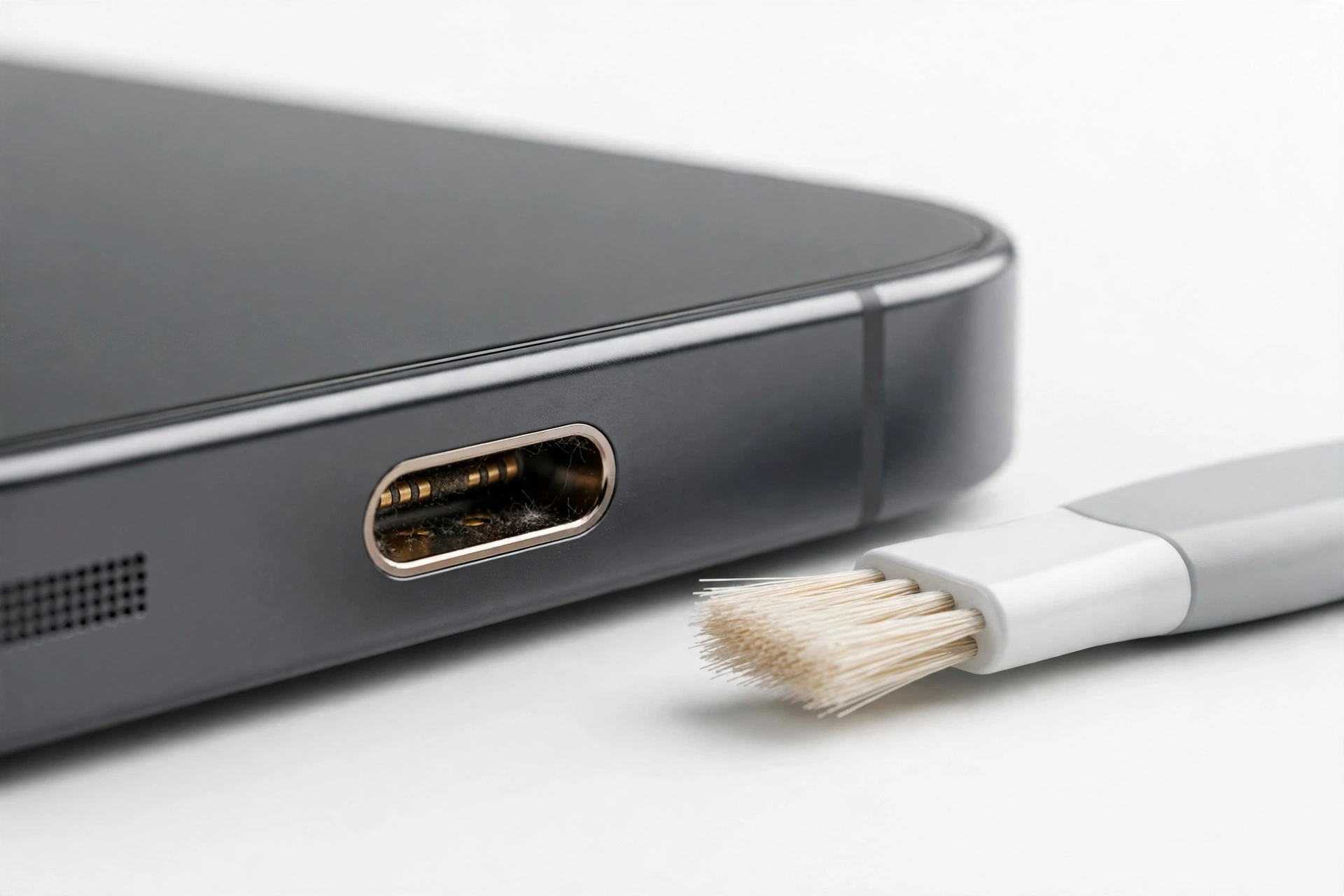
The connector can be viewed with ordinary lighting, but this guide does not recommend inserting a pick, pin, brush, paper or liquid. If debris appears present, ask a provider how they assess it safely. A search result that promises an instant cleaning trick does not establish that the connector is undamaged or that its instructions fit your model.
Apple’s current charging troubleshooting page is the source for its model-specific sequence, charging pauses and accessory alerts. The observations and worksheets in this article are an editorial framework for deciding what to report; they are not a replacement for manufacturer instructions.
Read the message before replacing a part
An alert is often more informative than the percentage alone. Copy its wording into a private note or photograph it from another device. Record whether it appeared immediately after connection or only later. If the message disappears, your note still gives the provider a concrete starting point.
A pause at a particular percentage can have a different explanation from a complete failure to recognize charging equipment. Check what the phone says and consult the current guidance for its model and software version. Do not disable protections repeatedly in an attempt to force a higher reading, and do not judge a battery solely by one overnight charging outcome.
If an accessory warning appears with one specific cable, that pattern is useful. It does not prove the phone has no fault, but it gives the provider a more focused question than “nothing works.” If the warning appears across suitable equipment, record that carefully and stop buying replacements without a plan.
Similarly, a low battery symbol on an otherwise unresponsive screen should be recorded as a visible response, rather than described as no response at all. If the phone rings or vibrates while its display stays black, include that detail. For a separate touch or display symptom, use our iPhone screen troubleshooting guide to help describe it.
Slow charging, falling percentage and daily workload
“It charges slowly” needs a reference point. Describe how the phone was used during the observation: screen off, navigation running, a video call in progress or another activity. Record whether the same setup behaved differently before. A single reading during a demanding task cannot tell you how the phone behaves while resting.
Do not run a stress test to reproduce a problem. You can usually describe ordinary usage without deliberately increasing heat or draining the remaining charge. If the phone is needed for travel, account access or a medical appointment, preserving its available charge may be more valuable than collecting another comparison.
Battery runtime and accepting charge are related but distinct questions. A phone may charge and then run down earlier than the owner expects. Another may have adequate daily runtime but lose connection at the cable. Our battery replacement decision guide covers runtime and battery-assessment questions. Keep the charging enquiry focused on how power is accepted and what evidence supports a proposed repair.
If a provider proposes a battery replacement for a charging complaint, ask what observations connect that recommendation to your symptom. If a connector repair is proposed, ask whether the assessment also considered the accessories you used and the device’s history. These questions clarify the reasoning without pretending that a customer can diagnose internal circuitry from a screen icon.
Make a useful charging symptom record
A short record can replace a long, uncertain conversation. It should identify the device, describe the original symptom and list the safe comparisons already completed. Keep the record factual and compact. Do not include passwords, account recovery codes, payment details or screenshots of private messages.
| Field | What to record | Why it helps |
|---|---|---|
| Device | Exact iPhone model; connector type | Matches instructions and service availability |
| Start of problem | Approximate date; drop, spill or equipment change | Preserves the timeline |
| Visible response | Screen, icon, percentage and exact warning | Separates observed symptoms |
| Accessory comparison | One changed variable and its result | Avoids unclear “tried everything” reports |
| Practical priority | Data preservation, travel deadline or reliable daily use | Clarifies the decision you need |
For example: “The phone stopped recognizing my normal cable yesterday. No liquid exposure is known. A compatible replacement cable produced the same message with the original adapter. I have not opened or cleaned the connector. My priority is preserving the data.” This is an illustrative report, not a customer case or a diagnosis.
If you cannot perform a comparison safely, write “not tested.” That is a valid result. Uncertainty is more useful than inventing a successful test or repeatedly trying to produce one.
What professional assessment should clarify
Ask the provider to explain the scope of assessment before authorizing work. A charging complaint may need the accessory, connector, battery, display or another internal issue considered. The appropriate next step depends on the actual device condition. This article does not claim that one component is always the cause or that one repair will recover an unresponsive phone.
Clarify whether an initial fee applies, what that fee includes and whether it is credited toward an approved repair. Ask what happens if assessment finds a different issue, if a suitable part is unavailable or if the phone cannot be repaired economically. An estimate should describe the proposed work instead of naming a part without explaining the goal.
Separate permission to inspect from permission to erase, restore, replace a board or proceed beyond an agreed cost. If the data is especially important, say so before handing over the device. Ask how the provider will contact you if a new decision is required. A note such as “please discuss any step that may affect stored data before proceeding” makes the boundary clearer.
A useful explanation also includes uncertainty. Some symptoms cannot be fully resolved through an external check. A provider should be able to distinguish an initial suspicion from a confirmed finding and explain how that affects the quote. Do not interpret a preliminary enquiry as a guarantee that a particular part is in stock or that work will be completed the same day.
Ask for a decision, not a guess
Three different answers may follow an assessment: the original equipment needs attention, the device needs an identified repair, or the evidence is still inconclusive. Ask which answer currently applies and what would change it. A recommendation for more assessment should explain the next decision and its cost rather than implying that every possible repair is already approved.
Consider two hypothetical enquiries. One owner needs a reliable charging connection for work and has a recent backup. Another has an unresponsive device containing unbacked-up photographs and cares more about data preservation than restoring normal use quickly. Even if their screens look similar, their approval limits and priorities differ. State your own priority clearly; a repair quote should be evaluated against that goal.
Compare repair proposals by scope
Compare written totals for the same task. A quote for an accessory replacement is different from a quote for connector work, battery work or further diagnosis. A low advertised number is not a meaningful comparison if it excludes labor, assessment, required parts or charges that appear later.
Ask which model the proposal covers, what part or procedure is included, whether the cost may change after assessment and what requires further approval. Ask about the provider’s coverage terms in writing, including exclusions and the process for reporting a recurring symptom. Do not assume every charging complaint receives the same warranty or that coverage applies to unrelated damage.
Turnaround should also be specific to the proposed work and part availability. “Can you inspect it today?” and “When could approved work be finished?” are separate questions. If you have a flight, work shift or appointment, give the actual deadline and ask whether the provider can reasonably accommodate it. A request is not a confirmed completion promise.
For a local enquiry, the iPhone repair page is a starting point. Las Vegas Phone Repair & Accessories is at 7400 Las Vegas Blvd S, Unit TT42, Las Vegas, NV 89123. Call (424) 406-6202 to confirm model support, assessment availability and current hours before traveling. No fixed charging-repair price or turnaround is asserted here.
Protect access while the phone is unavailable
Charging problems can become account-access problems when the remaining battery runs out. If the device is safe and usable, consider which essential tasks depend on it. Confirm that you have an established way to access important accounts from a trusted alternative device. Avoid moving accounts through unfamiliar websites or sharing recovery codes with someone offering repair help.
Check the status of an existing backup rather than assuming it is current. A backup made before recent photographs or work files were created may not contain them. If the phone is unsafe or will not respond, do not keep powering it merely to chase a backup. Tell the provider what data matters and what backup information you know.
Before an intake, photograph visible exterior damage from another device if practical. Note the accessories you are leaving with the phone and keep a copy of the agreed work. Our repair preparation guide covers the wider handover checklist. Treat account passwords and two-factor codes as private throughout the process.
Plan for ordinary life without the phone as well. Write down the shop’s contact number, arrange another contact method and clarify how collection will work. If a provider needs to discuss a changed estimate, the contact route must remain usable while your phone is with them.
Collection checks and recurring symptoms
Before leaving after approved work, ask what was done and which symptom was checked. Compare that explanation with the original intake record. If you reported intermittent charging while the phone rested, a brief charging icon alone does not describe the same outcome. Ask how the provider assessed the reported behavior and what limitations remain.
Use compatible, undamaged equipment for any demonstration the provider recommends. Do not deliberately wiggle the connector, press the enclosure or repeat a hazardous condition to prove that a repair worked. Confirm that the phone responds normally within the agreed scope and that any accessories returned to you are the ones listed at intake.
Keep the receipt, work description and coverage terms. If the symptom returns, record when it happened and whether the setup changed. Contact the provider promptly with those facts. A new cable problem, new damage or a different symptom may require a different assessment; avoid assuming every later charging issue has the same cause.
Video: 20 iPhone battery saving tips you need right now

Frequently asked questions
Does no charging symbol mean the battery is dead?
No. It describes what is visible, not which component failed. A black display, unrecognized accessory or other problem can complicate the observation. Record whether the phone produces any normal sound or response, and request assessment when limited safe checks do not resolve it.
Should I replace the charging port first?
Not solely because the phone is not charging. Ask what evidence supports connector work for your particular device. Accessories, damage history and other symptoms belong in the assessment before a repair scope is chosen.
Can I use wireless charging as proof that the phone is safe?
No. It is not a safety inspection or a complete diagnostic conclusion. Do not charge a phone with suspected internal liquid damage, swelling or abnormal heat through any method. Explain the condition and seek individual guidance.
Should I erase the iPhone to fix charging?
Erasing is not a routine first external check. It may remove data without answering whether the charging equipment or hardware is responsible. Discuss any proposed destructive software step, its purpose and your backup status before authorizing it.
What should I bring to a repair enquiry?
Bring the exact model information, symptom record and details of the accessories involved. Ask whether the provider wants the charger itself. Confirm any fee and appointment arrangements first, and keep private account information out of ordinary enquiry messages.
Editorial note: Manufacturer references checked October 9, 2026. This is general repair education with an original intake framework, not a report of hands-on testing or a device-specific diagnosis. Model instructions, parts availability and service terms should be confirmed for your situation.
Let’s get you connected again.
Tell us what’s happening with your device and we’ll help you decide the safest next step — no jargon, no pressure.
Las Vegas Phone Repair & Accessories · 7400 Las Vegas Blvd S, Unit TT42, Las Vegas, NV 89123
10:00 AM–8:00 PM — call ahead to confirm today’s hours
3 thoughts on “iPhone Not Charging: Safe Checks and Repair Decisions”