
iPhone Overheating: Safe Checks, Temperature Warnings and Repair Decisions
If your iPhone feels unusually hot, move it out of heat and direct sunlight, stop charging it, and give it time to cool down before you keep using it. Some warmth during setup, software updates, or demanding apps is normal and expected, but a temperature warning screen, a charging pause caused by heat, or a phone that stays hot for no clear reason deserves a closer look — and heat combined with swelling or a distorted frame means you should stop using the device and have it assessed.
On this page
If your iPhone feels unusually hot, move it out of heat and direct sunlight, stop charging it, and give it time to cool down before you keep using it.
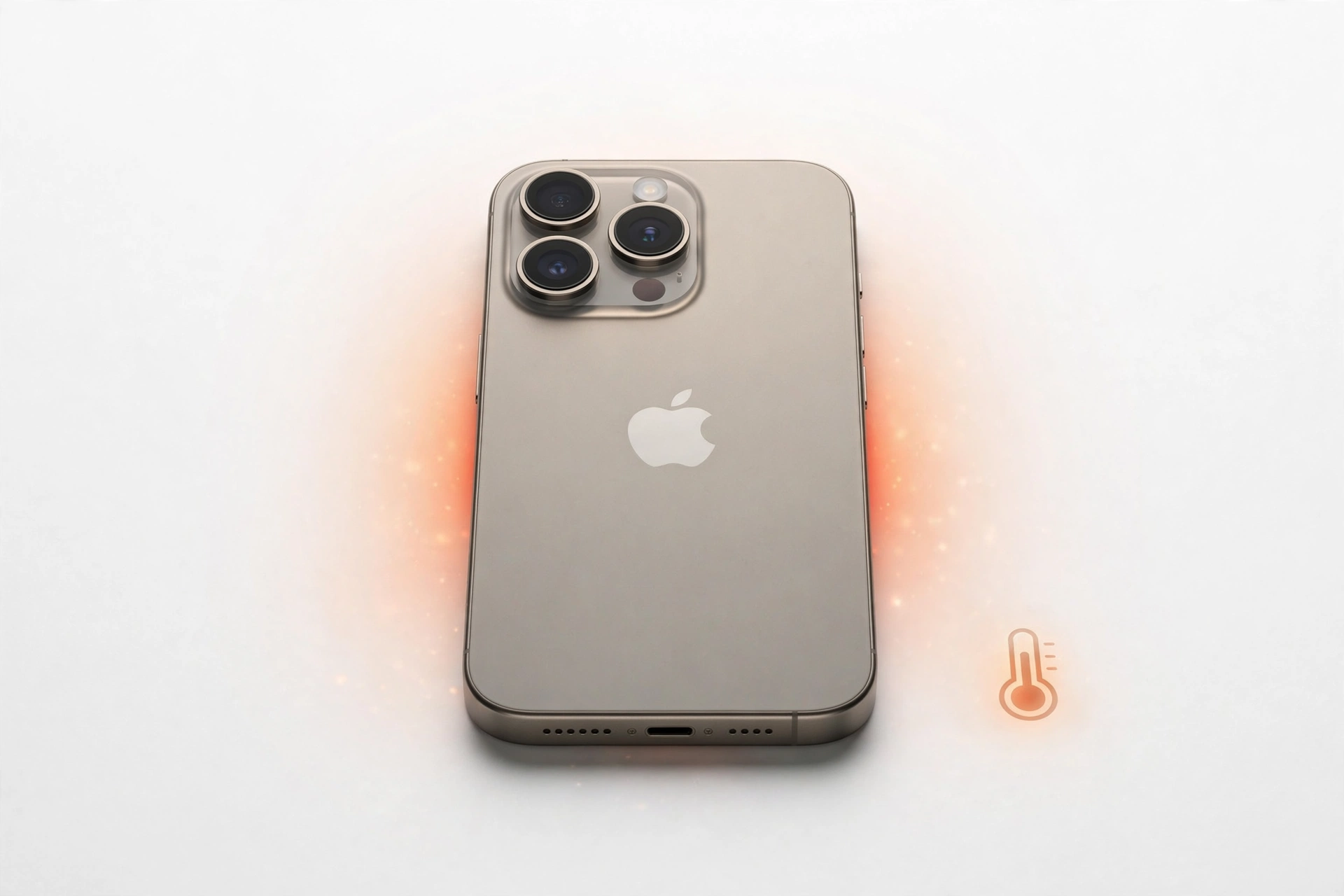
This guide is for iPhone owners who have noticed their phone running hot and want to know whether it is normal, what Apple’s own guidance says, and how to decide what to do next. It explains the difference between everyday warmth and genuine overheating, walks through every temperature-related message your iPhone can show, gives you a safe sequence of steps to follow, and covers the realities of heat in Las Vegas — where summer conditions routinely push past what a phone is designed to handle. It also helps you tell what your observations can and cannot prove, so you do not jump to conclusions about batteries or repairs before the facts are in.
Everything about Apple’s temperature behavior in this article is checked against Apple’s published support information. The checklists, comparisons, and examples are original editorial material written to help you make safe decisions. This guide cannot diagnose your individual phone; it can help you respond sensibly and decide when a professional assessment is the right move. For broader iPhone help, see our iPhone repair services page.
Is Some Warmth Normal? Telling Everyday Heat From Overheating
Yes — iPhones genuinely do get warm during ordinary use, and Apple documents the situations where you should expect it. Your phone may feel noticeably warmer when you are setting it up for the first time, restoring it from a backup, or completing a software update, particularly a major release. Wireless charging warms the phone more than cable charging does. Graphics-intensive and processor-intensive apps warm it too, including games and camera apps, as does streaming high-quality video. These conditions are normal. The device cools down when the process completes or when you finish the activity, and if no temperature warning appears, Apple says you can keep using your device. (Source: support.apple.com)
That reassurance has limits, and knowing where they are is the whole point of this guide. Normal warmth is tied to something the phone is actively doing, it builds gradually, and it fades when the activity stops. Overheating is different: the phone may show a temperature warning screen, dim or black out its display, slow or stop charging, weaken its cellular signal, or disable the camera flash — all protective responses to an interior temperature outside the normal range. Heat that appears while the phone sits idle with nothing running, heat that does not fade after the activity ends, and heat paired with physical changes to the device are not in the “normal warmth” category.
Why iPhones get warm in the first place
Heat is a byproduct of work. The processor, the cellular and Wi-Fi radios, and the charging circuitry all generate heat when they are active, and an iPhone is a thin, sealed slab of glass and metal with very little room to shed that heat. Demanding tasks — a long video call, navigation with the screen on, a graphically rich game — ask the processor to sustain high output, and the phone warms up the way a laptop does under load. Charging adds its own heat on top, which is why a phone can feel warmest when you are using it heavily while it charges. None of this is a defect; it is physics. The question is never “is my phone warm,” but “is this warmth proportionate to what the phone is doing, and does it go away?”
Apple’s Temperature Ranges and Built-in Protections
Apple publishes specific numbers, and they are worth knowing because they draw a bright line between safe conditions and risky ones. iPhone is designed for use where the ambient temperature — the temperature of the air around the phone — is between 0º and 35ºC (32º to 95ºF). For storage, such as a phone sitting unused in a bag or drawer, the safe range is wider: -20º to 45ºC (-4º to 113ºF). Apple explicitly warns against leaving your device in a car, because temperatures inside parked cars can exceed even the storage range.
Low- or high-temperature conditions can cause the device to change its behavior to regulate its temperature, and using an iPhone in very hot conditions can permanently shorten battery life. That last point matters: heat is not only a comfort issue, it can have a lasting effect on the battery even when nothing seems broken in the moment.
When the interior temperature of the device exceeds the normal operating range, the phone protects its internal components by attempting to regulate its temperature. You may notice several changes, and recognizing them as deliberate protections — not random glitches — helps you respond correctly:
| What you may notice | What is happening | What it means for you |
|---|---|---|
| Charging slows or stops, including wireless charging | The phone limits charging heat while already hot | Unplug the charger and let the phone cool; charging resumes when safe |
| The display dims or goes black | The screen, a major heat source, is throttled or switched off | Move the phone to shade and reduce what it is doing |
| Cellular signal weakens | Radios enter a low-power state | Calls and data may suffer until the phone cools |
| Camera flash or camera features temporarily disabled | High-drain features are paused | Wait for the phone to cool before relying on the camera |
| Reduced performance, lower frame rates, longer processing times in some apps | Processor output is limited to cut heat generation | Close demanding apps and give the phone a rest |
These protections manage the symptom, not the cause. A phone that repeatedly triggers them is telling you something about its environment or its condition, and the right response is to change the conditions — or, if the conditions are already reasonable, to have the phone assessed rather than continuing to push through the warnings.
Activities Apple says to avoid in heat
Apple specifically advises avoiding certain conditions and activities because they can change how the device performs: leaving the phone in a car on a hot day, leaving it in direct sunlight for an extended period, and using demanding features in hot conditions or direct sunlight for a long time — with GPS tracking or navigation in a car, playing a graphics-intensive game, and extended camera use given as examples. If your routine includes any of these, that is the first place to look when your phone runs hot.
Every Temperature Warning Message, Explained
Your iPhone communicates heat problems in a few distinct ways. Each message means something slightly different, and each calls for a slightly different response. Here is what they all mean in plain language.
The temperature warning screen
If the phone’s interior temperature passes a certain threshold, the normal screen is replaced by a temperature warning screen telling you the iPhone needs to cool down before you can use it. This is the most serious of the heat messages: the phone has decided conditions are outside what it can safely operate in. Apple notes that an iPhone showing this message may still be able to make emergency calls. To resume use as quickly as possible, Apple advises three steps: turn off the device, move it to a cooler environment away from direct sunlight, and allow it to cool down. Do not try to rush this by putting the phone in a freezer or running cold water over it — sudden, extreme cooling can cause condensation inside the device, which creates a new problem on top of the heat. Room-temperature shade and patience are the safe approach.
The navigation cooldown alert
If you are using GPS navigation and the phone overheats, you may see an alert stating that the iPhone needs to cool down, and the display turns off. This is alarming mid-drive, but it is worth knowing what continues to work: navigation keeps providing audible turn-by-turn directions, and as you approach a turn, the display briefly illuminates to guide you through it. The practical takeaway is to get the phone out of direct sun — off the sun-baked dashboard mount if you can do so safely — and let the reduced screen load bring the temperature down. If this happens to you regularly on a particular route or mount, the mount’s position in direct sunlight is the likely culprit rather than the phone itself.
“Charging On Hold” on the Lock Screen
A Lock Screen message reading Charging On Hold. Charging will resume when [device] returns to normal temperature means the phone is temporarily too hot — or too cold — to charge safely, so it has paused charging on its own. This is a protective pause, not a charger failure. Unplug the cable or lift the phone off the wireless charger, move the phone somewhere cooler, and wait. Charging should resume by itself once the temperature returns to the normal range. If you see this message often, or if charging problems persist even when the phone is cool, work through our iPhone not charging safe checks guide, which covers the broader set of charging causes beyond temperature.
“Restore Paused” during an iCloud restore
If the phone exceeds the temperature threshold while restoring from an iCloud backup, the restore may pause and show a message along the lines of Restore Paused. Restoring from iCloud will resume when this [device] cools down. Restoring is one of the most processor-intensive things a phone does, so heat during a restore is common — especially if the phone is also sitting in a warm room or in sunlight. The pause exists to keep the device within an acceptable operating temperature, and the restore resumes on its own once the phone cools. You do not need to restart the restore or intervene; just make sure the phone is in a cool, ventilated spot and let it finish.
Very hot with no message at all
The absence of a warning does not automatically mean everything is fine. Apple’s guidance says you can keep using the device if no temperature warning appears, and that is true for warmth tied to a clear activity. But a phone that is very hot to the touch while idle, or heat that lingers long after you stop using it, deserves attention even without a message on screen. Note the pattern — when it happens, what the phone was doing, how long the heat lasts — because that pattern is exactly what an assessment will need.
Safe Immediate Steps, In Order
When your iPhone is running hot, work through these steps in order. Each one removes a source of heat or gives the phone a better chance to shed it.
1. Get it out of the heat. Move the phone out of direct sunlight, off the hot dashboard, out of the parked car. Shade at room temperature is the goal. Do not leave it sitting on a warm surface like a sunny windowsill or the top of a running appliance.
2. Stop charging it. Unplug the cable or take it off the wireless charger. Charging generates heat, and a hot phone does not need more. Never charge a phone that is dangerously hot — if it is too hot to hold comfortably or the frame looks swollen or distorted, do not plug it in at all.
3. Lighten the workload. Close the demanding app — the game, the video stream, the navigation session, the camera. If a software update or restore is running, let it finish in a cool spot rather than interrupting it, but do not start new intensive tasks. You can also dim the screen, since the display is a significant heat source.
4. Take the case off. A thick case insulates the phone and slows heat dissipation. Removing it for a while is safe and often makes a noticeable difference.
5. If a temperature warning is showing, turn the phone off. Powering down stops nearly all heat generation. Move the powered-off phone somewhere cool and shaded and leave it alone until it returns to a normal temperature.
6. Cool it gradually — never rapidly. Let the phone come down to room temperature on its own. Do not put it in a freezer or refrigerator, do not run it under cold water, and do not press ice against it. Rapid cooling can cause condensation to form inside the phone, and water inside the phone is far worse than the heat you started with.
7. Wait before charging or heavy use. Give the phone time at a normal temperature before you plug it back in or launch into another demanding session. If a “Charging On Hold” message was showing, it should clear on its own once the temperature normalizes.
8. Watch what happens next. If the phone cools down and behaves normally afterward, the episode was almost certainly environmental — heat, sun, workload, or a combination. If it stays hot at room temperature with nothing running, or the heat comes back quickly during light use, stop troubleshooting and arrange an assessment instead of repeating the cycle.
Heat in Las Vegas: Cars, Sunlight, and Outdoor Days
Las Vegas adds a wrinkle that owners in milder climates never face: for much of the summer, the outdoor air itself is hotter than the top of the iPhone’s designed operating range. On those days the phone starts at a disadvantage before you even pick it up, and the usual heat traps become genuinely risky rather than merely uncomfortable.
The biggest one is the car. Apple warns against leaving a device in a car because temperatures in parked cars can exceed the safe range — and in a Las Vegas summer, a parked car’s interior climbs far past it. A phone left on a seat or in a cupholder while you run errands can easily cross into warning-screen territory. Take the phone with you, even for short stops. The dashboard phone mount is the second trap: it holds the phone in direct sun, often while running navigation — one of the exact activities Apple flags — with the screen on full brightness. If your mount sits in the sun path, consider moving it to a shaded vent position, lowering screen brightness, or downloading directions for offline use so the phone works less hard.
Outdoor routines matter too. A phone face-down on a poolside table, on a patio ledge, or in a beach-style bag in full sun absorbs heat fast, and cases in dark colors absorb more. If you are out for hours, keep the phone in a shaded pocket or bag rather than out on a table, and avoid long camera sessions in direct sun — extended camera use in heat is another specifically flagged activity. None of this requires local statistics to understand: when the air around the phone is already near or above its designed limit, every additional heat source counts double.
One more local habit worth breaking: charging the phone on a sunny windowsill or in a hot garage. Wireless chargers add their own warmth, and a warm room plus a warm charger plus a warm phone is a reliable recipe for a “Charging On Hold” pause. Charge on a shaded, room-temperature surface and the phone will thank you.
Symptom Comparison: Normal Warmth, Investigate, or Stop
Use this table to sort what you are seeing. Find the row closest to your situation and follow the suggested next step.
| What you notice | What it usually means | Sensible next step |
|---|---|---|
| Warm during first-time setup, restore, or a software update | Normal — Apple lists these as expected warm activities | Let it finish in a cool, shaded spot; no action needed |
| Warm while gaming, streaming video, or using the camera | Normal processor and screen heat under load | Pause the activity and let the phone cool |
| Slightly warm on a wireless charger | Normal — wireless charging generates extra heat | Normal; move to a cooler spot if it feels very warm |
| Temperature warning screen appears | Interior temperature past the safe threshold | Turn the phone off, move it to shade, let it cool fully |
| “Charging On Hold” message on the Lock Screen | Too hot or cold to charge safely; charging paused itself | Unplug, cool the phone, retry when cool; see the charging guide if it persists |
| Display dims or goes black in the heat | Built-in protection throttling a heat source | Get the phone into shade and reduce its workload |
| Hot while idle with nothing running, and it stays hot | Worth investigating — no normal cause is apparent | Note the pattern; check for a background update or restore; arrange an assessment if it continues |
| Heat plus fast battery drain or unexpected shutdowns | Possibly battery-related, but not proven by heat alone | Read the battery guide below; consider a battery assessment |
| Heat plus swelling, a lifting screen, or a distorted frame | Safety issue — stop | Do not charge or use; keep away from heat and get assessed promptly |
| Phone runs hot after possible liquid exposure | Stop — charging a wet phone is unsafe | Do not charge; follow the liquid-alert steps instead |
What Warmth Can and Cannot Tell You
It is tempting to read a hot phone like a diagnostic readout, but observations have strict limits, and respecting them keeps you from spending money on the wrong fix.
What your observations can establish: the pattern matters more than any single episode. Heat that always follows the same activity — say, twenty minutes of navigation on a dashboard mount — points at environment and workload. Heat at idle with nothing running, heat that does not fade at room temperature, and heat that triggers warning screens repeatedly are all meaningful patterns that an assessment can work with. You can also establish what does not help: if the phone cools normally once it is out of the sun, the environment was the cause.
What your observations cannot establish: warmth alone does not prove the battery is failing, does not prove you need a battery replacement, and does not prove water damage. A hot phone with poor battery life might have a worn battery — or it might have a runaway background process, a failing charge controller, or simply a summer’s worth of dashboard navigation. Only testing can separate those. Likewise, the absence of a warning screen does not prove the phone is healthy if the heat pattern is genuinely abnormal, and the presence of a warning does not prove the phone is damaged — it proves the phone got too hot, which most often traces back to conditions, not components. If heat arrives together with classic battery symptoms such as rapid draining or unexpected shutdowns, our iPhone battery replacement guide explains how battery diagnosis actually works and what to ask before approving that specific repair.
When to Stop Troubleshooting
Safe self-help has a boundary. Stop and arrange a professional assessment if any of the following are true: the temperature warning screen appears repeatedly even in reasonable conditions; the phone will not cool down to a normal temperature at room temperature with nothing running; the frame is swelling, the screen is lifting, or the phone looks or smells unusual; the phone gets very hot while idle for no apparent reason; heat follows a drop or possible liquid exposure; or you simply feel unsafe continuing. Do not repeatedly reproduce the symptom to “test” whether it still happens — each overheating episode stresses the battery and components, and deliberate repetition has no diagnostic value you cannot get from describing the pattern. If the phone was exposed to liquid and now runs hot, do not charge it at all; follow our iPhone liquid alert next steps guide instead, since that situation has its own safety rules.
Two Hypothetical Examples
These invented scenarios show how the guidance above plays out in real routines. They are illustrations, not reports of actual repairs.
Hypothetical example: Maya drives across town on a July afternoon with her iPhone in a dashboard mount running navigation in direct sun. Halfway there, the navigation alert appears and the display goes dark, though voice directions continue. At her next safe stop, she moves the phone into the shade, takes it out of the direct sun path, and lets it cool while the voice guidance finishes the trip. The alert clears and the phone behaves normally afterward. The pattern — heat tied to sun, mount position, and navigation together — points to conditions rather than a faulty phone, so she repositions the mount to a shaded vent for future drives.
Hypothetical example: Daniel notices his iPhone feels hot every evening even though he is barely using it, and the battery seems to drain faster than it used to. There is no warning screen and no obvious cause — no update running, no restore in progress. Because the heat appears at idle and persists at room temperature, he stops trying to fix it himself and requests a repair quote describing exactly what he observed: when the heat appears, what the phone was doing, and the battery behavior. He backs up his data first, following how to prepare a device for repair. The point of the example is the decision process: an unexplained idle-heat pattern is what assessments are for, and a clear written description of the pattern makes the assessment more useful.
Questions to Ask Before Approving Service
If an assessment points toward repair, these questions protect you from vague quotes and wrong fixes. Ask for the answers in writing where it matters.
What did the assessment actually find? Ask what the heat was traced to — the battery, another component, software behavior, or simply conditions. “It gets hot” is a symptom, not a diagnosis; the quote should name a cause.
Is the quote specific to my exact model? iPhone models differ in parts and labor. A serious quote names your model and the exact work, not a generic price for “iPhone repair.”
What is included, and what is the total? Ask what the price covers — parts, labor, any testing — and whether anything else could add cost. Get the complete figure before approving.
What happens to my data? Ask whether the repair risks data loss and back up the phone beforehand whenever possible. If a battery or board-level repair is proposed, a backup is especially important.
What are the terms if something goes wrong? Ask what warranty or rework terms apply to the repair itself, and get them in writing. Do not assume a specific warranty period — ask and compare.
If a battery replacement is recommended, is it justified? Heat alone does not prove battery failure. Ask what battery-specific evidence supports the recommendation — our battery replacement guide explains what a proper battery diagnosis looks like so you can judge the answer.
Repair, Replacement, or Manufacturer Support: How to Decide
Once you know the cause — or at least the pattern — the decision usually falls into one of three paths.
Repair makes sense when an assessment identifies a specific, fixable cause and the phone is otherwise serving you well. A worn battery causing heat and shutdowns on a phone you plan to keep is the classic case. So is heat traced to a damaged component after a drop, where replacing that component resolves it.
Manufacturer support may be the better route if the phone is still under Apple’s warranty or AppleCare coverage. In that case, Apple’s own service channels are the natural first call — a local shop assessment is still useful for understanding the problem, but warranty coverage can change the economics entirely, so check it before paying for anything.
Replacement deserves honest consideration when the phone is old, the repair cost approaches the value of the device to you, or heat is one of several age-related problems. There is no formula here and no price in this guide — only the suggestion to weigh the quoted repair cost against how much useful life the phone has left for your needs.
If you decide an in-person assessment is the next step, Las Vegas Phone Repair & Accessories is at 7400 Las Vegas Blvd S, Unit TT42, Las Vegas, NV 89123, reachable at (424) 406-6202. The shop communicates hours of 10:00 AM–8:00 PM and asks customers to call ahead to confirm today’s hours. You can also reach out through the contact page or book a repair page. Bring a clear description of the heat pattern — when it happens, what the phone was doing, and whether any warning messages appeared — since that is the most useful thing you can hand to a technician.
Frequently Asked Questions
Can I put my hot iPhone in the fridge to cool it down?
No. Rapid cooling in a fridge or freezer can cause condensation to form inside the phone, and moisture inside the device is far more dangerous than the heat. The same goes for ice packs and cold water. Let the phone cool gradually in room-temperature shade — slower is safer.
Will overheating permanently damage my iPhone?
It can, particularly the battery: Apple states that using an iPhone in very hot conditions can permanently shorten battery life. The phone’s built-in protections — dimming the display, pausing charging, limiting performance — exist to prevent acute damage, but they do not erase the cumulative effect of repeated heat exposure. Occasional warmth during a demanding task is not a concern; regular overheating episodes are worth addressing.
Why does my iPhone get hot while charging?
Charging generates heat as a byproduct, and wireless charging generates more of it than a cable. Some warmth while charging is normal, especially if you are using the phone at the same time. If the phone shows the “Charging On Hold” message, it has decided it is too hot or too cold to charge safely and paused on its own — unplug it, let it cool, and charging should resume. Persistent charging trouble when the phone is cool is a different issue; see our iPhone not charging safe checks.
Is it normal for my iPhone to get hot during a software update?
Yes. Apple specifically lists completing a software update — particularly a major release — among the activities that normally warm the device, along with first-time setup and restoring from a backup. Let the update finish somewhere cool and shaded rather than in sunlight, and the phone should return to normal temperature afterward.
My iPhone is hot and the battery drains fast. Do I need a new battery?
Not necessarily — warmth alone cannot prove battery failure. Heat plus rapid draining is a pattern worth investigating, but it could also trace to software behavior, a background process, or the charging setup. A proper battery assessment looks at battery-specific evidence rather than heat alone. Our iPhone battery replacement guide walks through how that diagnosis works and what to ask before approving the repair.
Do “phone cooler” apps work?
Be skeptical. iOS does not give apps any way to cool the hardware; at best such an app closes background activity you could close yourself, and at worst it is useless or misleading. The effective response to heat is physical and simple: get the phone out of the heat, stop charging it, close demanding apps, and let it cool. No app changes that.
Video: How to tell if your smartphone is fake or real
Sources and editorial notes
- Apple Support: If your iPhone or iPad gets too hot or too cold — Apple’s documented temperature ranges, activities that normally warm the device, built-in heat protections, warning messages, and recommended cooling steps.
- iPhone Battery Replacement in Las Vegas: Cost, Diagnosis and Decisions — for heat paired with battery symptoms and what a proper battery diagnosis involves.
- iPhone Not Charging: Safe Checks and Repair Decisions — for “Charging On Hold” and heat-related charging pauses.
- iPhone Liquid Alert: Safe Next Steps and Repair Decisions — for heat following possible liquid exposure, which has its own safety rules.
Last source check: October 12, 2026. AI-assisted editorial guide, checked against the linked manufacturer information.
Let’s get you connected again.
Tell us what’s happening with your device and we’ll help you decide the safest next step — no jargon, no pressure.
Las Vegas Phone Repair & Accessories · 7400 Las Vegas Blvd S, Unit TT42, Las Vegas, NV 89123
10:00 AM–8:00 PM — call ahead to confirm today’s hours
8 thoughts on “iPhone Overheating: Safe Checks, Temperature Warnings and Repair Decisions”