
Samsung Galaxy Watch 8: Features, Care and What Owners Should Know
The Galaxy Watch 8 is Samsung’s thinnest mainstream smartwatch yet — a brighter 3,000-nit display, Wear OS 6 with Gemini built in, and new health tools — but it costs $50 more than the Watch 7, needs new proprietary bands, and shares the same chip. This owner guide covers specs, the Watch 7 comparison, real battery behavior, reported quirks, and when professional assessment makes sense.
On this page
The Galaxy Watch 8 is Samsung’s thinnest mainstream smartwatch yet — a brighter 3,000-nit display, Wear OS 6 with Gemini built in, and new health tools — but it costs $50 more than the Watch 7, needs new proprietary bands, and shares the same chip.

1. Who this guide is for
This guide is for owners of the Samsung Galaxy Watch 8 (40mm or 44mm), people deciding between the Watch 8 and the older Watch 7, and anyone comparing the Watch 8 against the Watch 8 Classic or the Galaxy Watch Ultra. It explains what the watch actually does well, where the compromises are, and which reported issues deserve attention versus patience. (Source: androidcentral.com)
It is not a service manual. No part of this guide asks you to open the watch, replace its battery, or disassemble anything — smartwatch repairs belong with trained technicians who have the right tools and sealed-environment equipment.
2. Galaxy Watch 8 at a glance
- Announced: July 9, 2025, at Samsung Galaxy Unpacked in Brooklyn, alongside the Galaxy Z Fold 7, Z Flip 7, Watch 8 Classic, and Galaxy Watch Ultra 2025. On sale July 25, 2025.
- Sizes: 40mm (1.34-inch display) and 44mm (1.47-inch display), each in Bluetooth and LTE versions.
- Launch pricing (Samsung’s published figures — verify current prices before buying): 40mm Bluetooth $349; 40mm LTE $399; 44mm Bluetooth $379; 44mm LTE $429. This is a $50 increase over the Watch 7’s launch pricing.
- Colors: Graphite and Silver.
- Standout changes: cushion-style case inspired by the Galaxy Watch Ultra, 11% thinner build, 3,000-nit peak brightness (up from 2,000), Dynamic Lug band system, and Wear OS 6 (One UI Watch 8) with Google’s Gemini assistant built in by default.
- What stayed the same: the Exynos W1000 chip, 2GB of RAM, 32GB of storage, IP68 + 5ATM water resistance, and the sapphire crystal display.
Quick facts: Model numbers — SM-L320 (40mm Bluetooth), SM-L325 (40mm LTE), SM-L330 (44mm Bluetooth), SM-L335 (44mm LTE). The watch charges wirelessly on its included magnetic puck; it has no USB port.
3. Full specifications
The table below compiles Samsung’s published specifications and launch reporting. Figures are manufacturer-published; treat third-party benchmark claims separately from official specs.
| Specification | Galaxy Watch 8 (40mm) | Galaxy Watch 8 (44mm) |
|---|---|---|
| Model numbers | SM-L320 (BT), SM-L325 (LTE) | SM-L330 (BT), SM-L335 (LTE) |
| Display | 1.34-inch Super AMOLED, 438 × 438 pixels | 1.47-inch Super AMOLED, 480 × 480 pixels |
| Peak brightness | 3,000 nits (Samsung-published) | |
| Display glass | Sapphire crystal | |
| Case | Armor aluminum, cushion design, 8.6 mm thin (excluding sensor) | |
| Weight (without strap) | 30 g | 34 g |
| Processor | Exynos W1000, 3 nm, 5-core (1 × Cortex-A78 @ 1.6 GHz + 4 × Cortex-A55 @ 1.5 GHz) | |
| Memory / storage | 2 GB RAM / 32 GB storage | |
| Battery | 325 mAh | 435 mAh |
| Rated battery life | Up to ~30 hours (Always-On Display off; Samsung’s figure) | |
| Water / dust resistance | IP68 + 5ATM (50 m) + MIL-STD-810H | |
| Connectivity | Bluetooth 5.3, Wi-Fi 2.4 + 5 GHz, NFC, optional LTE eSIM | |
| Location | GPS, GLONASS, BeiDou, Galileo | |
| Software | Wear OS 6 with One UI Watch 8; Gemini built in | |
| Band system | 20 mm Dynamic Lug (proprietary — see Section 12) | |
| Sensors | BioActive (heart rate, ECG, blood pressure, SpO2, skin temperature, BIA body composition), accelerometer, gyroscope, barometer, geomagnetic, ambient light, infrared temperature | |
| Charging | Wireless magnetic puck (included); USB-C power adapter sold separately | |
4. Galaxy Watch 8 vs Galaxy Watch 7: what actually changed
If you already own a Watch 7, the honest question is whether the Watch 8 is worth the upgrade. The comparison table below lays out the differences reported across launch coverage and spec comparisons.
| Feature | Galaxy Watch 8 | Galaxy Watch 7 |
|---|---|---|
| Launch price (40mm BT) | $349 (published launch figure) | $299 (published launch figure) |
| Design | Cushion case inspired by Watch Ultra (“circle inside a square”) | Simple circular case |
| Thickness | 8.6 mm — ~11% thinner (Samsung’s figure) | Thicker (~9.7 mm per published specs) |
| Peak display brightness | 3,000 nits | 2,000 nits |
| Display size / resolution | Same: 1.34″ (40mm), 1.47″ (44mm) | Same sizes and resolutions |
| Processor | Exynos W1000 | Exynos W1000 (no change) |
| RAM / storage | 2 GB / 32 GB | 2 GB / 32 GB (no change) |
| Battery | 325 / 435 mAh | 300 / 425 mAh (slightly smaller) |
| Software | Wear OS 6 / One UI Watch 8, Gemini built in | Wear OS / One UI Watch 7 |
| New health features | Antioxidant Index, Vascular Load, Bedtime Guidance, improved Running Coach | Standard Samsung Health suite |
| Band system | Dynamic Lug (proprietary; Watch 7 bands do not fit) | Standard 20 mm quick-release bands |
| Water resistance | IP68 + 5ATM + MIL-STD-810H | Same ratings |
The practical read: the Watch 8 is a design refresh with a brighter display, thinner body, and newer software — not a performance upgrade. Reviewers generally concluded that Watch 7 owners have little reason to upgrade, while owners of the Watch 4, 5, or 6 get a meaningful jump in brightness, thinness, and health features. The $50 price increase and the proprietary band system are the two costs to weigh.
5. Display and design: the cushion case
The most visible change is the case. Samsung replaced the Watch 7’s simple circle with a cushion-style housing inspired by the Galaxy Watch Ultra — the round display sits inside a softly squared frame. The watch is 8.6 mm thin, which Samsung describes as roughly 11% thinner than previous generations, and the 40mm model weighs 30 g without its strap.
The display itself keeps the same sizes and resolutions as the Watch 7, but peak brightness rises from 2,000 to 3,000 nits — a 50% increase that makes the screen genuinely easier to read in direct sunlight during runs or rides. The sapphire crystal front continues from the Watch 7, giving the same scratch protection.
The Dynamic Lug system
Samsung introduced a new “Dynamic Lug” band attachment designed to move with the wrist, improving comfort and sensor contact during long wear and sleep tracking. The trade-off: bands made for the Watch 7 and earlier do not fit the Watch 8. You need Samsung’s proprietary Watch 8 bands or third-party bands made specifically for the Dynamic Lug system. If you own a collection of standard 20 mm bands from an older Galaxy Watch, budget for replacements.
Tip: A band that fits snugly — not tight — improves heart-rate and SpO2 accuracy. If readings seem erratic, adjust the fit before assuming a sensor fault.
6. Performance and software: Wear OS 6, One UI Watch 8, and Gemini
The Watch 8 carries over the Exynos W1000, Samsung’s 3 nm wearable chip, so day-to-day speed is essentially the same as the Watch 7 — app launches are quick and the always-on display runs on a dedicated low-power path. The software is where things moved forward: the Watch 8 was the first Samsung watch to ship Wear OS 6 with One UI Watch 8, including multi-info tiles and a watch version of the Now Bar seen on the Galaxy S25 series.
The headline software addition is Google Gemini built in by default — the first Samsung smartwatch to offer it. You can ask Gemini questions, set reminders, and control watch functions by voice. Practical owners report it is genuinely useful for quick queries on the wrist, though it is another always-on service drawing from the same small battery (see Section 8).
Running Coach, Bedtime Guidance, and new health metrics
Samsung added a more capable Running Coach that can factor in route and location, Bedtime Guidance that suggests when to wind down, Vascular Load (which tracks cardiovascular stress patterns during sleep), and an Antioxidant Index that estimates carotenoid levels from a fingertip scan. The watch also carries the full existing Samsung Health suite: ECG, blood pressure monitoring (region-dependent — it requires calibration and is not available everywhere), continuous heart rate, blood oxygen, skin temperature, body composition analysis (BIA), sleep tracking, and sleep apnea risk screening.
7. Battery life: Samsung’s claim versus owner reality
Samsung rates the Watch 8 at up to 30 hours with the Always-On Display off. In practice, owner reports vary widely: moderate users land near the claim, while users with always-on display, continuous GPS workouts, heavy watch faces with many complications, and all health sensors running continuously report 15–20 hours — essentially a nightly charge.
The biggest single battery levers, in order of impact:
- Always-On Display: turning it off (screen wakes on wrist raise or tap) is the largest single saving.
- Brightness and screen timeout: the 3,000-nit panel will happily run bright outdoors; lower brightness a few notches and set screen timeout to 15 seconds.
- Continuous health monitoring: the Watch 8’s Energy Score, Antioxidant Index scheduling, continuous SpO2, skin temperature, and stress alerts each wake sensors on a schedule. Set heart rate to every-10-minutes instead of continuous and disable sensors you do not actively use.
- GPS, Wi-Fi, and Bluetooth radios: leave GPS on only during workouts; disable Wi-Fi when the phone is nearby.
- Watch face complications: faces with many live complications cost more than simple ones.
Quick facts: The 44mm model (435 mAh) meaningfully outlasts the 40mm (325 mAh) under identical settings. If battery life is your top priority, the larger size is the honest answer — no setting fully closes the gap between the two capacities.
8. Reported software-related battery drain episodes
Stop and check before assuming hardware failure: Multiple waves of abnormal battery drain have been reported across Galaxy Watch generations in 2026 — including the Watch 8. These episodes have repeatedly been traced to software (notably Google Play Services misbehaving after updates), not to failing batteries. A watch that suddenly dies in hours after working fine for months is far more likely experiencing a software issue than a dead cell.
Owner reports describe the pattern clearly: Google Play Services — normally a background app that should barely register in battery stats — ballooning to 30%, 60%, or in extreme reports nearly all of total battery use after a software or security update. Some owners reported a Watch 8 dropping from 40% to 5% within minutes around a reboot. These episodes have occurred at least three times during 2026, affected the Watch 6, 7, and 8 lines, and each time eventually settled with corrective updates.
If your Watch 8 suddenly drains abnormally:
- Check Settings → Battery on the watch for which app dominates usage. If Google Play Services is at the top with an implausible share, that matches the reported software pattern.
- Clear the cache (not data) of Google Play Services via Settings → Apps, then restart the watch.
- Install any pending software updates — the corrective fixes have historically arrived this way.
- Do not factory reset first; resets have not reliably fixed these episodes and cost you your setup.
All of the above is reported owner experience, not confirmed defects — treat it as a diagnostic checklist, not a diagnosis.
9. Safe setup checklist for new owners
- Pair with the Galaxy Wearable app on an Android phone. (Note: full Samsung Health features, ECG, and blood pressure monitoring are designed around Samsung phones; some features are limited or unavailable with non-Samsung Android phones and are not available on iPhone.)
- Update the software first — install any pending One UI Watch updates before judging battery life or performance.
- Choose your size honestly: the 44mm lasts longer and suits larger wrists; the 40mm suits smaller wrists and sleep tracking comfort.
- Set a screen timeout of 15 seconds and decide on always-on display before your first full day.
- Pick one health baseline: leave heart rate on continuous for the first week so sleep and Energy Score have data, then trim what you ignore.
- Test the LTE model (if bought): LTE versions need carrier eSIM activation; confirm calls and data work before you rely on phone-free runs.
- Verify charging: center the watch on the magnetic puck and confirm the charging indicator before the first overnight charge.
10. Charging and everyday care
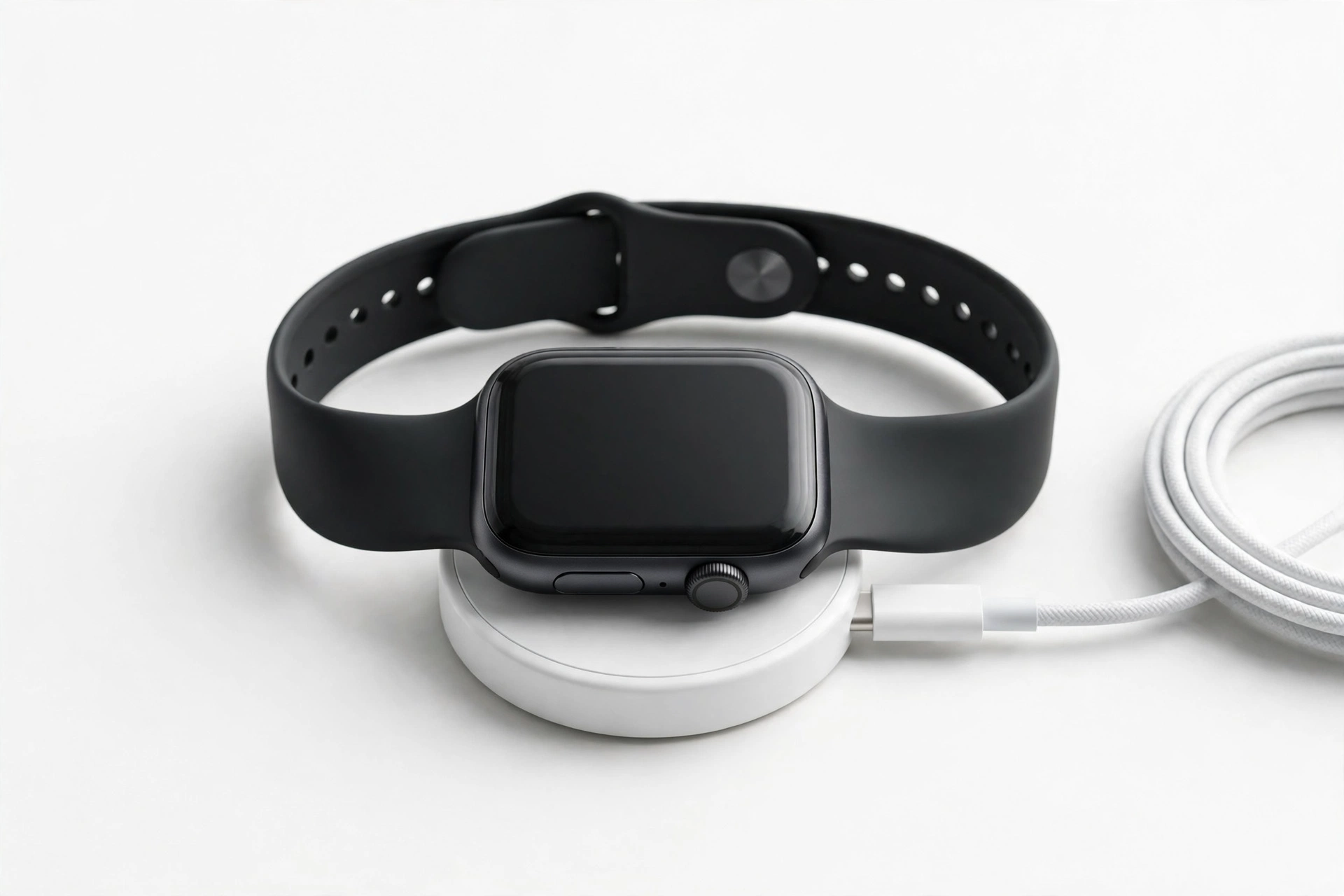
The Watch 8 charges wirelessly on its included puck-shaped magnetic charger — there is no USB port on the watch. Center the watch on the puck; a compatible USB-C wall adapter is required (sold separately). Samsung’s guidance is to use only compatible charging accessories, and notes that damage from incompatible accessories may not be covered by warranty.
- Never charge a wet watch. Samsung’s manuals caution against charging while the device is wet or handling the charger with wet hands — dry the watch thoroughly with a soft cloth first.
- Clean the sensor array gently. Wipe the back sensors with a soft, dry cloth. Avoid solvents, harsh cleaners, and abrasive materials that can scratch the sapphire or damage sensor coatings.
- Band care: rinse sport bands with fresh water after sweaty workouts; leather and fabric bands should be kept dry and away from high heat, which can stain or distort them.
- Heat: do not leave the watch in a hot car or in direct prolonged sun — heat accelerates battery aging and can trigger thermal protection that dims or shuts down the watch.
Stop for safety: If the watch becomes unusually hot during normal charging, swells, smells odd, or the screen separates from the case, stop using and charging it immediately, keep it away from flammable materials, and seek professional assessment. Do not attempt to open it, puncture it, or force it back together.
11. Water resistance: what IP68 + 5ATM actually means
The Watch 8 is rated IP68 and 5ATM — water-resistant to 50 meters under the ISO 22810:2010 test standard, plus MIL-STD-810H durability testing for bumps and knocks. In plain terms: rain, hand washing, and pool swimming are within the rating. But Samsung’s own documentation is explicit that the device is not impervious to water damage in any situation:
- Not intended for scuba diving, high-pressure water activities (water skiing, jet skiing), or hot tubs and saunas (heat and steam are separate enemies).
- Avoid sudden temperature changes and high-velocity water.
- Rinse in fresh water after swimming in chlorinated pools or the sea, then dry thoroughly.
- Drops and shocks can breach the seals — a watch that took a hard fall may no longer meet its original rating.
- If liquid is found inside the device, Samsung’s documentation notes the warranty may be voided — water resistance is a condition rating, not a guarantee.
For a broader look at what watch screen and water issues look like in practice, see our Galaxy Watch screen issues assessment guide.
12. What the watch can and cannot establish about your health
A smartwatch is a wellness tool, not a medical device — and Samsung’s framing agrees. Be clear-eyed about the limits:
| Reading | Can establish | Cannot establish |
|---|---|---|
| Heart rate / ECG | Patterns over time worth discussing with a clinician | A diagnosis — the ECG feature screens; it does not diagnose heart conditions |
| Sleep apnea screening | Risk patterns for moderate-to-severe apnea across nights | A sleep apnea diagnosis, which requires a clinical sleep study |
| Blood oxygen (SpO2) | Trends during sleep and altitude | Medical-grade oxygen saturation |
| Body composition (BIA) | Rough body-fat and muscle trends | Clinical body-composition measurement |
| Antioxidant Index | A wellness estimate of carotenoid levels | Nutritional or medical status |
| Energy Score | A readiness estimate from sleep + activity | Whether you are fit to train through pain or illness |
If any reading alarms you, confirm it with proper medical equipment and a clinician — never make health decisions from a wrist reading alone.
13. Owner-reported quirks (reported, not confirmed defects)
The following issues have been reported by owners in forums and reviews. They are reported experiences, not confirmed defects — individual units vary, and many reports cluster around software episodes that later resolved with updates.
| Reported issue | What owners describe | What to try first |
|---|---|---|
| Sudden severe battery drain | Watch dies in hours after an update; Google Play Services dominating battery stats | Clear Play Services cache, restart, install updates (Section 8) |
| Shorter-than-claimed battery | 15–20 hours vs Samsung’s 30-hour rating | Disable AOD, lower brightness, trim continuous sensors (Section 7) |
| Old bands don’t fit | Watch 7-era 20 mm bands incompatible with Dynamic Lug | Buy Watch 8-specific bands — check compatibility before ordering |
| Erratic heart-rate / SpO2 readings | Spikes or dropouts during workouts | Snug (not tight) fit, clean sensor, shave-free contact; reposition above wrist bone |
| GPS accuracy complaints | Route drift on some runs | Wait for full GPS lock before starting; update software; compare against phone GPS |
| Price increase | $50 more than Watch 7 at launch | Compare discounted Watch 7 prices — for many buyers it remains the value pick |
| LTE setup friction | Carrier eSIM activation hiccups | Activate through your carrier, not just the Wearable app; confirm eSIM support first |
Hypothetical example: Amara buys a 40mm Watch 8, leaves every sensor on continuous, and gets 16 hours on day one. She assumes the battery is defective. After disabling continuous SpO2 and skin temperature (which she never checks) and turning off always-on display, the same watch lasts 28 hours. (Hypothetical illustration, not a customer story.)
Hypothetical example: Daniel’s Watch 8 drops from 75% to dead overnight right after a security update, with Google Play Services showing 60% of battery use. He clears the app’s cache, restarts, and installs the next patch — battery behavior returns to normal. (Hypothetical illustration, not a customer story.)
14. When to stop troubleshooting and seek assessment
Seek professional assessment — not more DIY steps — when you see any of these:
- Swelling, heat, odor, or screen separation (safety — see the warning in Section 10).
- The watch will not power on after a full charge cycle on the included puck, with the watch correctly centered.
- A cracked sapphire crystal or case damage after a drop — especially if water resistance matters to you afterward, since seals cannot be verified at home.
- Persistent sensor failure (no heart-rate reading at all across positions and wrists) after software updates.
- Charging that never completes, or the watch only works while on the puck — possible battery or charging-coil issue.
- Repeated software drain episodes that survive cache clears, restarts, and updates — worth a diagnostic check rather than another reset loop.
Frame the visit as an assessment: exact-model parts availability (SM-L320/L325/L330/L335) and micro-soldering capability vary by shop, so confirm before committing. No reputable shop can guarantee water resistance after a watch has been opened — treat any such promise as a red flag.
15. Questions to ask before approving any watch service
- Do you service this exact model (SM-L320/L325/L330/L335), and have you worked on the Dynamic Lug band system?
- Will the watch remain water-resistant after service — and can you verify the seals?
- What parts do you use, and what warranty covers the repair?
- What is the diagnostic fee, and is it applied to the repair cost?
- How will my health data be handled during service?
- What is the realistic turnaround time?
16. Buying a used or refurbished Galaxy Watch 8: checklist
- Check the battery first: ask the seller for a screenshot of a full-day battery curve, or test it yourself over 24 hours. Short runtime on a used watch can mean normal wear — or the software drain pattern in Section 8.
- Inspect the sapphire crystal under bright light for chips, especially at the edges.
- Test every sensor: heart rate, SpO2, ECG, and GPS lock during a short walk.
- Verify the band system: confirm the Dynamic Lug release works and the lug area is undamaged.
- Check for account locks: make sure the watch is unpaired from the seller’s Samsung account and reset.
- Price-check against the Watch 7: with the Watch 9 now on shelves and Watch 8 prices dropping (reported as low as ~$250–$290 on sale), a used Watch 8 should be meaningfully cheaper than discounted new stock.
For the previous generation, see our Galaxy Watch 7 owner guide. For Apple’s side of the smartwatch world, see our Apple Watch cracked-screen assessment guide.
17. Frequently asked questions
Is the Galaxy Watch 8 worth upgrading from the Watch 7?
For most Watch 7 owners, no — the chip, RAM, storage, and water resistance are unchanged, and the gains are a brighter display, thinner case, and newer software. Owners of the Watch 4, 5, or 6 get a much bigger jump. This is editorial judgment based on the spec comparison, not a universal rule.
Do Galaxy Watch 7 bands fit the Watch 8?
No. The Watch 8 uses Samsung’s proprietary Dynamic Lug system, so standard 20 mm Watch 7 bands do not fit. Buy bands made specifically for the Watch 8.
How long does the Galaxy Watch 8 battery really last?
Samsung claims up to 30 hours with always-on display off. Owners report 15–30 hours depending on settings — always-on display, GPS workouts, and continuous health sensors are the biggest drains.
Can I swim with the Galaxy Watch 8?
It is rated IP68 + 5ATM (50 meters), so pool swimming is within the rating. Rinse with fresh water afterward, and avoid diving, high-pressure water, hot tubs, and saunas. Water resistance is a condition rating, not a guarantee.
Why is my Galaxy Watch 8 suddenly draining so fast?
Check Settings → Battery for the top consumer. Multiple owner-reported episodes in 2026 traced sudden drain to Google Play Services after updates — a software issue, not a dying battery. Clearing the app’s cache and restarting has helped many owners; keep software updated.
Does the Galaxy Watch 8 work with iPhone?
Galaxy Watches are designed for Android, and full features (ECG, blood pressure, Samsung Health sync) expect a Samsung phone. Pairing with iPhone is not officially supported — iPhone owners should look at the Apple Watch instead.
What’s the difference between the Watch 8 and Watch 8 Classic?
The Classic is a 46mm stainless-steel model with the signature rotating bezel, a larger 445 mAh battery, 64GB of storage, and a $499 starting price. Same chip and software; choose it if you want the bezel and longer battery, the standard Watch 8 if you want thin and light.
Should I buy the Watch 8 or wait for the Watch 9?
The Galaxy Watch 9 has been announced with a larger battery and a new chip, and Watch 8 prices have dropped significantly on sale. If you want the newest hardware, wait; if you want value, a discounted Watch 8 is a strong buy. Verify current prices before deciding.
Video: How to tell if your smartphone is fake or real
Sources and editorial notes
- Android Central — Galaxy Watch 8 series launch coverage: announcement details, 11% thinner claim, 3,000-nit brightness, 325/435 mAh batteries, launch pricing. Summarized in original language.
- 9to5Google — Watch 8 and Watch 8 Classic price, specs, release date: Gemini by default, Bedtime Guidance, Vascular Load, Antioxidant Index, colorways and pricing. Summarized in original language.
- Wikipedia — Samsung Galaxy Watch 8: full specification table, model numbers, dimensions, water-resistance ratings. Summarized in original language.
- Tom’s Guide — Watch 8 vs Watch 7 differences: spec comparison table, design and display verdicts. Summarized in original language.
- Android Authority — Galaxy Watch battery drain reports: third-party reporting on the 2026 abnormal drain episodes affecting Watch 6/7/8, Play Services pattern. Labeled as third-party reporting.
- The Droid Guy — Watch 8 battery drain fix guide: third-party troubleshooting steps (cache clear, sensor trimming). Labeled as third-party reporting.
- SamMobile — Galaxy Watch FAQ: Samsung-community guidance on charging (wireless puck only), water-resistance care, and band interchangeability. Summarized in original language.
Last source check: October 13, 2026. AI-assisted editorial guide, checked against the linked manufacturer information and launch reporting. Prices are Samsung’s published launch figures — verify current pricing before purchase. Owner-reported issues are labeled as reported experiences, not confirmed defects. For a repair assessment in Las Vegas, contact Las Vegas Phone Repair & Accessories, 7400 Las Vegas Blvd S, Unit TT42, Las Vegas, NV 89123, (424) 406-6202 — open 10:00 AM–8:00 PM; call ahead to confirm today’s hours.
Let’s get you connected again.
Tell us what’s happening with your device and we’ll help you decide the safest next step — no jargon, no pressure.
Las Vegas Phone Repair & Accessories · 7400 Las Vegas Blvd S, Unit TT42, Las Vegas, NV 89123
10:00 AM–8:00 PM — call ahead to confirm today’s hours