
How to Check If Asus Phone Is Original: Authenticity Guide
Enter the phone’s serial number on ASUS’s official Warranty Status Inquiry page: if ASUS recognizes it and returns a matching model with warranty dates, the phone is almost certainly genuine. Then cross-check the IMEI shown by dialing *#06# against the box label and Settings to catch the most common trick used by counterfeiters — a copied IMEI from a real phone.
On this page
Enter the phone’s serial number on ASUS’s official Warranty Status Inquiry page: if ASUS recognizes it and returns a matching model with warranty dates, the phone is almost certainly genuine.

1. The 60-second answer: is your Asus phone original?
If you just bought — or are about to buy — an Asus ROG Phone or Zenfone and want the fastest reliable answer, do these three things in order: (Source: asus.com)
- Find the serial number. Go to Settings > About phone (on many models: Settings > About device > Model and hardware) and note the serial number. You can also dial *#06# to display the IMEI.
- Run the official check. Visit the ASUS Warranty Status Inquiry page on the official ASUS support site, select your country/region, enter the serial number, accept the privacy notice, and submit. If ASUS returns the correct model name with warranty dates, the serial number is in ASUS’s own database — the strongest single signal of authenticity.
- Cross-check the IMEI. Compare the IMEI from *#06# with the IMEI printed on the retail box and the one in Settings > About phone. All three must match exactly, and the model ASUS reports must match the model printed on the box and shown in Settings.
Quick fact: Unlike some brands, ASUS’s official warranty lookup uses the serial number, not the IMEI. The IMEI is still essential for the cross-checks in this guide, but the serial number is the key that unlocks ASUS’s own records.
This guide is for anyone holding an Asus phone — most often a ROG Phone or a Zenfone — bought from a marketplace, a reseller, a friend, or an unusually cheap listing, who wants to verify it is a genuine ASUS device before trusting it with accounts, banking apps, and personal data. It also helps buyers before purchase: if a seller refuses to share the serial number or IMEI for verification, treat that as a red flag on its own.
Checking a different brand? The process differs by manufacturer: see our guides on how to check if an Itel is original, how to check if an Infinix is original, and how to check if a Tecno is original. Those Transsion brands verify through an IMEI-plus-VC-number portal, while Asus verification centers on the serial number in ASUS’s own warranty system — which is what the rest of this guide covers.
2. Find your IMEI and serial number: every method
You need two identifiers. The IMEI (a 15-digit number) identifies the phone on mobile networks; the serial number (alphanumeric) is what ASUS’s own warranty system recognizes. Here is where to find each:
| Method | What you get | How to do it |
|---|---|---|
| Dialer code | IMEI | Open the Phone app and dial *#06#. The IMEI appears instantly on screen. |
| Settings | IMEI and serial number | Settings > About phone, or on many models Settings > About device > Model and hardware. The serial number, model number, and IMEI are listed there. |
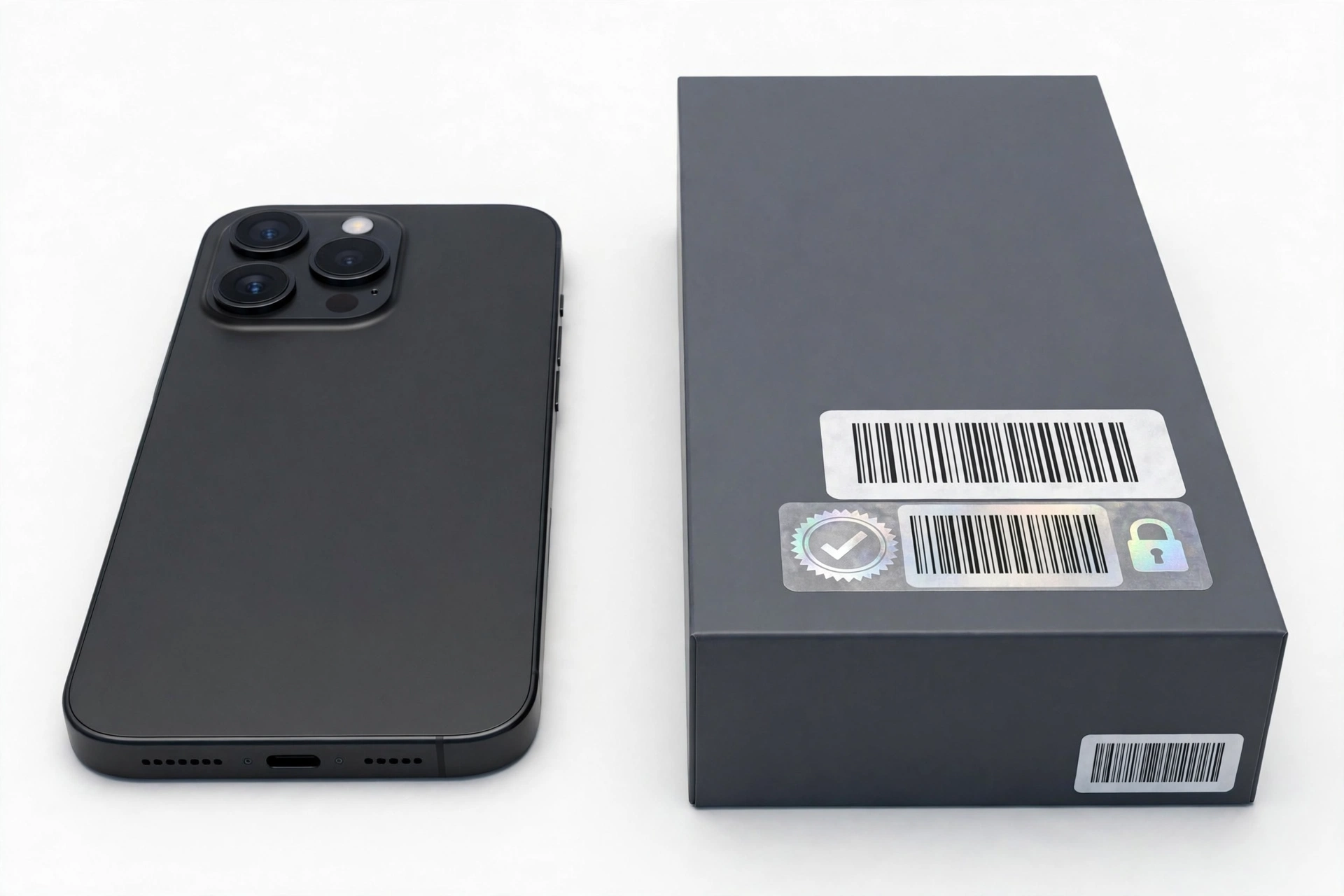
| Retail box | IMEI and serial number | Printed on the label on the outside of the box, usually alongside the model name and a barcode. |
| MyASUS app | Serial number and model | Open the preinstalled MyASUS app; device information including the serial number is shown there, and the app can register the device with ASUS. |
| Device label | IMEI / serial | On some models, regulatory and identification labels are printed on the back of the phone or under a removable panel area — check without forcing anything open. |
Tip: Write down both numbers before you start checking. You will compare the same IMEI across the dialer, Settings, the box, and any verification tool — a single mismatched digit is meaningful.
3. The official check: ASUS Warranty Status Inquiry
ASUS publishes a support article explaining how to inquire about warranty status for ASUS products, and it is the closest thing ASUS offers to an official authenticity check. Summarized in our own words from ASUS’s official guidance:
- Go to the ASUS Warranty Status Inquiry page on the official ASUS support website. The page automatically detects your country/region from your IP address; use the region switcher to select the website matching your location, since service information varies by country.
- Enter the product serial number in the inquiry field.
- Check the ASUS Privacy Policy box and click Submit.
- Read the result. The inquiry returns the product’s warranty expiration date as recorded by ASUS.
What the result tells you:
- Serial number recognized + correct model + plausible warranty dates — the strongest official signal that the device is a genuine ASUS product recorded in ASUS’s own systems.
- Serial number not recognized — stop and investigate. It could be a counterfeit, a data-entry error (re-check every character), or a device from a region whose database is separate. Do not assume genuine.
- Warranty start date far earlier than your purchase date — the phone may be refurbished or previously used and sold as new (see section 10).
Quick fact: ASUS notes that the warranty status shown is for reference, and that if you cannot provide a valid purchase invoice, the warranty is calculated from the device’s delivery date as recorded against the serial number — which is exactly why the returned dates double as a refurbished detector.
ASUS also provides a way to upload your purchase invoice on the same support site, which can correct the warranty start date to your actual purchase date for genuine devices bought through proper channels.
4. The 10-check authenticity worksheet
No single check is conclusive on its own. Work through this worksheet and look at the pattern of results:
| # | Check | What it proves | Limitations |
|---|---|---|---|
| 1 | ASUS Warranty Status Inquiry with the serial number | The serial number exists in ASUS’s own database with a matching model | A regional database may not list some devices; typos cause false negatives |
| 2 | IMEI match: *#06# vs. Settings vs. box | The identifiers are internally consistent | Counterfeiters can copy a genuine IMEI, so a match alone is not proof |
| 3 | Model cross-check: ASUS result vs. box vs. Settings | The device is the model it claims to be (defeats copied-IMEI fakes) | Requires all three sources to compare |
| 4 | MyASUS app device info and registration | The preinstalled ASUS app recognizes the device and its serial | A fake can ship with a lookalike app; check it is the real MyASUS |
| 5 | Armoury Crate present and functional (ROG Phone) | Gaming hardware features respond to ASUS’s own control app | Only applies to ROG Phone models |
| 6 | System update check reaches ASUS servers | The software stack talks to genuine ASUS infrastructure | Needs a network connection; server outages are rare but possible |
| 7 | Model-family sanity check | The claimed model actually exists in ASUS’s lineup | Requires knowing real model names (section 6) |
| 8 | Box, seals, and print quality | Packaging matches ASUS’s standards | Good counterfeits copy packaging well; never the only check |
| 9 | Seller channel and price reality | Genuine ASUS phones come through known channels at plausible prices | Gray-market genuine phones exist; price alone is not proof either way |
| 10 | Warranty start date vs. your purchase date | Detects used/refurbished units sold as new | Reported by third-party guides as typically around one year from delivery; ASUS’s own result is authoritative for your unit |
5. Asus-specific software tells
Counterfeit phones usually run a skinned generic Android build that mimics the look of the real thing. Genuine Asus phones carry ASUS software that is difficult to fake convincingly:
MyASUS app
MyASUS comes preinstalled on genuine Asus phones. Open it and check that it displays your exact model name and serial number, and try the device registration / system-diagnosis functions. A counterfeit may include a fake app with the same icon — but a fake app cannot register the device against ASUS’s servers or return the correct serial-linked information. If MyASUS is missing entirely and cannot be installed from the Play Store on that device, that is a significant red flag.
Armoury Crate (ROG Phone models)
ROG Phones ship with Armoury Crate, ASUS’s control center for gaming features such as the AirTrigger ultrasonic shoulder buttons, performance modes (X Mode), and the AeroActive Cooler accessory. Open Armoury Crate and verify that the gaming hardware features actually respond — AirTriggers register touches, performance profiles change system behavior. A fake “ROG Phone” with a lookalike app but non-functional shoulder controls is a classic counterfeit pattern.
System update path
Go to Settings > System > System update and check for updates. A genuine Asus phone contacts ASUS’s update servers and reports its real model during the check. Counterfeits either fail the check, show a suspicious non-ASUS update screen, or claim to be “up to date” on an ancient security patch while reporting a flagship model name.
Tip: Compare the Android security patch date in Settings > About phone with the model’s real release cycle. A brand-new “ROG Phone 9 Pro” showing a two-year-old security patch and no available updates deserves serious skepticism.
6. ROG Phone vs. Zenfone: the model-family sanity check
Asus sells phones under two main lines: ROG Phone (gaming flagships with AirTriggers, Armoury Crate, and bold ROG styling) and Zenfone (mainstream flagships, in recent generations known for compact designs). Counterfeit listings frequently invent model names that sound plausible but never existed — for example, a “ROG Phone 9 Ultra Max Pro” or a “Zenfone 12 Pro Ultra.” Before buying:
- Check the claimed model against ASUS’s official site. If ASUS has never listed that exact model name, the listing is fake regardless of how convincing the photos look.
- Match the specifications. If the listing claims a ROG Phone with a chipset or camera setup that the real model never shipped with, walk away.
- Watch for generation skipping. Listings for a model two generations newer than anything ASUS has announced are always fake.
Stop for safety: Never pay in advance — by wire transfer, gift cards, or crypto — for a phone whose model name you cannot verify on ASUS’s official website. Irreversible payment methods are the counterfeiter’s favorite tool.
7. Packaging and hardware tells
Packaging is the weakest single check — good counterfeits copy boxes well — but it still catches sloppy fakes:
- ROG branding quality: Genuine ROG Phone packaging uses sharp, precise ROG eye-logo printing and high-quality materials. Blurry logos, misspelled words (“Asuss,” “Reg Phone”), or flimsy cardboard are immediate red flags.
- Label consistency: The model name, IMEI, and serial number on the box label must exactly match the phone itself (*#06# and Settings). Any mismatch means the box and phone were paired after the fact.
- Seals: Factory seals should be intact and professionally applied. Re-glued or crooked seals suggest the box was opened and resealed — common with refurbished units sold as new.
- In-box accessories: Check that the charger, cable, and any included accessories (such as the AeroActive Cooler on some ROG bundles) match what ASUS lists for that model and region. Counterfeits often include generic chargers with misprinted ASUS logos.
- Build quality: Genuine ROG Phones have precise machining, evenly fitted glass, and working AirTriggers. Rough edges, loose buttons, or a camera module that looks “stuck on” point to a fake.
8. Why an IMEI match alone is not enough: the copied-IMEI defense
The most important concept in this entire guide: counterfeiters copy genuine IMEIs. A fake phone can display a perfectly valid IMEI — one that belongs to a real Asus phone owned by someone else. That means:
- An IMEI that “checks out” on a third-party lookup site does not prove your phone is genuine.
- The defense is the model cross-check: the model name returned by ASUS’s Warranty Status Inquiry (from the serial number) must match the model in Settings > About phone and the model on the box. A copied IMEI usually comes from a different model than the fake claims to be, and the mismatch exposes it.
- If only the serial-number check is available to you, it is stronger than any IMEI-only check — serial numbers live in ASUS’s own database, while IMEI databases are compiled by third parties.
Quick fact: Third-party sites such as IMEI.info offer an ASUS “Warranty & Country Check” that reports brand, warranty territory, and warranty end from the IMEI. Treat these as useful supplementary signals — the official ASUS serial-number inquiry remains the authoritative check.
9. Counterfeit vs. refurbished vs. gray-market: know what you are looking at
Not every suspicious phone is a counterfeit. These three categories look similar at first glance but mean very different things:
| Counterfeit | Refurbished / used-as-new | Gray-market genuine | |
|---|---|---|---|
| What it is | A fake built to look like an Asus phone; never made by ASUS | A genuine Asus phone, previously used or repaired, sold as new | A genuine Asus phone made for a different region, imported unofficially |
| Serial check | Not recognized, or recognized as a different model | Recognized; warranty start date predates your purchase | Recognized; warranty territory may differ from your country |
| Software | Skinned generic Android; fake MyASUS; no ASUS updates | Genuine ASUS software | Genuine ASUS software (possibly a regional firmware variant) |
| Risk level | Highest — malware, no safety testing, no support | Medium — unknown repair history, shortened remaining warranty | Lower — genuine hardware, but warranty service may be region-locked |
| What to do | Do not use; dispute the purchase (section 13) | Negotiate a partial refund or return; keep it only at a used-phone price | Verify band compatibility with your carrier before committing |
10. The warranty start date: your refurbished detector
When ASUS’s Warranty Status Inquiry returns warranty dates, compare the implied start date with the day you bought the phone:
- Start date matches your purchase (within days): consistent with a genuinely new unit.
- Start date months or a year before your purchase: the phone was previously activated — it is used or refurbished, even if it looks new. The box may have been resealed.
- No purchase invoice available: ASUS calculates warranty from the recorded delivery date, so the returned date reflects the unit’s real history, not the seller’s story.
A refurbished genuine Asus phone is not a counterfeit — but it should be priced as a used phone, and you should know about any prior repairs before trusting it. If a seller advertised it as “brand new sealed,” an early warranty start date is grounds for a return or a price adjustment.
11. Where to buy a genuine Asus phone
The safest channels, in rough order:
- ASUS’s own online store for your country/region.
- Authorized retailers — major electronics chains and well-known online retailers that source from ASUS or its authorized distributors.
- Carrier stores where Asus phones are officially ranged.
- Established resellers with verifiable history — only if they provide the serial number/IMEI for pre-purchase verification and accept returns.
Be most cautious with: social-media marketplace listings, auction listings from zero-feedback sellers, “wholesale” Telegram/WhatsApp groups, and any seller who refuses pre-purchase verification or insists on irreversible payment. Asus phones — especially ROG Phones — are popular enough to attract dedicated counterfeit operations, and the gaming branding makes fakes emotionally appealing to buyers.
Stop for safety: Never sign in to your Google account, banking apps, or any personal account on a phone whose authenticity is still in doubt. A counterfeit phone can carry preinstalled spyware that captures credentials. Verify first, sign in later.
12. Red flags in listings: how fakes advertise
- Impossible model names (“ROG Phone 9 Ultra Max,” “Zenfone 12 Pro+”) — verify every model name on ASUS’s official site.
- Prices far below market — a “new” ROG Phone at half the retail price is not a bargain; it is a warning.
- Stock photos only — legitimate sellers photograph the actual unit, including the box label.
- Refusal to share serial/IMEI before purchase — genuine sellers with nothing to hide will share these for verification (they are not secrets; they identify the device, not the owner).
- Vague provenance — “original US version” with no documentation, or contradictory claims about where it was purchased.
- Pressure tactics — “only one left,” “price goes up tonight,” or refusal to use buyer-protected payment.
13. What to do if your Asus phone turns out to be fake
- Stop using it for anything sensitive. Do not sign in to accounts; if you already did, change those passwords from a trusted device and enable two-factor authentication.
- Document everything. Screenshot the listing, save receipts and messages, photograph the phone, box, and labels, and record the results of the ASUS serial check and IMEI cross-checks.
- Dispute the purchase. File a claim with the marketplace or your payment provider immediately — most buyer-protection windows are time-limited. “Counterfeit item” is one of the strongest dispute categories.
- Report the seller to the marketplace and, for commercial-scale counterfeiting, consider reporting to local consumer-protection authorities.
- Do not resell it as genuine. Passing a known fake to the next buyer — even at a low price described as “original” — makes you part of the problem and can create legal liability. If you dispose of it, do so through proper electronics recycling.
Tip: If the phone is genuine but refurbished-sold-as-new (section 10), you have a weaker but still real case: the item was “not as described.” The same documentation and dispute steps apply.
14. What these checks can and cannot establish
| Observation | What it can establish | What it cannot establish |
|---|---|---|
| Serial recognized by ASUS with matching model | The serial number is a genuine ASUS record for that model | That the physical phone in your hand is the unit ASUS made (a copied serial on a fake body is rare but theoretically possible) |
| IMEI matches across dialer, Settings, and box | Internal identifier consistency | Genuineness on its own — IMEIs can be copied |
| MyASUS shows correct model and serial | The software stack identifies as that ASUS model | That the app itself is genuine (verify it is the real MyASUS) |
| System update contacts ASUS servers | Genuine ASUS firmware channel | That no other modifications exist on the device |
| Seller refuses verification | Elevated risk | That the phone is definitely fake — but there is no good reason to proceed |
15. Hypothetical examples
(The following are hypothetical illustrations, not customer stories.)
Example A: Maya’s marketplace ROG Phone 9
Maya finds a “new sealed” ROG Phone 9 on a social marketplace at 40% below retail. Before paying, she asks the seller for the serial number. The seller sends a photo of the box label. Maya enters the serial on ASUS’s Warranty Status Inquiry page: ASUS recognizes it — but as a ROG Phone 8, with a warranty start date eleven months earlier. The box says “ROG Phone 9.” The model mismatch exposes a copied-serial fake (or a rebadged older unit), and Maya walks away. The ten minutes of checking saved her hundreds of dollars.
Example B: Daniel’s “new” Zenfone from a reseller
Daniel buys a Zenfone from a small reseller, advertised as new. The serial checks out on ASUS’s site with the correct model — but the warranty start date is eight months before his purchase. The phone is genuine, MyASUS works, updates arrive — it is simply a used unit sold as new. Daniel confronts the seller with the ASUS result screenshot and negotiates a partial refund reflecting a used-phone price, which he accepts because the hardware itself is genuine.
16. Frequently asked questions
Can I check Asus authenticity with just the IMEI?
Partially. The IMEI lets you verify internal consistency (*#06# vs. Settings vs. box) and run third-party lookups, but counterfeiters copy genuine IMEIs. ASUS’s official warranty check uses the serial number, which is the stronger identifier — always run both.
Where is the serial number on an Asus phone?
Settings > About phone (or About device > Model and hardware on many models), on the retail box label, and in the preinstalled MyASUS app’s device information.
What should I do if ASUS does not recognize my serial number?
First, re-enter it carefully — confusing 0/O and 1/I is common. If it still fails, check that you selected the correct country/region on the ASUS site. If it still fails, treat the phone as suspect: do not sign in to personal accounts, and run the remaining checks in section 4 before deciding.
Are fake ROG Phones common?
ROG Phones are premium, high-visibility gaming phones, which makes them an attractive target for counterfeiters — fake listings are widely reported on marketplaces. The Armoury Crate / AirTrigger functional test in section 5 is particularly effective against ROG Phone fakes, because the gaming hardware is hard to imitate.
Does a fake Asus phone have the MyASUS app?
It may have a lookalike app with the same icon. The test is functional: the real MyASUS displays the correct serial number and can register the device with ASUS. A decorative fake app cannot do either.
I bought a gray-market Asus phone. Is it fake?
Not necessarily — gray-market means genuine hardware made for another region. Check band compatibility with your carrier, and understand that ASUS warranty service is typically organized by region, so a phone bought for another market may not be serviceable under warranty where you live.
Can a repair shop verify my Asus phone?
A reputable shop can help you run the checks in this guide — reading the serial number, running the ASUS inquiry, and inspecting build quality. In the Las Vegas area, Las Vegas Phone Repair & Accessories (7400 Las Vegas Blvd S, Unit TT42, Las Vegas, NV 89123; (424) 406-6202; open 10AM–8PM, call ahead to confirm today’s hours) can assist with device assessment. Note that no shop can override ASUS’s own database: the serial-number inquiry is the final word.
Should I update a suspect phone to the latest software?
No — do not invest time or trust in a phone until authenticity is established. And never sign in to personal accounts on a suspect device. Verify first, then update and sign in only on a phone you trust.
Video: How to tell if your smartphone is fake or real
Sources and editorial notes
- ASUS Official Support — How to Inquire Warranty Status (NZ): ASUS’s official guidance for checking warranty status via the serial number on the Warranty Status Inquiry page, including the region-switch step, privacy-policy checkbox, and the note that warranty without a purchase invoice is calculated from the recorded delivery date.
- ROG Official Support — How to Inquire Warranty Status (Philippines): the ROG-site variant of the same official warranty-inquiry procedure.
- ASUS Official Support — How to Inquire Warranty Status (Singapore): a further regional variant confirming the serial-number-based official process.
- YugaTech — How to check your smartphone’s authenticity or warranty online: independent guide noting that ZenFone warranty status can be checked with just the serial number, plus standard IMEI retrieval methods (*#06#, box, Settings).
- IMEI.info — ASUS Warranty & Country Check: third-party IMEI-based lookup reporting ASUS brand, warranty territory, and warranty end; useful as a supplementary signal, not a substitute for the official serial-number check.
- DevicesFAQ — How to find the serial number on Asus phones: step-by-step serial-number location via Settings > About device > Model and hardware.
- HardReset.info — How to check IMEI on ASUS Zenfone: the universal *#06# dialer method and other IMEI retrieval paths for ASUS devices.
Last source check: October 14, 2026. AI-assisted editorial guide, checked against the linked manufacturer information. Procedures are summarized in original language from the cited sources; ASUS’s website structure and support pages may change over time, so if a link has moved, search the official ASUS support site for “warranty status inquiry.” This guide does not claim any manufacturer authorization or partnership.
Let’s get you connected again.
Tell us what’s happening with your device and we’ll help you decide the safest next step — no jargon, no pressure.
Las Vegas Phone Repair & Accessories · 7400 Las Vegas Blvd S, Unit TT42, Las Vegas, NV 89123
10:00 AM–8:00 PM — call ahead to confirm today’s hours