
Kodak Phone Speaker Not Working After Update: Causes and Safe Fixes
If your Kodak phone’s speaker stopped working after an update, start by checking Bluetooth routing, Do Not Disturb, and Safe Mode before assuming hardware failure. Kodak phones are licensed-brand devices built by Bullitt Group — a company that ceased trading in January 2024 — so no official fix update is coming, but most “after an update” speaker problems trace to app settings, stuck Bluetooth connections, or aging hardware rather than a broken speaker.
On this page
If your Kodak phone’s speaker stopped working after an update, start by checking Bluetooth routing, Do Not Disturb, and Safe Mode before assuming hardware failure.
1. The Kodak phone reality: who actually made your phone
Before troubleshooting, it helps to know exactly what device you are holding. Eastman Kodak — the photography company — never manufactured a smartphone. Both Kodak-branded phones were designed and built by the British company Bullitt Group under license, using the Kodak brand name: (Source: en.wikipedia.org)
- Kodak IM5 — announced in January 2015, the first Kodak Android smartphone, built by Bullitt.
- Kodak Ektra — announced in October 2016 and released in 2017, a photography-focused phone styled like Kodak’s 1941 Ektra rangefinder camera, with a 21-megapixel rear camera, 13-megapixel front camera, MediaTek Helio X20 processor, 3 GB of RAM, 32 GB of storage expandable by microSD, a 5-inch 1080p display, a 3,000 mAh battery, and Android 6.0 Marshmallow.
Support for the Ektra’s camera ended on 30 April 2020, and Bullitt Group — the company behind both phones, as well as CAT, Land Rover, and Motorola Defy rugged phones — folded on January 26, 2024, went into administration on February 28, 2024 with PWC appointed as administrators, made its entire workforce redundant on March 12, 2024, and was fully wound up per the administrators’ final report. That history matters for this guide in two ways: there is no official support channel left, and neither phone has received a system update in many years — which changes what “after an update” actually means.
Quick fact: If your phone says “Kodak” on the back, it is either an IM5 (2015) or an Ektra (2017). There were only ever two Kodak smartphone models.
2. “After an update” on a phone that hasn’t received an update in years
When a Kodak phone owner says the speaker stopped working “after an update,” the update in question is almost certainly not a system update. The Ektra shipped with Android 6.0 and the IM5 with an even earlier Android release, and neither model has received an operating-system update in the better part of a decade. So what did change? In practice, “after an update” usually means one of these:
- A Play Store app update. A music app, camera app, or social app updated itself in the background, and the new version reset an audio setting, took over audio focus, or introduced a playback bug.
- A silent Google Play Services or component update. Background services update themselves on old Android phones and can alter Bluetooth behavior or permission defaults.
- Coincidence with hardware aging. Both Kodak phones are now roughly 9–11 years old. A speaker that was already deteriorating can fail on the same day an unrelated app updated, creating a false connection.
- A settings reset. Some updates reset volume sliders or re-enable Do Not Disturb, which looks exactly like a dead speaker.
This distinction is genuinely good news: app-level and settings-level problems are fixable at home, without opening the phone or buying parts. The rest of this guide walks through them in likelihood order.
3. What an update can and cannot do to your speaker
One honesty principle drives this whole guide: an update cannot physically damage your phone’s speaker. Software cannot break a diaphragm, corrode a contact, or loosen a solder joint. What software can do is misroute audio, mute it, lower it, or hand control to an app that behaves badly. The table below separates the two so you don’t chase a software fix for a hardware fault — or pay for a hardware repair a settings toggle would have fixed.
| Mechanism | Can an update cause this? | How it presents |
|---|---|---|
| Reset volume sliders or enable Do Not Disturb | Yes — common | All audio silent, everything else normal |
| Stuck Bluetooth audio routing | Yes — very common | Phone silent but audio plays on car/pairing device |
| App takes audio focus and won’t release it | Yes | Some apps silent, others fine |
| Equalizer or sound-enhancement setting changed | Yes | Audio tinny, faint, or distorted |
| Physical diaphragm tear from age | No | Rattling or buzzing, worse at high volume |
| Corroded speaker contact from moisture | No | Intermittent sound, position-dependent |
Stop for safety: If the phone’s back cover is bulging, the battery is visibly swollen, or the device gets dangerously hot, stop troubleshooting immediately and do not charge it. A swollen battery is a fire risk — no speaker fix is worth that.
4. First: figure out which speaker is actually affected
Your Kodak phone has (at least) two separate audio outputs: the earpiece (the small speaker at the top used for calls) and the loudspeaker (the main speaker used for ringtones, media, and speakerphone). They fail independently, and knowing which one is silent tells you where to look. Work through this isolation worksheet before touching any settings:
| Test | Earpiece works? | Loudspeaker works? | What it points to |
|---|---|---|---|
| Make a normal phone call (no speakerphone) | — | — | Earpiece test |
| Switch the same call to speakerphone | — | — | Loudspeaker test |
| Play a ringtone in Settings > Sound | — | — | Loudspeaker test |
| Play a video with volume up | — | — | Loudspeaker + media routing test |
| Plug in wired headphones | — | — | If headphones work, the audio chip is fine — routing issue |
If everything is silent except through headphones, the phone’s audio chip is working and the problem is almost certainly routing or settings — keep going. If only the earpiece works, suspect a loudspeaker fault; if only the loudspeaker works, suspect an earpiece fault. If nothing works anywhere, note that too and continue — it’s still most often settings on these old phones.
5. The number-one cause: a stuck Bluetooth connection
On decade-old Android phones, the single most common reason a speaker “stops working” is that the phone still thinks it is connected to a Bluetooth device — a car stereo, a speaker, earbuds — that is out of range, switched off, or in another room. The phone obediently sends audio to a device that isn’t listening, and the phone itself goes silent. Old Android versions are notoriously “sticky” about Bluetooth connections: they reconnect automatically and don’t always release the audio route cleanly.
Check this first, because it takes ten seconds:
- Open Settings > Bluetooth and look at the connection status. If anything shows as connected — especially a car system — disconnect it.
- Turn Bluetooth off entirely, then test the loudspeaker with a ringtone or video. If sound returns, you’ve found your culprit.
- If the phone keeps auto-reconnecting to a car’s Bluetooth, “forget” that pairing in Bluetooth settings and re-pair only when you actually need it.
Tip: A hypothetical example — imagine Amara, who uses her Kodak Ektra as a backup camera phone. After an app update, her ringtones went silent. She assumed the update broke the speaker, but turning off Bluetooth restored sound instantly — her phone had been routing ringtone audio to her car’s Bluetooth system, which was parked in the garage with the engine off. This scenario is illustrative, not a real customer case.
6. Volume sliders and Do Not Disturb: the settings an update can reset
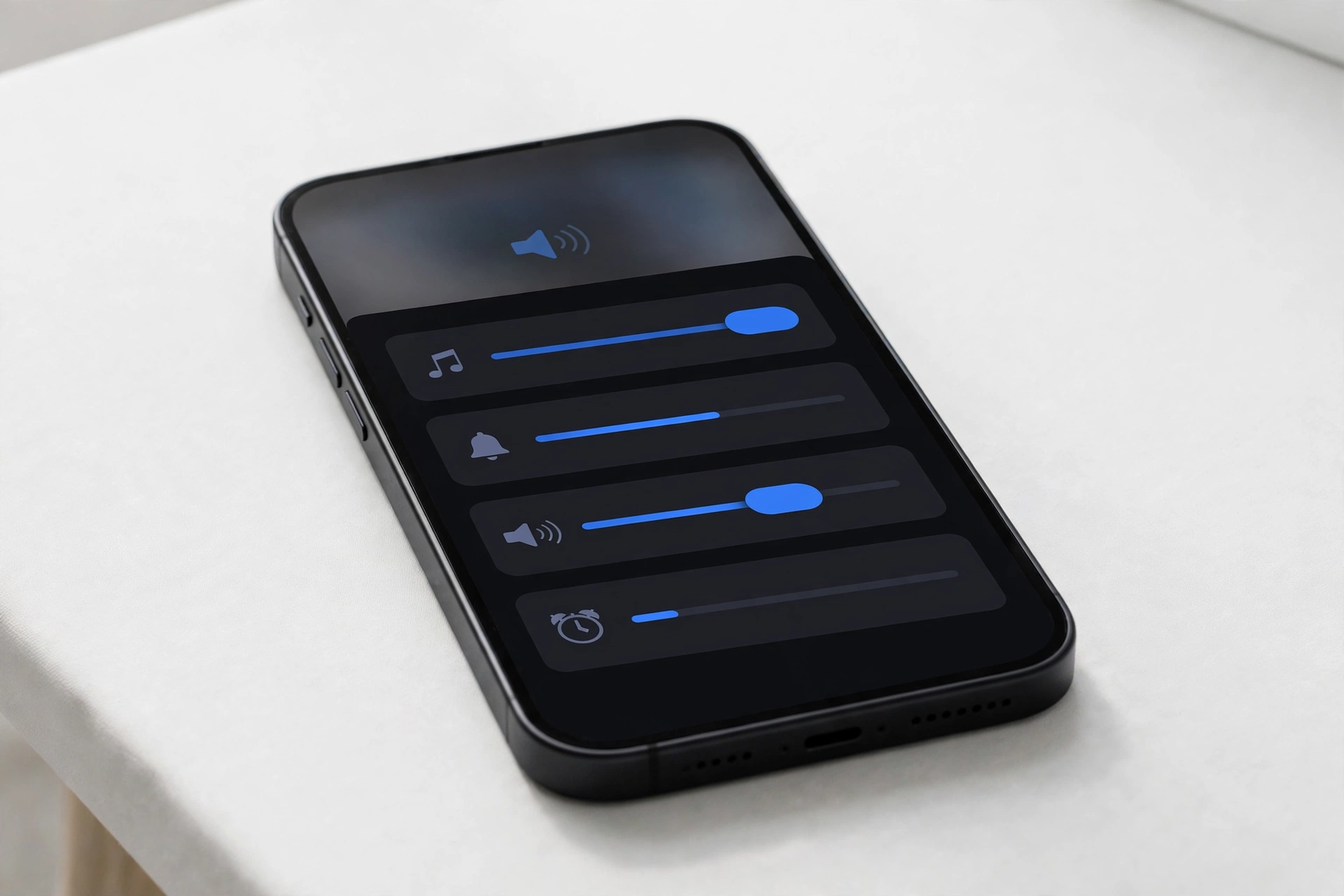
Android has separate volume sliders for ringtones, media, alarms, and calls, and an app update or system glitch can reset one or more of them. Press a volume button and tap the gear or arrow to reveal all sliders — don’t rely on the single slider that appears by default. Raise each one and test.
Next, check Do Not Disturb: open Settings > Sound > Do Not Disturb and make sure it is off, or at least that it allows calls and alarms. Some updates re-enable DND or change its schedule. Also confirm the phone isn’t in a silent profile you didn’t select — on Android 6.0, the quick-settings volume control cycles through sound, vibrate, and silent modes, and it’s easy to land in silent mode by accident.
7. Safe Mode: the definitive software-versus-hardware test
Safe Mode restarts the phone with only the pre-installed system apps running. Every third-party app — including any “speaker cleaner,” booster, equalizer, or antivirus app — is temporarily disabled. If your speaker works in Safe Mode but not in normal mode, a third-party app is the cause, and you don’t need hardware repair at all.
On Android 6.0 (Ektra): press and hold the power button until the power menu appears, then press and hold “Power off” until the “Reboot to safe mode” prompt appears, and tap OK. To exit, simply restart the phone normally.
| Result in Safe Mode | Meaning | Next step |
|---|---|---|
| Speaker works normally | A third-party app is interfering | Uninstall recently updated apps one by one (see section 8) |
| Speaker still silent | Not a third-party app | Continue with cache and settings checks below |
| Speaker works intermittently | Possible app conflict or aging hardware | Remove suspect apps; if it persists, consider hardware age (section 11) |
8. Clear app cache and reset app defaults
If Safe Mode pointed at a third-party app — or if one specific app (music player, video app) is silent while others work — clear that app’s cache first. Go to Settings > Apps, select the app, tap Storage, then Clear cache. This deletes temporary files without removing your data, accounts, or settings.
Two important cautions:
- Clear cache, not “Clear data,” as your first step. “Clear data” wipes the app’s accounts, downloads, and settings — on a decade-old phone, re-setting-up an app can be genuinely painful, and some old apps’ servers no longer exist. Try cache first.
- Reset app preferences if audio behaves strangely across apps. Settings > Apps > (menu) > “Reset app preferences” restores default app associations and permission grants without deleting data. On old Android, a botched app-default assignment after an update can silently reroute audio handling.
Stop for safety: Do not factory-reset your Kodak phone as a troubleshooting step for a speaker problem. A reset reinstalls the same old system and cannot fix a hardware fault, while on a 9–11-year-old device it risks permanent data loss and failed re-setup if old apps or Google services no longer cooperate. A reset is a last resort, never a first step.
9. “Speaker cleaner” and booster apps: often the cause, not the cure
The Play Store is full of apps promising to “clean” your speaker with loud tones or to “boost” volume beyond normal limits. On old phones these apps are a frequent cause of speaker problems, not a solution:
- They request invasive permissions (device admin, accessibility, overlay) that let them seize audio focus and fight the system for control.
- Their “cleaning tones” play at maximum volume through an already-aging speaker — on a decade-old diaphragm, that’s genuine wear, not cleaning.
- Once installed, they can leave audio-routing changes behind even after you stop using them.
If you installed any speaker-related app around the time the problem started, uninstall it (Safe Mode from section 7 makes this easy), restart the phone, and test again. Never install one as a fix for an existing problem.
10. Physical inspection — without opening the phone
Never open a Kodak phone yourself: the Ektra’s battery is non-removable, there are no user-serviceable parts inside, and opening it destroys any remaining water or dust resistance while risking a battery puncture. But you can inspect from the outside:
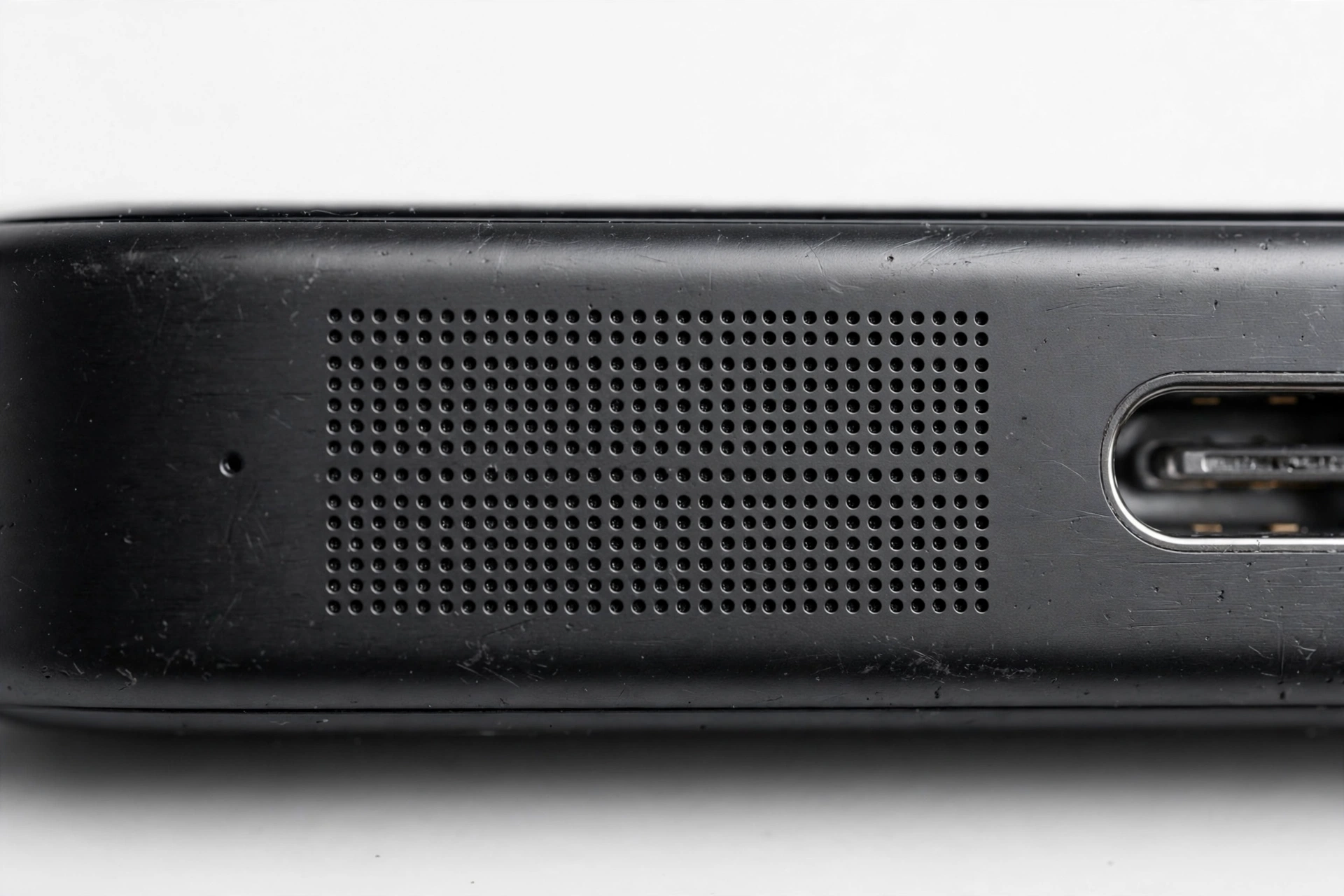
- Look at the speaker grille. A decade of pocket lint, dust, and debris can pack the grille holes. Use a soft, dry brush (a clean soft toothbrush) to gently sweep debris away — never poke into the holes with pins, needles, or toothpicks, which puncture the acoustic membrane behind the grille.
- No compressed air, no liquids, no heat. Compressed air can force debris deeper and damage the membrane; liquids corrode contacts; heat warps adhesives. A dry soft brush is the entire toolkit.
- Check the 3.5 mm headphone jack (Ektra). A worn or dirty headphone jack can stick in “headphones plugged in” mode, muting the loudspeaker. Plug and unplug a headphone plug several times to exercise the internal switch.
- Remove bulky cases. Thick cases — especially the Ektra’s camera-style pouches — can muffle or block the speaker port.
11. The hardware reality: your phone is roughly a decade old
At this point, honesty requires saying something uncomfortable: both Kodak phones are now 9–11 years old, and consumer phone speakers are not built for that lifespan. Even if software started the trouble, age is the backdrop:
- Diaphragm fatigue. Speaker cones stiffen and tear with age and heat cycles. The telltale sign is rattling or buzzing that gets worse as you raise the volume.
- Battery voltage sag. The Ektra’s 3,000 mAh battery (and the IM5’s) has degraded over a decade. An aging battery can’t hold voltage under load, and audio amplifiers are load-sensitive — crackling or cutouts at high volume, with normal behavior at low volume, is a classic degraded-battery pattern.
- Contact corrosion. Years of humidity and temperature cycling corrode the tiny spring contacts between the speaker module and the main board, producing intermittent sound that changes when you squeeze or tap the phone.
- No parts channel. With Bullitt Group liquidated, there is no official source of Kodak phone spare parts. Any repair would depend on donor phones or third-party parts of uncertain quality.
A second hypothetical example — picture Devon, whose Kodak IM5’s ringtones gradually faded over months. No update was involved; the speaker diaphragm had simply stiffened with age, and the failing battery made it worse. Replacing the battery on a donor-parts basis (not a DIY job) was the only realistic fix. Again, illustrative — not a real customer case.
12. What your tests can and cannot establish
Troubleshooting results are evidence, not proof. Be honest with yourself about what each outcome actually means before deciding on repair:
| Observation | Can establish | Cannot establish |
|---|---|---|
| Sound returns with Bluetooth off | Routing was the problem | That the speaker is fully healthy |
| Works in Safe Mode | A third-party app interferes | Which app, without further testing |
| Rattling at high volume only | Likely diaphragm wear | That a settings change will fix it |
| Works with headphones only | The audio chip and software path work | That the loudspeaker itself is good |
| Intermittent, position-dependent | Likely a contact or hardware issue | Anything fixable in software |
13. Symptom worksheet: match what you hear to the first thing to check
| Symptom | Likely cause | First check |
|---|---|---|
| Totally silent — calls, ringtones, media | Bluetooth routing or DND | Turn Bluetooth off; check Do Not Disturb |
| Silent, but works with headphones | Routing or loudspeaker fault | Bluetooth off, then Safe Mode |
| Only ringtones silent, media fine | Ringtone volume slider reset | All volume sliders individually |
| Only one app is silent | App cache or audio focus | Clear that app’s cache |
| Faint or tinny audio | Equalizer setting or debris | Sound settings; brush the grille |
| Rattling/buzzing at high volume | Aging diaphragm or battery sag | Lower volume; assess hardware age |
| Sound cuts in and out | Corroded contact or loose module | Note when it changes; professional assessment |
| Started right after installing an app | App interference | Safe Mode, then uninstall the app |
| Works on calls, silent otherwise | Media routing stuck | Bluetooth off; reset app preferences |
| Muffled after being in a dusty place | Grille blocked | Soft dry brush on the grille |
14. Why there is no official fix coming — and what that means
With Bullitt Group ceased trading in January 2024 and fully liquidated, there will never be another software update, driver fix, or official repair program for either Kodak phone. Camera support for the Ektra ended back on 30 April 2020. This is worth stating plainly because it changes your decision-making: waiting for an official patch is waiting for something that cannot arrive.
That doesn’t mean the phone is worthless — as a camera, alarm clock, or offline media device an Ektra still works — but it does mean speaker problems must be solved with the checks in this guide or not at all. If the fault is hardware (rattling diaphragm, dead loudspeaker), the realistic options are living with headphones or a Bluetooth speaker, sourcing a donor phone, or retiring the device. No shop can order a new factory Kodak speaker module, because the factory no longer exists.
If your speaker trouble is part of a broader pattern across phones, our general phone speaker not working after update guide covers the same diagnostic approach for any device. For other licensed-brand phones from the same era, see our Energizer phone speaker troubleshooting guide and Jeep phone speaker troubleshooting guide — the same Bluetooth-routing and aging-hardware patterns apply.
15. When to get a professional assessment
Stop home troubleshooting and get an in-person assessment if: the battery is swollen or the phone overheats; sound is intermittent in a position-dependent way (likely hardware); Safe Mode and all settings checks changed nothing; or the phone has suffered a drop or water exposure around the time the problem started. Bring the phone charged, with the charger, and tell the technician exactly which tests you already ran — it saves diagnostic time.
For an in-person assessment in the Las Vegas area, Las Vegas Phone Repair & Accessories, 7400 Las Vegas Blvd S, Unit TT42, Las Vegas, NV 89123, (424) 406-6202 — call ahead to confirm today’s hours before visiting. Note honestly: parts for decade-old licensed-brand phones are not stocked new, so an assessment will tell you whether the fault is software (fixable) or hardware (donor-parts or retirement decision).
Video: How to tell if your smartphone is fake or real
Frequently asked questions
Can a software update break my Kodak phone’s speaker?
No. Software cannot physically damage a speaker. An update can only change settings, reroute audio (especially to Bluetooth), or hand audio control to a misbehaving app. If the speaker itself is damaged — torn diaphragm, corroded contact — that is age or environment, not the update.
Why does my Kodak phone keep connecting to my car’s Bluetooth?
Old Android versions aggressively auto-reconnect to previously paired Bluetooth devices. If your car stereo was ever paired, the phone may route ringtone and call audio to the car even when the car is off or out of range. Turning Bluetooth off, or “forgetting” the car pairing, stops this.
My Ektra’s speaker works but sounds distorted. Is that software?
Distortion at high volume that disappears at low volume is usually hardware — an aging diaphragm or a degraded battery that can’t hold voltage under load — not software. Try lowering the volume and testing with a charger connected; if distortion tracks volume level rather than apps, it’s the hardware.
Should I factory-reset my Kodak phone to fix the speaker?
No — not as a troubleshooting step. A reset reinstalls the same old Android build, cannot fix a hardware fault, and on a 9–11-year-old phone risks permanent data loss or failed re-setup if old Google services no longer cooperate. Exhaust the settings, Bluetooth, Safe Mode, and cache checks first.
Are “speaker cleaner” apps safe to use?
No. They frequently cause the very problems they claim to fix by seizing audio focus with invasive permissions, and their maximum-volume “cleaning tones” add wear to an already-aging speaker. If one is installed, uninstall it and retest.
Can I still get my Kodak phone repaired officially?
No. Bullitt Group, the licensed manufacturer, ceased trading in January 2024 and was liquidated; Kodak never made the phones itself, and official support ended years earlier. Independent shops may assess the phone, but new factory parts are unavailable.
My phone only makes sound with headphones plugged in. What does that mean?
It means the phone’s audio chip and software audio path work — the problem is isolated to the loudspeaker, its routing, or its physical connection. Work through the Bluetooth, Safe Mode, and settings checks in this guide; if none help, the loudspeaker module or its contacts are the likely hardware fault.
The speaker grille looks clogged. How do I clean it?
Use a soft, dry brush — a clean soft toothbrush works — and gently sweep debris from the grille holes. Never poke into the holes with pins or needles (you’ll puncture the acoustic membrane), and never use compressed air, liquids, or heat.
Sources and editorial notes
- Wikipedia — Kodak Ektra (phone): confirms the Ektra was built and sold by Bullitt Group (not Eastman Kodak), announced 2016, released 2017, full specifications, and that camera support ended 30 April 2020.
- FoneArena — Kodak Ektra announced: full launch specifications (Helio X20, 3 GB RAM, 32 GB + microSD, 21 MP Sony IMX230 rear camera, 13 MP front, 5-inch 1080p, 3,000 mAh, Android 6.0) and Bullitt’s role as a Kodak mobile licensee.
- DPReview — Kodak launches Ektra: Bullitt Group as the licensing company behind the phone, camera-centric design details, pricing and availability context.
- Photography Blog — Kodak Ektra review: independent review noting the Bullitt licensing arrangement, leatherette construction, and hardware observations.
- TechSpot — Bullitt goes out of business: Bullitt Group’s closure, its CAT/Land Rover/Motorola/Kodak brand partnerships, and the January 26, 2024 shutdown.
- FoneArena — Bullitt Group shuts down: shutdown reporting, employee confirmations, and the end of Bullitt’s hardware business.
- The Register — Bullitt Group finally liquidated: administrators’ final report, full wind-up of Bullitt Bidco and Bullitt Mobile, PWC administration details.
Last source check: October 14, 2026. AI-assisted editorial guide, checked against the linked manufacturer information and reporting. The two Kodak smartphone models (IM5 and Ektra) were built by Bullitt Group under license; Bullitt ceased trading in January 2024 and was subsequently liquidated, so no official software or hardware support exists for these phones. Troubleshooting steps describe standard Android menus; no device opening is recommended.
Let’s get you connected again.
Tell us what’s happening with your device and we’ll help you decide the safest next step — no jargon, no pressure.
Las Vegas Phone Repair & Accessories · 7400 Las Vegas Blvd S, Unit TT42, Las Vegas, NV 89123
10:00 AM–8:00 PM — call ahead to confirm today’s hours